


Last Updated: June 2026
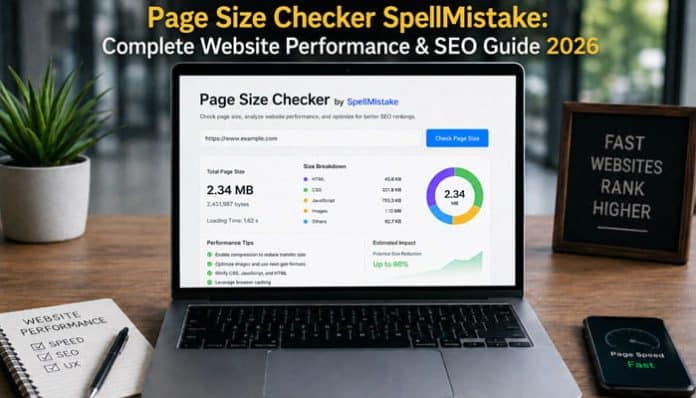
Page Size Checker SpellMistake is a free online tool designed to estimate how much data a web page contains. By entering a public URL, website owners can review the page’s total weight and identify whether images, JavaScript, CSS, fonts, videos, advertisements, or third-party resources may be making it unnecessarily heavy.
Page weight matters because every resource must be downloaded, processed, decoded, displayed, or executed by the visitor’s browser. An oversized page can consume more mobile data, load slowly on weaker connections, place greater pressure on low-powered devices, and make good Core Web Vitals harder to achieve.
However, page size and page speed are not identical. A lightweight page can still perform poorly because of slow hosting, render-blocking code, delayed server responses, or badly prioritized resources. A larger page may appear quickly when its most important content loads first and nonessential files are cached, deferred, or lazy-loaded.
This guide explains how Page Size Checker SpellMistake works, how to interpret its results, what current page-weight benchmarks show, and how to reduce unnecessary website weight without removing useful content or essential functionality.
Quick Answer: Page Size Checker SpellMistake
Page Size Checker SpellMistake is a browser-based website-management tool that analyzes a submitted URL and reports the estimated size of the page.
According to the tool’s public description, it can show page size in:
- Bytes
- Kilobytes
- Megabytes for larger pages
It may also display a breakdown of the files contributing to the result, including images, scripts, stylesheets, and other resources.
The tool is useful for an initial page-weight check. However, it should not replace Google PageSpeed Insights, Lighthouse, Chrome DevTools, Search Console Core Web Vitals, or real-user performance monitoring.
Key Takeaways
- Page size is the combined weight of the resources retrieved during a page load.
- Images and JavaScript are commonly the largest contributors.
- Page Size Checker SpellMistake offers a quick initial page-weight estimate, not a complete speed diagnosis.
- Smaller pages are not automatically faster because hosting, latency, loading order, caching, and browser processing also matter.
- Google does not publish a universal page-size limit for SEO.
- Test representative templates and confirm results with DevTools, PageSpeed Insights, and real-user data.
- Optimize the largest unnecessary resources first and use performance budgets to prevent future growth.
What Is Page Size Checker SpellMistake?
Page Size Checker SpellMistake is one of the website-management utilities listed on the SpellMistake platform. It is intended to make basic page-size analysis accessible to users who may not be comfortable using advanced browser tools or performance-testing software.
The tool follows a simple process:
- Enter the full URL of a publicly accessible page.
- Start the page-size check.
- Allow the platform to retrieve and analyze the URL.
- Review the total page size.
- Examine any available resource breakdown.
- Identify which files contribute most to the total.
The tool may be useful during:
- Technical SEO audits
- Website redesigns
- Theme changes
- WordPress plugin reviews
- Image-optimization projects
- Landing-page development
- Ecommerce performance audits
- Advertising and tracking reviews
- Mobile-speed investigations
- Before-and-after optimization comparisons
What Does Page Size Mean?
Page size, also called page weight, is the total amount of data a browser downloads when opening a web page. Page Size Checker SpellMistake helps estimate this total by analyzing the files connected to a submitted URL.
| Resource type | Examples | Possible effect |
|---|---|---|
| HTML and CSS | Text, page structure, layout and design | Large files may increase transfer and rendering time |
| JavaScript | Menus, forms, analytics and interactive features | Requires downloading, parsing and execution |
| Images and media | Photos, banners, audio and video | Often contribute the most page weight |
| Fonts | Custom typefaces and font weights | Add requests and may delay text display |
| Third-party resources | Ads, embeds, tracking tools and API data | Can add extra files, requests and processing |
Not every page-size tool measures these resources in the same way. Some tools analyze only the initial files, while others execute JavaScript and include dynamically loaded content.
For this reason, Page Size Checker SpellMistake may show a different total from Chrome DevTools or another performance tool. These differences usually result from caching, compression, dynamic content and testing methods.
Page Size, Transfer Size and Resource Size
When reviewing a result from Page Size Checker SpellMistake, it is important to understand the difference between transfer size and resource size.
Transfer Size
Transfer size is the amount of data sent from the server to the visitor’s browser. It may be reduced through Gzip or Brotli compression, browser caching, conditional requests, CDN optimization, and previously stored files.
Resource Size
Resource size generally refers to the full uncompressed file or the amount of data the browser must process after downloading it.
For example, a JavaScript file may have:
- An original resource size of 300 KB
- A compressed transfer size of 90 KB
- Additional processing requirements after download
Both measurements matter. Transfer size affects bandwidth and download time, while resource size influences memory use, parsing, image decoding, and JavaScript execution.
The public documentation for Page Size Checker SpellMistake does not clearly state whether its total represents compressed transfer size, uncompressed resource size, or a combination of both. For detailed technical analysis, compare the result with the transferred and loaded totals shown in Chrome DevTools.
How to Use Page Size Checker SpellMistake
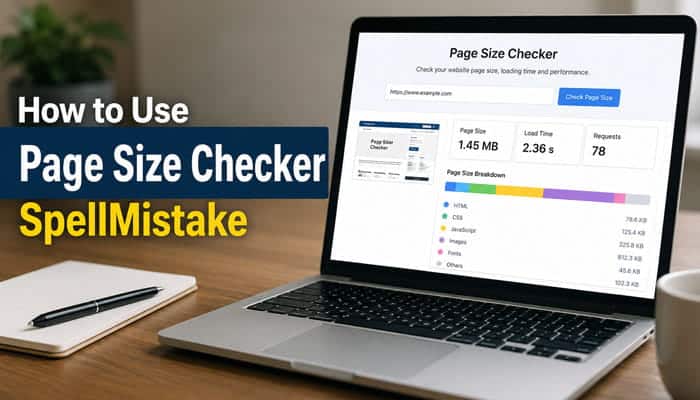
Using Page Size Checker SpellMistake involves choosing a suitable public page, reviewing its reported weight, identifying the largest resources, and confirming the findings with additional performance tools.
Step 1: Select a Representative Public URL
Do not test only the homepage. Choose an important page template, such as a blog article, product page, category page, landing page, checkout page, or media-heavy page.
Use the preferred HTTPS URL and confirm that it:
- Loads without a password
- Uses the canonical hostname
- Contains no private tokens or sensitive parameters
- Does not redirect unexpectedly
Step 2: Run the Page-Size Check
Enter the complete URL into Page Size Checker SpellMistake and start the analysis. Record the test date, reported page size, resource breakdown, request count, errors, and known cache conditions.
Step 3: Identify the Largest Contributor
Determine whether most of the page weight comes from images, JavaScript, CSS, fonts, videos, advertisements, HTML, or third-party widgets. Prioritize the largest unnecessary files rather than making random changes.
Step 4: Verify the Result
Check the same URL with Chrome DevTools, PageSpeed Insights, Lighthouse, and available Core Web Vitals field data. Results may differ because tools use different browsers, cache states, locations, and rendering methods.
Step 5: Optimize and Retest
Make one group of related improvements at a time. Then repeat the test using the same URL and similar conditions. Recording before-and-after results helps show which changes produced measurable improvements.
| Test date | Page | Original size | New size | Reduction |
|---|---|---|---|---|
| Add date | Homepage | — | — | — |
| Add date | Blog article | — | — | — |
| Add date | Product page | — | — | — |
Editorial Verification of Page Size Checker SpellMistake
The public interface and documentation for Page Size Checker SpellMistake were reviewed on June 18, 2026. The tool page loaded successfully and displayed its URL-entry field, but the interactive result panel could not be submitted through the read-only review environment. Chrome DevTools was also unavailable during the same session.
The table below records only what could be verified, without estimating or inventing missing results.
| Test detail | Verification result |
|---|---|
| Review date | June 18, 2026 |
| Page reviewed | Public website-management tool page |
| Review URL | https://spellmistake.com/page-size-checker |
| Tool result | Not captured because the interactive panel was unavailable |
| Chrome DevTools transfer size | Not captured |
| Chrome DevTools resource size | Not captured |
| Largest resource | Not determined |
| Dynamic resources included | Uncertain |
| Difference between tools | Not calculable without two completed tests |
The base HTML response alone would not represent the page’s complete weight because it excludes separately requested CSS, JavaScript, images, fonts, and dynamically loaded resources. Therefore, this review does not present a partial HTML measurement as the complete page-size result.
For a reproducible comparison, test the same public URL with both tools, disable the browser cache during the DevTools test, record the transferred and loaded totals, and note whether lazy-loaded or interaction-triggered resources were included.
How to Interpret Page Size Checker SpellMistake Results
The total reported by Page Size Checker SpellMistake can indicate whether a page is unusually heavy, but it does not identify exactly what should be optimized. Review the resource breakdown to find the files contributing most to the page weight.
| Largest resource category | What to examine | Recommended action |
|---|---|---|
| Images | Hero images, product galleries, backgrounds and thumbnails | Resize oversized files, compress images and use WebP or AVIF where appropriate |
| JavaScript | Page builders, sliders, pop-ups, analytics and chat widgets | Remove unused scripts, defer noncritical code and load features only where needed |
| CSS | Themes, frameworks, plugin styles and icon libraries | Remove unused rules, reduce duplicate files and minify stylesheets |
| Fonts | Font families, weights, italics and character sets | Keep only required fonts and use optimized WOFF2 files |
| Third-party resources | Ads, videos, maps, social embeds and tracking tools | Remove low-value services or delay them until interaction or consent |
When Page Size Checker SpellMistake shows images as the largest category, first check whether their original dimensions are much larger than their displayed size. Oversized hero images and product photographs often provide the easiest page-weight reductions.
If JavaScript or third-party files dominate the result, determine which website feature loads each resource before removing it. Advertising, analytics, chat, recommendations and social embeds may add both transfer weight and browser-processing work.
Because Page Size Checker SpellMistake provides an initial page-size estimate, confirm important findings with Chrome DevTools or PageSpeed Insights. This helps reveal each file’s transfer size, loading order, source and performance effect.
Cold Cache vs Warm Cache
Page-size and performance results from Page Size Checker SpellMistake can change depending on whether the browser already has reusable website resources stored locally.
Cold-Cache Testing
A cold-cache test simulates a visitor loading the website without previously stored files.
The browser may need to retrieve:
- Stylesheets
- JavaScript
- Fonts
- Logos
- Images
- Tracking scripts
- Interface icons
- Third-party widgets
Cold-cache testing with Page Size Checker SpellMistake is useful for evaluating first-time visitors, private browsing sessions, expired cache files, and users opening the site on a new device.
Warm-Cache Testing
A warm-cache test represents a repeat visit in which some resources are already stored in the browser.
The browser may reuse those files instead of downloading them again. This can reduce transferred data and improve loading speed even though the original resources have not become smaller. For this reason, repeat tests with Page Size Checker SpellMistake may produce different results.
Why Results Vary
An online page-size checker may:
- Use an empty or temporary cache
- Retrieve only the initial document
- Execute some or all JavaScript
- Include or exclude lazy-loaded content
- Receive different advertisements
- Load personalized content
- Test from another geographic location
Use consistent conditions when measuring progress with Page Size Checker SpellMistake. Do not compare a cold-cache result from one platform with a warm-cache result from another as though they measured the same experience.
Page Size vs Page Speed
When reviewing a result from Page Size Checker SpellMistake, remember that page size and page speed influence each other, but they are not the same metric.
| Page size | Page speed |
|---|---|
| Measures how much page data is retrieved | Measures how quickly content becomes visible and interactive |
| Reported in bytes, KB or MB | Reported in seconds or milliseconds |
| Focuses on file weight | Includes servers, networks, browsers and devices |
| Influenced by images, scripts, CSS and fonts | Influenced by size, latency, execution, caching and loading order |
| Does not directly measure responsiveness | Can measure loading and interaction performance |
A 1 MB page identified through Page Size Checker SpellMistake is not automatically faster than a 2 MB page.
The smaller page could remain slow because:
- The server responds slowly.
- The URL passes through redirects.
- The main image is requested too late.
- CSS blocks the initial render.
- JavaScript blocks the main browser thread.
- The website depends on a slow API.
- The user is geographically far from the server.
- Cache settings are ineffective.
A larger page analyzed with Page Size Checker SpellMistake may appear faster when:
- Important content is prioritized.
- The server responds quickly.
- Below-the-fold media is lazy-loaded.
- Nonessential JavaScript is deferred.
- Files are cached effectively.
- Static resources are delivered through a CDN.
- The primary image is optimized and requested early.
Page Size Checker SpellMistake should therefore be used as part of a broader performance audit rather than as a complete speed test.
Current Website Page-Weight Benchmarks for 2026
Page-weight benchmarks provide useful context, but they should not be treated as strict Google limits. These benchmarks can help users understand results from Page Size Checker SpellMistake and determine whether a page is unusually heavy.
According to HTTP Archive’s 2025 Web Almanac, the median homepage measured in July 2025 weighed approximately:
| Device type | Median homepage weight |
|---|---|
| Desktop | 2.86 MB |
| Mobile | 2.56 MB |
Median inner pages were lighter:
| Device type | Median inner-page weight |
|---|---|
| Desktop | About 2 MB |
| Mobile | About 1.8 MB |
On the median mobile homepage, major resource categories included approximately:
| Resource type | Median transferred size |
|---|---|
| Images | 911 KB |
| JavaScript | 632 KB |
| Fonts | 122 KB |
| CSS | 77 KB |
| HTML | 22 KB |
Images contributed the most bytes, followed by JavaScript and fonts. This resource breakdown provides useful context when Page Size Checker SpellMistake reports images or scripts as the largest part of a page.
A page below the median is not automatically fast, and one above the median is not automatically poor. A median describes what is common across tested websites, not what website owners should aim to achieve.
HTTP Archive also found that lighter homepages were more likely to pass all three Core Web Vitals. Therefore, a result from Page Size Checker SpellMistake can help identify excessive page weight, but it cannot predict Core Web Vitals performance by itself.
| Homepage weight | Desktop passing Core Web Vitals | Mobile passing Core Web Vitals |
|---|---|---|
| Up to 1 MB | 70% | 57% |
| 1–2 MB | 59% | 52% |
| 2–3 MB | 53% | 45% |
| 3–4 MB | 48% | 38% |
| 4–5 MB | 44% | 34% |
| 5 MB or more | 38% | 30% |
These results demonstrate a correlation, not a guarantee.
Because these pass rates are based on Chrome User Experience Report data, they primarily represent pages with sufficient real-user traffic. They should not be interpreted as a complete measurement of every website on the web. The Web Almanac explains that pages need enough visits to meet Chrome User Experience Report anonymization requirements, so popular pages and websites are more likely to be represented.
Hosting quality, device capability, JavaScript execution, resource priority, network conditions, and visual stability also affect Core Web Vitals.
When evaluating results from Page Size Checker SpellMistake, compare pages with similar purposes. A blog post, ecommerce product page, application dashboard, and photography portfolio have different requirements.
Page-Weight Targets and Performance Budgets
What Is an Ideal Web Page Size?
There is no universal ideal size. The best target is the smallest page that delivers the required content, accessibility, design, and functionality without harming users.
Practical page-weight guide
| Total page weight | General interpretation | Recommended action |
|---|---|---|
| Below 500 KB | Very lightweight | Maintain performance and monitor additions |
| 500 KB–1 MB | Strong for simple pages | Confirm critical resources load first |
| 1–1.6 MB | Reasonable working budget | Review images, fonts, and scripts |
| 1.6–2.5 MB | Common but potentially heavy | Investigate mobile performance |
| 2.5–4 MB | Heavy for many content pages | Begin a structured reduction plan |
| Above 4 MB | Very heavy in many cases | Audit media, scripts, ads, and embeds |
| Above 8 MB | High mobile-network risk | Consider major design and media changes |
These are editorial benchmarks, not Google requirements. A photography portfolio may reasonably be heavier than a simple contact page because the two serve different purposes.
Suggested Budgets by Page Type
| Page type | Suggested starting budget | Main risk |
|---|---|---|
| Simple information page | 500 KB–1 MB | Theme assets and fonts |
| Blog article | 800 KB–1.5 MB | Images, ads, and embeds |
| Lead-generation page | 800 KB–1.5 MB | Video, forms, and tracking |
| Ecommerce product page | 1.2–2.5 MB | Galleries and widgets |
| Product category page | 1.2–2.5 MB | Thumbnails, filters, and scripts |
| News article | 1–2 MB | Ads, analytics, and recommendations |
| Photography portfolio | 1.5–3 MB | High-resolution images |
| Web application | Project-specific | JavaScript and API data |
Adjust these starting points for the audience, devices, connection quality, and features the page genuinely needs.
How to Create a Performance Budget
A performance budget can limit total transfer, images, JavaScript, CSS, fonts, requests, third-party services, LCP, INP, CLS, and server response time.
Sample performance budget
| Metric | Blog article target | Product-page target |
|---|---|---|
| Total initial transfer | Below 1.5 MB | Below 2.5 MB |
| Images | Below 700 KB | Below 1.4 MB |
| JavaScript | Below 350 KB | Below 500 KB |
| CSS | Below 150 KB | Below 180 KB |
| Font transfer | Below 150 KB | Below 150 KB |
| Third-party requests | Below 15 | Below 25 |
| LCP | 2.5 seconds or less | 2.5 seconds or less |
| INP | Below 200 milliseconds | Below 200 milliseconds |
| CLS | Below 0.1 | Below 0.1 |
These are sample internal targets, not official Google limits. Set budgets around the page’s purpose and enforce them during design, development, and content updates.
Why Page Size Matters in 2026
Understanding page weight helps users interpret results from Page Size Checker SpellMistake and identify how heavy resources may affect visitors, website costs, and SEO performance.
Mobile Users May Have Limited Resources
Not every visitor has a recent smartphone or fast broadband connection.
Heavy pages may perform poorly on:
- Budget smartphones
- Older devices
- Congested mobile networks
- Rural connections
- Public Wi-Fi
- International roaming
- Data-saving modes
- Shared connections
A page that appears fast on a developer’s desktop may still perform badly on a lower-powered mobile device. Results from Page Size Checker SpellMistake can help reveal when excessive page weight may create problems for these users.
Larger Pages Consume More Data
Visitors must download page resources before the browser can process them. This matters for users on limited data plans, pay-per-use connections, slow networks, shared connections, and international roaming.
Reducing unnecessary weight makes a website more affordable and accessible.
Browsers Must Process the Resources
Downloading is only one part of the workload.
The browser may also need to:
- Parse HTML
- Calculate CSS styles
- Decode images
- Compile and execute JavaScript
- Build the page layout
- Paint the screen
- Respond to interactions
Large JavaScript bundles can be especially expensive because they must be processed after arriving. When Page Size Checker SpellMistake reports a large page, JavaScript should be reviewed alongside images, CSS, fonts, and third-party resources.
Page Weight Can Increase Operating Costs
Large files may increase:
- Hosting bandwidth
- CDN transfer costs
- Image-processing expenses
- Video-delivery costs
- Backup storage
- Deployment size
- Server load
A small saving per page view can produce a substantial reduction on a high-traffic website.
Performance Can Affect Business Results
Slow and unstable experiences may reduce readership, product engagement, form submissions, newsletter sign-ups, shopping-cart activity, advertising viewability, repeat visits, and customer trust.
Page-weight optimization can therefore support usability, conversions, retention, and operational efficiency in addition to technical SEO. Page Size Checker SpellMistake can provide an initial measurement, but website owners should confirm performance with additional testing tools.
Does Page Size Affect SEO Rankings?
When reviewing results from Page Size Checker SpellMistake, remember that Google does not publish a rule stating that a page must remain below a particular number of megabytes to rank.
Page size is not a standalone ranking factor where a 1 MB page automatically outranks a 3 MB page. Its SEO impact is mostly indirect.
Excessive page weight identified through Page Size Checker SpellMistake can contribute to:
- Slow content rendering
- Poor Largest Contentful Paint
- Delayed responsiveness
- High JavaScript-processing time
- Weak mobile usability
- Increased data consumption
- Poor visitor satisfaction
- Layout instability
Google’s Core Web Vitals guidance recommends achieving good Core Web Vitals because they reflect important elements of real-world page experience. However, good performance scores do not guarantee high rankings.
Even when Page Size Checker SpellMistake reports a lightweight page, the content must still provide:
- Helpful and original information
- Strong search-intent alignment
- Accurate headings and metadata
- Crawlable internal links
- Reliable technical implementation
- Clear authorship and editorial trust
- Relevant topical coverage
- Mobile-friendly design
- Appropriate canonical signals
A fast page with thin or unhelpful content is unlikely to rank simply because it is lightweight.
The best strategy is to use Page Size Checker SpellMistake to identify unnecessary page weight while preserving useful content and essential functionality.
Page Size and Core Web Vitals
When reviewing results from Page Size Checker SpellMistake, remember that Core Web Vitals measure aspects of user experience rather than total page size alone.
| Metric | What it measures | Good threshold |
|---|---|---|
| Largest Contentful Paint | Loading performance | 2.5 seconds or less |
| Interaction to Next Paint | Responsiveness | Below 200 milliseconds |
| Cumulative Layout Shift | Visual stability | Below 0.1 |
These assessments are generally evaluated at the 75th percentile of page visits, separated by mobile and desktop where sufficient field data is available.
Largest Contentful Paint
Largest Contentful Paint, or LCP, measures how quickly the main visible content appears.
A large hero image, banner, background graphic, or product photograph identified through Page Size Checker SpellMistake may delay LCP.
Possible improvements include:
- Compressing the LCP image
- Serving the correct dimensions
- Using WebP or AVIF where appropriate
- Improving server response time
- Prioritizing the LCP resource
- Avoiding JavaScript-dependent hero images
- Removing render-blocking dependencies
- Not lazy-loading the primary above-the-fold image
Interaction to Next Paint
Interaction to Next Paint, or INP, evaluates how responsive a page feels when users click, tap, or type.
Large JavaScript bundles reported during a Page Size Checker SpellMistake review may weaken INP because the browser can become occupied processing code.
Possible improvements include:
- Removing unused JavaScript
- Reducing third-party scripts
- Splitting large bundles
- Breaking up long tasks
- Loading nonessential functionality later
- Simplifying complex interactions
- Reviewing plugin-generated scripts
Cumulative Layout Shift
Cumulative Layout Shift, or CLS, measures unexpected visual movement.
Page weight does not directly determine CLS, but media and delayed interface elements can create instability. Therefore, findings from Page Size Checker SpellMistake should be reviewed alongside layout-stability measurements.
Possible improvements include:
- Adding width and height attributes to images
- Reserving space for advertisements
- Reserving space for embeds
- Avoiding late content insertion above existing content
- Using stable font-loading strategies
- Giving banners and cookie notices predictable space
Does Page Weight Affect Crawling and Rendering?
When reviewing a result from Page Size Checker SpellMistake, remember that for most small and medium-sized websites, page weight should primarily be treated as a user-experience and performance concern rather than a crawl-budget emergency.
Advanced crawl-budget management is mainly relevant to:
- Very large websites
- Websites with rapidly changing URLs
- Sites experiencing substantial crawl inefficiency
- Sites with many URLs marked as discovered but not indexed
Resource-heavy pages identified through Page Size Checker SpellMistake can still create rendering complications.
Potential issues include:
- Essential content generated only after heavy JavaScript executes
- Important scripts or styles blocked by robots.txt
- Resources returning errors
- Duplicate copies of shared scripts
- Slow server responses
- Unnecessary URL variations
- Important links that depend on failed scripts
- Excessive pressure on the server
Google can render JavaScript, but JavaScript-dependent websites must still ensure that important content and links remain accessible. Therefore, a high result from Page Size Checker SpellMistake should be reviewed alongside JavaScript rendering and indexing checks.
Shared resources should use consistent URLs where possible so browsers and search engines can cache and reuse them.
Reducing page size does not guarantee faster indexing. Results from Page Size Checker SpellMistake should be considered alongside internal linking, server reliability, XML sitemaps, canonicalization, content usefulness, crawl demand, HTTP status codes, and robots directives.
Lab Data vs Field Data
Performance tools may display different results because they do not all measure the same type of data. This explains why Page Size Checker SpellMistake may report figures that differ from other website-performance tools.
Lab Data
Lab data is generated in a controlled environment with selected device, network, and processing conditions.
Examples include:
- Lighthouse
- The diagnostic portion of PageSpeed Insights
- Chrome DevTools performance testing
- Many online testing platforms
Lab testing is useful for reproducing problems, comparing changes, finding render-blocking resources, investigating JavaScript execution, and testing pages without enough visitor data. Results from Page Size Checker SpellMistake can be compared with lab data to identify possible page-weight issues.
Field Data
Field data is collected from real visitors using different devices, connections, and locations.
Examples include:
- Chrome User Experience Report data
- Search Console Core Web Vitals
- Real-user monitoring tools
- Website analytics configured for Web Vitals
Field data is useful for understanding actual visitor experiences. It can also show whether issues identified through Page Size Checker SpellMistake affect real users.
Why the Figures Differ
Real users may have different devices, processors, screens, networks, locations, cache states, browser settings, extensions, cookie preferences, and interaction patterns.
Lab testing helps diagnose likely causes. Field data reveals whether real visitors are experiencing the issue.
Page Size Checker SpellMistake should be treated primarily as an initial diagnostic tool. Real-user data should guide final Core Web Vitals decisions whenever enough information is available.
How to Verify Page Size in Chrome DevTools
After checking a URL with Page Size Checker SpellMistake, use the Chrome DevTools Network panel to view the individual requests behind the reported page-size total.
- Open the page in Chrome and select Inspect.
- Open Network and enable Disable cache.
- Reload the page and allow the main resources to finish loading.
- Review the transferred and loaded totals shown at the bottom.
- Sort the Size column from largest to smallest.
- Filter by Img, JS, CSS, Font, Media, or Fetch/XHR.
- Open important requests to inspect timing, compression, caching, initiator, and redirects.
Chrome may show a smaller transferred size and a larger loaded size because Gzip or Brotli compresses text files during delivery.
What to Investigate First
Prioritize resources that are unusually large, render-blocking, duplicated, unused on the page, inefficiently cached, delivered without compression, loaded through redirects, returned with errors, or fetched from slow third-party domains.
The request initiator can also reveal whether a file originates from the theme, a plugin, an advertising system, analytics, or another external widget. Compare these details with the Page Size Checker SpellMistake result to identify which resources should be optimized first.
HTTP Requests, Page Weight and Modern HTTP
When reviewing results from Page Size Checker SpellMistake, remember that page weight and HTTP request count measure different things.
Page weight measures bytes. Request count measures how many separate resources the browser requests.
A page might contain:
- 500 KB delivered through 20 requests
- 500 KB delivered through 100 requests
- 3 MB delivered through 30 requests
Reducing unnecessary requests can still help, particularly when files come from many third-party domains.
However, website owners should not automatically combine every stylesheet and script into one large file just to lower the request count.
HTTP/2 and HTTP/3 can handle multiple requests more efficiently than HTTP/1.1.
A better modern strategy is to:
- Remove unused resources.
- Minify text-based files.
- Split code by page or feature.
- Reuse consistently named shared assets.
- Cache versioned static files.
- Reduce third-party connections.
- Prioritize above-the-fold resources.
- Use HTTP/2 or HTTP/3 when supported.
One oversized JavaScript bundle may reduce the request count while forcing users to download code they do not need.
The objective is not the lowest possible request number. Use Page Size Checker SpellMistake alongside request-level analysis to support the efficient delivery of the correct resources at the correct time.
How to Reduce Web Page Size
After reviewing a page with Page Size Checker SpellMistake, use the following methods to reduce unnecessary page weight.
Common Causes of Excessive Page Weight
Heavy pages usually result from oversized media, unused code, global plugin assets, too many fonts, advertisements, embeds, analytics, chat tools, or several smaller additions accumulated over time. Identify the largest avoidable contributor before changing the site.
1. Compress and Resize Images
Resize images to realistic display dimensions, compress them at an appropriate quality, remove unnecessary metadata, and consider WebP or AVIF. A 4,000-pixel photograph should not be delivered for a 700-pixel content area.
2. Use Responsive Images
Use srcset, sizes, <picture>, and explicit width and height attributes so browsers can choose an appropriate file and reserve layout space.
3. Lazy-Load Below-the-Fold Media
Delay images, maps, videos, social embeds, and other media that appear below the first screen. Do not lazy-load the primary above-the-fold image because that can weaken LCP.
4. Replace Heavy Video Embeds
Use a lightweight preview image or click-to-load player instead of loading the full video player, tracking scripts, and controls before the visitor interacts.
5. Remove Unused JavaScript
Audit sliders, animations, pop-ups, analytics, chat, heatmaps, social feeds, and form libraries. Removing an unnecessary feature usually saves more than minifying it.
6. Split Large JavaScript Bundles
Load code only where it is needed. Checkout, charts, account dashboards, and comment features should not automatically load on unrelated pages.
7. Defer Noncritical Scripts
Delay analytics, chat, social sharing, recommendations, heatmaps, and advertising support code when they are not required for the initial display. Test carefully after changing script order.
8. Minify HTML, CSS, and JavaScript
Minification removes comments, spaces, line breaks, and formatting characters. It is useful, but it cannot compensate for an oversized framework or unnecessary plugin.
9. Remove Unused CSS
Themes and builders often ship styles for components that never appear. Remove or delay unused rules only after testing all important templates.
10. Enable HTTP Compression
Use Gzip or Brotli for HTML, CSS, JavaScript, JSON, and SVG. Files such as JPEG, WebP, AVIF, MP4, and ZIP are already compressed and usually gain less.
11. Optimize Fonts
Use fewer families and weights, remove unused italics, subset character sets, prefer WOFF2, and preload only critical fonts. System fonts may be appropriate for especially lightweight designs.
12. Improve Browser Caching
Apply suitable cache policies to images, CSS, JavaScript, fonts, icons, and other static files. Use versioned filenames or controlled cache busting when assets change.
13. Use a CDN Correctly
A CDN can reduce latency, improve caching, and provide compression or image transformation. It does not automatically make every oversized original asset smaller.
14. Reduce Third-Party Code
Keep external services only when they provide measurable value. Remove duplicates, restrict them to relevant pages, or load them after consent or interaction where appropriate.
15. Simplify the Page Design
Reduce unnecessary sliders, video backgrounds, autoplay media, oversized galleries, decorative graphics, mega menus, and heavy animation. Simpler interfaces can improve performance, accessibility, and usability together.
After making these changes, run the URL through Page Size Checker SpellMistake again and compare the result with the original measurement.
WordPress Page-Size Optimization
After reviewing a WordPress page with Page Size Checker SpellMistake, check whether themes, page builders, and plugins are loading unnecessary resources across every URL.
Audit Installed Plugins
Review plugins that add:
- Pop-ups
- Social-sharing buttons
- Related posts
- Sliders
- Analytics
- Forms
- Chat
- Custom fonts
- Advertisements
- Animations
Do not delete a plugin until you confirm that it is not required for security, backups, ecommerce, or essential functionality.
Review the Active Theme
Multipurpose themes may contain features that are never used.
Check whether the theme loads:
- Several CSS frameworks
- Icon libraries
- Slider code
- Ecommerce resources
- Animation libraries
- Maps
- Custom fonts
- Large background images
Optimize Media Uploads
WordPress generates several versions of an image, which can support responsive delivery. However, themes and plugins may create unnecessary dimensions.
Review:
- Thumbnail sizes
- Featured-image dimensions
- Product-image settings
- Gallery sizes
- Compression quality
- WebP or AVIF delivery
- Unused media files
Load Assets Only Where Needed
A contact-form plugin may not need to load its files on every blog article. Ecommerce scripts may not be necessary on informational pages.
Conditional asset loading can reduce page weight, but it must be tested carefully.
Avoid Overlapping Optimization Tools
Caching and optimization plugins may offer page caching, browser caching, compression, minification, lazy loading, critical CSS, CDN integration, and JavaScript delay.
Activating the same function in several plugins can cause broken layouts, duplicate processing, or unpredictable results. After making changes, use Page Size Checker SpellMistake again to compare the page’s new weight with the original result.
Ecommerce Page-Size Optimization
Ecommerce pages often contain product galleries, high-resolution images, review systems, recommendation carousels, payment features, analytics, personalization, chat tools, and advertising pixels.
Prioritize:
- Responsive product images
- Compressed thumbnails
- Lazy-loaded secondary gallery images
- Lightweight review widgets
- Controlled recommendation sections
- Deferred chat systems
- Limited tracking scripts
- Efficient product filters
- Payment scripts loaded only where needed
- Simplified variant selectors
Do not remove useful product information merely to achieve an arbitrary page-size target. Detailed images may be essential for purchasing decisions. The goal is efficient delivery, not removal of valuable content.
How Much Data Does a Web Page Use?
After checking a page with Page Size Checker SpellMistake, you can estimate its approximate uncached data transfer using decimal units and this formula:
Page size × number of page views = approximate data transferred
| Page size | Page views | Approximate transfer |
|---|---|---|
| 1 MB | 1,000 | 1 GB |
| 2.5 MB | 10,000 | 25 GB |
| 4 MB | 100,000 | 400 GB |
Actual data transfer may differ because of:
- Browser caching
- CDN compression
- Partial page loads
- Lazy-loaded resources
- Video streaming
- Personalized advertisements
- Responsive images
- Repeat visits
- Abandoned loads
Reducing a page from 4 MB to 2.5 MB saves approximately 1.5 MB per comparable uncached visit.
Across 100,000 page views, that represents about 150 GB of avoided transfer before caching and other variables are considered. Use Page Size Checker SpellMistake before and after optimization to compare the estimated reduction in page weight.
Comparing Page Size Checker SpellMistake With Other Tools
| Tool | Main purpose | Best use |
|---|---|---|
| Page Size Checker SpellMistake | Quick page-size estimate | Initial page-weight review |
| SpellMistake Page Speed Checker | Basic speed and request information | Related performance overview |
| Google PageSpeed Insights | Lab and available field data | Core Web Vitals diagnosis |
| Lighthouse | Controlled technical audit | Performance and best-practice testing |
| Chrome DevTools Network | Request-level analysis | Identifying exact file sizes and origins |
| Search Console Core Web Vitals | Grouped field data | Monitoring real-user page groups |
| HTTP Archive | Web-wide performance research | Industry benchmarks |
| Real-user monitoring | Actual visitor measurements | Device, location and template analysis |
Page Size Checker SpellMistake is most useful at the beginning of the workflow.
It can indicate that a page is heavy, while more advanced tools help determine why the page performs poorly and which resources should be changed.
Complete Page-Size Audit Workflow
Phase 1: Establish a Baseline
Begin with Page Size Checker SpellMistake by choosing representative templates and recording total transfer, resource-category weights, request counts, major third-party services, LCP, INP, CLS, and server response time. Use the same tools and conditions for later comparisons.
Phase 2: Find and Prioritize Opportunities
Use the results from Page Size Checker SpellMistake to sort requests by size and identify oversized images, unused JavaScript, heavy embeds, duplicate libraries, excessive font files, global plugin assets, advertising resources, videos, errors, and redirects.
Prioritize high-impact changes that require relatively little effort:
| Issue | Likely impact | Typical effort |
|---|---|---|
| Oversized hero or article image | High | Low |
| Unused chat or tracking widget | Medium to high | Low |
| Excessive font weights | Medium | Low |
| Poor caching | Medium | Low to medium |
| Video background | High | Medium |
| Duplicate CSS library | Medium | Medium |
| Large JavaScript framework | High | High |
Phase 3: Implement Changes Safely
Use a backup and staging environment when possible. After each change, test navigation, forms, checkout, analytics, images, mobile layout, login, search, pop-ups, and accessibility.
Phase 4: Retest and Monitor
Run the same pages through Page Size Checker SpellMistake, repeat the original lab tests, and compare the results with the baseline. Then confirm the effect through Search Console, PageSpeed Insights field data, real-user monitoring, analytics, engagement, and conversion data.
Ongoing Performance Monitoring
Page weight often grows gradually as new media, plugins, fonts, advertisements, and tracking services are added. Maintain template-level budgets, retest after major design or plugin changes, compress media before publishing, review third-party services regularly, and compare page weight on a monthly or release-based schedule.
Regular checks with Page Size Checker SpellMistake can help identify gradual increases in page weight before they create serious performance problems.
Limitations of Page Size Checker SpellMistake
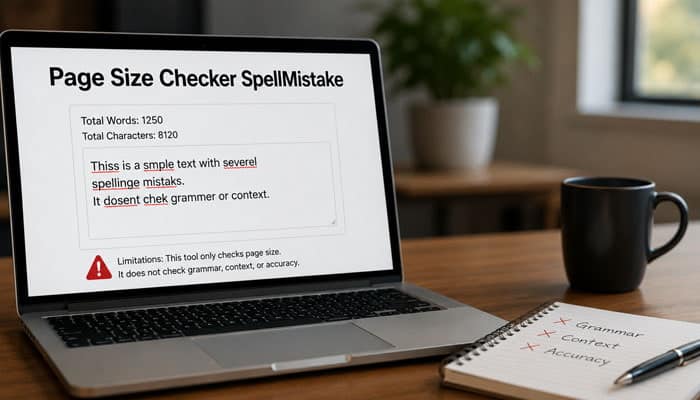
No single page-size tool provides a complete view of website performance. Page Size Checker SpellMistake should therefore be used as an initial diagnostic tool rather than a complete performance solution.
It May Not Reproduce Every Visitor’s Experience
Results from Page Size Checker SpellMistake may differ because of test location, browser, device, network speed, consent choices, personalization, login status, advertisements, cache state, and CDN routing.
Dynamic Resources May Change
Advertisements, comments, recommendations, and API content can produce different requests on each page load.
Lazy-Loaded Content May Be Excluded
If the checker does not scroll or interact with the page, it may not include resources loaded later.
Total Weight Does Not Measure Responsiveness
Page size alone cannot show whether JavaScript blocks interactions or creates long browser tasks.
It May Not Contain Field Data
An automated test cannot fully represent real visitors across different devices, networks, and locations.
The Public Methodology Is Limited
The public description of Page Size Checker SpellMistake does not fully explain:
- Testing location
- Browser engine
- Device configuration
- Cache status
- JavaScript-rendering behavior
- Timeout length
- Treatment of lazy-loaded resources
- Compressed versus uncompressed reporting
Use the result as an initial indicator rather than the only source of truth.
Privacy and Safety Considerations
A page-size checker must retrieve the submitted URL to analyze it.
Avoid submitting:
- Private staging addresses
- Confidential preview links
- Password-reset URLs
- URLs containing access tokens
- Customer dashboards
- Administrative pages
- Unpublished documents
- Sensitive query parameters
For protected pages, use Chrome DevTools or an approved internal testing system.
Before submitting sensitive information to any third-party tool, review its privacy policy, terms of use, cookie practices, data-retention information, ownership details, and contact information.
Only submit URLs that are safe to share publicly.
Common Page-Size Testing Mistakes
When using Page Size Checker SpellMistake, avoid these common mistakes:
- Testing only the homepage instead of checking articles, product pages, categories, and landing pages.
- Assuming that a smaller page size always means a faster website.
- Trying to reach an arbitrary page-size target without focusing on real performance problems.
- Removing useful content, accessibility features, security tools, or checkout functions to reduce page size.
- Ignoring performance problems on mobile devices and slower internet connections.
- Comparing test results from different URLs, tools, cache settings, or testing conditions.
- Installing multiple optimization plugins that perform the same caching, minification, or lazy-loading tasks.
- Looking only at the total page size and ignoring resource timing, redirects, errors, loading priority, and processing cost.
2026 Website Performance Checklist
After using Page Size Checker SpellMistake, confirm that:
- Representative templates have realistic performance budgets.
- Hero and content images are correctly sized, compressed, and responsive.
- Only below-the-fold media is lazy-loaded where appropriate.
- Image dimensions reserve layout space.
- Unused JavaScript and CSS have been reduced.
- Large bundles are split or deferred when practical.
- Third-party scripts, advertisements, and embeds are limited.
- Text resources use compression and static files use effective caching.
- Fonts are limited to the required families, weights, and character sets.
- Mobile and desktop LCP, INP, and CLS are monitored.
- Essential functionality and accessibility are retested after optimization.
- Page weight is reviewed after major content, theme, plugin, or tracking changes.
Who Should Use Page Size Checker SpellMistake?
| User | Main use |
|---|---|
| Bloggers | Check images, advertisements and embeds |
| SEO professionals | Support technical performance audits |
| Developers | Compare resource weight before and after changes |
| Ecommerce businesses | Audit galleries, widgets and tracking |
| Agencies | Create before-and-after optimization reports |
| Publishers | Monitor advertising and third-party resources |
| Small businesses | Perform an initial nontechnical review |
Page Size Checker SpellMistake FAQs
1. Is Page Size Checker SpellMistake accurate?
Page Size Checker SpellMistake provides a useful estimate, but results may differ from Chrome DevTools because testing methods and cache conditions vary.
2. Why is Page Size Checker SpellMistake not showing a result?
If Page Size Checker SpellMistake cannot analyze the URL, the page may block automated access, require login, redirect incorrectly, or return a server error.
3. Can Page Size Checker SpellMistake test password-protected pages?
Usually not. Use Chrome DevTools or Lighthouse to test staging websites, dashboards, and other protected pages.
4. Does Page Size Checker SpellMistake include lazy-loaded images?
Not always. Lazy-loaded files may be excluded unless the checker scrolls or interacts with the page.
5. Should I test every page on my website?
No. Test representative templates such as your homepage, articles, product pages, categories, and landing pages.
6. Which resource should I optimize first?
Begin with the largest unnecessary resource, such as an oversized image, unused JavaScript, video embed, font, or third-party widget.
7. Will reducing page size improve Google rankings?
It may support faster loading, better Core Web Vitals, and stronger user experience, but higher rankings are not guaranteed.
8. How often should I check page size?
Check after major theme, plugin, image, advertising, or tracking changes, and review important templates regularly.
Conclusion
Page Size Checker SpellMistake provides a convenient starting point for identifying pages that may contain excessive images, JavaScript, CSS, fonts, videos, advertisements, or third-party resources. Its simple URL-based process makes basic page-weight analysis accessible to website owners who may not regularly use browser developer tools.
However, total page size is only one part of website performance. A complete audit must also consider server response time, loading order, caching, JavaScript execution, mobile conditions, request origins, real-user data, and Core Web Vitals.
Use the SpellMistake result to identify potential problems, optimize the largest unnecessary resources, and verify the outcome with PageSpeed Insights, Lighthouse, Chrome DevTools, and Search Console.
The objective is not to build the smallest possible page at any cost. The objective is to deliver useful content and necessary functionality with the least avoidable weight, delay, and processing burden.
