


Last Updated: June 2026
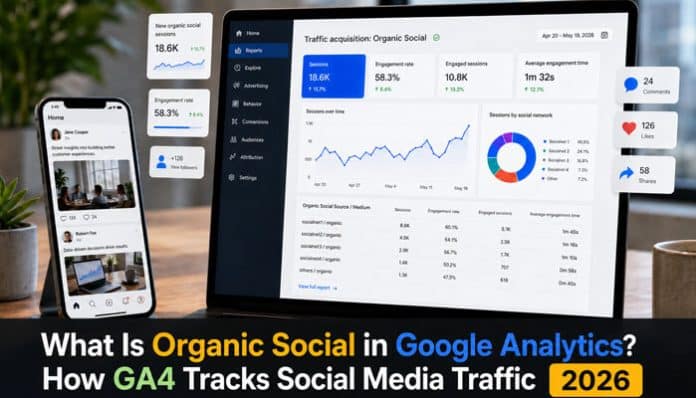
What is organic social in Google Analytics? In Google Analytics 4, Organic Social is a default marketing channel that generally represents website or app traffic generated by unpaid links on social media platforms. It may include visitors clicking regular Facebook posts, LinkedIn updates, Instagram profile links, Pinterest pins, Reddit discussions, community posts, and other non-advertising social content.
GA4 classifies traffic by examining signals such as the referring website, campaign source, campaign medium, source platform, and UTM parameters. It then groups the session into Organic Social, Paid Social, Referral, Direct, Organic Search, Organic Video, or another applicable channel.
Accurate classification matters because an unsupported utm_medium, a redirect that removes tracking parameters, inconsistent capitalization, or a social app that hides referral information can cause genuine unpaid social traffic to appear under Referral, Direct, Unassigned, or another channel. This guide explains how GA4 tracks Organic Social, where to find it, how to tag campaigns, which metrics matter, and how to fix attribution problems.
Organic Social in Google Analytics 4 is the channel that generally records visits from unpaid links on social media websites and apps.
GA4 may classify a session as Organic Social when the source matches Google’s maintained list of recognized social platforms or the campaign medium uses a recognized social value, such as social, social-network, social-media, sm, social network, or social media. Paid campaign information can instead place the visit under Paid Social.
To find Organic Social traffic, open:
Reports → Acquisition → Traffic acquisition
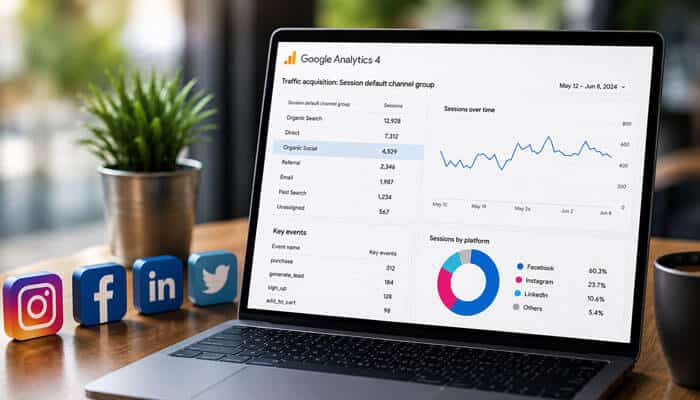
Use Session default channel group as the primary dimension and find the Organic Social row. To identify individual networks, change the dimension to Session source / medium or add it as a secondary dimension.
Why Is Organic Social Important?
Organic Social helps businesses understand how much website traffic comes from unpaid social media activity.
Tracking Organic Social allows marketers to:
- Measure content performance
- Compare social platforms
- Identify high-converting audiences
- Improve campaign ROI
- Evaluate community-building efforts
- Understand customer acquisition paths
Without Organic Social tracking, it becomes difficult to determine whether social media activity generates meaningful business results.
Key Takeaways
- Organic Social generally represents unpaid traffic from social platforms.
- Organic Social, Organic Search, Paid Social, Referral, and Direct are separate GA4 channels.
- GA4 uses source, medium, referrer, campaign, and platform information to classify traffic.
- Traffic acquisition is the main report for evaluating current social sessions, while User acquisition shows how users were first acquired.
utm_medium=socialis a dependable choice for unpaid social links; paid campaigns should use a clearly paid medium such aspaid_social.- Private sharing, mobile apps, redirects, consent choices, and browser restrictions can reduce visible attribution.
- Cross-domain problems can interrupt the original Organic Social journey.
- GA4 measures what users do after reaching a tagged website or app; native social analytics measure reach and in-platform engagement.
Organic Social at a Glance
| Question | Answer |
|---|---|
| What is Organic Social? | Unpaid social media traffic |
| Is it the same as SEO? | No |
| Is it the same as Referral? | No |
| Does it include Facebook posts? | Yes |
| Does it include LinkedIn posts? | Yes |
| Does it include paid ads? | No |
| Best UTM medium? | social |
| Main report? | Traffic Acquisition |
| Can it appear as Direct? | Sometimes |
| Can it drive conversions? | Yes |
Organic Social Examples
The following examples help explain how Organic Social traffic is typically classified in Google Analytics 4.
Facebook Post
A visitor clicks a regular Facebook page update and lands on your website. If the platform passes recognizable referral information or the link contains appropriate UTM parameters, GA4 may classify the visit as Organic Social.
LinkedIn Article
A professional discovers your content through an unpaid LinkedIn article or company update and visits your website.
Reddit Discussion
A user clicks a link shared in a relevant Reddit discussion and arrives at your website from the community post.
Pinterest Pin
A visitor clicks a product image, infographic, or resource pin and visits the linked page.
Instagram Profile Link
A user clicks the website link in an Instagram profile and lands on your website.
These examples help illustrate how unpaid social-media activity can generate measurable website traffic in GA4.
What Is Organic Social in Google Analytics?
Organic Social is one of the predefined channels in GA4’s Default Channel Group. It includes website or app visits generated by unpaid links on recognized social networks, as well as links manually tagged with an accepted social medium.
A visitor may be recorded under Organic Social after clicking:
- A regular Facebook page post
- A LinkedIn company update
- A link in an Instagram profile
- A Pinterest pin
- A Reddit discussion
- A post in an online social community
- An unpaid influencer or creator mention
- An employee-advocacy post
- A social profile link
- A link in an unpaid video description
- A link shared publicly by another social media user
The word organic does not mean the visitor arrived through Google Search. In this context, it means the social media click was not identified as paid advertising.
The distinction is simple:
- Organic Social: Unpaid traffic from social media platforms
- Organic Search: Unpaid traffic from search-engine results
- Paid Social: Traffic from social media advertising campaigns
For example, a visitor who clicks a regular LinkedIn post may appear under Organic Social. Someone who clicks a non-advertising Google search result may appear under Organic Search, while a visitor who clicks a sponsored Facebook advertisement should normally appear under Paid Social.
How GA4 Defines Organic Social
To understand what is organic social in Google Analytics, it is important to know how GA4 applies its default channel-classification rules. GA4 can assign traffic to Organic Social when the source matches a recognized social website or the campaign medium uses an approved social value.
| Classification condition | What it means |
|---|---|
| Source matches a recognized social site | GA4 identifies the referring platform as a social source |
Medium equals social |
The campaign explicitly identifies the traffic as social |
Medium equals social-network |
The link uses a recognized social-network value |
Medium equals social-media |
The link uses another accepted social value |
Medium equals sm |
An abbreviated social medium is used |
Medium equals social network |
The medium uses a recognized space-separated term |
Medium equals social media |
The medium uses another accepted space-separated term |
GA4 can recognize Organic Social in two main ways.
Automatic Source Recognition
A visitor clicks a regular link on a social platform, and the browser or app passes referral information that GA4 recognizes.
Manual Campaign Tagging
The destination URL contains UTM parameters identifying the social platform, medium, campaign, and content.
Paid campaign information can produce a different classification. For example:
utm_source=facebook&utm_medium=paid_social
This value clearly identifies paid social traffic, while:
utm_source=facebook&utm_medium=social
identifies an unpaid social campaign.
How GA4 Tracks Organic Social Traffic

Understanding what is organic social in Google Analytics requires following the visitor’s journey from the original social media post to the processed Google Analytics 4 report.
1. A User Clicks a Social Link
The link may appear in a brand post, company-page update, profile, comment, public group, private message, pin, video description, employee post, or unpaid creator mention.
It can be a normal website URL or a destination containing UTM campaign parameters.
2. The Browser or App Sends Referral Information
When the visitor reaches the website, the browser or social app may pass information identifying the previous website or application. GA4 can use this referral information to recognize Facebook, LinkedIn, Reddit, Pinterest, or another social source.
Referral information may be removed or restricted by:
- Mobile applications
- Private messages
- In-app browsers
- Redirects
- Browser privacy settings
- Ad blockers
- Link shorteners
- Security tools
When GA4 receives no usable source information, the visit may appear under Direct rather than Organic Social.
3. UTM Parameters Add Campaign Information
A tagged LinkedIn URL might look like this:
https://example.com/ga4-guide/?utm_source=linkedin&utm_medium=social&utm_campaign=ga4_education&utm_content=carousel_post
These parameters tell GA4 that:
- LinkedIn sent the visitor.
- The activity was unpaid social promotion.
- The link belonged to the
ga4_educationcampaign. - The visitor clicked the
carousel_postvariation.
Correct UTM tagging reduces dependence on automatic referral detection and makes platforms, campaigns, and individual posts easier to compare.
4. The Google Tag Collects the Visit
The Google tag or Google Tag Manager implementation sends available information to the GA4 property, including:
- Page location
- Referrer
- Campaign details
- Session information
- Engagement events
- Key events
- Ecommerce activity
- Revenue data
Missing, delayed, blocked, duplicated, or incorrectly configured tags can affect traffic attribution and reporting accuracy.
5. GA4 Applies Channel Rules
GA4 evaluates the available source, medium, referrer, and campaign information against its channel-group definitions.
The session may be assigned to:
- Organic Social
- Paid Social
- Referral
- Direct
- Organic Search
- Organic Video
- Affiliates
- Unassigned
- Another applicable channel
6. The Session Appears in Reports
After processing, marketers can analyze the session using dimensions and metrics such as:
- Session default channel group
- Session source / medium
- Session campaign
- Landing page
- Sessions
- Active users
- Engagement rate
- Key events
- Revenue
Following this tracking process provides a practical answer to what is organic social in Google Analytics and explains how an unpaid social click becomes measurable acquisition data inside GA4.
Organic Social Traffic Examples
The following examples help explain what is organic social in Google Analytics by showing how GA4 may classify different types of social media visits.
| Traffic information | Likely GA4 classification | Explanation |
|---|---|---|
| Recognized Facebook referrer without paid indicators | Organic Social | Facebook is identified as a recognized social source |
utm_source=linkedin&utm_medium=social |
Organic Social | The medium matches an accepted social value |
utm_source=facebook&utm_medium=paid_social |
Paid Social | The medium identifies paid social activity |
Recognized social source with medium=referral |
Often Organic Social | The recognized source may satisfy the Organic Social rule |
Unknown source with utm_medium=social-media |
Organic Social | The medium matches an approved social value |
Unknown source with utm_medium=organic_social |
Possibly Unassigned | The custom medium may not match a default channel rule |
Unknown source with utm_medium=organic |
Organic Search may apply | The medium can indicate unpaid search traffic |
| Social click with no usable source information | Direct | GA4 cannot identify the referring source |
| Link from a recognized video platform | Organic Video may apply | The source may match GA4’s video classification |
Paid advertisement tagged with social |
Organic Social may apply incorrectly | The tagging does not communicate that the visit was paid |
These examples demonstrate why campaign teams should use consistent source and medium values instead of inventing custom labels without checking how GA4 interprets them.
Organic Social vs Other GA4 Channels
Understanding what is organic social in Google Analytics becomes easier when Organic Social is compared with the other acquisition channels available in GA4.
| Channel | Main traffic type | Example |
|---|---|---|
| Organic Social | Unpaid social media traffic | Click from a regular LinkedIn post |
| Paid Social | Social advertising traffic | Click from a sponsored Facebook campaign |
| Referral | Traffic from another external website | Click from an industry blog |
| Direct | Traffic with no usable source information | Typed URL or unattributed private share |
| Organic Search | Unpaid search-engine traffic | Click from a non-ad search result |
| Paid Search | Search advertising traffic | Click from a paid search advertisement |
| Organic Video | Unpaid traffic from a recognized video source | Click from a public video page |
| Email marketing traffic | Click from a tagged newsletter | |
| Affiliates | Affiliate-partner traffic | Click from a tracked affiliate link |
Organic Social vs Paid Social
Organic Social includes regular posts, profile links, community shares, employee advocacy, unpaid creator mentions, and other non-sponsored activity. Paid Social includes sponsored posts, promoted content, retargeting campaigns, lead-generation ads, and other forms of social advertising.
When explaining what is organic social in Google Analytics, the most important distinction is whether the social visit was identified as unpaid or paid.
Paid links should use a clearly paid medium such as paid_social. Tagging an advertisement with utm_medium=social can mix paid and unpaid performance in GA4 reports.
Organic Social vs Referral
Referral traffic comes from external websites or apps that do not match a more specific channel definition.
A social platform technically refers a visitor to the website, but GA4 may classify the session as Organic Social when it recognizes the source as a social network. Traffic from an unrecognized platform or redirect domain may remain under Referral unless the link uses an accepted social medium.
Organic Social vs Direct
Direct means GA4 does not have enough reliable information to identify another traffic source.
Direct traffic can include:
- Typed website addresses
- Bookmarks
- Private social shares
- Mobile apps that hide referral information
- Redirects that remove UTM parameters
- Links copied between applications
- Visits affected by browser privacy restrictions
Therefore, Direct traffic does not always mean that the visitor manually typed the website address.
Organic Social vs Organic Search
Organic Search represents unpaid traffic from search engines, while Organic Social represents unpaid traffic from social networks.
Avoid using utm_medium=organic for social campaign links. When the source is not recognized as social, GA4 may classify the visit as Organic Search instead of Organic Social.
Organic Social vs Organic Video
Some platforms combine social networking with video publishing. GA4 maintains separate Organic Social and Organic Video channels, so traffic from a platform considered “social” by marketers may sometimes appear under Organic Video.
This comparison provides a clearer understanding of what is organic social in Google Analytics and why marketers should inspect Session source / medium before assuming that social traffic is missing.
Where to Find Organic Social in GA4
Traffic Acquisition: Current Sessions
Open:
Reports → Acquisition → Traffic acquisition
Use Session default channel group as the primary dimension and locate Organic Social. This session-scoped report is the main place to compare sessions, engagement, key events, and revenue from both new and returning users.
To identify individual networks, change the primary dimension to Session source / medium or add it as a secondary dimension. Values may include facebook / referral, linkedin / social, instagram / social, pinterest / referral, reddit / social, or t.co / referral.
A source/medium value can contain referral while the session still belongs to Organic Social because a recognized social source can determine the channel classification.
User Acquisition: Original Discovery
Open:
Reports → Acquisition → User acquisition
This report uses first-user dimensions to show how a person originally discovered the website or app. A user may first arrive through Organic Social and later return through Email, Organic Search, Paid Search, or Direct.
| Report | Scope | Main question | Best use |
|---|---|---|---|
| User acquisition | First user | How was the user originally acquired? | Measuring initial audience acquisition |
| Traffic acquisition | Session | What generated each visit? | Evaluating current channel performance |
| Attribution reports | Key event | Which touchpoints received credit? | Studying conversion contribution |
| Realtime | Recent activity | Is GA4 receiving activity? | Basic implementation validation |
| Explorations | Custom analysis | How did a defined audience behave? | Detailed investigation |
Do not compare User acquisition and Traffic acquisition totals as though their dimensions have the same scope.
Why Realtime Is Not Always the Best UTM Test
When learning what is organic social in Google Analytics, it is important to understand that Realtime is useful for confirming event collection but is not always the best place to validate session-level campaign attribution.
The acquisition cards in the Realtime report use user-scoped first-user source, medium, platform, and campaign information. As a result, a returning user who originally arrived through Organic Search may still appear under that initial acquisition source after clicking a newly tagged LinkedIn link.
Use Realtime or DebugView to confirm that GA4 is receiving events. Then review session-scoped campaign information in the Traffic acquisition report after the data has been processed.
For a cleaner UTM test:
- Open a private browsing window.
- Use a device or browser without an existing GA cookie.
- Click the complete tagged URL.
- Confirm that the UTM parameters remain in the landing-page URL.
- Check Realtime or DebugView for event collection.
- Review session-scoped acquisition data after processing.
How Long Does Organic Social Data Take to Appear in GA4?
When understanding what is organic social in Google Analytics, it is important to know that organic social activity does not appear immediately in every GA4 report. Realtime can confirm activity shortly after a visitor opens the website, but complete source, medium, channel, campaign, and attribution information requires additional processing.
| Reporting stage | Typical timing and what to expect |
|---|---|
| Realtime | Usually appears within a few minutes and includes a limited set of dimensions and metrics |
| Standard intraday processing | Commonly updates within approximately 2–6 hours |
| Daily processing | Provides more complete acquisition and engagement information |
| Full report processing | Some standard reports and Explorations may require 24–48 hours |
| Attribution updates | Modeled key-event credit may continue changing for up to 12 days |
During this processing period, marketers may notice:
- Realtime activity that is not yet visible in Traffic acquisition
- Incomplete source or medium information
- Differences between acquisition and attribution reports
- Changing key-event totals
- A campaign temporarily appearing as Unassigned
Do not change a correct UTM structure simply because a standard report has not updated. First confirm that the Google tag fired correctly, the landing-page URL retained its UTM parameters, and the visit reached the correct GA4 property. Then review the session-level Traffic acquisition report after normal processing.
What Is a Good Organic Social Engagement Rate?
There is no universal engagement-rate benchmark because industries, audiences, and content formats vary significantly. However, the following ranges can provide a general reference point.
| Engagement Rate | Interpretation |
|---|---|
| Below 40% | Low |
| 40%–60% | Average |
| 60%–75% | Strong |
| Above 75% | Excellent |
A high engagement rate generally indicates that visitors are finding the content relevant after arriving from social platforms. However, engagement rate should be evaluated alongside key events, conversions, revenue, and other business outcomes rather than as a standalone success metric.
Important Organic Social Metrics in GA4
Traffic volume alone does not show whether a social campaign generated valuable business results.
| Metric | What it measures | Why it matters |
|---|---|---|
| Sessions | Visits attributed to Organic Social | Shows traffic volume |
| Active users | Distinct users GA4 recognized as active during the selected period | Measures the active audience |
| New users | First-time visitors | Shows acquisition reach |
| Engaged sessions | Sessions meeting GA4 engagement conditions | Indicates meaningful visits |
| Engagement rate | Percentage of sessions that were engaged | Helps compare traffic quality |
| Average engagement time | Average active attention | Indicates content interest |
| Events per session | Recorded interactions during each visit | Shows interaction depth |
| Key events | Important completed actions | Connects traffic to business goals |
| Session key-event rate | Percentage of sessions producing a key event | Compares conversion quality |
| Total revenue | Recorded revenue associated with activity | Measures commercial contribution |
| Views per session | Content consumption during a visit | Helps assess landing-page relevance |
An engaged session is generally one that lasts longer than 10 seconds, records at least one key event, or includes at least two page or screen views.
Organic Social KPIs by Business Objective
| Business objective | Useful GA4 metrics |
|---|---|
| Content publishing | Engaged sessions, engagement time, views per session |
| Lead generation | Form submissions, key-event rate, qualified leads |
| Ecommerce | Purchases, revenue, purchase rate, average order value |
| SaaS | Trial starts, registrations, demo requests, activated users |
| Local business | Calls, contact clicks, directions, bookings |
| Membership website | Registrations, subscriptions, returning users |
| Nonprofit | Donations, volunteer forms, newsletter sign-ups |
| Mobile app | First opens, registrations, active users, in-app events |
A high engagement rate does not automatically prove business value. Publishers may prioritize reading time, lead-generation sites may prioritize inquiries, ecommerce stores may prioritize purchases, and SaaS companies may prioritize trials or demos. Evaluate acquisition, engagement, key events, and revenue together.
How to Track Organic Social With UTM Parameters
UTM parameters are query-string values added to destination URLs. They give GA4 explicit campaign information and reduce dependence on referral detection.
Recommended Organic Social UTM Structure
https://example.com/article/?utm_source=linkedin&utm_medium=social&utm_campaign=ga4_guide&utm_content=post_01
| Parameter | Example | Purpose |
|---|---|---|
utm_source |
linkedin |
Identifies the platform |
utm_medium |
social |
Identifies unpaid social promotion |
utm_campaign |
ga4_guide |
Groups related activity |
utm_content |
post_01 |
Separates posts or creative versions |
utm_id |
ga4-2026-01 |
Stores an internal campaign identifier |
utm_source_platform |
linkedin |
Adds platform context when needed |
Suggested Source and Medium Values
| Platform | Suggested source | Suggested medium |
|---|---|---|
facebook |
social |
|
instagram |
social |
|
linkedin |
social |
|
pinterest |
social |
|
reddit |
social |
|
| Threads | threads |
social |
| TikTok | tiktok |
social |
| X | One consistently documented source name | social |
Use lowercase values, one approved name per platform, and consistent separators. Use social for unpaid activity and paid_social for advertising. Define concise campaign names, use utm_content for post variations, test every URL, and confirm that redirects preserve the query string. Values such as linkedin, LinkedIn, and LINKEDIN can fragment reporting.
Advanced UTM Parameters for Organic Social
Most unpaid social campaigns only need utm_source, utm_medium, utm_campaign, and utm_content. Larger organizations may use additional fields.
| Parameter | Recommended use |
|---|---|
utm_id |
Stores an internal campaign identifier |
utm_source_platform |
Identifies the platform responsible for the activity |
utm_term |
Usually supports paid-keyword analysis and is rarely needed for ordinary social posts |
utm_content |
Separates posts, buttons, formats, calls to action, or creative versions |
utm_creative_format |
Can describe the creative format, but Google states that it is not currently reported in standard GA4 property reports |
utm_marketing_tactic |
Can describe the marketing tactic, but Google states that it is not currently reported in standard GA4 property reports |
A simple structure used consistently is better than a complicated structure employees cannot maintain. Never place names, email addresses, phone numbers, customer IDs, or other personally identifying information in UTM parameters because campaign URLs may appear in browsers, server logs, analytics tools, screenshots, and shared messages.
Organic Social UTM Rules and Mistakes to Avoid
GA4 can recognize many ordinary social referrals without UTMs, so every link does not require campaign tagging. UTMs are most useful when comparing posts, profile links, campaigns, employee advocacy, unpaid creator promotions, publishing schedules, formats, calls to action, or links passing through redirects.
Use a recognized medium rather than inventing a label.
| Risky value | Potential problem |
|---|---|
organic_social |
May not match the default Organic Social medium rule |
social_organic |
May produce Unassigned traffic |
organic |
May be interpreted as Organic Search |
post or link |
Does not identify a recognized channel |
community |
May not match a default channel rule |
facebook as the medium |
Confuses the source with the marketing method |
| Blank medium | Produces incomplete campaign information |
A recognized platform may still classify some visits correctly, but utm_medium=social is more dependable for unpaid social campaigns.
Never Use Acquisition UTMs on Internal Links
Do not tag links between pages on the same website with acquisition parameters such as:
https://example.com/pricing/?utm_source=homepage&utm_medium=internal
Internal UTMs can interfere with acquisition analysis and obscure the visitor’s original source. Measure internal navigation with click events, element identifiers, link text, custom event parameters, page paths, content groups, or navigation events.
How to Measure Individual Organic Social Posts and Landing Pages
When learning what is organic social in Google Analytics, it is also important to understand how to measure the performance of individual posts and their destination pages. The Organic Social channel combines traffic from multiple platforms, campaigns, and posts, so use utm_content to distinguish specific content variations.
Post A
?utm_source=linkedin&utm_medium=social&utm_campaign=ga4_guide&utm_content=problem_post
Post B
?utm_source=linkedin&utm_medium=social&utm_campaign=ga4_guide&utm_content=checklist_post
Post C
?utm_source=linkedin&utm_medium=social&utm_campaign=ga4_guide&utm_content=video_post
A useful GA4 report or Exploration can combine:
- Session default channel group
- Session source / medium
- Session campaign
- Landing page
- Manual ad content
- Sessions
- Engagement rate
- Key events
- Revenue
This analysis can reveal which topics, post formats, calls to action, and landing pages produce the strongest results. It can also identify outdated destination pages, high traffic with weak engagement, links pointing to a generic homepage, poor mobile experiences, or content that attracts attention without encouraging a meaningful next step.
Worked Example: Evaluating an Organic Social Campaign
A practical example can make what is organic social in Google Analytics easier to understand. Imagine that a company publishes a new GA4 guide and promotes it through LinkedIn, Facebook, and Reddit using consistently tagged campaign links.
The campaign uses these parameters:
- LinkedIn:
utm_source=linkedin&utm_medium=social&utm_campaign=ga4_guide - Facebook:
utm_source=facebook&utm_medium=social&utm_campaign=ga4_guide - Reddit:
utm_source=reddit&utm_medium=social&utm_campaign=ga4_guide
After two weeks, GA4 reports the following results:
| Source | Sessions | Engagement rate | Lead submissions | Session key-event rate |
|---|---|---|---|---|
| 600 | 72% | 36 | 6% | |
| 1,400 | 44% | 28 | 2% | |
| 350 | 68% | 7 | 2% |
Facebook generated the most sessions, making it the strongest platform for traffic volume. However, LinkedIn produced more leads and achieved the highest session key-event rate, indicating better lead quality. Reddit visitors showed strong engagement but completed relatively few lead submissions.
A useful conclusion would be:
- Facebook is effective for increasing reach and website traffic.
- LinkedIn attracts visitors who are more likely to become leads.
- Reddit users engage with the content but may need a more relevant call to action.
- Future campaign reports should evaluate traffic quality, engagement, and key events rather than sessions alone.
This example shows why GA4 social reporting should connect acquisition metrics with meaningful business outcomes instead of judging campaign performance only by traffic volume.
How GA4 Attributes Organic Social Sessions and Key Events
Understanding what is organic social in Google Analytics also requires knowing how GA4 uses different reporting scopes to answer acquisition and attribution questions.
| Scope | Example dimension | Meaning |
|---|---|---|
| User | First user default channel group | The channel that originally acquired the user |
| Session | Session default channel group | The channel associated with the current session |
| Attribution | Default channel group in attribution reporting | The channel receiving credit for a key event |
Session Acquisition
The Traffic acquisition report associates activity with a session-level traffic source. It helps marketers determine:
- Which channel generated the visit
- How many sessions came from Organic Social
- How engaged those sessions were
- Which actions occurred during those visits
- Whether the sessions generated key events or revenue
A user can generate several sessions through different channels, and each session may have its own source, medium, and campaign information.
First-User Acquisition
The User acquisition report focuses on the channel that originally introduced a person to the website or app.
For example, a visitor may first arrive through Organic Social and later return through:
- Organic Search
- Paid Search
- Referral
- Direct
The First user default channel group may remain Organic Social because it represents the user’s original acquisition source. However, later sessions can be assigned to different session-level channels.
Key-Event Attribution
Attribution assigns credit to the marketing touchpoints that contributed to an important action.
A customer journey might look like this:
- The user discovers the brand through Organic Social.
- The user returns through Organic Search.
- The user opens an email campaign.
- The user visits directly.
- The user completes a purchase.
Depending on the selected attribution model, Organic Social may receive:
- Full credit
- Partial credit
- Fractional credit shared with other channels
- No final-interaction credit
GA4 uses data-driven attribution by default in eligible attribution reporting. This model analyzes available conversion paths and may distribute key-event credit across multiple contributing touchpoints.
As a result, Organic Social session totals and attributed key-event totals should not be expected to match exactly. When explaining what is organic social in Google Analytics, always confirm whether the selected dimension is user-scoped, session-scoped, or attribution-scoped before interpreting the results.
Does Clicking a New Campaign Link Start a New GA4 Session?
Not necessarily.
GA4 associates each session with one campaign or traffic source. A new session does not automatically begin simply because GA4 encounters another campaign or source while the current session remains active.
This differs from older assumptions associated with Universal Analytics.
A campaign test performed during an existing session may therefore produce unexpected results. Use a private browsing window or a clean device when validating new social campaign links.
Why Organic Social Traffic May Be Missing or Misclassified
When learning what is organic social in Google Analytics, marketers should also understand why unpaid social traffic may appear lower than expected or under the wrong GA4 channel.
Organic Social traffic can be missing or misclassified when a platform does not pass referral information, a redirect removes campaign parameters, the UTM medium is unsupported, or a paid link uses an organic medium. Inconsistent capitalization may also fragment reporting, while GA4 may place some visits under Referral, Direct, Organic Video, or Unassigned.
Tagging errors, consent settings, data-processing delays, cross-domain configurations, and unwanted referrals can also affect attribution.
| What you see | First thing to inspect | Likely action |
|---|---|---|
| Social visits appear as Direct | Referrer and final landing URL | Add UTMs and test redirects |
| Traffic appears as Referral | Session source and medium | Use utm_medium=social when appropriate |
| Traffic appears as Unassigned | Exact campaign-medium value | Replace unsupported or misspelled values |
| Paid ads appear as Organic Social | Paid-link UTM structure | Use a clearly paid medium such as paid_social |
| One platform appears under several names | Source capitalization and naming | Standardize lowercase source values |
| Checkout appears as a referral | Cross-domain and unwanted-referral settings | Configure participating domains correctly |
| Realtime works but acquisition is empty | Processing time and dimension scope | Wait for processing and use session-scoped dimensions |
| Platform clicks exceed GA4 sessions | Consent, page loading, repeat clicks, and tracking restrictions | Compare measurement methods instead of expecting identical totals |
| Traffic appears under Organic Video | Source classification | Inspect the source and GA4 channel rules |
| Exploration totals differ | Retention, filters, thresholds, sampling, or high cardinality | Review the data-quality indicator |
Recommended Diagnostic Order
- Open the complete destination URL.
- Confirm that every UTM parameter remains present.
- Check that the correct Google tag is installed.
- Test the link in a private browsing window.
- Confirm that an event reaches Realtime or DebugView.
- Inspect Session source and Session medium.
- Review Session default channel group.
- Test redirects and shortened links.
- Review consent behavior.
- Inspect cross-domain and unwanted-referral settings.
- Allow sufficient processing time.
- Review the data-quality indicator.
- Create a custom channel only when the default classification does not meet a legitimate business need.
Common Mistakes to Avoid During Diagnosis
Do not:
- Evaluate performance using sessions alone.
- Mix first-user and session-scoped dimensions.
- Use the same UTM medium for paid and unpaid campaigns.
- Invent unsupported UTM values.
- Add acquisition UTMs to internal website links.
- Assume Direct always means the visitor typed the URL.
- Expect social-platform clicks to equal GA4 sessions.
- Change a correct campaign structure before processing is complete.
- Create custom channel rules before identifying the real tracking problem.
Knowing how to diagnose these issues provides a more complete understanding of what is organic social in Google Analytics and helps ensure unpaid social visits are classified and evaluated correctly.
How to Increase Organic Social Traffic
Growing Organic Social traffic requires a combination of content quality, audience engagement, and consistent promotion.
Publish Shareable Content
Create useful, original, and audience-focused content that solves problems, answers questions, or provides unique insights.
Optimize Posting Times
Publish content when your audience is most active to improve visibility and engagement.
Encourage Employee Advocacy
Employees can expand reach by sharing company content with their professional networks.
Participate in Communities
Engage authentically in relevant groups, forums, and social communities rather than only promoting links.
Improve Landing Pages
Strong landing pages encourage visitors to stay longer, engage more deeply, and share content with others.
Repurpose Content
Transform articles into videos, infographics, carousels, short-form clips, and visual summaries to reach different audience segments.
Why Organic Social Traffic Suddenly Drops
A sudden decline in Organic Social traffic does not always indicate a marketing failure. Common causes include:
Lost UTM Parameters
Campaign parameters may be removed during redirects or URL modifications.
Platform Algorithm Changes
Social platforms periodically adjust content-distribution algorithms, affecting visibility and reach.
Broken Tracking Tags
GA4 implementation problems can reduce or eliminate traffic attribution.
Consent Configuration Changes
Privacy updates and consent-management changes may reduce measurable traffic.
Website Changes
Technical issues, broken pages, redirects, or landing-page changes can impact performance.
Seasonal Demand
Audience interest naturally fluctuates throughout the year.
Before making major campaign changes, verify tracking accuracy and attribution settings.
Organic Social Audit Checklist
Use this checklist when evaluating Organic Social performance:
Verify UTMs
Confirm source, medium, campaign, and content values are consistent.
Review Channel Grouping
Ensure traffic is correctly classified under Organic Social.
Check Landing Pages
Identify which pages attract and retain social visitors.
Compare Platforms
Analyze Facebook, LinkedIn, Reddit, Pinterest, Instagram, and other traffic sources separately.
Review Key Events
Measure leads, registrations, purchases, and other meaningful business outcomes.
Inspect Attribution
Evaluate how Organic Social contributes to conversions across the customer journey.
A structured audit process helps identify attribution issues, optimization opportunities, and traffic-quality improvements.
Cross-Domain Tracking and Unwanted Referrals
Understanding what is organic social in Google Analytics also requires knowing how cross-domain journeys can affect traffic attribution. Cross-domain measurement becomes important when an Organic Social visitor moves between separate root domains during a single journey.
For example, a visitor may:
- Click a LinkedIn post.
- Land on
www.example.com. - Select a product.
- Move to
checkout.example-store.com. - Complete a purchase.
GA4 automatically prevents many self-referrals when the referring page matches the current domain or one of its subdomains. It can also suppress referral attribution between separate domains that have been configured correctly for cross-domain measurement.
However, separate root domains without proper cross-domain configuration may create new user or session identifiers. This can interrupt the original Organic Social journey and cause the checkout, booking, or payment domain to appear as a referral source.
Cross-domain measurement passes identifiers between configured domains through a linker parameter called _gl. It may be required when a website uses:
- A separate checkout domain
- A booking platform
- A donation portal
- A customer account domain
- A regional website
- An externally hosted lead form
- A separate product domain
- A payment or authentication provider
Cross-Domain Checklist
- Use compatible Google tag configurations across participating domains.
- Add every relevant domain to the cross-domain configuration.
- Confirm that the
_glparameter reaches the destination domain. - Ensure redirects do not remove the linker parameter.
- Test forms as well as ordinary links.
- Look for your own domains under Session source / medium.
- Investigate payment, booking, authentication, or form providers appearing as referrals.
- Confirm that the visitor’s original source remains intact after completing the journey.
A third-party provider may become the final referral source when a visitor leaves the website to pay, book, authenticate, or submit a form and then returns. Use GA4’s unwanted-referral settings carefully when that provider is part of the transaction but should not receive acquisition credit.
Do not exclude legitimate external websites that genuinely send referral traffic. Correctly configuring cross-domain measurement and unwanted referrals provides a more accurate understanding of what is organic social in Google Analytics and helps preserve the original social source throughout the customer journey.
Consent Mode, Privacy, and Organic Social Measurement
Privacy choices affect how much social traffic GA4 can measure. When analytics storage is denied, GA4 may not store the normal cookie identifiers used to recognize users and sessions. Depending on the implementation and property eligibility, consent-aware measurement or behavioral modeling may address part of the resulting gap.
Organic social totals may be reduced by cookie rejection, browser restrictions, ad blockers, private browsing, JavaScript blocking, in-app browsers, short visits ending before the tag loads, applications removing referral information, deleted UTMs, or an incorrectly configured consent banner.
A lower GA4 session count does not automatically mean that a platform overstated performance. Platforms count clicks under their own rules, while GA4 records measurable activity after the destination loads and analytics collection is permitted.
To improve privacy-aware measurement:
- Use an appropriate consent-management platform.
- Configure Consent Mode correctly where applicable.
- Ensure the Google tag receives the user’s consent choice.
- Test granted and denied states separately.
- Avoid firing custom events before GA4 is configured.
- Document major consent and tracking changes.
- Respect every visitor’s privacy decision.
Never attempt to bypass a visitor’s consent choice to increase measured traffic.
Why Reports and Explorations Show Different Organic Social Totals
Understanding what is organic social in Google Analytics includes knowing why standard reports and Explorations may show different totals.
| Possible cause | Effect on reporting |
|---|---|
| Dimension scope | User-, session-, and attribution-scoped data answer different questions |
| Date range or processing | Different periods or incomplete data change totals |
| Data retention | Explorations may be limited by retention settings |
| Filters and segments | Reports and Explorations apply conditions differently |
| Thresholding or sampling | Some data may be withheld or estimated |
| High cardinality | Numerous values may be grouped under “(other)” |
For a fair comparison, use the same date range, time zone, session-scoped dimensions, filters, channel definition, and metrics. Check the data-quality indicator for processing, sampling, thresholding, or high-cardinality warnings.
Creating a Custom Organic Social Channel Group
When analyzing what is organic social in Google Analytics, businesses may need classifications beyond Google’s standard channels. Custom channel groups are available under:
Admin → Data display → Channel groups
They can separate employee advocacy, influencer traffic, community forums, messaging apps, niche networks, or regional campaigns.
| Group | Purpose |
|---|---|
| Default Channel Group | Google-maintained classification |
| Custom channel group | Business-specific rules |
| Primary Channel Group | Editable primary classification |
Standard GA4 properties can create up to two custom channel groups, while Analytics 360 properties can create up to five. Each group supports up to 50 channels.
Place specific rules above broad rules because GA4 assigns traffic to the first matching channel.
How to Create an Organic Social Exploration
Create a free-form Exploration and use:
Dimensions: Session default channel group, Session source / medium, Session campaign, landing page + query string, device category, country, and manual ad content.
Metrics: Sessions, active users, engagement rate, average engagement time, key events, session key-event rate, and total revenue.
Apply this filter:
Session default channel group exactly matches Organic Social
The Exploration can identify the platforms, landing pages, devices, campaigns, post variations, and countries producing the strongest engagement, key events, and revenue.
GA4 vs Native Social Platform Analytics
Understanding what is organic social in Google Analytics also requires knowing how GA4 differs from native social platform analytics. GA4 is not a complete social media management, monitoring, or listening platform. It measures activity after a person reaches the tagged website or app, while native platform tools measure what happened inside the social network.
| Question | Best data source |
|---|---|
| How many people saw the post? | Social-platform analytics |
| How many people clicked the link? | Platform analytics and link tracking |
| How many measurable sessions resulted? | GA4 |
| What did visitors do on the website? | GA4 |
| Which posts generated leads? | GA4 with UTMs and key events |
| Which content gained followers? | Platform analytics |
| Which visitors purchased? | GA4 ecommerce reports |
| Which touchpoints contributed to key events? | GA4 attribution reports |
GA4 can measure landing pages, engagement, events, key events, purchases, revenue, acquisition sources, and measurable customer journeys. It does not fully measure reach, impressions, likes, comments, saves, follower growth, in-platform video completion, social sentiment, shares that produce no click, or private sharing that removes attribution.
Platform clicks and GA4 sessions should not be expected to match exactly because the systems use different definitions, identities, time zones, filters, consent signals, and session rules. This distinction is important when explaining what is organic social in Google Analytics.
Does Organic Social Traffic Improve SEO?
When understanding what is organic social in Google Analytics, remember that Organic Social and Organic Search are separate acquisition channels. Organic Social sessions are not a direct Google Search ranking metric.
Social distribution can still support content performance by increasing discovery and brand awareness, encouraging repeat visits and newsletter sign-ups, exposing useful pages to publishers and creators, creating opportunities for legitimate mentions and links, and building branded search demand over time.
Use GA4 to evaluate website behavior and Google Search Console to evaluate search impressions, organic clicks, queries, positions, indexing, and page-level search performance.
A practical workflow is:
- Publish content that satisfies the intended audience.
- Promote it through relevant unpaid social channels.
- Measure social visitors, engagement, and key events in GA4.
- Monitor search performance separately in Search Console.
- Improve the content using both audience and search data.
This workflow connects SEO analysis with a clear understanding of what is organic social in Google Analytics.
Frequently Asked Questions
1. Where can I find Organic Social in GA4?
For readers researching what is organic social in Google Analytics, open Reports → Acquisition → Traffic acquisition and locate Organic Social under the Session default channel group.
2. What UTM medium should I use for organic social?
When learning what is organic social in Google Analytics, use utm_medium=social for an unpaid social link that should align with GA4’s default Organic Social classification.
3. Why does Instagram traffic appear as Direct?
A common issue when investigating what is organic social in Google Analytics is that Instagram traffic may appear as Direct when an app, private share, redirect, or browser does not pass usable referrer or campaign information.
4. Why does social traffic appear as Referral?
The source may not be recognized as social, the platform may use an unusual redirect domain, or the link may not contain a supported social medium.
5. Can paid Facebook ads appear under Organic Social?
Yes. When explaining what is organic social in Google Analytics, remember that paid campaigns tagged with utm_medium=social may be mixed with unpaid traffic. Use a clearly paid medium such as paid_social.
6. Why do platform clicks exceed GA4 sessions?
Some users click more than once, leave before the page loads, reject analytics storage, use tracking protection, or arrive through systems that prevent complete measurement.
7. Can Organic Social receive credit for a later purchase?
Yes. Organic Social can receive full or fractional attribution credit when it contributes to a journey that later produces a key event.
8. Does Organic Social directly improve Google rankings?
Understanding what is organic social in Google Analytics does not mean Organic Social sessions directly improve rankings. Social distribution can support discovery, awareness, branded demand, and opportunities for legitimate mentions, but search performance should be measured separately.
Conclusion
Understanding what is organic social in Google Analytics helps marketers separate unpaid social visits from advertising, organic search, referrals, direct visits, and video sources. GA4 uses source, medium, referrer, campaign, and platform information to determine whether a session belongs under Organic Social.
Reliable reporting requires consistent lowercase UTMs, separate paid and unpaid media values, correct use of first-user and session dimensions, tested redirects, working cross-domain measurement, appropriate consent configuration, and meaningful key events. Investigate Direct, Referral, Organic Video, and Unassigned traffic before concluding that social visits are missing.
Use GA4 alongside native social-platform analytics. Social platforms explain reach, impressions, reactions, saves, and follower activity, while GA4 explains what measurable visitors do after reaching the website or app. Together, they provide a more complete picture of organic social performance and its role in the customer journey.
