

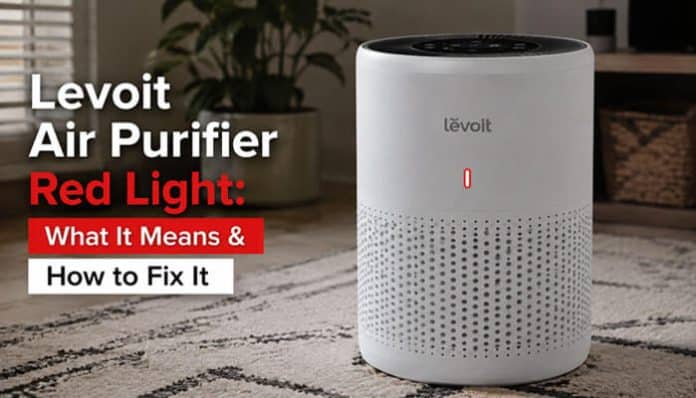

A Levoit Air Purifier Red Light does not automatically mean your air purifier is broken. Depending on the Levoit model and which indicator is illuminated, the red light may be a simple filter-maintenance reminder or an indication that the purifier’s particle sensor is detecting poor air quality.
That distinction matters.
A small red Check Filter Indicator generally means you should inspect the filter and replace it if necessary. A large red air-quality ring on sensor-equipped models such as the Core 300S, Core 400S, Core 600S, Vital 100S, and Vital 200S can instead mean that the purifier is detecting a high concentration of airborne particles.
The solution therefore depends on the model and the exact light you see. Resetting the filter reminder will not necessarily make a red air-quality ring disappear, and cleaning an air-quality sensor will not reset a filter-maintenance light.
This complete guide explains what the Levoit Air Purifier Red Light means, how to identify the correct indicator, how to reset popular Levoit models, why the light may stay on after changing the filter, what three blinking flashes mean, how VeSync calculates filter life, and what to do when the air-quality indicator remains red.
Quick Answer: Why Is My Levoit Air Purifier Red?
The Levoit Air Purifier Red Light usually has one of two meanings:
- Red filter icon: The Check Filter Indicator is reminding you to inspect the filter.
- Red air-quality ring: A sensor-equipped Levoit purifier is detecting air quality that the device classifies as poor or bad.
If it is a filter reminder, inspect the filter, replace it if necessary, and perform your model’s reset procedure.
If it is a red air-quality ring, do not repeatedly reset the filter. Instead, investigate airborne particle sources, purifier placement, the dust sensor, nearby ultrasonic humidifiers, and actual indoor air quality.
Key Takeaways
- A Levoit Air Purifier Red Light usually means a filter reminder or poor detected air quality.
- A red filter icon means check the filter; a red ring usually relates to airborne particles.
- Reset methods vary by model and often require a 3-second hold.
- A new filter may still require a manual reset.
- VeSync filter life is only an estimate.
- Humidifier mist can interfere with some particle sensors.
- Levoit color readings are not the same as EPA AQI.
- A Levoit purifier is not a smoke or carbon-monoxide alarm.
What Does the Levoit Air Purifier Red Light Mean?
Start by identifying exactly what is glowing red.
This one step can prevent unnecessary filter purchases and failed reset attempts.
| What you see | Most likely meaning | What to do |
|---|---|---|
| Small red filter icon | Check Filter reminder | Inspect filter and reset if appropriate |
| Large red ring around display | Poor detected particle air quality | Investigate pollution source and sensor |
| Red ring stays on for hours | Persistent particles, sensor contamination, or interference | Clean sensor and investigate room conditions |
| Filter light stays red after replacement | Reminder has not been reset | Perform model-specific reset |
| Filter indicator returns unusually early | Heavy usage or maintenance issue | Inspect filter and airflow |
| Red light blinks three times after reset | Often successful reset confirmation | Confirm light then turns off |
| Buttons do nothing | Display Lock may be active | Unlock controls first |
| E1 or another error code | Different type of fault | Follow model manual or contact Levoit |
The most important distinction is between a filter-maintenance indicator and an air-quality indicator.
Red Filter Light vs. Red Air-Quality Ring
These two indicators may both appear red, but they perform completely different jobs.
| Feature | Red Check Filter light | Red air-quality ring |
|---|---|---|
| Purpose | Maintenance reminder | Particle sensor reading |
| Does red automatically mean dirty air? | No | Usually means poor detected particle level |
| Should you inspect filter? | Yes | Possibly, but not necessarily |
| Does it need manual reset? | Usually after maintenance | No |
| Can sensor dust affect it? | No | Yes |
| Can humidifier mist affect it? | Generally no | Yes on affected sensor models |
| Can filter replacement solve it? | Possibly | Not necessarily |
| Will filter-reset button solve it? | Usually | No |
| Is it an emergency alarm? | No | No |
Which Levoit Models Have Different Types of Red Lights?
Not every Levoit model uses the same indicator system.
That is why searching only for a generic Levoit Air Purifier Red Light reset can sometimes lead to the wrong instructions.
| Levoit model | What red can mean | Colored air-quality ring? | Typical filter reset |
|---|---|---|---|
| Core Mini | Check Filter reminder | No | Hold Control Button for 3 seconds |
| Core 200S | Check Filter reminder | No separate ring listed | Hold Sleep Mode for 3 seconds |
| Core 300 | Check Filter reminder | No | Hold Check Filter for 3 seconds |
| Core 300S | Filter reminder or poor air quality | Yes | Hold Sleep Mode for 3 seconds |
| Core 400S | Filter reminder or poor air quality | Yes | Hold Check Filter Reset for 3 seconds |
| Core 600S | Filter reminder or poor air quality | Yes | Hold Check Filter Reset for 3 seconds |
| Core P350 | Check Filter reminder | No | Hold Check Filter for 3 seconds |
| Vital 100S | Filter reminder or poor air quality | Yes | Hold Sleep Mode for 3 seconds |
| Vital 200S | Filter reminder or poor air quality | Yes | Hold Sleep Mode for 3 seconds |
| LV-H132 / LV-H132XR | Check Filter reminder | No | Hold Check Filter for 3 seconds until beep |
Levoit’s current product information confirms that smart models such as the Core 300S and Vital 100S include Check Filter features, while models such as the Vital 100S also provide real-time air-quality information.
What Is the Red Check Filter Indicator?
On many models, the Levoit Air Purifier Red Light used for maintenance is the Check Filter Indicator, which acts as a reminder to inspect the filter.
It does not necessarily mean the filter became unusable the exact moment the light appeared.
Instead, it is a signal to inspect the filter and decide whether cleaning the appropriate pre-filter or replacing the main filter is necessary.
Factors that can shorten filter life include:
- Running the purifier for many hours per day
- High indoor dust levels
- Pets
- Smoke exposure
- Wildfire pollution
- Frequent cooking particles
- Heavy outdoor pollution entering the home
- Clogged pre-filters
- Restricted airflow
Levoit’s current replacement-filter information similarly notes that filter life can vary with usage and environment. For example, current Vital 200S replacement filters are described as typically lasting around 6–12 months, with earlier or later replacement possible depending on conditions.
How to Fix a Red Levoit Filter Light
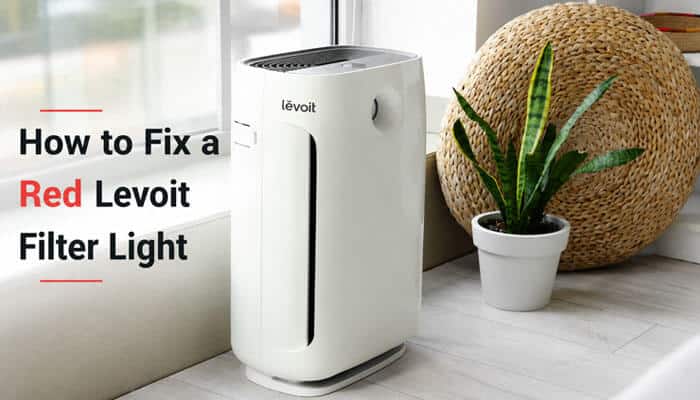
If the Levoit Air Purifier Red Light is the Check Filter Indicator, follow this general procedure.
- Turn the purifier off.
- Unplug it before opening the filter compartment.
- Remove the filter.
- Inspect the pre-filter and main filter.
- Remove accumulated hair and dust according to your model’s cleaning instructions.
- Replace the filter if airflow is reduced, the filter is heavily clogged, or replacement is otherwise due.
- Remove all plastic packaging from a replacement filter.
- Install the filter in the correct orientation.
- Close the purifier completely.
- Plug it back in.
- Turn it on if required by your model.
- Perform the correct filter-reset procedure.
Do not assume that physically installing a new filter automatically resets the electronics.
Levoit Air Purifier Red Light Reset by Model
Levoit Core Mini Red Light Reset
For the Core Mini:
- Plug in the purifier.
- Keep the fan off.
- Hold the Control Button for 3 seconds.
- Confirm the filter light turns off.
Filter life is typically shorter than on larger Core models and varies by use.
Levoit Core 200S Red Light Reset
The Core 200S uses a Check Filter Indicator rather than a separate colored air-quality ring.
To reset it:
- Turn on the purifier.
- Hold Sleep Mode for 3 seconds.
- The indicator should blink three times.
- Confirm that it turns off.
The filter reminder usually appears around 6–8 months, depending on use. VeSync can also help manage filter information.
Does a Core 200S Red Light Mean Bad Air Quality?
Not necessarily. On the Core 200S, the red light is mainly a filter-maintenance reminder, not a particle-quality warning.
Levoit Core 300 Red Light Reset
To reset the Core 300:
- Inspect or replace the filter.
- Turn the purifier on.
- Hold the Check Filter button for 3 seconds.
- Release it when the light turns off.
Typical filter life is around 6–8 months, depending on use and indoor conditions.
Levoit Core 300S Red Light Reset
The Core 300S can show both filter and air-quality information.
To reset the filter reminder:
- Inspect or replace the filter.
- Turn the purifier on.
- Hold Sleep Mode for 3 seconds.
- Confirm the indicator turns off.
Do not confuse the Check Filter light with the separate air-quality indicator.
Levoit Core 400S Red Light Reset
A Levoit Air Purifier Red Light on the Core 400S may be either a filter reminder or an air-quality reading.
To reset the filter light:
- Inspect or replace the filter.
- Turn the purifier on.
- Hold Check Filter Reset for 3 seconds.
- Confirm the light turns off.
If the large air-quality ring stays red, investigate particle levels instead of resetting the filter again.
Levoit Core 600S Red Light Reset
The Core 600S also has separate filter and air-quality indicators.
To reset the filter reminder:
- Turn on the purifier.
- Hold Check Filter Reset for 3 seconds.
- Confirm the indicator turns off.
Filter life is commonly around 6–12 months, depending on use. A persistent red air-quality ring should be treated as a sensor or air-quality issue.
Levoit Core P350 Red Light Reset
For the Core P350:
- Inspect or replace the filter.
- Turn the purifier on.
- Hold the Check Filter Indicator for 3 seconds.
- Release it when the light turns off.
Filter replacement is commonly needed around 6–8 months, although pets, dust, smoke, and usage can shorten that time.
Levoit Vital 100S Red Light Reset
The Vital 100S has both a filter reminder and an air-quality indicator.
To reset the filter reminder:
- Inspect or replace the filter.
- Turn on the purifier.
- Hold Sleep Mode for 3 seconds.
- The light should flash three times and turn off.
Its air-quality colors are:
| Indicator Color | Meaning |
|---|---|
| Blue | Very Good |
| Green | Good |
| Orange | Moderate |
| Red | Bad |
If the large ring is red, resetting the filter will not solve the air-quality reading.
Levoit Vital 200S Red Light Reset
For the Vital 200S:
- Inspect or replace the filter.
- Turn the purifier on.
- Hold Sleep Mode for 3 seconds.
- Confirm the Check Filter Indicator turns off.
- Check VeSync if connected.
The Vital 200S also provides real-time air-quality and filter-life information through VeSync.
Levoit LV-H132 Red Light Reset
The LV-H132 and LV-H132XR use the red light mainly as a filter reminder.
To reset it:
- Inspect or replace the filter.
- Turn the purifier on.
- Hold the Check Filter Indicator for 3 seconds.
- Wait for the beep.
- Confirm the light turns off.
Filter replacement is commonly recommended around six months, although actual life depends on use.
Why Does the Levoit Air Purifier Red Light Blink Three Times?
A red light blinking three times is not always a warning.
On models such as the Core 200S and Vital 100S, three flashes immediately after holding the appropriate filter-reset control can indicate that the reset was successfully registered.
In that situation:
Three flashes → indicator turns off = normal reset confirmation.
Do not immediately assume the purifier has developed another fault.
However, check which icon is blinking.
A blinking:
- Filter icon may be part of the filter-reset process.
- Wi-Fi icon generally relates to network or app setup.
- Error code may indicate a separate problem.
The symbols are not interchangeable.
Why Is the Levoit Red Light Still On After Changing the Filter?
Replacing the filter and resetting the Check Filter Indicator are usually separate steps. If the Levoit Air Purifier Red Light stays on after a filter change, check the following.
1. Reset the Correct Indicator
Perform the reset procedure for your exact model. On sensor-equipped models, a new filter will not automatically change a red air-quality ring to blue if airborne particle levels remain high.
2. Hold the Reset Control Long Enough
Many Levoit models require a hold of about 3 seconds, not a quick press.
3. Check Display Lock
If the panel is locked, the purifier may ignore the reset input. Disable Display Lock in the controls or VeSync and try again.
4. Check Filter Installation
Confirm that the filter is oriented correctly, the cover is fully closed, all plastic packaging has been removed, and nothing is blocking airflow.
5. Understand Display Off
On some models, Display Off does not hide the Check Filter Indicator. A red filter icon can remain visible even when the rest of the panel is dark.
If the correct maintenance light immediately returns after a confirmed reset, consult the exact model manual or Levoit support.
How VeSync Works With the Levoit Air Purifier Red Light
VeSync adds another layer to troubleshooting compatible Levoit smart purifiers.
Depending on the model, the app may allow you to:
- View filter life
- Receive filter notifications
- Check air-quality readings
- Monitor purifier operation
- Control fan settings
- Create schedules
- Reset certain filter information
Levoit’s current Vital 100S product information lists filter-life checking and real-time air-quality updates among its VeSync functions.
Is VeSync Filter Life an Exact Measurement?
No. A displayed filter-life percentage should be treated as a maintenance estimate, not as a sensor physically measuring exactly how much dust has accumulated inside every layer of the filter.
Smart-model calculations can consider factors such as:
- Usage
- Operating time
- Air quality
- Other model-specific inputs
This is why two identical purifiers used in different environments may not necessarily require filter replacement on exactly the same date.
VeSync Says 100% but the Red Light Is Still On
First determine which red light is still illuminated.
If VeSync shows the filter has been reset to 100% but a large air-quality ring remains red, the purifier may simply be detecting elevated particle levels.
Resetting filter life does not reset the air in the room.
Likewise, a filter-life percentage and a live particle reading measure different things.
Filter Reset vs. Wi-Fi Reset: Do Not Confuse Them
A filter reset and a Wi-Fi or smart-device reset perform different functions.
A filter reset tells the purifier that filter maintenance has been completed.
A Wi-Fi reset affects the purifier’s network connection and may disconnect it from VeSync.
Therefore, a Wi-Fi reset should not be one of your first steps for an ordinary Levoit Air Purifier Red Light.
Unnecessarily resetting the smart connection can leave you with two problems:
- The red filter reminder may still be present.
- You may also need to reconnect the purifier to VeSync.
Use the model-specific filter reset first.
What Does a Red Levoit Air-Quality Ring Mean?
On sensor-equipped models, the Levoit Air Purifier Red Light can indicate poor detected air quality rather than a filter problem.
The typical color scale is:
| Color | Air-Quality Level |
|---|---|
| Blue | Very Good |
| Green | Good |
| Orange | Moderate |
| Red | Bad |
The exact ranges vary by model. On models such as the Vital 200S, the sensor provides real-time air-quality readings and can automatically adjust fan speed in Auto Mode.
What Does PM2.5 Mean on a Levoit Air Purifier?
PM2.5 refers to particulate matter approximately 2.5 micrometers or smaller in aerodynamic diameter.
These fine particles can come from sources such as:
- Smoke
- Cooking
- Combustion
- Outdoor pollution
- Wildfire smoke
- Some cleaning activities
- Dust disturbed into the air
EPA identifies PM2.5 as an important category of fine particulate pollution.
Core 400S PM2.5 Color Scale
The Core 400S manual uses a device-specific scale similar to:
| PM2.5 displayed by Core 400S | Levoit device category |
|---|---|
| 0–35 µg/m³ | Very Good — Blue |
| 36–75 µg/m³ | Good — Green |
| 76–115 µg/m³ | Moderate — Orange |
| Above 115 µg/m³ | Bad — Red |
These are Levoit’s device categories.
They should not be substituted directly for the EPA’s official Air Quality Index.
Levoit Red-Light Scale vs. EPA AQI
Levoit’s air-quality colors should not be confused with the EPA’s official AQI system.
EPA’s 24-hour PM2.5 breakpoints are:
| EPA AQI Category | 24-Hour PM2.5 |
|---|---|
| Good | 0.0–9.0 µg/m³ |
| Moderate | 9.1–35.4 µg/m³ |
| Unhealthy for Sensitive Groups | 35.5–55.4 µg/m³ |
| Unhealthy | 55.5–125.4 µg/m³ |
| Very Unhealthy | 125.5–225.4 µg/m³ |
| Hazardous | 225.5 µg/m³ and above |
A “Good” reading on a Levoit purifier does not necessarily equal the EPA’s “Good” AQI category. They use different scales and interpretation methods.
Consumer indoor-air sensors also have limitations and only measure the pollutants they are designed to detect.
Why Does My Core 400S Start Blue and Then Turn Red?
This can be completely normal.
When the Core 400S starts, its sensor needs a brief period to evaluate the surrounding air.
During startup, the indicator may initially appear blue before changing to the color that corresponds to the detected particle concentration.
So:
Blue at startup → red a few seconds later does not necessarily mean the purifier suddenly created a problem.
It may simply mean the sensor completed its initial reading.
If it remains red, continue troubleshooting the actual air quality and sensor.
Why Does My Levoit Air Purifier Stay Red All the Time?
If the Levoit Air Purifier Red Light remains red on the large air-quality indicator even after the purifier has operated for a while, investigate several possibilities.
1. The Room Really Contains Elevated Particles
Common sources include:
- Frying or high-temperature cooking
- Smoke
- Candles
- Incense
- Fireplace emissions
- Outdoor wildfire smoke
- Vacuuming
- Dusting
- Renovation dust
- Aerosol-producing activities
- Outdoor traffic pollution entering through windows
The purifier may be functioning correctly and reporting a genuine increase.
2. The Particle Source Is Still Active
An air purifier continuously removing particles cannot immediately produce a low reading if new particles are constantly being generated.
For example, cooking while the purifier runs may create particles faster than the purifier can remove them from the room.
3. The Air-Quality Sensor Is Dirty
Dust can accumulate around sensor openings or on sensor components and interfere with readings.
If the purifier remains red even in an apparently clean room, sensor maintenance should be one of your next troubleshooting steps.
4. An Ultrasonic Humidifier Is Nearby
This is an easily overlooked cause. Ultrasonic humidifiers generate tiny water droplets. Optical particle sensors can sometimes interpret these droplets as airborne particles.
As a result, a purifier may display a red or elevated particle reading even though the apparent “pollution” is partly humidifier mist.
Try:
- Turn off the ultrasonic humidifier.
- Move it farther from the purifier.
- Let the room air stabilize.
- Run the purifier.
- Watch whether the air-quality indicator improves.
- Clean the particle sensor if necessary.
5. The Purifier Is Positioned Poorly
Avoid placing the purifier where airflow is restricted.
Possible problem locations include:
- Directly against a wall
- Behind furniture
- Under a desk
- In a tightly enclosed corner
- Beside curtains that block the inlet
- Immediately beside a humidifier
- Immediately beside a heavy pollution source
EPA similarly notes that sensor placement can affect readings and advises avoiding locations immediately beside pollutant sources or drafts when interpreting indoor sensor data.
If the Air-Quality Ring Stays Red, Should You Open the Windows?
It depends on where the pollution is coming from.
“Always close the windows” is too simplistic.
EPA describes three primary approaches to improving indoor air quality:
- Source control
- Ventilation
- Supplemental filtration/air cleaning
If Outdoor Air Is Clean
If cooking or another indoor source is creating the particles, ventilation with clean outdoor air may help.
If Outdoor Air Is Smoky or Polluted
If wildfire smoke, heavy traffic pollution, or another outdoor source is the problem, opening windows can introduce additional particles.
In that situation, keeping windows closed while running filtration may make more sense.
Portable air cleaners are best viewed as part of a broader indoor-air strategy rather than a substitute for source control or appropriate ventilation. EPA says filtration can supplement source reduction and ventilation but cannot remove every pollutant.
How to Clean a Levoit Air-Quality Sensor
If a Levoit Air Purifier Red Light appears to be caused by a stuck or inaccurate air-quality reading, sensor cleaning may help. Do not assume every Levoit sensor should be cleaned the same way.
Follow the manual for your exact model.
Core 300S Sensor Cleaning
The Core 300S uses an AirSight-type particle sensor.
A typical maintenance procedure involves:
- Unplugging the purifier.
- Locating the sensor openings.
- Removing accumulated dust from the sensor area according to Levoit’s instructions.
- Reconnecting and testing the purifier.
Clean the sensor periodically and more often in unusually dusty environments.
Core 400S Sensor Cleaning
The Core 400S also uses AirSight Plus particle-sensing technology.
Its PM2.5 display reports detected airborne particles, so contamination around the sensor can affect the information shown.
If its air-quality reading seems stuck:
- Check the sensor openings.
- Remove accumulated dust using the model-approved procedure.
- Keep nearby mist-producing devices away.
- Restart the purifier and observe the reading.
Levoit’s PlasmaPro 400S product information similarly describes AirSight Plus as scanning for airborne particles and providing PM2.5 information.
Vital 100S and Vital 200S Sensor Cleaning
The Vital series uses a different physical design from the cylindrical Core models.
For applicable Vital models:
- Turn off and unplug the purifier.
- Locate the dust-sensor cover.
- Open it according to the manual.
- Clean the sensor components only as instructed.
- Allow any approved cleaning moisture to dry fully where applicable.
- Close the sensor compartment before restarting.
Do not randomly spray cleaner, compressed liquid, or household chemicals into an air-quality sensor.
Can the Filter Itself Cause Poor Air-Quality Readings?
A badly clogged filter can restrict airflow and reduce how effectively the purifier processes room air, but a red air-quality ring does not prove the filter is dirty.
The particle sensor and filter reminder are separate systems, so a room can show poor particle levels with a new filter, while an old filter may need replacement even when the current air-quality ring is blue.
Why Did My Levoit Filter Light Turn Red Early?
A filter reminder appearing sooner than expected is not automatically evidence of a malfunction.
Filter life can vary considerably.
The filter may need attention sooner if the purifier:
- Operates 24/7
- Frequently runs at high fan speed
- Is used around multiple pets
- Is exposed to smoke
- Handles wildfire particles
- Operates near frequent cooking
- Is used in a dusty room
- Has a pre-filter that is not cleaned regularly
- Operates in a high-pollution environment
For example, Levoit currently describes Core 600S filters as lasting around 6–12 months, while Vital 200S filters are also marketed in roughly that range, depending on environment and use.
How Long Do Levoit Air Purifier Filters Last?
Levoit filter life varies by model, usage, and indoor air conditions.
| Model | Typical Filter Life |
|---|---|
| Core Mini | 4–6 months |
| Core 200S | 6–8 months |
| Core 300 | 6–8 months |
| Core 300S | 6–8 months |
| Core P350 | 6–8 months |
| LV-H132 | About 6 months |
| Core 400S | Around 12 months |
| Core 600S | 6–12 months |
| Vital 100S | 6–12 months |
| Vital 200S | 6–12 months |
Actual filter life can vary depending on operating time, pets, dust, smoke, and pollution levels.
Check the filter condition and your model’s maintenance reminder rather than relying only on the calendar.
Signs a Levoit Filter May Need Replacement
Do not rely only on calendar age.
Check for:
- Clearly reduced airflow
- Heavy visible buildup
- Persistent odors
- Increased operating noise
- Reduced purification performance
- A long-expired filter-life estimate
- Filter damage
- Contamination that cannot be removed from the pre-filter
- A Check Filter reminder combined with obvious signs of wear
Can You Wash a Levoit Air Purifier Filter?
This depends on which part of the filter and which model you own.
Cylindrical Core Filters
On many Core-series units, the outer pre-filter can be cleaned using a soft brush or vacuum, but the complete filter assembly should not simply be washed in water.
Always follow the manual for your model.
Vital 100S and Vital 200S
These models use a washable pre-filter, which is separate from the main filtration media.
Levoit’s Vital 200S product information specifically identifies its washable pre-filter.
The main filter and activated-carbon section should not be treated as washable simply because the pre-filter is washable.
Important Rule
“Washable pre-filter” does not mean “wash the entire filter.”
Allow a washable pre-filter to dry fully before reinstalling it.
Can a Third-Party Filter Affect the Levoit Red-Light Reminder?
Potentially, depending on the model. Levoit currently states that the Filter Life Indicator and built-in algorithm on certain purifiers are designed to work with its genuine replacement filters.
For the Core 600S, Levoit says using non-genuine filters may lead to delayed replacement alerts and other performance concerns.
Levoit makes a similar manufacturer claim for the Vital 100S replacement filter.
This should be interpreted carefully:
It is a Levoit manufacturer compatibility claim. It does not prove that every third-party filter will automatically produce a red-light problem.
However, if a Levoit Air Purifier Red Light begins behaving unexpectedly after an aftermarket filter installation, compatibility is one variable worth investigating.
Is the Levoit Air Purifier Red Light a Smoke Alarm?
No. A Levoit air-quality indicator should not replace a dedicated smoke detector.
A particle sensor may respond to smoke particles, but that does not make the purifier a certified household fire alarm.
A purifier may:
- Detect some particles associated with smoke
- Change its air-quality color
- Increase fan speed in Auto Mode
But it is not designed to provide the same life-safety function as a smoke alarm.
Is the Levoit Red Light a Carbon-Monoxide Warning?
No.
This is an especially important safety distinction.
A particulate-matter sensor cannot be assumed to detect carbon monoxide.
EPA specifically explains that consumer air-quality monitors only detect pollutants they are designed to measure. A monitor designed to measure particulate matter would not necessarily alert users to dangerous carbon monoxide.
Therefore:
A red Levoit air-quality ring indicates what the purifier’s supported sensor is detecting. It should never be used as a carbon-monoxide, natural-gas, smoke, radon, or general emergency alarm.
Use dedicated, properly installed safety alarms for hazards such as smoke and carbon monoxide.
Does a Blue Levoit Light Mean the Air Is Completely Safe?
No.
This is another important misconception.
A blue particle-quality reading means the purifier’s sensor is reporting a favorable level for the pollutant or particle range it measures.
It does not prove that the room is free from:
- Carbon monoxide
- Radon
- Every VOC
- Natural gas
- Every combustion gas
- Biological contaminants
- Other pollutants the sensor was not designed to measure
EPA cautions that indoor consumer monitors do not provide a complete representation of indoor air quality because they detect only the contaminants or environmental factors for which they were designed.
Common Levoit Air Purifier Red Light Mistakes
When troubleshooting a Levoit Air Purifier Red Light, avoid these common errors:
- Assuming every red light means the filter needs replacing
- Confusing the air-quality ring with the Check Filter icon
- Replacing the filter but forgetting the electronic reset
- Pressing the reset control instead of holding it
- Using instructions for the wrong Levoit model
- Resetting Wi-Fi instead of filter life
- Leaving plastic packaging on a replacement filter
- Washing a filter when only the pre-filter is washable
- Ignoring sensor dust or nearby ultrasonic humidifier mist
- Treating the purifier as a smoke, CO, or complete indoor-air-safety monitor
Recommended Levoit Maintenance Schedule
A regular maintenance routine can prevent many red-light problems.
| Maintenance task | General interval | Purpose |
|---|---|---|
| Check air inlet/outlet | Regularly | Prevent obstruction |
| Clean non-washable pre-filter as instructed | About every 2–4 weeks | Remove hair and surface dust |
| Wash washable Vital pre-filter | About every 2–4 weeks or as needed | Maintain airflow |
| Inspect main filter | When indicator appears or performance changes | Determine whether replacement is needed |
| Clean particle sensor | Periodically per model manual | Improve reading reliability |
| Check VeSync filter life | Periodically | Monitor estimated maintenance status |
| Replace main filter | Model/environment dependent | Maintain performance |
| Check purifier placement | Whenever readings seem abnormal | Avoid airflow and sensor interference |
Best Way to Troubleshoot a Levoit Red Light
If you are unsure what the Levoit Air Purifier Red Light means, use this decision process.
Step 1: Identify the Red Indicator
Is it:
- A small filter symbol?
- A large colored air-quality ring?
- A Wi-Fi symbol?
- An error code?
Step 2: Identify Your Exact Model
Check the product label for a model such as:
- Core Mini
- Core 200S
- Core 300
- Core 300S
- Core 400S
- Core 600S
- Core P350
- Vital 100S
- Vital 200S
- LV-H132
Step 3: If It Is the Filter Light
- Inspect filter condition.
- Clean the appropriate pre-filter.
- Replace the filter if needed.
- Reinstall it correctly.
- Perform the model-specific reset.
Step 4: If It Is the Air-Quality Ring
- Look for cooking, smoke, or dust.
- Check outside pollution.
- Move ultrasonic humidifiers away.
- Run the purifier.
- Improve ventilation when outdoor air is clean.
- Keep polluted outdoor air out when necessary.
- Clean the sensor.
- Check purifier placement.
Step 5: If Nothing Works
Consult the exact model manual or Levoit Customer Support.
When Should You Contact Levoit Support?
Most red-light situations are ordinary maintenance or sensor issues, but technical help is appropriate when the purifier behaves abnormally.
Consider contacting Levoit when:
- The Check Filter Indicator cannot be reset using the documented procedure.
- Controls remain unresponsive after Display Lock is disabled.
- The purifier repeatedly powers off unexpectedly.
- The fan will not operate normally.
- The motor makes abnormal grinding or mechanical sounds.
- An error code appears.
- The purifier produces an electrical or burning smell.
- The power cord or adapter is damaged.
- The air-quality sensor continues producing obviously abnormal readings after correct cleaning and troubleshooting.
- The indicator repeatedly returns immediately after a confirmed reset.
Do not open electrical components or attempt internal repairs unless specifically instructed by qualified support personnel.
Levoit Air Purifier Red Light Troubleshooting Checklist
Before assuming the purifier has failed:
- Identify the exact red indicator and model.
- Inspect the filter, installation, and airflow.
- Use the correct model-specific reset for a Check Filter reminder.
- For a red air-quality ring, check particle sources, sensor cleanliness, placement, and nearby humidifiers.
- Use VeSync on supported models.
- Contact Levoit if an error code or abnormal operation continues.
Final Thoughts
A Levoit Air Purifier Red Light is usually a maintenance or air-quality signal rather than a sign that the purifier has failed. The key is to identify whether you are seeing the Check Filter Indicator or a red air-quality ring, because each one requires a different response.
If the filter light is on, inspect the filter and reset the reminder using the correct method for your model. If the air-quality ring stays red, check for smoke, cooking particles, dust, humidifier mist, poor placement, or a dirty sensor.
In most cases, following the model-specific instructions is enough to resolve the issue. Regular filter care, sensor cleaning, and proper purifier placement can also help prevent repeated red-light problems and keep your Levoit air purifier working efficiently.
FAQs About the Levoit Air Purifier Red Light
1. Why does my Levoit air purifier turn red after vacuuming?
Vacuuming can temporarily send fine dust and particles back into the air. On sensor-equipped models, this may cause the Levoit Air Purifier Red Light or red air-quality ring to appear until particle levels fall again.
2. Can pets cause the Levoit red light to come on more often?
Yes. Pet hair, dander, and dust can increase filter loading and airborne particles. Homes with multiple pets may need more frequent pre-filter cleaning and earlier filter replacement.
3. Does a red light stop the Levoit air purifier from working?
Usually not. A red filter reminder normally does not stop purification, while a red air-quality ring simply means the sensor is detecting elevated particles. The purifier can continue operating while you investigate the cause.
4. Why does my Levoit Air Purifier Red Light appear at night?
A filter reminder can stay visible until it is reset, and some models may continue showing the Check Filter Indicator even when other display lights are turned off. Inspect the filter before resetting the reminder.
5. Can a power outage reset the Levoit filter light?
Normally, unplugging the purifier or losing power should not be treated as a proper filter reset. If the reminder remains after power returns, use the reset procedure specified for your exact model.
6. Why does VeSync show filter life remaining when the red light is on?
VeSync filter life is an estimate based on factors such as usage and air quality. If the Levoit Air Purifier Red Light appears, inspect the filter and confirm whether the app and purifier need a filter-life reset.
7. Can cooking make a Levoit air-quality ring turn red?
Yes. Frying, searing, smoke, and other cooking activities can create fine airborne particles. A sensor-equipped Levoit purifier may temporarily display a red air-quality ring until those particles are reduced.
8. When should I worry about a Levoit Air Purifier Red Light?
Most red-light situations involve filter maintenance or particle detection rather than a serious fault. Contact Levoit support if the indicator cannot be reset, an error code appears, the purifier makes abnormal noises, or the unit shows electrical problems.
