


If your card is declined, your campaigns will not be launched, even if your creatives, offer, and funnel are excellent. The advertising engine simply won’t start working until the payment problem is resolved. We’ll tell you why Google Ads doesn’t accept cards, how to avoid blocking, where to get reliable cards, and how to check them in advance. The article will be useful to media buyers, freelancers, and marketing agencies who need a convenient and stable solution for payments.
Why Google Ads blocks cards
Most often, cards are rejected for the following reasons:
1. The card’s BIN is not suitable — Google may block cards with a certain BIN (bank identification number). Especially prepaid or anonymous ones
2. The bank does not allow payments to Google — even if the card works for other services
3. No or incorrect 3D-Secure — many Google accounts require transaction confirmation
4. The BIN is blacklisted — this happens if it was frequently used for affiliate arbitrage
5. Mismatch of card country and account country — if you issued the card in another country, this can be the reason
What to do if a card doesn’t work: three solutions
1. Virtual cards for Google Ads
Use specialized services that issue cards compatible with advertising platforms. Below is a brief overview of four fintech services. They specialize in advertising payment cards and offer payment solutions for Google Ads.
1. PSTNET
PSTNET issues virtual cards for media buying. There are dedicated card categories with BINs tailored to popular platforms. For related expenses such as proxies, hosting, and neural networks, you can use the Ultima card — it’s suitable for all types of online payments.
All PSTNET cards support the Visa and Mastercard payment systems and are issued by banks in the U.S. and Europe. They come equipped with 3D Secure and two-factor authentication security technologies. For working with Google Ads, the service offers three types of virtual cards: dedicated Google Ads cards, universal ad payment cards, and the best credit card for Google ads — PST Private cards with a 3% cashback rate.
PSTNET virtual cards are well-accepted by Google Ads anti-fraud systems. There are numerous positive reviews from advertising agencies and solo media buyers worldwide.
Additionally, the service offers new users an attractive deal — zero-fee USDT deposits. Moreover, the PST Private program is available to all users. It offers 3% cashback on advertising expenses, up to 100 free cards per month, and reduced fees.
Key features:
• BINs: 25+ unique BINs from Europe and the U.S., reducing risk payment likelihood
• BIN Checker: Provides extra info such as average spend per card, approval/decline rates, and billing thresholds
• Fees: No fees for transactions, withdrawals, or operations involving blocked or frozen cards
• Top-up fee: From 2%
• Security technologies: 3D Secure, Two-Factor Authentication
• Card funding options: 18 cryptocurrencies (BTC, USDT TRC20, ERC20, etc.) and standard methods (SWIFT/SEPA, Visa/Mastercard)
• Team tools: Task distribution, card limits, auto-funding, sub-account creation
• Expense analytics: Downloadable reports, complete transaction history in dashboard, online cashback accrual display
• Mobile app: Available
• Registration: Via Apple ID, Google, Telegram, WhatsApp, or email
•24/7 Support: Personal manager via Telegram, WhatsApp, and live chat
2. Spend.net
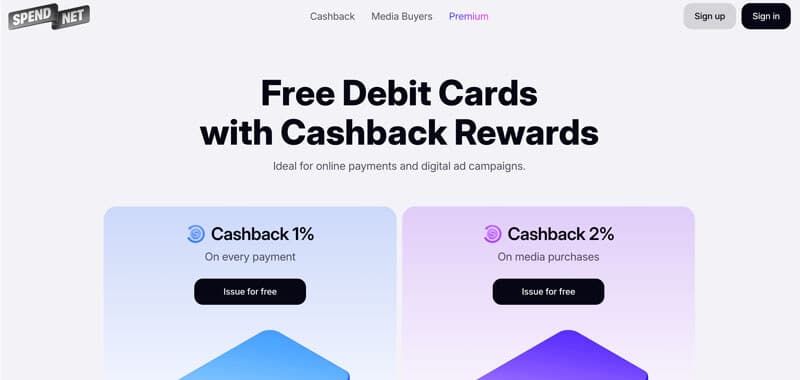
Spend.net provides virtual USD cards tailored for ad payments, with stable performance in Google Ads. Cards are free to issue, can be created without limits on quantity, and include full payment details. They support Visa and Mastercard networks with 3D Secure protection. Issued instantly, these cards work reliably across advertising platforms without unexpected declines.
The key advantage of Spend.net is the automatic cashback: 2% is returned on all ad spend. Cashback is credited in real time and visible in the dashboard.
Users can choose their preferred top-up commission when adding funds. The average fee is around 2%, and deposits from $50 are processed without charge. The service does not charge for card issuance, transactions, declines, refunds, or withdrawals.
Spend.net cards are trusted by media buyers worldwide for their high approval rates and broad compatibility with major ad platforms.
Key features:
• BINs: 20 BINs optimized for Google Ads and other platforms
• Fees: No fees for transactions, declines, refunds, and withdrawals
• Top-up fee: From 2%
• Card funding options: USDT (TRC20), BTC
• Security technologies: 3D Secure
• Team tools: Role assignment, budget control
• Expense analytics: Downloadable reports, real-time cashback tracking
• Registration: via Google or email
• 24/7 Support: Live chat available on the dashboard
3. Combo cards
The service supports receiving payments from affiliate programs and counterparties, card and account rentals for Apple Store and Google Play developer accounts, and global bank transfers.
All cards work with Visa and Mastercard. The product integrates artificial intelligence technologies. AI powers customer support on the website, helping users get quick consultations on card features.
Among the offers for new users — the first 20 advertising cards can be issued for free. Subsequent cards cost $1–$3 plus a service fee.
Key features:
• BINs: 5+ BINs from banks in the U.S., UK, Estonia, Switzerland, and Colombia
• Fees: Zero for transactions and declines; other operations have minimal fees
• Top-up fee: From 3% to 5%
• Card funding: Crypto wallet, USDT (TRC20) and BTC, transfers from AdCombo balance
• Security technologies: 3D Secure, Two-Factor Authentication
• Team tools: Add team members and assign roles
• Expense analytics: Basic transaction data shown in the dashboard
• Registration: Fill out a form on the website and verify your account; system verification follows
• Card issuance: From registration to card issuance — no more than 72 hours
• 24/7 Support: Via website chat or email
4. eCards
The eCards platform is aimed at teams handling large traffic volumes and requiring not just reliability but flexible conditions from their payment tools. If your monthly ad spend exceeds $150,000, eCards offers custom terms: cashback and personalized limits. With a spend of $250,000 or more, the cashback reaches 1%, which becomes a tangible cost-saving advantage at scale.
The standard cashback is 0.5% of advertising transactions. The return process is condition-free, which simplifies accounting and allows you to factor cashback into your budgeting.
Key features:
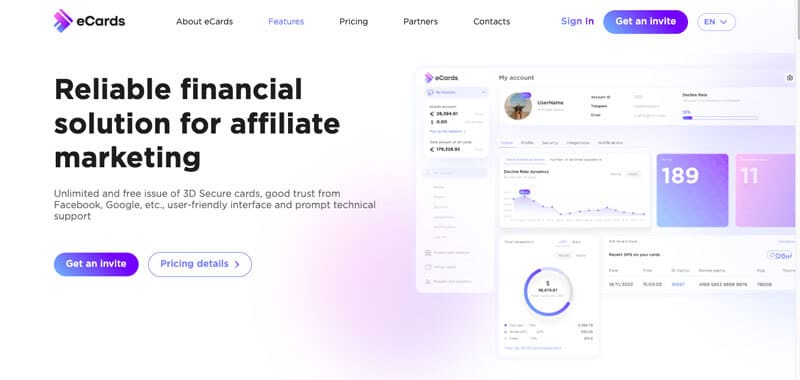
• BINs: 9 BINs located in the UK and Estonia
• Fees: Zero for transactions, transfers, and refunds; declines may incur up to 1% fee
• Top-up fee: From 4%
• Team collaboration: Intra-team operations, with the team leader able to assign roles and tasks
• Expense analytics: Financial reports available on request
• Security rechnologies: 3D Secure
• Funding: USDT TRC20
• Registration: Standard form on the website and quick account verification
• 24/7 Support: Via Telegram
Mini guide: how to test a card before launching ads
Before linking a card, check it against the following checklist:
1. Check the BIN using a service: Use any BIN Checker — such tools are easily found online. Choose ones that frequently update their databases and contain a large number of BINs.
Make sure the BIN:
→ Corresponds to Visa or Mastercard
→ Is issued in the appropriate country
→ Is not a prepaid or gift card
→ Has an MCC code suitable for advertising (commonly: business/corporate)
2. Check for 3D-Secure support: Without this protocol, the card may be declined.
3. Check for limits: Some cards get blocked on the first attempt at a high-value transaction.
4. Read reviews: In forums and media buying channels, users often share which BINs are currently working.
2. Payment through a Google account manager
If you are working with large budgets and your card continues to get blocked, there is an alternative method — payment through a Google account manager. This method is most commonly used by major advertisers who spend significant amounts on advertising.
How it works:
• Invoice-based payments: Google offers the ability to pay for advertising via invoices, i.e., after the advertising services have been provided. This is especially convenient for large advertisers who need to pay for multiple ad campaigns or high volumes of traffic.
• Agencies: Many advertising agencies can handle all matters related to invoicing and payment, significantly simplifying the process for advertisers. Agencies typically have access to this option and can work directly with Google to resolve all payment-related issues.
How to get started:
1. Contact Google Ads support to find out whether your account qualifies for invoice-based payments.
2. If you work with an agency, they can configure Google Ads payments on your behalf.
3. To activate this option, you will need to provide legal information about your company and your banking details.
3. Using third-party gateways
If your cards are not being accepted, and invoice or other official methods are not yet available, you may consider using third-party payment gateways. This is a more complex route, but it is suitable if no other options are viable. It includes the use of cryptocurrency and payment systems that allow you to convert digital assets into fiat currency and process the payment from another card or account.
How it works:
• Using cryptocurrency: You can convert your funds into cryptocurrency (such as Bitcoin, Ethereum, Binance coin, or USDT), and then use a crypto payment platform like Payeer or CoinPayments to convert the cryptocurrency into fiat money (for instance, converting BNB to USD or EUR), and send the payment to your Google Ads account. Some payment gateways allow this to happen instantly, but note that processing speed may vary. Platforms such as CoinGate and BitPay work with cards that can be linked to your crypto wallet. This way, you can pay for Google Ads using your crypto balance by converting funds into fiat.
• Payment systems with conversion options: Some platforms like Paxful or LocalBitcoins allow you to exchange cryptocurrency for fiat through P2P exchanges, and then use those funds to pay in Google Ads. You can also create a virtual card on a platform that supports crypto-to-fiat conversion.
How to use it:
1. Connect to a crypto platform that supports your required fiat currencies and payment systems (e.g., Payeer or CoinPayments).
2. Convert the cryptocurrency into fiat and create a virtual card.
3. Link this card to your Google Ads account and test whether the payment goes through.
Conclusion
If your card is not being accepted by Google Ads, it’s not a reason to halt operations. There is always a solution. Technically, the task lies in selecting the correct BIN or PAN, country, and payment method. With the right tools, you can run ads reliably and without loss. In traffic arbitrage, payments are just as much a part of the funnel as the creative or the offer. They should be approached systematically, with trusted and proven payment solutions.
