


Last Updated: June 2026
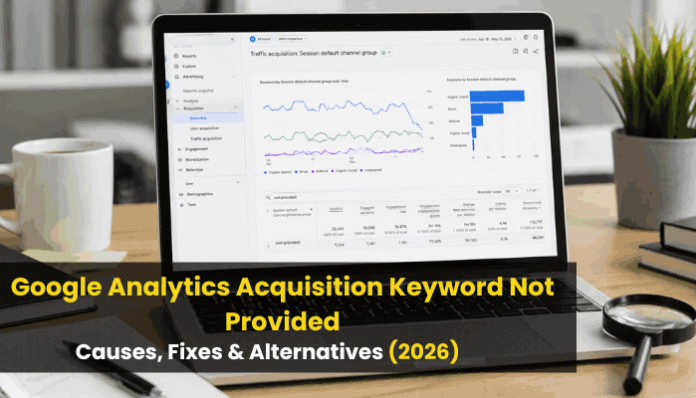
Google Analytics Acquisition Keyword Not Provided appears when GA4 recognizes that a visitor arrived through organic search but cannot display the exact phrase that person entered into Google.
This can be frustrating. Your reports may show that Google Organic Search generated users, sessions, engagement, leads, or revenue, yet the keyword field still displays (not provided).
In most cases, this does not mean your Google Analytics installation is broken. The keyword is unavailable because Google Search uses encrypted HTTPS connections and generally does not transmit the original organic query to the destination website.
You cannot decode every hidden organic keyword directly inside GA4. However, you can recover much of the strategic insight by combining Google Search Console, GA4 landing-page reports, key events, Google Ads data, internal site search, BigQuery exports, rank tracking, CRM information, and first-party customer feedback.
This guide explains why (not provided) appears, what can and cannot be fixed, how GA4 acquisition scope affects reporting, and how to build a reliable organic-search measurement system in 2026.
Our Experience With Google Analytics Keyword Reporting
Over the years, we have analyzed organic search performance across content publishers, SaaS companies, ecommerce stores, and lead-generation websites. One consistent pattern is that marketers often spend too much time trying to recover hidden keywords instead of connecting Search Console visibility data with landing-page engagement and revenue metrics. The most valuable SEO insights typically come from understanding search intent and page performance rather than identifying every individual query.
Quick Fix Summary
If Google Analytics shows Keyword Not Provided:
- Verify organic traffic is still being tracked.
- Connect Google Search Console to GA4.
- Use Search Console for query data.
- Use GA4 for engagement and conversions.
- Connect both using landing pages.
- Measure leads and revenue instead of individual keywords.
There is no legitimate method to recover every hidden organic keyword.
Quick Answer: Google Analytics Acquisition Keyword Not Provided
Google Analytics Acquisition Keyword Not Provided means GA4 identified an organic search visit but did not receive the exact search query associated with that visit.
There is no legitimate filter, script, plugin, attribution model, browser extension, or BigQuery query that can reveal an organic keyword Google Analytics never collected.
The best alternative is to:
- Connect Google Search Console to GA4.
- Use Search Console to analyze queries, clicks, impressions, CTR, and average position.
- Use GA4 to evaluate organic landing pages, engagement, key events, and revenue.
- Connect both datasets through landing pages and comparable date ranges.
- Supplement the analysis with internal search, Google Ads, rank tracking, CRM data, and customer surveys.
Search Console explains what happened in Google Search. GA4 explains what visitors did after reaching your website.
Key Takeaways
- “(Not provided)” is usually a privacy limitation, not a broken GA4 tag.
- GA4 can identify organic traffic without showing the original search query.
- Google Search Console is the best first-party source for organic query data.
- Search Console data is aggregated and cannot be matched reliably to individual sessions.
- Landing pages connect search visibility with engagement and conversions.
- Attribution models, UTMs, and BigQuery cannot recover missing organic keywords.
- Search Console may hide anonymized or low-volume queries.
- Google AI Overviews and AI Mode remain part of Organic Search.
- Recognized AI assistant referrals may appear in GA4’s AI-assistant channel.
- Strong SEO reporting focuses on queries, pages, engagement, leads, and revenue.
What Does Keyword Not Provided Mean in Google Analytics?
The Google Analytics Acquisition Keyword Not Provided value appears when GA4 can identify the search engine or acquisition channel responsible for a visit but does not receive the exact organic query used before the click.
A GA4 report might show:
| Acquisition Field | Example Value |
|---|---|
| Session source | |
| Session medium | Organic |
| Session default channel group | Organic Search |
| Landing page | /ga4-keyword-reporting/ |
| Sessions | 450 |
| Keyword | (not provided) |
Even without the original search phrase, GA4 may still record:
- Landing page
- Device category
- Approximate location
- Engagement time
- Views
- Events
- Key events
- Purchases
- Revenue
What GA4 may not receive is the phrase the visitor entered into Google before clicking the result. Therefore, missing keyword data does not mean that all acquisition or user-behavior information is unavailable.
Organic Search Reporting Statistics
| Metric | Insight |
|---|---|
| Organic search remains one of the largest acquisition channels for many websites | High business value |
| Search Console provides up to 16 months of query data | Long-term trend analysis |
| AI-generated search experiences continue growing | Expanded visibility reporting |
| Landing-page analysis often provides stronger business insights than keyword-level reporting | Better decision-making |
Why Does Google Analytics Show Keyword Not Provided?
The main cause of Google Analytics Acquisition Keyword Not Provided is encrypted search. When someone searches Google through HTTPS and clicks an unpaid result, the destination website receives limited referral information. It can usually identify Google as the traffic source, but the exact search phrase is not passed through the document referrer.
Google Searches Use HTTPS
HTTPS protects information exchanged between users and websites, reducing the risk of data being intercepted or altered while travelling across a network.
Because Google Search uses HTTPS, a website can often identify Google as the referring source without receiving the complete organic query. This privacy-focused process is the primary reason Google Analytics Acquisition Keyword Not Provided appears in acquisition reports.
Search Queries Can Contain Sensitive Information
People use Google to search for personal topics involving:
- Health conditions
- Financial difficulties
- Legal problems
- Employment concerns
- Account security
- Relationships
- Local services
- Private purchasing decisions
- Personal identities
Automatically sharing every search phrase with each destination website could expose sensitive information and create significant privacy risks.
GA4 Can Report Only the Data It Receives
Google Analytics collects information through sources such as:
- Google tags
- App SDKs
- Event parameters
- Campaign parameters
- Product integrations
- Imported data
- Measurement Protocol events
When the organic query is absent from the information received by GA4, Analytics cannot reconstruct it later.
Changing report filters, Explorations, attribution settings, channel groups, custom dimensions, dashboards, or SQL queries will not recover the original phrase. These tools can organize and analyze collected data, but they cannot create data that was never transmitted.
Search Console and GA4 Measure Different Stages
Google Search Console measures how a website performs in Google Search before and during a click. GA4 primarily measures what visitors do after reaching the website or app.
| Platform | Primary Measurement Purpose |
|---|---|
| Google Search Console | Queries, impressions, clicks, CTR, position, and search appearance |
| Google Analytics 4 | Users, sessions, engagement, events, key events, and revenue |
| Google Ads | Paid keywords, search terms, clicks, costs, and paid conversions |
| Rank-tracking platform | Monitored rankings and search-result changes |
| CRM | Leads, sales stages, customers, and offline outcomes |
For this reason, Google Analytics Acquisition Keyword Not Provided should be analyzed with Search Console query data and GA4 landing-page performance rather than treating GA4 as a complete organic keyword-research platform.
Is Keyword Not Provided a Tracking Error?

Usually, no. Google Analytics Acquisition Keyword Not Provided is generally a normal reporting limitation rather than evidence of a broken tracking setup.
When GA4 continues recording organic sessions, landing pages, engagement, events, and key events, the (not provided) value usually means Analytics recognized the organic visit but did not receive the original search query.
However, investigate your implementation when Google Analytics Acquisition Keyword Not Provided appears alongside broader acquisition or measurement problems.
Warning signs include:
- Organic traffic suddenly disappears.
- Google traffic is classified as Direct.
- Paid search appears under Organic Search.
- Large amounts of traffic appear as Unassigned.
- Important events stop recording.
- Cross-domain journeys create self-referrals.
- Search Console reports remain empty after setup.
- Redirects remove campaign or click identifiers.
- Consent settings prevent expected measurement.
- A payment provider becomes the reported referral source.
- Traffic changes sharply after a tagging update.
The Google Analytics Acquisition Keyword Not Provided value alone does not prove that your GA4 setup is faulty. If organic traffic and user behavior continue to appear correctly, the missing query is most likely caused by privacy-related data limitations rather than a tracking error.
Not Provided vs Not Set vs Direct Traffic
When reviewing Google Analytics Acquisition Keyword Not Provided, it is important not to confuse (not provided) with (not set), Direct traffic, or Unassigned traffic. Each value describes a different reporting condition.
| GA4 Value | General Meaning |
|---|---|
(not provided) |
Google Analytics identified organic search traffic but did not receive the exact search query |
(not set) |
GA4 did not receive or could not assign a value for the selected dimension |
(direct) / (none) |
No recognizable referral, campaign, or traffic-source information was available |
| Unassigned | The available source, medium, or campaign values did not match GA4’s channel-group rules |
(data not available) |
The information is unavailable or has not finished processing |
(organic) |
Indicates unpaid search in certain campaign-related dimensions |
Example: Not Provided
- Session source: Google
- Session medium: Organic
- Keyword:
(not provided)
GA4 recognizes Google and Organic Search as the acquisition source but does not have the exact phrase entered by the visitor. This is the typical Google Analytics Acquisition Keyword Not Provided scenario.
Example: Direct Traffic
- Session source:
(direct) - Session medium:
(none) - Campaign:
(not set)
GA4 does not have usable referral or campaign information for the session. This can happen when someone types the URL directly, uses a bookmark, or arrives through a source that does not pass referral information.
Example: Unassigned Traffic
Traffic may appear as Unassigned when the recorded source, medium, or campaign values do not match GA4’s default channel-group definitions. Incorrect UTM parameters or unusual referral values can contribute to this classification.
These values have different causes and require different troubleshooting methods. They should not be treated as interchangeable reporting errors.
Organic Query vs Paid Keyword vs Manual Term
The word “keyword” can describe several different data types.
| Data Type | Meaning | Primary Source |
|---|---|---|
| Organic search query | Words entered into an unpaid search engine | Search Console |
| Paid keyword | Keyword selected by an advertiser for targeting | Google Ads |
| Paid search term | Actual phrase entered before a paid-ad interaction | Google Ads |
| Manual term | Campaign value assigned through utm_term |
Tagged URL |
| Internal search term | Phrase entered into a website’s search box | GA4 site-search tracking |
| Ranking keyword | Query monitored by an SEO platform | Rank tracker |
| Modeled keyword | Estimated query assigned through algorithms or page relevance | Third-party tool |
A paid keyword does not always equal the user’s paid search term.
Similarly, a utm_term value is a campaign label created by a marketer. It is not proof of what someone typed into Google.
How GA4 Traffic-Source Scope Affects Keyword Reporting
Before interpreting Google Analytics Acquisition Keyword Not Provided, it is important to understand that GA4 reports acquisition data at different scopes.
Scope determines whether a dimension describes:
- How a user was originally acquired
- How the current session began
- Which marketing touchpoints receive credit for a key event
- Aggregated search visibility imported from Search Console
| Data Scope or Layer | What It Describes | Common Report |
|---|---|---|
| First-user scope | How a new user originally discovered the website or app | User acquisition |
| Session scope | What initiated a particular session | Traffic acquisition |
| Event scope | Which touchpoints receive credit for a key event | Attribution reports |
| Search Console data | Aggregated Google Search visibility and query performance | Search Console reports |
First-User Scope
Dimensions beginning with First user describe how someone originally discovered your website or app.
Examples include:
- First user source
- First user medium
- First user source/medium
- First user default channel group
- First user campaign
A visitor may initially discover your website through Google organic search and return later through an email newsletter.
The reports could show:
- First user source: Google
- First user medium: Organic
- Current session source: Newsletter
- Current session medium: Email
Use first-user dimensions when evaluating initial discovery, new-user acquisition, and the first known source of customer relationships. However, these dimensions do not solve Google Analytics Acquisition Keyword Not Provided, because they identify the acquisition source rather than revealing the missing organic query.
Session Scope
Dimensions beginning with Session describe the source associated with a particular visit.
Examples include:
- Session source
- Session medium
- Session source/medium
- Session campaign
- Session default channel group
Use session-scoped dimensions when evaluating:
- Organic sessions
- Landing-page engagement
- Campaign visits
- Session key-event rates
- Revenue generated during visits
For most organic landing-page analysis, session source, session medium, and session default channel group are more useful than first-user dimensions.
Event Scope
Event-scoped traffic-source dimensions determine which marketing touchpoints receive credit for key events.
They are used in attribution reports such as:
- Model comparison
- Key-event paths
An event-scoped attribution report can produce different results from a session-scoped acquisition report. This does not mean either report is incorrect. Each report answers a different measurement question.
Why Scope Matters
Consider this customer journey:
- A visitor discovers your website through Google organic search.
- The visitor returns through an email newsletter.
- The visitor returns through a paid advertisement.
- The visitor completes a purchase.
Depending on the report, the purchase may be associated with:
- Organic Search as the original acquisition channel
- Paid Search as the converting session source
- Several touchpoints under an event-scoped attribution model
Understanding scope helps explain why acquisition and conversion numbers differ across GA4 reports. However, Google Analytics Acquisition Keyword Not Provided remains a separate limitation: scope changes how traffic and key-event credit are interpreted, but it cannot reveal an organic query that GA4 never received.
Can Changing the GA4 Attribution Model Reveal Hidden Keywords?
No. Changing the attribution model cannot resolve Google Analytics Acquisition Keyword Not Provided because attribution settings control conversion credit, not the collection of organic search queries.
An attribution model determines how credit for a key event, conversion, or revenue is distributed across marketing channels such as:
- Organic Search
- Paid Search
- Referral
- Organic Social
- Display
- Direct
Changing the attribution model may alter how much credit each channel receives, but it does not affect:
- Referral information transmitted by Google Search
- Whether the original organic query was received
- Search Console privacy protections
- The availability of anonymized queries
- The keyword value displayed as
(not provided)
Event-scoped attribution reports may reflect the selected model. However, changing that model can only redistribute key-event credit; it cannot reveal an organic query that GA4 never received.
Can You Recover Not Provided Keywords?
You cannot reliably recover the exact keyword connected with every individual organic session. The Google Analytics Acquisition Keyword Not Provided limitation exists because GA4 did not receive the original search phrase.
No legitimate GA4 filter, tracking script, browser extension, SQL query, plugin, or dashboard can reveal information that was never transmitted to the website.
Platforms claiming to recover missing keywords usually rely on:
- Search Console query data
- Ranking databases
- Landing-page topics
- Google Ads information
- Clickstream datasets
- Search-volume databases
- Query-to-page matching
- Statistical modeling
- Search-intent classification
- Historical ranking data
These methods can produce valuable estimates and insights, but they should not be presented as exact session-level keyword recovery.
Five Types of Keyword Evidence
| Evidence Type | Meaning |
|---|---|
| Observed | Directly recorded by the relevant platform |
| Aggregated | Combined across multiple users, queries, pages, or dates |
| Modeled | Estimated through algorithms or statistical assumptions |
| Inferred | Concluded from related evidence, such as landing-page content |
| Self-reported | Provided directly by a customer or lead |
A trustworthy SEO or analytics report clearly identifies whether its keyword information is observed, aggregated, modeled, inferred, or self-reported.
Best Fix: Connect Google Search Console to GA4
The strongest first-party solution for understanding Google Analytics Acquisition Keyword Not Provided is to connect the appropriate Google Search Console property with the relevant GA4 web data stream.
This integration adds two primary reports.
Google Organic Search Queries
The Queries report provides Search Console dimensions and metrics such as:
- Organic Google Search clicks
- Organic Google Search impressions
- Organic Google Search CTR
- Organic Google Search average position
- Organic Google search query
- Country
- Device category
This report uses aggregated information supplied by Search Console. It does not recover a keyword that was previously hidden inside GA4.
Search Console dimensions also cannot be combined freely with every standard Analytics dimension and metric because the two platforms use different measurement, scope, and aggregation methods.
Google Organic Search Traffic
The Google organic search traffic report focuses primarily on landing pages. It combines selected Search Console and GA4 metrics to help you evaluate:
- Which pages appear in Google Search
- Which pages receive organic clicks
- How visitors engage after arriving
- Whether organic visitors complete key events
- Which countries and devices contribute to performance
The Search Console integration adds a separate set of reports within GA4. It supports organic search analysis but does not replace the standard User acquisition or Traffic acquisition reports.
How to Link Search Console With GA4
To investigate Google Analytics Acquisition Keyword Not Provided, you generally need:
- Editor access or higher in the GA4 property
- Verified-owner access to the Search Console property
Follow these steps:
- Open the relevant GA4 property.
- Select Admin.
- Find Product links.
- Choose Search Console Links.
- Click Link.
- Select the correct verified Search Console property.
- Choose the GA4 web data stream representing the same website.
- Review the configuration.
- Submit the link.
Make sure Search Console and GA4 cover the same website pages.
These addresses may represent different scopes:
http://example.comhttps://example.comhttps://www.example.comhttps://blog.example.com
A Search Console Domain property can cover multiple protocols and subdomains, while a URL-prefix property covers only its specified prefix.
Publish the Search Console Reports in GA4
To investigate Google Analytics Acquisition Keyword Not Provided, the product connection may be active even when the Search Console reports do not appear in the main navigation.
The Search Console collection is unpublished by default.
To publish it:
- Open Reports in GA4.
- Select Library.
- Find the Search Console collection.
- Open the collection menu.
- Select Publish.
- Return to Reports.
- Open the Queries or Google organic search traffic report.
You normally need Editor or Administrator access to publish and customize report collections.
Search Console Integration Limitations
The integration is valuable, but it does not restore complete keyword attribution.
| Limitation | Practical Effect |
|---|---|
| Aggregated query reporting | You cannot identify the exact query used by each visitor |
| Anonymized queries | Some rare or privacy-sensitive searches remain hidden |
| Restricted dimension compatibility | Query data cannot be combined freely with every GA4 dimension |
| Processing delay | Search Console data becomes available approximately 48 hours after collection |
| Historical limit | Integrated reports contain a maximum of 16 months |
| Matching website requirement | The linked properties must cover the same set of pages |
| Different measurement systems | Search Console clicks will not equal GA4 sessions exactly |
| Limited retroactive availability | Availability depends on stream creation and site-verification timing |
The integration is a search-performance solution, not a keyword-decryption method.
Use the Standalone Search Console Performance Report
For investigating Google Analytics Acquisition Keyword Not Provided, the standalone Search Console Performance report is often the best place to analyze Google organic queries.
It allows you to examine:
- Queries
- Pages
- Countries
- Devices
- Search appearance
- Dates
- Search type
Its four principal metrics are clicks, impressions, CTR, and average position.
Clicks
Clicks show how many times users clicked your website from eligible Google Search results.
Impressions
Impressions show how often a result from your website appeared in an eligible Google Search context.
Click-Through Rate
CTR measures the percentage of impressions that generated clicks.
CTR = Clicks ÷ Impressions × 100
Average Position
Average position represents the average position of the topmost result from your website for measured impressions.
It is not a fixed ranking. Results can vary by location, device, language, date, search-result format, and user context.
How to Find Valuable Keywords in Search Console

When investigating Google Analytics Acquisition Keyword Not Provided, do not evaluate queries only by click volume. Use filters and comparisons to identify realistic opportunities.
High-Impression, Low-CTR Queries
These searches already generate visibility but receive relatively few clicks.
Review whether you need to:
- Improve the title tag and meta description.
- Match search intent more precisely.
- Provide a clearer answer near the beginning.
- Update outdated examples or dates.
- Strengthen trust signals and rich-result eligibility.
Low CTR can also result from low rankings, paid advertisements, featured snippets, AI Overviews, local packs, or searches that do not require a website visit. These query insights help compensate for the limitations of Google Analytics Acquisition Keyword Not Provided.
Queries Near Page One
Queries near the bottom of page one or top of page two may provide realistic growth opportunities.
Review the page’s topical coverage, internal links, original evidence, headings, supporting content, page experience, and commercial relevance.
Do not prioritize a query using average position alone. Consider impressions, CTR, intent, competition, and business value.
Queries Losing Clicks
Compare equivalent date ranges and investigate:
- Ranking declines
- Reduced search demand
- New competitors
- Search-result layout changes
- AI-generated results
- Outdated content
- Indexing problems
- Seasonality
- Keyword cannibalization
Queries With Impressions but No Clicks
Ask whether the page genuinely answers the query, ranks high enough to receive attention, uses a relevant title, and matches the correct search intent.
Google may also be answering the question directly in the search results.
Newly Appearing Queries
New searches can reveal emerging questions, unexpected page relevance, new product demand, terminology changes, and supporting-content opportunities.
Group phrases that share the same intent instead of creating a thin page for every variation. This approach provides more useful SEO insight than relying only on Google Analytics Acquisition Keyword Not Provided data.
How to Separate Branded and Non-Branded Queries
When analyzing Google Analytics Acquisition Keyword Not Provided, separating branded and non-branded queries helps determine whether growth comes from existing brand awareness or new audience discovery.
Branded Queries
Branded searches may include:
- Company or domain name
- Product or service names
- Founder names
- Abbreviations
- Common misspellings
Growth in branded searches can indicate stronger awareness, returning customer interest, public relations, offline marketing, or word-of-mouth demand.
Non-Branded Queries
Non-branded searches describe a topic, problem, product, or service without naming the company. They help measure new audience discovery, category visibility, informational SEO reach, and market demand.
This segmentation provides useful context when Google Analytics Acquisition Keyword Not Provided prevents GA4 from showing exact organic queries.
Use Search Console’s Branded-Query Filter
Where available, Search Console can automatically separate branded and non-branded queries. Because this classification is AI-powered, review it for possible errors before using it in reports.
Use a manual filter when:
- The automatic filter is unavailable.
- Your brand has several names or abbreviations.
- Product names are commonly misspelled.
- A brand term also has a non-branded meaning.
A conceptual regular expression might be:
(?i)(brand name|brandname|domain\.com|product name)
Replace the examples with terms unique to your business and test the filter carefully.
Branded vs Non-Branded Reporting Template
| Segment | Impressions | Clicks | CTR | Average Position | Primary Meaning |
|---|---|---|---|---|---|
| Branded | Add data | Add data | Add data | Add data | Existing brand demand |
| Non-branded | Add data | Add data | Add data | Add data | New discovery potential |
| Visible query total | Add data | Add data | Add data | Add data | Reported query activity |
| Overall property total | Add data | Add data | Add data | Add data | May include anonymized activity |
This analysis prevents increased brand demand from being presented as purely non-branded SEO growth and makes Google Analytics Acquisition Keyword Not Provided reporting more meaningful.
Why Search Console Totals Change After a Query Filter
When analyzing Google Analytics Acquisition Keyword Not Provided, Search Console totals may decrease after applying a query filter, even when it appears to include most visible queries.
Search Console hides anonymized queries from the query table. These searches may still contribute to broader totals until a filter is applied.
Therefore, these values may not match:
- Total clicks without a query filter
- Branded-query clicks
- Non-branded-query clicks
- Visible query-row totals
- Exported query-table totals
This difference does not necessarily indicate a tracking problem.
Responsible Reporting Method
- Record the unfiltered total.
- Record branded and non-branded totals.
- Compare their combined value with the unfiltered total.
- Label the difference as anonymized or unavailable activity.
- Do not assign the hidden amount to either segment.
- Mark percentages as approximate when the difference is substantial.
For accurate Google Analytics Acquisition Keyword Not Provided reporting, rely on aggregated evidence rather than claims of complete keyword recovery.
2026 Update: AI Overviews, AI Mode, and Keyword Reporting
Organic search measurement now extends beyond traditional website links. For Google Analytics Acquisition Keyword Not Provided analysis, this means tracking visibility across both standard search results and generative-AI experiences.
On June 3, 2026, Google announced dedicated Search Console performance reports for:
- AI Overviews
- AI Mode
- Generative-AI features in Discover
These reports initially rolled out to selected websites and may not appear in every Search Console property.
They can show:
- AI-feature impressions
- Pages appearing in generative results
- Country and device data
- Performance by date
- Hourly, daily, weekly, and monthly trends
The reports focus mainly on impressions and visibility. They do not currently provide prompt-level data or direct AI-feature click, CTR, and conversion attribution. Therefore, they improve Google Analytics Acquisition Keyword Not Provided reporting but do not restore session-level keywords.
How GA4 Classifies AI Traffic
GA4 separates Google’s AI search experiences from recognized independent AI referrals.
| Visitor Source | GA4 Classification |
|---|---|
| Traditional unpaid Google result | Organic Search |
| Google AI Overview link | Organic Search |
| Google AI Mode link | Organic Search |
| Recognized independent AI referral | AI Assistant or AI Assistants |
Google AI Overviews and AI Mode remain part of Organic Search because they are Google Search experiences.
Recognized referrals from ChatGPT, Gemini, DeepSeek, Copilot, and Grok may appear under GA4’s AI-assistant channel when their referral information matches current channel definitions. The medium may appear as ai-assistant, while the campaign may appear as (ai-assistant).
Because Google documentation uses both AI Assistant and AI Assistants, confirm the exact label shown in your property. This classification adds useful context to Google Analytics Acquisition Keyword Not Provided, but not every conversational referral will be classified automatically.
What to Measure for AI Search Visibility
Monitor:
- AI-feature impressions
- Pages shown in generative results
- Country and device visibility
- Organic landing-page sessions
- Engagement rate
- Key events
- Lead quality and revenue
- Traditional organic click trends
- Pages gaining impressions without proportional clicks
- Sessions and outcomes from independent AI referrals
An AI-feature impression is not the same as a website visit. For accurate Google Analytics Acquisition Keyword Not Provided analysis, measure both visibility and actual on-site outcomes.
Analyze Organic Landing Pages in GA4
To investigate Google Analytics Acquisition Keyword Not Provided, use Search Console for search performance and GA4 for post-click behavior.
Open:
Reports → Acquisition → Traffic acquisition
Apply a filter or comparison such as:
- Session default channel group equals Organic Search
- Session source equals Google
- Session medium equals Organic
Then evaluate landing pages using:
- Sessions
- Engaged sessions
- Engagement rate
- Average engagement time
- Views
- Events per session
- Key events
- Session key-event rate
- Purchases
- Total revenue
You can also open the Landing page report and apply an Organic Search comparison.
Create a Query-to-Outcome Bridge
To address Google Analytics Acquisition Keyword Not Provided, use the landing page as the shared connection between Search Console queries and GA4 outcomes.
Practical Workflow
- Identify an important query in Search Console.
- Filter the Performance report by that query.
- Record the pages receiving impressions and clicks.
- Open those landing pages in GA4.
- Filter traffic to Google Organic Search.
- Review engagement and key events.
- Compare equivalent date ranges.
- Check CRM or ecommerce outcomes.
- Report the result as an aggregated page-level relationship.
The measurement chain becomes:
Query → Impression → Click → Landing page → Engagement → Key event → Business outcome
This workflow does not prove that every key event came from one query.
Example of Page-Level Analysis
Imagine a software company publishes “How to Automate Invoice Processing.”
Search Console reports:
| Search Console Metric | Result |
|---|---|
| Impressions | 32,000 |
| Clicks | 1,280 |
| CTR | 4% |
| Average position | 8.2 |
GA4 reports:
| GA4 Metric | Result |
|---|---|
| Organic sessions | 1,190 |
| Engagement rate | 68% |
| Demo-request key events | 38 |
| Session key-event rate | 3.19% |
| Purchases | 4 |
The page appears to attract valuable organic traffic and contribute to business outcomes. However, Google Analytics Acquisition Keyword Not Provided prevents you from proving that all 38 demo requests came from one specific query.
Optimize the page around its topic and search-intent cluster rather than assigning every outcome to a single phrase.
Group Queries by Search Intent
Grouping queries by intent provides a more stable SEO strategy than treating every phrase as a separate keyword.
| Search Intent | User Goal | Example |
|---|---|---|
| Informational | Learn or solve a problem | Why does GA4 hide organic keywords? |
| Navigational | Reach a specific platform or report | GA4 Search Console queries |
| Commercial | Compare tools or services | Best SEO reporting tools |
| Transactional | Complete a commercial action | Hire a GA4 consultant |
| Local | Find a nearby provider | GA4 consultant near me |
Intent grouping helps you optimize for the purpose behind a search rather than simply repeating its wording.
Build a Query Opportunity Score
Large websites need a consistent way to prioritize thousands of searches.
Consider:
- Impressions
- Existing clicks
- Average position
- CTR relative to position
- Landing-page relevance
- Business relevance
- Conversion potential
- Competitive difficulty
- Content quality
- Trend direction
- Required resources
A simple internal formula might be:
Opportunity Score = Visibility Potential × Business Relevance × Ranking Feasibility
The formula does not need to be perfect. Its purpose is to make prioritization more consistent and defensible.
Search Console Bulk Export, API, and GA4 BigQuery
These tools help analyze Google Analytics Acquisition Keyword Not Provided at different reporting levels.
Search Console Bulk Export
Search Console bulk export sends daily search-performance data to BigQuery. It supports:
- Long-term data retention
- Large-scale query analysis
- Topic and page clustering
- Branded and non-branded reporting
- Business-data joins
Bulk export does not reveal anonymized query text. Zero-length query values may represent anonymized activity, so retain them for overall totals but exclude them from named-query analysis.
Search Console API
The Search Console API supports:
- Daily query downloads
- Priority-page monitoring
- Country and device comparisons
- Branded-query tracking
- Alerts and scheduled dashboards
It remains subject to Search Console’s privacy and reporting limits.
GA4 BigQuery Export
GA4 BigQuery Export contains the event data received by Analytics. It supports:
- Custom session analysis
- User journeys
- Ecommerce reporting
- Funnels
- First-party data joins
- Advanced attribution
BigQuery cannot resolve Google Analytics Acquisition Keyword Not Provided when GA4 never received the original query.
A stronger reporting setup combines:
- GA4 event data for on-site activity
- Search Console data for search performance
- CRM or ecommerce data for business outcomes
These datasets can be compared through date, landing page, device, country, content group, or page template. The relationship remains aggregated rather than exact user-level keyword attribution.
Use Google Ads Search Terms for Paid Search
Paid and organic search should be analyzed separately when investigating Google Analytics Acquisition Keyword Not Provided.
When Google Ads and GA4 are connected correctly, available information may include:
- Campaign
- Ad group
- Keyword text
- Search query
- Source
- Medium
- Cost
- Clicks
- Key events
The paid keyword is the advertiser’s targeting instruction, while the search term is the phrase entered by the user before interacting with the ad.
Paid search terms can reveal audience language, content opportunities, negative keywords, high-intent topics, and commercial demand.
However, paid search data is not a complete substitute for organic query data because paid and organic results may attract different users.
Can UTM Parameters Fix Keyword Not Provided?
No.
UTM parameters help track campaign links you create or control.
Common parameters include:
utm_sourceutm_mediumutm_campaignutm_idutm_termutm_content
Example:
example.com/guide?utm_source=newsletter&utm_medium=email&utm_campaign=ga4_guide&utm_term=keyword_reporting
The utm_term value may populate manual-term dimensions in GA4.
However, it is a label added by the campaign owner. It does not expose a private organic Google query.
Use UTMs for email campaigns, social posts, influencer links, partner promotions, sponsored content, QR codes, display advertisements, and offline-to-online campaigns.
Avoid adding acquisition UTMs to internal links because they can contaminate campaign reporting. Use event tracking, link URLs, content groups, custom dimensions, or navigation events instead.
Track Internal Site Search in GA4
Internal site search provides useful first-party intent data when investigating Google Analytics Acquisition Keyword Not Provided.
GA4 enhanced measurement can record a view_search_results event when a recognized query parameter appears in the search-results URL, such as:
qssearchquerykeyword
The extracted value can populate the Search term dimension and reveal:
- Missing content
- Product-discovery issues
- Navigation problems
- Customer questions
- High-intent demand
- Searches returning no results
Internal search does not reveal the visitor’s original Google query, but it shows what users search for after reaching your website.
Collect Search Intent From Leads and Customers
A lead-generation website can include an optional question such as:
“What were you searching for when you found us?”
Other useful questions include:
- What problem are you trying to solve?
- Which service interests you?
- How did you hear about us?
- What information could you not find?
- What made you contact us today?
Keep nonessential questions optional and avoid requesting unnecessary sensitive information.
Direct customer language can reveal terminology that analytics and keyword platforms miss.
Why Search Console Clicks and GA4 Sessions Differ
Do not expect Search Console clicks and GA4 sessions to match exactly.
Search Console counts interactions with Google Search results. GA4 records website activity after the analytics measurement system runs.
Differences can result from:
- Multiple clicks during one session
- A visitor leaving before GA4 loads
- JavaScript restrictions
- Consent choices
- Tracking blockers
- Tagging errors
- Redirects
- Different time zones
- Canonical URL processing
- URL parameter differences
- Cross-domain configuration
- Different bot and processing rules
Small differences are normal. A large or sudden gap should be investigated.
How Consent Mode Affects Organic Search Analysis
Google Analytics Acquisition Keyword Not Provided and Consent Mode both involve privacy-aware measurement, but they are separate issues.
(not provided) means the organic query was not transmitted to GA4. Consent Mode controls how Google tags behave based on a visitor’s consent choices.
When analytics storage is declined, GA4 may record less information about:
- Users
- Sessions
- Engagement
- Returning visits
- Key-event journeys
- Traffic-source continuity
Eligible properties may use behavioral modeling to estimate some activity, but modeled data cannot reveal an individual’s hidden search query.
When reviewing Google Analytics Acquisition Keyword Not Provided, check whether Google withheld the query and whether consent settings reduced observable GA4 activity. Both can occur at the same time.
GA4 and Search Console Diagnostic Checklist
Use this checklist when Google Analytics Acquisition Keyword Not Provided, acquisition data, or Search Console reporting appears incorrect.
Connection and Permission Checks
Confirm that:
- The correct Search Console property is linked.
- The GA4 web stream covers the same pages.
- The Search Console collection is published.
- You have the required permissions.
- The date range allows time for processing.
- No filter excludes available data.
- Tagging and Classification Checks
Verify that:
- The GA4 tag runs on organic landing pages.
- Organic Search sessions are recorded.
- Source, medium, and channel group are accurate.
- Paid traffic is not classified as organic.
- Events and key events work correctly.
- Internal links do not use acquisition UTMs.
- Redirects preserve campaign and click identifiers.
Journey and Privacy Checks
Review:
- Cross-domain measurement
- Payment-provider referrals
- Unwanted referrals
- Consent initialization
- Browser blockers
- Links opened from documents or apps
Reporting Interpretation Checks
Make sure you:
- Do not mix first-user, session, event, and Search Console scopes.
- Compare equivalent date ranges.
- Expect differences between Search Console clicks and GA4 sessions.
- Label observed, modeled, and inferred data correctly.
- Account for anonymized queries.
When organic sessions and landing pages appear normally but Google Analytics Acquisition Keyword Not Provided remains in the keyword dimension, query privacy is the most likely explanation.
Common Mistakes to Avoid
- Treating Search Console queries as exact session-level GA4 data
- Assuming every search impression produced a website visit
- Expecting Search Console clicks to match GA4 sessions exactly
- Presenting
utm_termvalues as organic search queries - Trusting tools that promise complete keyword recovery
- Optimizing only for search volume or average position
- Ignoring search intent and business value
- Overlooking landing-page quality, speed, trust, and usability
- Assigning every conversion on a page to one specific query
- Confusing observed keyword data with modeled or estimated data
Recommended Organic Search Dashboard for 2026
A strong dashboard for Google Analytics Acquisition Keyword Not Provided should connect search visibility with engagement, conversions, and commercial value.
| Dashboard Section | Recommended Metrics |
|---|---|
| Organic overview | Users, sessions, engaged sessions, key events, and revenue |
| Search visibility | Impressions, clicks, CTR, and average position |
| Generative-AI visibility | AI-feature impressions, pages, countries, devices, and trends |
| Organic landing pages | Sessions, engagement rate, key-event rate, and revenue |
| Query opportunities | High-impression, low-CTR, and near-page-one queries |
| Content trends | Pages gaining or losing visibility |
| Brand analysis | Branded and non-branded performance |
| Device and location | Device, country, and regional performance |
| AI referrals | Sessions, engagement, key events, and revenue |
| Technical health | Indexing, tagging, consent, and measurement issues |
| Internal search | Popular terms and zero-result searches |
| Commercial value | Revenue, qualified leads, acquisition cost, and lifetime value |
Label each metric by its source:
- GA4
- Search Console
- Google Ads
- CRM
- Ecommerce platform
- Rank tracker
- Third-party SEO platform
This framework makes Google Analytics Acquisition Keyword Not Provided reporting more useful by connecting query visibility with engagement, leads, and revenue.
Organic Search Analytics Maturity Levels
| Level | Description |
|---|---|
| Level 1 | Track traffic only |
| Level 2 | Track landing pages |
| Level 3 | Connect Search Console |
| Level 4 | Connect CRM data |
| Level 5 | Track revenue by content |
| Level 6 | Measure AI search visibility |
Modern Organic Search Measurement Framework
| Data Source | Purpose |
|---|---|
| Search Console | Queries, impressions, CTR |
| GA4 | Sessions, engagement, events |
| CRM | Leads and customers |
| Google Ads | Paid search intelligence |
| Rank Tracking Tools | Keyword visibility |
| Internal Search | Customer intent |
| AI Referral Reports | AI-generated traffic |
How to Optimize for AI Search Visibility
To improve visibility in AI Overviews and AI Mode:
- Create comprehensive topic coverage.
- Answer questions directly.
- Use structured headings.
- Include expert insights.
- Publish original research.
- Add FAQ sections.
- Strengthen EEAT signals.
- Update content regularly.
- Build topical authority clusters.
- Use schema markup.
What Actually Matters More Than Hidden Keywords
Many marketers focus heavily on recovering individual keywords, but modern SEO success depends more on understanding user intent and business outcomes.
Instead of asking:
“What keyword generated this session?”
Ask:
- Which pages generate qualified traffic?
- Which topics attract potential customers?
- Which landing pages produce leads?
- Which articles generate revenue?
- Which search intents drive conversions?
- Which content performs best in AI search experiences?
- The websites that grow fastest in 2026 are not those that recover every keyword. They are the ones that connect search visibility, user engagement, lead generation, and revenue into a single measurement framework.
Conclusion
Google Analytics Acquisition Keyword Not Provided is primarily a privacy and data-transmission limitation. It cannot be solved with a special GA4 filter, attribution setting, plugin, UTM parameter, or BigQuery query. Google Analytics cannot display an organic query it never received.
The most reliable 2026 solution is to combine Google Search Console query data with GA4 landing-page behavior, engagement, key events, revenue, internal search, independent AI-referral reporting, Google Ads information, and first-party customer data.
This approach will not reconstruct every individual search phrase. It will provide enough trustworthy evidence to improve content, identify valuable search opportunities, measure traditional and AI-driven search visibility, and connect organic performance with meaningful business results.
Google Analytics Acquisition Keyword Not Provided FAQs
1. Is Keyword Not Provided a GA4 Tracking Error?
Usually, no. Google Analytics Acquisition Keyword Not Provided is generally a privacy and reporting limitation. Investigate your setup only when sessions, landing pages, events, or other acquisition data also appears incorrect.
2. Can I Reveal Not Provided Keywords in GA4?
No. Google Analytics Acquisition Keyword Not Provided cannot be matched reliably to every organic session. Search Console provides aggregated queries, while GA4 reports post-click behavior.
3. How Do I See Google Organic Queries in GA4?
Connect Search Console to the relevant GA4 web stream, publish the Search Console collection, and open the Queries report. This provides an alternative to Google Analytics Acquisition Keyword Not Provided, not recovered GA4 keywords.
4. Does Search Console Show Every Organic Query?
No. Search Console protects anonymized and privacy-sensitive searches, so visible query totals may differ from broader property totals.
5. Can BigQuery Recover Hidden Organic Keywords?
No. GA4 BigQuery Export cannot reveal a query that GA4 never received. Search Console data can only be compared with GA4 at an aggregated level.
6. Why Are Search Console Clicks Different From GA4 Sessions?
Search Console counts search-result clicks, while GA4 records sessions after measurement runs. Repeat clicks, consent, blockers, redirects, and time zones can create differences.
7. Does Google AI Overview Traffic Appear as Organic Search?
Yes. Non-ad links from Google AI Overviews and AI Mode remain part of Organic Search because they are Google Search experiences.
8. Does Consent Mode Cause Keyword Not Provided?
No. Consent settings may reduce observable GA4 activity, but Google Analytics Acquisition Keyword Not Provided mainly results from encrypted search and limited query transmission.
9. What Is the Best Alternative to Hidden Organic Keywords?
The best solution for Google Analytics Acquisition Keyword Not Provided is to combine Search Console queries with GA4 landing-page, engagement, key-event, and revenue data.
