



Last updated: September 2026
BMO Online Banking gives BMO customers in Canada a convenient way to check account balances, review transactions, pay bills, transfer money, manage alerts, view statements, send Interac e-Transfers and handle many everyday banking tasks without visiting a branch.
This guide focuses on BMO Canada (Bank of Montreal). BMO also operates in the United States through BMO Bank N.A., but its online banking products, login procedures and support options can differ.
Whether you need to sign in, register for digital banking, reset a forgotten password, deposit a cheque through the mobile app or troubleshoot a login problem, this guide explains the main BMO Online Banking features and procedures.
What Is BMO Online Banking?
BMO Online Banking is BMO Canada’s browser-based digital banking service. Customers can use it on a computer or supported mobile browser to manage many banking activities online.
Depending on the accounts and services you have, you can use BMO Online Banking to:
- Check account balances
- View transaction history
- Pay bills
- Schedule payments
- Transfer money
- Send Interac e-Transfers
- Manage Autodeposit
- View and save eStatements
- Manage BMO Alerts
- Update certain profile information
- Manage ore-authorized payments
- Set up direct deposit
- Access certain cross-border banking services
BMO also offers BMO Mobile Banking, its mobile app, which provides many of the same banking functions while adding mobile-specific features such as mobile cheque deposit.
Throughout this guide, BMO Online Banking refers primarily to browser-based banking, while BMO Mobile Banking refers to the BMO mobile app. Digital Banking is used when referring more broadly to BMO’s digital banking services or registration process.
BMO Online Banking at a Glance
| Feature | BMO Online Banking | BMO Mobile Banking |
|---|---|---|
| Check account balance | Yes | Yes |
| View transactions | Yes | Yes |
| Pay bills | Yes | Yes |
| Schedule payments | Yes | Yes |
| Recurring payments | Yes | Yes |
| Transfer money | Yes | Yes |
| Interac e-Transfer | Yes | Yes |
| Autodeposit | Yes | Yes |
| Request money | Yes | Yes |
| Mobile cheque deposit | No | Yes |
| eStatements | Yes | Yes |
| BMO Alerts | Yes | Yes |
| Direct deposit tools | Yes | Yes |
| Mobile wallet setup | Supported | Supported |
| Find branches and ATMs | Yes | Yes |
| Account access | Web browser | Mobile app |
BMO Online Banking Login: Quick Steps
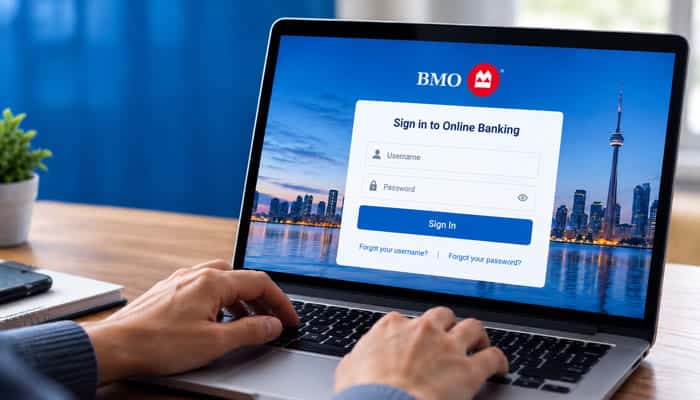
If you already have BMO Online Banking access, signing in is straightforward.
- Go to the official BMO website.
- Select Sign In.
- Choose Online Banking from the sign-in options.
- Enter your required login information.
- Complete any security or verification step BMO requests.
- Continue to your account.
BMO’s current instructions direct customers to visit BMO.com, select Sign In, and then select Online Banking.
Where Should I Sign In?
Always start from BMO’s official website or the official BMO Mobile Banking app.
Avoid signing in through links in unexpected emails, text messages or social media messages. A fake login page can look almost identical to a legitimate banking website.
How to Register for BMO Online Banking
If you have a BMO account but have never used digital banking, you can register online.
BMO’s registration options can vary depending on the type of BMO product you have. Eligible customers may be able to register for Digital Banking using a BMO debit card or other supported BMO card.
The registration method available to you can depend on the type of BMO product you hold and your eligibility.
Register on a Computer
Generally:
- Go to the BMO website.
- Select the option to register for Digital Banking.
- Provide the required BMO card and personal information.
- Follow the identity-verification steps.
- Create your login credentials.
- Complete registration.
Once registered, you can use your Digital Banking credentials to access supported online and mobile banking services.
Register Using the BMO Mobile App
You can also register through the BMO Mobile Banking app.
Download the official BMO app from the appropriate app store and follow the registration instructions. BMO says existing Digital Banking customers can download the app and sign in using their existing credentials.
Can I Register for BMO Online Banking Without Visiting a Branch?
For eligible BMO customers, registration can be completed online or through the mobile app rather than requiring a branch visit.
However, certain account, identity or security situations may require additional assistance from BMO.
BMO Online Banking Password Reset
Forgetting your BMO password does not necessarily mean you need to visit a branch.
If you use a BMO Debit Card to sign in, have an email address on file and have established challenge/security questions, BMO provides an online password-reset process.
How to Reset a Forgotten BMO Password
- Go to the BMO Online Banking sign-in page.
- Select Forgot your password?
- Answer the requested security question.
- Enter the email address associated with your BMO account when requested.
- Receive the temporary password by email.
- Sign in using the temporary password.
- Create a new password when prompted.
BMO says you have three attempts to answer the first security question. If you cannot answer it, you have three attempts to answer the second question.
If you cannot complete the security questions, BMO’s current instructions provide telephone assistance.
How Long Does a BMO Temporary Password Last?
BMO currently says a temporary password is valid for four hours.
If the temporary password expires before you use it, you need to restart the password-reset process.
What If I Enter the Temporary Password Incorrectly?
If your access becomes suspended after entering the temporary password incorrectly, BMO says to restart the Forgot my password process and request another temporary password.
BMO also suggests that copying and pasting the temporary password may be easier than manually typing it.
How Do I Change My BMO Online Banking Password?
After signing in:
- Select My Profile & eDocuments.
- Select Change My Password.
- Follow the instructions to create your new password.
BMO Online Banking vs. BMO Mobile Banking
BMO Online Banking and BMO Mobile Banking overlap significantly, but they are not exactly the same.
| Feature | Online Banking | Mobile Banking |
|---|---|---|
| Account balances | Yes | Yes |
| Transaction history | Yes | Yes |
| Bill payments | Yes | Yes |
| Transfers | Yes | Yes |
| Interac e-Transfer | Yes | Yes |
| Autodeposit | Yes | Yes |
| eStatements | Yes | Yes |
| Mobile cheque deposit | No | Yes |
| App notifications | No | Yes |
| Branch/ATM search | Yes | Yes |
| Appointment-related features | Available | Available |
| Access method | Browser | App |
The most important distinction for many users is mobile cheque deposit. You cannot deposit a physical cheque through desktop Online Banking, but eligible cheques can be deposited through the BMO Mobile Banking app.
What Can You Do With BMO Online Banking?
BMO Online Banking is more than a login portal. It supports a wide range of everyday banking activities.
Check Your BMO Balance
You can sign in to view available account information and check balances for eligible accounts.
This is useful for checking your available funds before making payments, transfers or purchases.
View Transaction History
You can review transactions associated with eligible accounts.
Checking transaction history can help you:
- Confirm payments
- Identify unfamiliar transactions
- Track deposits
- Review transfers
- Monitor spending
- Reconcile your records
How to Pay Bills With BMO Online Banking
BMO Online Banking lets customers manage bill payments through its digital banking platform.
Typical bill-payment activities include:
- Adding or selecting a payee
- Entering a payment amount
- Selecting the payment account
- Choosing a payment date
- Scheduling future payments
- Reviewing payment history
- Managing recurring payments where available
One-Time vs. Recurring Bill Payments
A one-time payment is made for a specific bill and date.
A recurring payment is scheduled to happen repeatedly according to the setup you choose.
BMO also provides tools for automatic credit-card payments and ore-authorized payments.
BMO PowerSwitch
BMO PowerSwitch can help customers transfer ore-authorized payments from another financial institution to BMO and manage eligible ore-authorized payments.
Current BMO customers can access PowerSwitch through Online Banking.
Can I Cancel a BMO Bill Payment?
Whether a payment can be cancelled depends on its status and the type of payment.
If an online payment is still eligible for cancellation, follow the cancellation instructions shown in BMO Online Banking.
For payments that have already been processed or cannot be cancelled online, additional assistance may be required.
What Happens If There Isn’t Enough Money for a Payment?
A payment may be affected if there are insufficient funds in the account.
Depending on the account and transaction, consequences can include a declined transaction, returned payment or applicable fee.
Check your BMO account agreement and fee information for the rules that apply to your account.
Transfer Money With BMO Online Banking
BMO Online Banking can be used for different types of transfers, including transfers between eligible BMO accounts.
Depending on the account and transfer type, you may be able to make:
- One-time transfers
- Future-dated transfers
- Recurring transfers
- Transfers between eligible BMO accounts
- Cross-currency transfers
Always review the transfer details, destination account and date before confirming.
Recurring Transfers
Recurring transfers can be useful when you regularly move money between accounts, such as transferring money from a chequing account to savings.
Before setting one up, check:
- Source account
- Destination account
- Amount
- Frequency
- Start date
- End date, if applicable
Make sure sufficient funds will normally be available when scheduled transfers occur.
Canadian-Dollar and U.S.-Dollar Transfers
BMO supports certain transfers between Canadian and U.S. BMO accounts.
For example, BMO’s current Canada-to-U.S. transfer information says eligible customers can transfer up to US$25,000 per transaction from a BMO Canada U.S.-dollar account to a BMO U.S. deposit account.
Processing times, eligibility and account requirements can vary, so confirm the current terms before making a large transfer.
BMO Interac e-Transfer
BMO Online Banking and BMO Mobile Banking support Interac e-Transfer for eligible customers.
You can generally use it to:
- Send money
- Add recipients
- Receive money
- Set up Autodeposit
- Request money
- Review e-Transfer history
How to Send an Interac e-Transfer
The exact menu wording can change, but the process generally involves:
- Sign in to BMO Online Banking or Mobile Banking.
- Open the Interac e-Transfer function.
- Select or add a recipient.
- Enter the amount.
- Choose the account to send from.
- Review the details.
- Confirm the transfer.
BMO Autodeposit
Autodeposit lets eligible customers receive Interac e-Transfers automatically without manually answering a security question for each transfer.
BMO currently says eligible customers can receive up to $25,000 instantly through Interac e-Transfer Autodeposit, subject to applicable terms and limits.
How to Set Up Autodeposit
In BMO Mobile Banking:
- Sign in.
- Select More.
- Select INTERAC e-Transfer.
- Select Manage Autodeposit.
- Enter the required email address and choose the deposit account.
BMO also provides an Online Banking route through the Pay & Transfer section.
Request Money With BMO Online Banking
BMO also supports requests for money through Interac e-Transfer.
This can be useful when:
- Splitting a restaurant bill
- Requesting rent
- Collecting money from friends
- Sharing household expenses
BMO says the recipient receives an email allowing them to accept or decline the request.
An outstanding request can generally be cancelled if it has not yet been accepted.
Can I Deposit a Cheque Through BMO Online Banking?
No. Physical cheques cannot be deposited through desktop BMO Online Banking.
Instead, BMO provides several deposit options:
| Deposit Method | Cheque Deposit |
|---|---|
| BMO Online Banking | No |
| BMO Mobile Banking app | Yes, for eligible cheques |
| BMO ATM | Yes |
| BMO branch | Yes |
How to Deposit a Cheque With the BMO Mobile App
BMO Mobile Banking supports eligible mobile cheque deposits.
The general process is:
- Sign in to the BMO Mobile Banking app.
- Open the cheque-deposit feature.
- Enter the cheque amount.
- Select the destination account.
- Photograph the front of the cheque.
- Photograph the back.
- Review the information.
- Submit the deposit.
Which Cheques Can Be Deposited Through the BMO App?
BMO currently says mobile cheque deposits can include eligible Canadian-dollar cheques, certified cheques, travellers cheques, money orders and bank drafts issued by a Canadian financial institution or the federal or provincial governments in Canada, provided they meet BMO’s requirements.
Can I Deposit a Foreign-Currency Cheque?
No. BMO says foreign-currency cheques cannot be deposited through its mobile cheque-deposit service.
Are Mobile Cheque Deposits Subject to Holds?
They can be.
BMO says funds may be held according to the account agreement and cheque-hold policy. If a hold is placed, the amount and expected availability date can be displayed after the deposit.
How Long Should I Keep a Deposited Cheque?
BMO currently instructs customers to keep a deposited cheque for 14 days to allow it to clear.
After that period, BMO says to destroy the cheque promptly and no later than 120 calendar days after the deposit date.
BMO eStatements
BMO Online Banking also provides access to eligible electronic statements.
Depending on the account, you can use eStatements to:
- View statements
- Save statements
- Print statements
- Keep electronic records
- Review older banking documents
BMO’s current banking information states that eligible eStatements can be stored for seven years.
If you need a document for taxes, a mortgage application or personal record keeping, downloading a copy can be useful rather than relying only on online availability.
BMO Alerts
BMO Alerts can notify you about important activity through:
- Text message
- BMO Mobile Banking app notifications
BMO divides its alerts into bank-account, credit-card and line-of-credit categories.
Examples of BMO Alerts
Depending on the account, available alerts can include:
- Account balance
- Large withdrawals
- Large deposits
- Suspicious activity
- eStatement availability
- Credit-card security alerts
- Authorized transactions
- Declined transactions
- Approaching credit limit
- Minimum payment due
- Posted payments
- Certain line-of-credit transactions
- Contact-information changes
How to Manage BMO Alerts
For Online Banking:
- Sign in.
- Open Profile & settings.
- Select Alerts preferences.
- Review and change your alert settings.
In the mobile app, BMO provides an Alerts option through the More menu.
Which BMO Alerts Should You Turn On?
There is no single alert setup that is appropriate for everyone.
Consider the types of activity you want to monitor, such as:
- Large transactions
- Low or minimum account balances
- Unusual card activity
- Credit-limit changes
- Important payment dates
- Contact-information changes
BMO Alerts are offered without an additional BMO charge, although standard mobile carrier messaging or data charges may apply.
BMO Security and Online Banking Protection
Banking security is one of the most important parts of using BMO Online Banking.
BMO states that its Digital Banking Security Guarantee can reimburse eligible unauthorized transactions when customers have kept their account details secure and met the applicable responsibilities under BMO’s Electronic Banking Services Agreement.
That does not mean every loss is automatically covered. Eligibility depends on BMO’s requirements and the applicable agreement.
BMO Scam Warning: Will BMO Ask for Your Password or Verification Code?
BMO specifically warns customers that it will not contact them through unsolicited phone calls, emails, texts or social-media messages asking for sensitive information such as:
- Passwords
- PINs
- Verification codes
Treat unexpected requests for this information as suspicious.
Do not provide a verification code simply because someone claims to be a BMO employee.
How to Recognize a Fake BMO Login Page
Before entering your banking credentials:
- Check the website address.
- Make sure you are using the official BMO website or official mobile app.
- Be cautious of links received through unexpected messages.
- Do not enter banking credentials into unfamiliar pages.
- Do not share passwords or security codes with another person.
If something feels suspicious, stop the login process and access BMO through an official route instead.
How to Report BMO Fraud or Suspicious Activity
Contact BMO promptly if you discover:
- An unauthorized transaction
- A suspicious banking message
- A fake BMO login page
- A suspicious phone call
- An unexpected verification request
- Someone impersonating BMO
- A transaction you do not recognize
Do not continue communicating with a suspected scammer.
If you have already disclosed credentials or verification information, contact BMO using an official customer-service channel as soon as possible.
What Information Can You Manage Through BMO Online Banking?
Many routine banking activities can be handled digitally.
Usually Manageable Online
These can include:
- Password changes
- Alerts
- Bill payments
- Transfers
- Payees
- Statements
- Certain profile information
- Interac e-Transfer settings
- Some ore-authorized payments
May Require Additional Assistance
Some situations may require BMO support, such as:
- Complex identity-verification problems
- Certain account changes
- Certain security issues
- Specialized banking services
- Problems that cannot be resolved through the online tools
The exact options depend on your account type and situation.
Can I Set Up Direct Deposit Through BMO Online Banking?
BMO provides digital banking tools for direct-deposit arrangements.
Direct deposit can be used for payments such as:
- Employment income
- Dividends
- CRA payments
- Other government payments
When setting up a direct deposit, use the account information required by the employer, government agency or other payer.
Can I Add a BMO Card to Apple Pay or Google Pay?
BMO supports eligible debit cards with mobile wallets, including Apple Pay and Google Pay.
This allows customers to use a compatible phone or other supported device for eligible purchases without physically presenting the card.
Availability can depend on the specific card and wallet requirements.
BMO QuickPay
BMO also offers BMO QuickPay, a service designed to simplify certain telecom and utility bill payments.
BMO’s current information describes QuickPay as a way to forward eligible bills using email rather than manually entering all payment information.
It is a supporting feature rather than a replacement for standard BMO Online Banking bill payments.
BMO PowerSwitch
PowerSwitch is another useful BMO digital-banking feature.
It can help customers:
- Move eligible ore-authorized payments from another financial institution
- Notify participating billers about a switch to BMO
- Manage eligible ore-authorized payments
- Update certain recurring payment arrangements
This can be particularly useful when moving your everyday banking from another financial institution to BMO.
Can I Access BMO Online Banking While Travelling?
You can generally access BMO digital banking while travelling if you have internet access and your account and authentication methods continue to work.
However, travelling can introduce additional security or verification issues.
Before travelling:
- Make sure your contact information is current.
- Ensure you can access your required authentication method.
- Avoid public or unsecured networks for sensitive banking activities when possible.
- Keep your device and banking app updated.
BMO Canada to BMO U.S. Transfers
BMO has cross-border banking services connecting eligible BMO Canada and BMO U.S. accounts.
For example, BMO’s current Canada-to-U.S. transfer service supports transfers from an eligible BMO Canada U.S.-dollar account to a BMO U.S. deposit account.
The current stated maximum for this specific service is US$25,000 per transaction.
Processing times and requirements can vary, so check the current BMO terms before making a transfer.
Is BMO Online Banking Free?
There is not necessarily a separate charge simply for accessing BMO Online Banking, but that does not mean every banking transaction or account service is free.
Your account may have:
- Monthly plan fees
- Transaction fees
- Service fees
- Overdraft-related fees
- Other product-specific charges
Always check the current BMO account agreement and fee schedule for the account you hold.
BMO Online Banking Not Working? Troubleshooting Guide
If BMO Online Banking is not working, the cause could be your password, browser, device, account, authentication method or a broader service problem.
If You Forgot Your Password
Use Forgot your password? and follow BMO’s password-reset process.
If Your Temporary Password Does Not Work
Restart the password-reset process and request a new temporary password.
Make sure you are using the correct email address and temporary password.
If the BMO Website Will Not Load
Try:
- Checking your internet connection.
- Opening the site in another supported browser.
- Updating your browser.
- Closing and reopening the browser.
- Trying again later if there may be a broader service issue.
BMO supports major browsers including Chrome, Microsoft Edge, Safari and Firefox and recommends current browser versions.
If the BMO App Is Not Working
Try:
- Checking your internet connection.
- Updating the BMO app.
- Restarting your phone.
- Trying Online Banking through a browser.
- Checking whether the problem affects other BMO services.
If You Cannot Log In on Multiple Devices
Avoid repeatedly guessing passwords.
If the problem occurs on different browsers or devices, it may be related to your account, authentication or the service itself. Contact BMO if normal troubleshooting does not resolve it.
Is BMO Online Banking Down?
If you suddenly cannot access BMO Online Banking, do not automatically assume your account is locked.
Use the following diagnostic approach:
| What You See | Possible Explanation |
|---|---|
| Only one browser fails | Browser, cache or cookie problem |
| Website works but app fails | App or device problem |
| App and website both fail | Account, authentication or service issue |
| Multiple devices fail | Possible account or broader service problem |
| Password reset works but login fails | Credential or authentication issue |
| Other customers report similar problems | Possible broader service interruption |
Community reports can sometimes indicate that other customers are experiencing similar issues, but individual reports are anecdotal and do not by themselves confirm a BMO outage.
If there is a suspected service interruption, use official BMO channels for confirmation rather than relying solely on social-media reports.
Common BMO Online Banking Problems
| Problem | What to Try |
|---|---|
| Forgot password | Use Forgot your password? |
| Temporary password expired | Restart password recovery |
| Temporary password entered incorrectly | Request another temporary password |
| Website won’t load | Check connection and browser |
| App won’t open | Update and restart the app |
| Login fails everywhere | Contact BMO |
| Suspicious login page | Stop and use the official BMO website |
| Unknown transaction | Review the transaction and contact BMO |
| Alerts aren’t arriving | Check alert preferences and contact details |
| Mobile cheque won’t deposit | Check cheque eligibility and image quality |
How to Keep Your BMO Online Banking Account Secure
Follow basic security practices every time you bank online:
- Use the official BMO website or app.
- Keep your browser and phone updated.
- Use a strong, unique password.
- Never share your password.
- Never share a verification code with an unsolicited caller.
- Turn on relevant BMO Alerts.
- Review transactions regularly.
- Keep your email address and phone number up to date.
- Avoid entering banking information on suspicious websites.
- Contact BMO quickly if you notice unauthorized activity.
BMO Online Banking vs. Visiting a Branch
| Task | Online Banking | Branch |
|---|---|---|
| Check balance | Yes | Yes |
| View transactions | Yes | Yes |
| Pay bills | Yes | Yes |
| Transfer money | Yes | Yes |
| Interac e-Transfer | Yes | Limited/not the primary method |
| Mobile cheque deposit | No | Yes |
| Complex account assistance | Limited | Yes |
| Identity/security issues | Sometimes | Yes |
| Cash services | No | Yes |
| Specialized banking needs | Limited | Yes |
Online Banking is designed for routine banking. A branch may be more appropriate when you need cash services, complex account assistance or specialized support.
Useful BMO Online Banking Features You Might Overlook
BMO Alerts
Alerts can help you notice unusual or important account activity without constantly checking your account.
eStatements
Electronic statements can provide convenient long-term access to eligible records.
Recurring Payments
Recurring payments can reduce the need to manually remember regular bills.
Recurring Transfers
Scheduled transfers can automate regular movement of money between eligible accounts.
Autodeposit
Autodeposit can simplify receiving Interac e-Transfers.
Request Money
Instead of repeatedly asking someone to send money, you can send an Interac e-Transfer money request.
PowerSwitch
PowerSwitch can help customers manage eligible ore-authorized payments when switching banks.
Mobile Cheque Deposit
The mobile app can save a branch trip when you have an eligible cheque.
BMO Online Banking FAQs
1. How do I log in to BMO Online Banking?
Visit the official BMO website, select Sign In, choose Online Banking, and enter your login credentials.
2. Can I register for BMO Online Banking without visiting a branch?
Yes. Eligible customers can register online or through the BMO Mobile Banking app without visiting a branch.
3. Why can’t I log in to BMO Online Banking?
Login problems may be caused by incorrect credentials, browser issues, password-reset problems, authentication errors or a temporary service interruption.
4. Can I deposit a cheque through BMO Online Banking?
No. Desktop Online Banking does not support cheque deposits. Eligible cheques can be deposited through the BMO Mobile Banking app, a BMO ATM or a branch.
5. Can I send an Interac e-Transfer through BMO Online Banking?
Yes. Eligible customers can send and receive Interac e-Transfers through BMO Online Banking and BMO Mobile Banking.
6. Can I view old BMO statements online?
Yes. Eligible eStatements can be accessed through digital banking, and BMO states that eligible statements may be available for up to seven years.
7. Will BMO ever ask for my password or verification code?
BMO says it will not request passwords, PINs or verification codes through unsolicited calls, emails, texts or social-media messages.
8. Can I access BMO Online Banking while travelling outside Canada?
Generally, yes. You can access digital banking abroad if you have internet access and can complete the required authentication and security checks.
Final Thoughts
BMO Online Banking is designed to handle most routine banking tasks without requiring a branch visit. Customers can check balances, review transactions, pay bills, transfer money, use Interac e-Transfer, manage alerts, access eStatements and perform many other account-management tasks online.
The BMO Mobile Banking app extends those capabilities to smartphones and adds features such as mobile cheque deposit.
For login problems, start with the official BMO sign-in page, check your credentials and use the password-reset process if necessary. For suspicious activity, never share passwords, PINs or verification codes and contact BMO through an official channel.
Because banking procedures, limits, fees and security requirements can change, confirm the latest BMO terms and instructions whenever a transaction or account issue involves important financial decisions.
