


Last Updated: August 12, 2026
Competitor research does not have to begin with an expensive SEO subscription. Some of the best free competitor analysis tools can show you which keywords competing websites rank for, where their traffic may come from, which backlinks support their visibility, what ads they are running, which technologies power their sites, how their pages perform, what topics are gaining interest, and even which competitors are appearing in AI-generated answers.
The challenge is that the word “free” means different things across competitor research platforms.
Some tools, including Google Trends, Google Alerts, Meta Ad Library, Google Ads Transparency Center, and PageSpeed Insights, provide useful public functionality without requiring a premium competitor-intelligence subscription. Others, such as Semrush, Ubersuggest, Similarweb, Ahrefs, and SpyFu, provide free or limited-access functionality but reserve deeper reports, larger datasets, historical information, exports, or higher usage limits for paid plans.
That distinction matters.
This guide compares 15 of the best free competitor analysis tools in 2026, explains what each tool is genuinely useful for, highlights important limitations, and shows you how to combine several tools into a practical competitor-analysis workflow for SEO, content, backlinks, paid advertising, AI visibility, traffic research, and market intelligence.
Key Takeaways
- The best free competitor analysis tools work better together than alone.
- Semrush, Similarweb, Ahrefs, Ubersuggest, and SpyFu cover SEO, traffic, backlinks, keywords, and PPC.
- Google Trends and public ad libraries help track demand and competitor advertising.
- BuiltWith, Wappalyzer, Screaming Frog, and PageSpeed Insights support technical research.
- Wayback Machine and TikTok tools add historical and creative insights.
- Free plans are useful but often limit searches, exports, and historical data.
- Use competitor data to find opportunities, not to copy every tactic.
What Is Competitor Analysis?
Competitor analysis is the systematic process of studying companies, websites, products, marketing campaigns, content, advertising, search visibility, positioning, technology, and customer-acquisition strategies competing for the same market.
There are several types of competitors worth investigating.
Direct competitors
Companies offering similar products or services to the same customers.
Indirect competitors
Businesses solving the same customer problem in a different way.
SEO competitors
Websites competing for the same organic search results, even if they do not sell the same product.
An SEO competitor could be:
- A publisher
- Marketplace
- Review website
- Directory
- Government website
- Forum
- Affiliate website
- YouTube channel
- SaaS company
SpyFu, for example, analyzes domains through keyword overlap, which helps reveal search competitors that may differ from your obvious commercial rivals.
Paid-search competitors
Companies bidding on the same Google Ads keywords.
Content competitors
Websites publishing resources for the same audience.
AI-search competitors
Brands and websites that appear in AI-generated answers for questions relevant to your market.
A strong competitive analysis should therefore investigate much more than company names.
How We Chose the Best Free Competitor Analysis Tools
To identify the best free competitor analysis tools, we focused on six practical criteria:
Useful free access
The tool must provide meaningful information before a paid upgrade is required.
Competitive data
We looked for access to useful signals such as keywords, backlinks, traffic, advertising, technology, search demand, content, AI visibility, technical performance, or historical changes.
External competitor research
A useful competitor-analysis tool must help examine domains, SERPs, ads, brands, or websites you do not own—not only properties you can verify.
Ease of use and actionability
The information should help answer practical questions such as what to publish, which keywords to investigate, which pages deserve closer analysis, where link opportunities exist, and how competitor positioning differs.
Transparency
Free-access limits should be reasonably understandable so users know what can be accomplished before reaching a paywall.
Uniqueness
Tools received more value when they added a signal that other platforms in the list did not cover well.
We also distinguish between completely free, publicly accessible, free-account, and freemium tools because those categories provide very different levels of access.
Best Free Competitor Analysis Tools: Quick Comparison
| Tool | Best For | Free Access | Main Limit |
|---|---|---|---|
| Semrush | SEO + AI visibility | Limited free | Daily limits |
| Similarweb | Traffic analysis | Free checker | Limited data |
| Ahrefs | Backlinks + SERPs | Free tools | Limited competitor depth |
| Ubersuggest | Keyword gaps | Freemium | Few daily searches |
| SpyFu | SEO + PPC | Limited free | Full data paid |
| Google Trends | Demand trends | Free | Relative data |
| Keyword Planner | Keyword demand | Account-based | Ads setup required |
| Meta Ad Library | Meta ads | Free | Mostly active ads |
| Google Ads Transparency | Google ads | Free | Limited performance data |
| BuiltWith | Tech stacks | Free lookup | Advanced data paid |
| Wappalyzer | Tech detection | Free/basic | Bulk features limited |
| Screaming Frog | Technical SEO | Free | 500 URLs |
| PageSpeed Insights | Page speed | Free | One URL at a time |
| Google Alerts | Monitoring | Free | Limited coverage |
| Google Search | Manual research | Free | Time-consuming |
Which Competitor Analysis Tools Are Actually Free?

Not all “free” tools offer the same level of access.
| Access Type | Examples | What It Means |
|---|---|---|
| Fully free | Google Trends, Alerts, PageSpeed Insights | Free public access |
| Public ad libraries | Meta, Google, LinkedIn | View public ads |
| Free tier | Screaming Frog | Core features with limits |
| Freemium | Semrush, Ubersuggest | Limited searches/data |
| Free checker | Similarweb | Limited traffic insights |
| Free lookup | BuiltWith, Wappalyzer | Basic tech checks |
| Free SEO tools | Ahrefs | Selected SEO tools |
| Account-based | Keyword Planner | Google Ads setup required |
When comparing the best free competitor analysis tools, focus on how much useful data you can access before hitting a limit or paywall.
1. Semrush Free – Best for SEO + AI Visibility
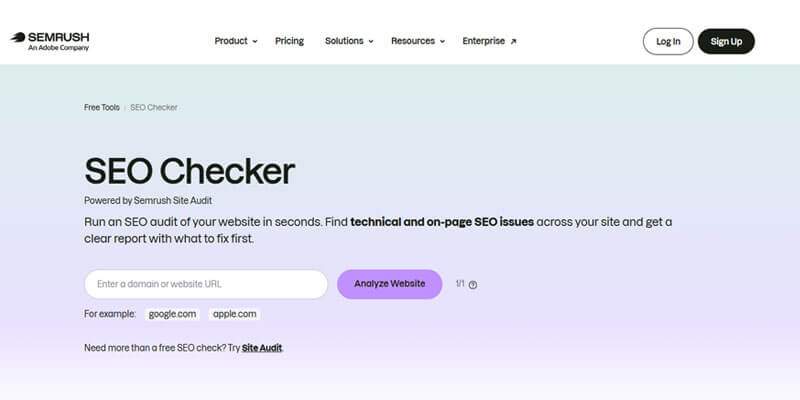
Best for: SEO, keywords, backlinks, paid search, AI visibility
Semrush Free combines traditional SEO metrics with AI visibility data, including organic traffic, keywords, backlinks, AI mentions, and cited pages.
What You Can Check
- Organic and paid visibility
- Ranking keywords
- Backlinks and authority
- Competitor domains
- AI mentions and citations
Free access is best for high-level research, while advanced and historical reports require paid plans.
Verdict: A strong all-in-one option for SEO and AI competitor analysis.
2. Similarweb – Best for Competitor Traffic Estimates
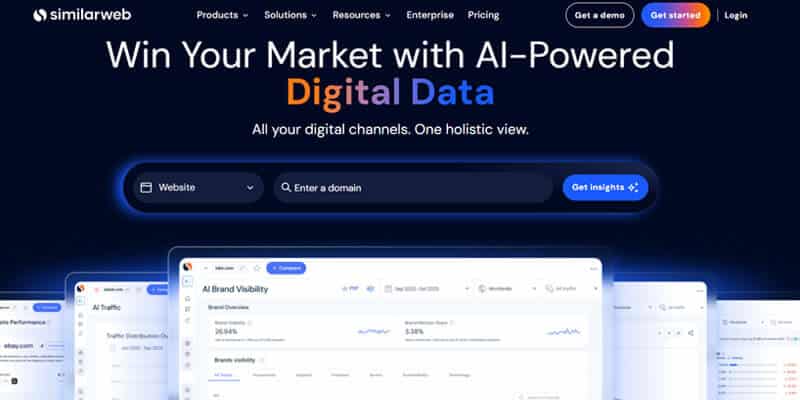
Best for: Traffic, engagement, channels, geographic markets
Similarweb helps estimate how competitors attract visitors beyond SEO, including direct, referral, social, paid, and search traffic.
What to Compare
- Estimated visits
- Traffic trends
- Engagement
- Countries
- Search and referral traffic
- Acquisition channels
Use Similarweb data directionally because competitor traffic figures are estimates, not private analytics.
Verdict: Excellent for comparing competitor traffic and acquisition patterns.
3. Ahrefs Free Tools – Best for Backlinks and SERP Research
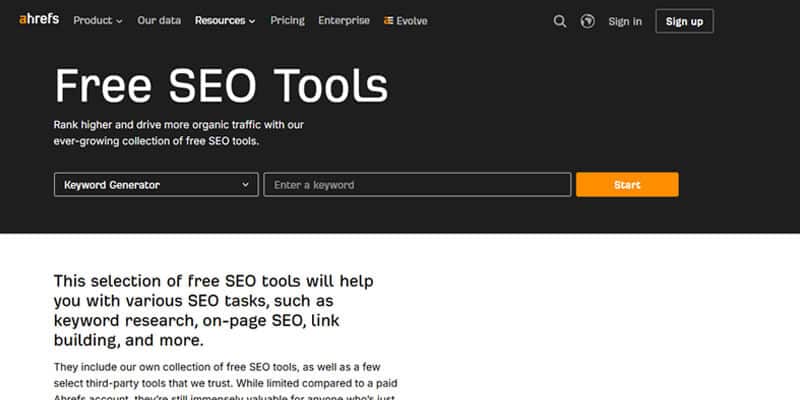
Best for: Backlinks, authority, SERPs, keywords, and AI visibility
Ahrefs offers several free utilities for competitor research, including Backlink Checker, Website Authority Checker, Keyword Generator, SERP Checker, and AI Visibility Checker.
What to Look For
- Competitor backlinks
- Referring domains
- Authority signals
- Ranking pages
- Keyword opportunities
- AI mentions and citations
Focus on websites that link to multiple competitors but not to you. These can reveal realistic backlink opportunities.
Limitation: Free access is useful for focused checks, while deeper competitor analysis requires paid features.
One of the best free competitor analysis tools for backlink and SERP research.
4. Ubersuggest – Best for Keyword Gap Research
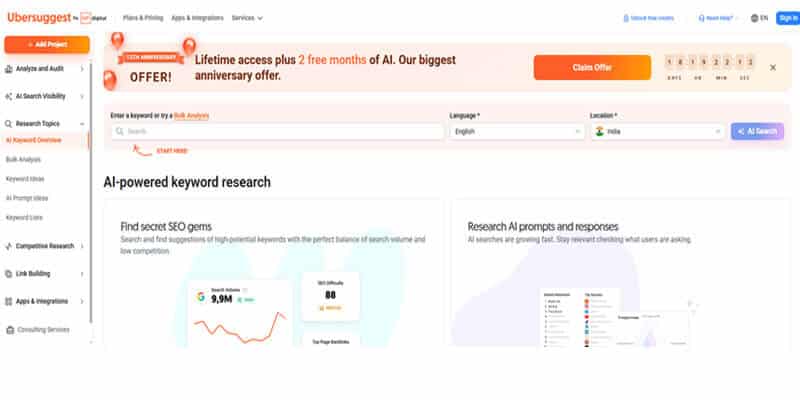
Best for: Competitor keywords, content gaps, backlinks, and traffic estimates
Ubersuggest is a beginner-friendly competitor research tool that helps uncover ranking keywords, content opportunities, backlinks, and traffic estimates. Free users currently receive limited daily searches.
Simple Keyword Gap Check
| Keyword | Competitor | Your Site | Intent | Priority |
|---|---|---|---|---|
| Keyword A | #3 | Not ranking | Commercial | High |
| Keyword B | #6 | #24 | Informational | High |
| Keyword C | #9 | #11 | Informational | Low |
Prioritize gaps based on relevance, search intent, ranking difficulty, and business value rather than search volume alone.
Limitation: The free plan allows only a small number of daily searches.
A useful choice among the best free competitor analysis tools for beginners researching keyword and content gaps.
5. SpyFu – Best for SEO + PPC Competitor Research
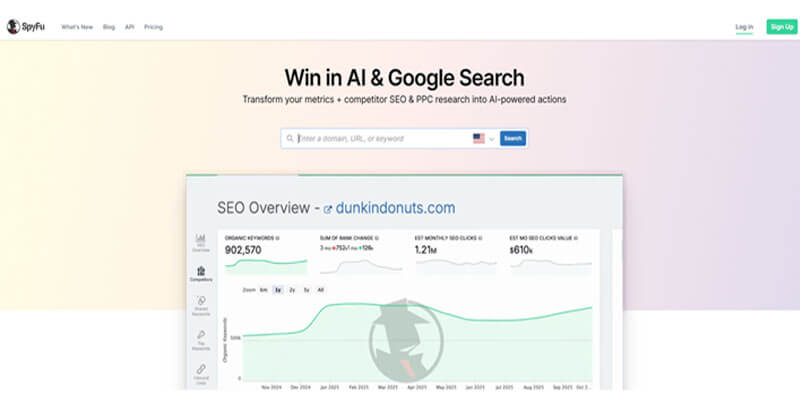
Best for: Competitor keywords, SEO overlap, Google Ads, PPC history
SpyFu helps uncover organic and paid competitors, shared keywords, missing keywords, top pages, historical ads, and estimated ad activity.
What to Check
- Organic and paid competitors
- Shared and missing keywords
- Paid keywords
- Historical ads
- Top-ranking pages
PPC data can help identify commercially important keywords, but repeated ad activity does not automatically prove profitability.
Verdict: One of the best free competitor analysis tools for combining SEO and PPC research.
6. Google Trends – Best for Brand Demand and Trends
Best for: Brand interest, seasonality, emerging topics
Google Trends compares relative search interest over time and allows you to benchmark brands, products, categories, and trends.
Use It To Compare
- Your brand vs competitors
- Competitor products
- Seasonal demand
- Emerging topics
- Category interest
Its 0–100 score shows relative popularity, not exact search volume.
Verdict: A powerful free tool for identifying changes in competitor and market demand.
7. Google Keyword Planner – Best for Keyword Demand
Best for: Keyword ideas, search demand, CPC context
Google Keyword Planner can generate keyword ideas from a competitor website and help evaluate commercial search opportunities.
Use It To Find
- Informational keywords
- Commercial keywords
- Transactional terms
- Product and comparison searches
- CPC and demand signals
Prioritize terms based on relevance, intent, and business value.
Limitation: Google Ads account setup is required.
Useful for validating keyword opportunities found with other free competitor analysis tools.
8. Meta Ad Library – Best for Facebook and Instagram Ads
Best for: Ad creatives, offers, messaging, CTAs
Meta Ad Library lets you view active competitor ads across Meta platforms and study their messaging, creatives, promotions, and landing pages.
What to Analyze
- Headlines
- Images and videos
- Offers
- CTAs
- Landing pages
- Recurring campaign themes
The library does not reveal exact spend, conversion rates, ROAS, or profitability.
One of the best free tools for paid-social competitor research.
9. Google Ads Transparency Center – Best for Google Ad Research
Best for: Competitor Google ads, messaging, products, creatives
Google Ads Transparency Center helps you research competitor advertising by advertiser or website.
What to Check
- Promoted products
- Brand messaging
- Offers
- Creative formats
- Landing pages
- Repeated campaign themes
Compare it with Meta Ad Library to identify messaging competitors use across multiple channels.
A useful addition to the best free competitor analysis tools for paid advertising research.
10. BuiltWith – Best for Competitor Technology Stacks
Best for: CMS, ecommerce, analytics, and marketing technology
BuiltWith helps identify the technologies competitors use, making it useful for understanding how their websites are built and optimized.
What to Research
- CMS and ecommerce platforms
- Analytics and advertising tools
- Hosting and tag managers
- Marketing automation
- Customer-support technology
Use these insights to understand competitor capabilities, not to copy their entire technology stack.
Verdict: One of the best free competitor analysis tools for technology research.
11. Wappalyzer – Best for Quick Technology Checks
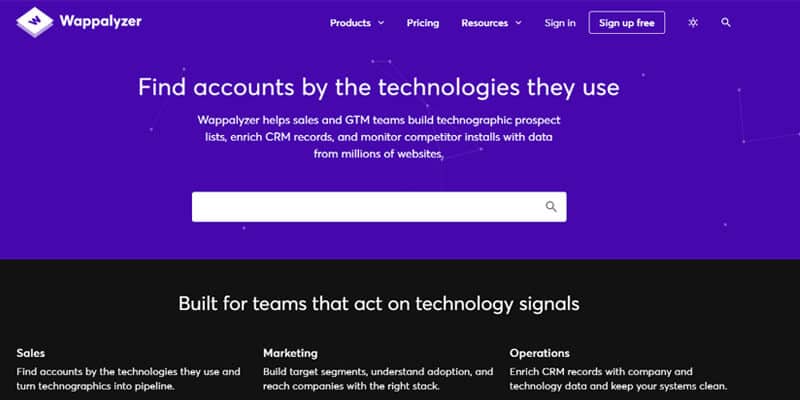
Best for: Fast website technology identification
Wappalyzer quickly detects technologies used by competitor websites, including:
- CMS platforms
- Ecommerce systems
- Analytics tools
- Frameworks
- Infrastructure
Its browser extension is especially useful for quick competitor checks while browsing.
Verdict: A simple alternative to BuiltWith for fast technology research.
12. Screaming Frog – Best for Technical Competitor Audits
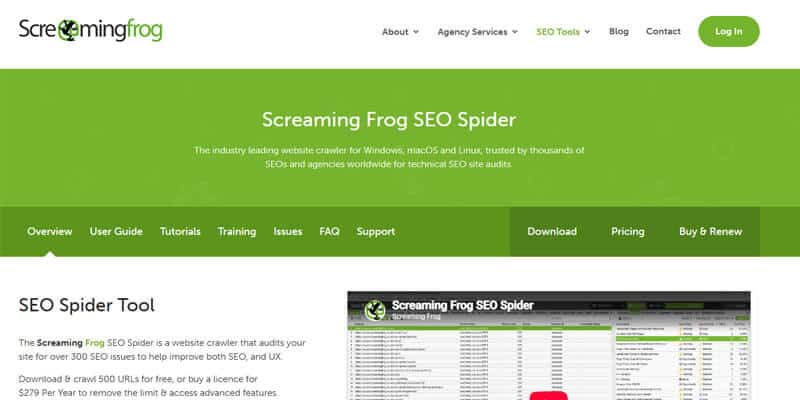
Best for: Site structure, metadata, internal links, and technical SEO
Screaming Frog can crawl up to 500 URLs for free, helping you analyze competitor website structure and on-page SEO.
What to Check
- Titles and meta descriptions
- H1 headings
- Status codes
- Canonicals
- Internal links
- Crawl depth
- Content types
This can reveal content and technical gaps your competitors may be using effectively.
Limitation: The free version is limited to 500 URLs per crawl.
Verdict: One of the best free competitor analysis tools for deeper technical SEO research.
13. PageSpeed Insights – Best for Performance Benchmarking
Best for: Website speed and user experience
PageSpeed Insights lets you compare your pages with similar competitor pages, such as homepages, product pages, or articles.
Check For
- Slow loading
- Heavy images
- JavaScript issues
- Layout instability
- Interactivity problems
Compare similar page types and focus on recurring performance differences rather than one test result.
Verdict: Useful for spotting competitor advantages in site speed and user experience.
14. Google Alerts – Best for Competitor Monitoring
Best for: News, mentions, launches, and partnerships
Google Alerts helps monitor competitor activity automatically.
Create alerts for:
- Competitor brand names
- Product launches
- Partnerships
- Funding
- Reviews
- Executive mentions
It is useful for ongoing monitoring, although it may not capture every mention.
Verdict: A simple free tool for staying updated on competitor activity.
15. Google Search Operators – Best for Manual Competitor Research
Best for: Content discovery, SERPs, and indexed resources
Google Search Operators help uncover competitor pages and content without paid software.
Useful Searches
site:competitor.com "topic"site:competitor.com pricingsite:competitor.com "case study"site:competitor.com "vs"site:competitor.com filetype:pdf
Use them to discover content formats, topic coverage, and potential SEO gaps.
Verdict: One of the simplest best free competitor analysis tools for manual content and SERP research.
3 Bonus Free Competitor Research Tools
These resources add historical, B2B advertising, and short-form creative intelligence to the 15 core tools.
Bonus: Wayback Machine – Best for Historical Competitor Research
Wayback Machine helps you compare archived versions of public webpages. Review historical homepages, pricing pages, product pages, navigation, value propositions, and calls to action to understand how a competitor’s positioning has changed.
Useful questions include:
- Did pricing or packaging change?
- Has the target audience shifted?
- Which products appeared or disappeared?
- Which landing pages remained for years?
Historical changes create hypotheses, not proof that a strategy succeeded. The Internet Archive also warns that some pages or resources may be missing because crawlers could not access or preserve them.
Verdict: Excellent for understanding competitor evolution over time.
Bonus: LinkedIn Ad Library – Best for B2B Competitor Advertising
LinkedIn Ad Library is a public database searchable by company or advertiser, payer, keyword, country, and date range. LinkedIn says eligible ads remain available for one year after their final impression.
Use it to study webinars, reports, white papers, demos, lead magnets, product launches, recruiting campaigns, and repeated B2B value propositions.
Best for: SaaS, agencies, consultants, B2B publishers, and enterprise marketers.
Bonus: TikTok Creative Center and TikTok One – Best for Creative Trend Research
TikTok Creative Center provides public resources for creative inspiration, trends, keywords, hashtags, ad examples, and industry signals. It is especially useful for ecommerce, beauty, fashion, food, travel, apps, and other visually driven categories.
TikTok currently states that Top Ads is upgrading to TikTok One and that the existing Creative Center Top Ads experience will stop receiving updates after the transition. TikTok also notes that displayed Top Ads represent only ads authorized by advertisers, not every top-performing campaign.
Verdict: A useful complement to search-oriented competitor research when short-form creative matters.
Best Free Competitor Analysis Tools for SEO
For SEO research, the best free competitor analysis tools work best as a small stack.
| Tool | Best SEO Use |
|---|---|
| Semrush | Keywords, competitors, AI visibility |
| Ahrefs | Backlinks, authority, SERPs |
| Ubersuggest | Keyword and content gaps |
| SpyFu | SEO and PPC overlap |
| Screaming Frog | Technical SEO and site structure |
| Google Search | SERP intent and content formats |
Together, these tools cover rankings, backlinks, content gaps, technical SEO, and search intent.
How to Analyze Competitors in AI Search in 2026

Competitor research now goes beyond Google rankings. Marketers should also track which brands and pages appear in AI-generated answers.
Track:
- AI brand mentions
- Competitor citations
- Frequently cited pages
- Topics competitors dominate
- Original research and expert content
Compare several important customer questions and record which competitors appear or earn citations. Use those patterns to identify content opportunities—not to copy AI responses.
Best Free Competitor Analysis Tools for Content and Paid Ads
For content research, combine Semrush, Ahrefs, Ubersuggest, Google Trends, Screaming Frog, and Google Search to uncover topic gaps, outdated content, weak intent coverage, and link-worthy assets.
For advertising, use:
| Tool | Best Use |
|---|---|
| Meta Ad Library | Facebook and Instagram ads |
| Google Ads Transparency Center | Google ads |
| LinkedIn Ad Library | B2B campaigns |
| TikTok Creative Center/TikTok One | Creative trends |
| SpyFu | PPC keywords and ad history |
| Keyword Planner | CPC and commercial intent |
Focus on offers, messaging, CTAs, and landing pages rather than assuming every competitor ad is profitable.
Best Free Competitor Analysis Tools by Business Type
Choose tools based on your business model.
- Ecommerce: Similarweb, Meta Ad Library, TikTok tools, BuiltWith, Google Trends
- SaaS: Semrush, Ahrefs, SpyFu, LinkedIn Ad Library, Wayback Machine
- Local businesses: Google Search, Trends, Meta Ad Library, PageSpeed Insights
- Publishers: Semrush, Ubersuggest, Ahrefs, Screaming Frog, Google Search
- Agencies: Semrush, Similarweb, SpyFu, BuiltWith, ad libraries
Use the smallest stack that answers your main competitive question.
A Simple Free Competitor Analysis Workflow
You do not need every tool. Follow this repeatable process:
1. Identify Competitors
Choose 5–10 direct, SEO, emerging, and aspirational competitors.
2. Compare Key Metrics
Track:
- Organic visibility
- AI visibility
- Keywords
- Traffic
- Backlinks
- Content
- Ads
- Technology
- Performance
3. Find Keyword Gaps
Use Semrush, Ubersuggest, SpyFu, and Keyword Planner. Prioritize keywords by relevance, intent, difficulty, and business value.
4. Check Search Intent
Review Google results to see whether users expect articles, products, comparisons, videos, or tools.
5. Analyze Competitor Content
Study useful information, examples, structure, freshness, multimedia, and CTAs without copying.
6. Review Backlinks and Ads
Identify realistic link prospects and compare offers, messaging, creatives, and landing pages.
7. Check Technology and History
Use BuiltWith or Wappalyzer for technology and Wayback Machine for past positioning, pricing, or product changes.
8. Turn Findings Into Action
Group opportunities into:
- Quick wins
- Strategic opportunities
- Low-priority findings
The best free competitor analysis tools are most valuable when their data leads to clear SEO, content, and marketing decisions.
How to Find SEO Gaps Your Competitors Missed
The best free competitor analysis tools can help uncover opportunities competitors have overlooked. Look beyond rankings and identify weaknesses such as:
- Outdated content: Old prices, statistics, screenshots, or product details
- Missing comparisons: Alternatives, pricing, reviews, and “vs” content
- Weak evidence: Few examples, tests, screenshots, interviews, or case studies
- Missing assets: Calculators, templates, checklists, quizzes, or tools
- Poor search intent: Unanswered questions in People Also Ask, forums, reviews, and related searches
The goal is to create something more useful, not simply copy what already ranks.
How to Turn Competitor Research Into Better Content
Do not focus only on article length. Improve usefulness with:
- Clearer structure
- First-hand experience
- Original data
- Expert insights
- Updated statistics
- Comparison tables
- Videos or tools
- Regular updates
Better content solves the searcher’s problem more completely—not just with more words.
Competitor Content Gap Matrix
| Topic | Competitor A | Competitor B | You | Opportunity |
|---|---|---|---|---|
| Pricing | Strong | Weak | Missing | High |
| Comparisons | Medium | Strong | Missing | High |
| Calculator | Missing | Missing | Missing | Very High |
| Case studies | Strong | Strong | Weak | Medium |
The strongest opportunity may be a useful format that no competitor currently offers.
How to Prioritize Competitor Opportunities
Score each opportunity from 1–5 based on:
- Business relevance
- Customer value
- Search demand
- Commercial intent
- Ranking feasibility
- Competitive advantage
Prioritize opportunities with the strongest overall business value—not simply the highest search volume.
How Often Should You Analyze Competitors?
- Weekly: Rankings, news, ads, and launches
- Monthly: Content, keywords, offers, and traffic trends
- Quarterly: Backlinks, content gaps, AI visibility, and technology
- Annually: Review and update your competitor list
Using the best free competitor analysis tools regularly makes it easier to spot new SEO, content, and marketing opportunities before they become obvious.
Free Competitor Analysis Template
Use a simple template to compare competitors consistently:
- Company: Website, industry, target customer, core offer
- Search: Organic visibility, AI visibility, keywords, top pages
- Backlinks: Authority, major links, link opportunities
- Content: Best topics, weak areas, missing formats
- Advertising: Google, Meta, LinkedIn, TikTok, offers, CTAs
- Technology: CMS, ecommerce, analytics, performance
- Strategy: Strengths, weaknesses, quick wins, long-term opportunities
A consistent template makes insights from the best free competitor analysis tools easier to compare and act on.
What Free Competitor Analysis Tools Cannot Tell You
Even the best free competitor analysis tools cannot reveal everything about a rival.
They usually cannot confirm:
- Exact revenue or profit
- Conversion rates
- Advertising ROI
- Customer acquisition cost
- Private analytics
- Internal budgets
- Customer lifetime value
Treat competitor data as evidence for a hypothesis, not proof. Validate important decisions with your own analytics, Search Console, sales data, customer research, and testing.
Are Free Competitor Analysis Tools Accurate?
Accuracy depends on the source.
Public tools such as Google Trends and ad libraries provide platform data, while Semrush, Similarweb, and Ahrefs often rely on third-party estimates.
Because different tools may show different numbers, focus on trends and patterns rather than exact figures.
How to Cross-Validate Competitor Data
Never rely on one metric alone.
If a competitor appears to be growing, check whether:
- Brand searches are increasing
- Keyword visibility is improving
- New pages are appearing
- Advertising activity is increasing
- Messaging or positioning has changed
Several matching signals create a stronger conclusion.
Can You Perform Competitor Analysis Completely Free?
Yes. A useful free stack can include:
- SEO: Semrush, Ahrefs, Ubersuggest, SpyFu
- Traffic: Similarweb
- Demand: Google Trends and Keyword Planner
- Ads: Meta, Google, LinkedIn, and TikTok tools
- Technology: BuiltWith and Wappalyzer
- Technical SEO: Screaming Frog and PageSpeed Insights
- Monitoring: Google Alerts and Wayback Machine
Free plans work well for focused research, but limits become noticeable when analyzing many competitors or large datasets.
When Should You Pay for a Competitor Analysis Tool?
Consider upgrading when you need:
- Large keyword or backlink datasets
- Historical data
- Bulk exports
- Automated tracking
- Multiple markets
- Client reporting
- Team collaboration
- Continuous AI visibility monitoring
Until then, the best free competitor analysis tools are often enough for small businesses, bloggers, startups, and independent marketers.
Common Competitor Analysis Mistakes
- Treating estimated SEO and traffic data as exact numbers.
- Copying competitor content, images, branding, or research.
- Assuming every competitor strategy is successful.
- Targeting keyword gaps without checking search intent.
- Focusing only on SEO and ignoring other marketing channels.
- Tracking too many metrics without a clear purpose.
- Ignoring smaller or emerging competitors.
- Forgetting to review historical competitor changes.
- Ignoring competitor visibility in AI-generated search results.
Final Thoughts
The best free competitor analysis tools can help you understand far more than rankings alone. By combining tools for SEO, traffic, backlinks, ads, technology, AI visibility, and market trends, you can build a clearer picture of where competitors are strong and where opportunities still exist.
The real value comes from turning that information into action. Use competitor research to find:
- Underserved customer needs
- Valuable keyword gaps
- Weak or outdated competitor content
- Realistic backlink opportunities
- Stronger advertising angles
- AI visibility opportunities
- Areas where your business can differentiate
Competitor analysis should not be about copying the market leader. It should help you understand the market, make smarter decisions, and create something more useful for your audience.
When used strategically, the best free competitor analysis tools can support better SEO, stronger content, and more informed marketing decisions.
Frequently Asked Questions
1. What are the best free competitor analysis tools in 2026?
The best free competitor analysis tools include Semrush, Similarweb, Ahrefs free utilities, Ubersuggest, SpyFu, Google Trends, Screaming Frog, BuiltWith, and public ad libraries. The best choice depends on whether you need SEO, traffic, backlinks, ads, technology, or AI visibility.
2. Can I analyze competitors without paying for SEO software?
Yes. Free and freemium tools can help with keyword research, backlink checks, traffic estimates, advertising research, technical SEO, and competitor monitoring. However, many free plans limit searches, exports, historical data, or report depth.
3. Which free competitor analysis tool is best for SEO?
Semrush, Ahrefs, Ubersuggest, SpyFu, Screaming Frog, and Google Search work well together for SEO competitor research. They cover keywords, backlinks, SERPs, technical SEO, search intent, and content gaps.
4. What is the best free tool for competitor traffic analysis?
Similarweb is a useful option for estimating competitor traffic, engagement, search traffic, referrals, and acquisition channels. Treat the figures as directional estimates rather than exact analytics data.
5. How can I find competitor keyword gaps for free?
Use tools such as Semrush, Ubersuggest, SpyFu, and Google Keyword Planner to identify keywords competitors rank for that your site is missing. Prioritize opportunities by relevance, intent, difficulty, and business value.
6. Can free competitor analysis tools show competitors’ ads?
Yes. Meta Ad Library, Google Ads Transparency Center, LinkedIn Ad Library, and TikTok tools can reveal public competitor advertising activity, creatives, offers, and messaging. They do not show exact profitability or full campaign performance.
7. Are free competitor analysis tools accurate?
They are useful, but accuracy varies. Public platform tools provide platform data, while SEO and traffic tools often use estimates. Compare trends across several sources instead of relying on one exact number.
8. Are the best free competitor analysis tools enough for a small business?
For many small businesses, yes. Free tools can cover SEO, traffic, backlinks, ads, technology, performance, and monitoring. Paid plans become more useful when you need large datasets, bulk exports, automation, historical data, or continuous tracking.
