


Last Updated: May 2026
However, there is one important truth: most free AI video generators are not fully unlimited. Many platforms offer free access, but free users often face credits, watermarks, limited exports, lower video resolution, short video duration, slower processing, or commercial-use restrictions.
This guide explains the Best Free AI Text to Video Generators 2026, compares their free-plan limits, shows what each tool is best for, and helps you choose the right AI video generator for YouTube, TikTok, Instagram Reels, business marketing, training videos, and blog-to-video workflows.
Best Free AI Text to Video Generators 2026
The best free AI text to video generator depends on your goal.
If you want short creative AI clips, Pika is one of the best tools to try first. Its official pricing page currently lists a free Basic plan with 80 monthly video credits, access to Pika 2.5 at 480p, and watermark-free downloads.
If you want premium AI video testing, Runway is a strong choice, but its free plan gives 125 one-time credits, which do not refresh after use.
If you want AI avatar videos for business, education, or training, HeyGen and Synthesia are better choices. HeyGen says users can create up to 3 free videos per month, while Synthesia says its free plan includes 10 minutes of video per month, 9 stock avatars, and AI voices in 160+ languages.
For editing, captions, social media resizing, and repurposing, Kapwing, VEED, FlexClip, Canva, CapCut, and InVideo AI are useful supporting tools.
Key Takeaways
- The Best Free AI Text to Video Generators 2026 are best for testing, short videos, drafts, social media clips, explainers, and creative experiments.
- No reliable free AI video generator is fully unlimited, watermark-free, HD, commercial-safe, and restriction-free at the same time.
- Pika is a strong free creative video tool because it offers monthly credits.
- Runway is powerful for premium AI video testing, but its free credits are one-time only.
- HeyGen and Synthesia are better for AI avatar videos, training content, and business explainers.
- Kapwing, FlexClip, VEED, Canva, CapCut, and InVideo AI are useful when you need editing, captions, templates, and social media formats.
- YouTube requires creators to disclose meaningfully altered or synthetically generated content when it seems realistic.
- TikTok also requires creators to label AI-generated content that contains realistic images, audio, or video.
- Always check free credits, watermark rules, commercial-use rights, privacy policies, export quality, and platform disclosure rules before publishing AI-generated videos.
What Is an AI Text to Video Generator?
An AI text to video generator is a tool that turns written text into video content. The input can be a short prompt, product description, blog post, script, lesson plan, social media idea, or marketing message.
For example, you can type:
“Create a 15-second vertical video showing a young entrepreneur working on a laptop in a modern startup office, with animated charts, soft lighting, futuristic style, and bold captions for Instagram Reels.”
An AI text to video tool may create:
- Video scenes
- AI-generated visuals
- Motion effects
- Captions
- Voiceovers
- AI avatars
- Editable video drafts
The Best Free AI Text to Video Generators 2026 make video creation easier for people who do not have advanced editing skills or a large production budget.
Why AI Text to Video Tools Are Popular in 2026
AI video tools are popular because video content is now important across almost every online platform. YouTube, TikTok, Instagram, LinkedIn, Facebook, Pinterest, ecommerce websites, and business landing pages all use video to explain ideas and attract attention.
Creators use AI text to video generators to:
- Create short videos faster
- Turn blog posts into social clips
- Make faceless YouTube videos
- Build product demos
- Create AI avatar explainers
- Repurpose written content into videos
- Test creative concepts before hiring editors
For small businesses and solo creators, AI video tools can reduce production costs. For bloggers and publishers, they can turn written articles into YouTube Shorts, TikToks, Reels, and LinkedIn videos. For marketers, they can create ad concepts, product explainers, and customer education content quickly.
How This Guide Was Researched
This guide was prepared by reviewing official pricing pages, help pages, AI video tool feature pages, platform policy pages, and current AI video trends as of May 2026.
The article focuses on:
- Free plan value
- Credit limits
- Text-to-video features
- Watermark rules
- AI avatar support
- Business use cases
- YouTube and TikTok policy considerations
Because AI video pricing and free-plan limits change often, users should always check each tool’s official pricing page before starting a serious project.
How We Tested and Ranked the Best Free AI Text to Video Generators 2026
To rank the Best Free AI Text to Video Generators 2026, we looked beyond marketing claims and reviewed each tool from a practical creator’s point of view. Many AI video platforms advertise free access, but free users often face credits, export limits, watermarks, lower resolution, slower processing, or commercial-use restrictions.
Each tool was reviewed based on these ranking factors:
| Ranking Factor | Why It Matters |
|---|---|
| Free plan value | Shows how useful the tool is without paying |
| Text-to-video quality | Measures how well prompts turn into usable videos |
| Ease of use | Important for beginners and non-editors |
| Video length | Some tools only create very short clips |
| Export quality | Free plans may limit exports to 480p or 720p |
| Watermark rules | Watermarks affect professional publishing |
| Commercial use | Important for YouTube, ads, and client work |
| Editing tools | Captions, trimming, resizing, and voiceovers save time |
| Social media support | Vertical formats help TikTok, Reels, and Shorts creators |
| Safety and disclosure | Realistic AI-generated videos may need labels |
This testing method helps readers choose the right AI video tool based on real use cases, not just popularity.
Same Prompt Test: How Each AI Video Tool Was Compared
To make this ranking more useful, each AI video generator was reviewed using a similar prompt style. This helped compare prompt accuracy, motion quality, visual style, editing flexibility, export limits, and free-plan usefulness.
Test Prompt Example
“Create a 10-second vertical video showing a young entrepreneur working on a laptop in a modern startup office. Add futuristic charts, soft lighting, smooth camera movement, and a professional business style for Instagram Reels.”
We checked whether each tool could:
- Understand the prompt clearly
- Create realistic or useful visuals
- Support vertical video format
- Add motion naturally
- Export without major quality loss
- Offer captions, voiceover, or editing tools
- Work well on a free plan or trial
This same-prompt approach makes the Best Free AI Text to Video Generators 2026 ranking more practical and trustworthy for real creators.
Types of AI Text to Video Generators in 2026
Before choosing from the Best Free AI Text to Video Generators 2026, users should understand that not all AI video tools work the same way.
| Type of Tool | What It Does | Best For |
|---|---|---|
| Text-to-video generator | Turns prompts into video clips | Creative scenes, ads, Reels, Shorts |
| Image-to-video generator | Animates still images into video | Product shots, portraits, cinematic clips |
| Avatar video generator | Uses AI presenters to speak a script | Training, education, business videos |
| Blog-to-video tool | Converts articles or scripts into videos | Bloggers, marketers, YouTubers |
| AI video editor | Adds captions, cuts, resizing, and voiceovers | Social media and repurposing |
| AI ad video maker | Creates promotional videos | Ecommerce, startups, marketing |
This matters because someone creating TikTok clips may need a different tool from someone creating business training videos.
Free Plan Reality Check: What “Free” Really Means in 2026
Before choosing from the Best Free AI Text to Video Generators 2026, users should understand that “free” does not always mean unlimited. Most AI video tools offer free access mainly for testing, learning, or creating short drafts.
Common free-plan limits include:
- Limited monthly credits
- One-time trial credits
- Watermarked exports
- Lower video resolution
- Short video duration
- Slower generation speed
- Limited model access
- No commercial rights on some plans
- Fewer avatar or voiceover options
- Paid-only downloads or branding controls
For example, Runway’s free plan includes 125 one-time credits, while Pika’s current pricing page lists 80 monthly video credits on its free Basic plan. Canva’s AI video generator can create video clips from text with synchronized audio, but access and limits depend on Canva’s available plan features.
| Free Feature | What It Usually Means |
|---|---|
| Free credits | You can generate limited videos |
| Free trial | Access may stop after credits are used |
| Free export | May include watermark or resolution limits |
| Free avatar video | Usually limited monthly minutes or videos |
| Free commercial use | Only safe if clearly stated by the platform |
| Free AI video generator | Usually not unlimited |
Updated Free Plan Limits of Popular AI Text to Video Tools
| Tool | Free Plan / Trial Detail | Important Note |
|---|---|---|
| Pika | Free Basic plan lists 80 monthly video credits | Good for short creative testing |
| Runway | 125 one-time credits | Credits do not refresh after use |
| HeyGen | Free plan includes up to 3 videos/month | Video duration may vary by region |
| Synthesia | Free plan includes 10 minutes/month | Good for avatar and training videos |
| Luma Dream Machine | Trial-style free access may be available | Better viewed as premium trial access |
| Canva AI Video | Creates text-to-video clips with synchronized audio | Access depends on Canva plan/features |
| Kapwing | Free to try AI video generator without watermarks | Uses AI credits |
| FlexClip | AI text-to-video with scripts, stock media, and editing | Check export limits |
| CapCut | AI video generator with avatars, templates, and storyboarding | Strong for short-form creators |
| Adobe Firefly Video | Uses generative credits | Better for Adobe users |
Pika, Runway, HeyGen, Synthesia, Canva, Kapwing, FlexClip, and CapCut all offer useful AI video workflows, but their free limits are different. This is why users should check the current pricing page before starting a serious project.
Watermark, Resolution and Export Quality: What Free Users Should Check
Free AI video tools often look attractive until users try to export the final video. Some platforms allow free generation but limit downloads, add watermarks, reduce resolution, or require paid credits for HD export.
| Feature | Why It Matters |
|---|---|
| Watermark | Can make business or YouTube videos look less professional |
| Export quality | Low-resolution videos may not look good on YouTube or ads |
| Aspect ratio | Vertical format is needed for Shorts, Reels, and TikTok |
| Download access | Some tools let users preview but not download freely |
| HD export | 1080p or higher may require paid access |
| Commercial use | Free exports may not always be safe for client work |
This is one of the biggest factors when comparing the Best Free AI Text to Video Generators 2026. A tool may look useful during generation but become less practical if the export includes heavy branding, poor quality, or unclear usage rights.
Best Free AI Text to Video Generators 2026: Top Tools Ranked
1. Pika
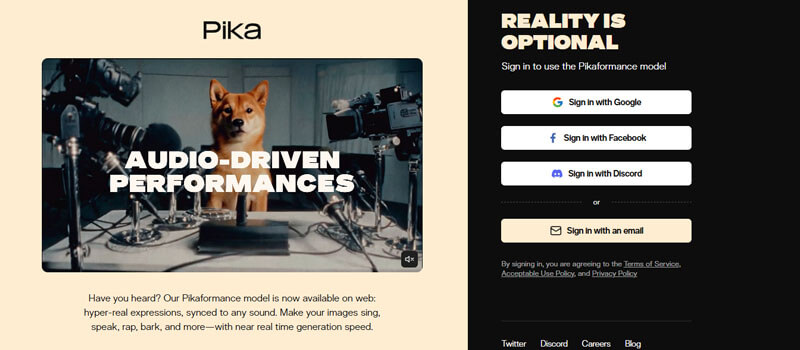
Pika is one of the strongest free AI video tools for short creative clips, social media experiments, and visual effects. It is useful for creators who want fast prompt-based video generation without a complex editing workflow.
Pika’s official pricing page currently lists a free Basic plan with 80 monthly video credits, access to Pika 2.5 at 480p, no-watermark downloads, and commercial use.
Best Features
- Text-to-video generation
- Image-to-video generation
- Monthly free credits
- Creative effects
- Short-form video support
- Beginner-friendly interface
- Useful for TikTok, Reels, and Shorts
Limitations
- Free plan is limited to 480p access for Pika 2.5.
- Credits can run out quickly.
- Advanced features may require paid plans.
- Short clips may need editing together for longer videos.
Best For
Pika is best for TikTok videos, Instagram Reels, YouTube Shorts, creative AI clips, product concepts, and visual experiments.
Pika is one of the best overall choices in the Best Free AI Text to Video Generators 2026 list because it gives creators monthly free usage and strong creative flexibility.
2. Runway
Runway is one of the most advanced AI video platforms for creators, designers, editors, and AI filmmakers. It is known for high-quality generative video tools and professional creative workflows.
Runway’s pricing page lists a free plan with 125 one-time credits, and Runway’s help page confirms these credits do not renew or refresh once spent.
Best Features
- High-quality AI video generation
- Professional creative tools
- Strong motion quality
- Useful for AI filmmaking
- Good for testing premium AI video features
- Advanced generation and editing options
Limitations
- Free credits are one-time only.
- Not ideal for ongoing free content production.
- Advanced models and more credits may require paid plans.
- Free users may face export and model-access limits.
Best For
Runway is best for AI filmmakers, designers, editors, and creators who want to test premium AI video quality.
Runway is one of the Best Free AI Text to Video Generators 2026 for testing high-end AI video, but it is not the best long-term free solution because its credits do not refresh.
3. Luma Dream Machine
Luma Dream Machine is a strong AI video generator for cinematic motion, realistic visuals, and creative storytelling. It is useful for creators who want film-like AI clips, product concepts, brand visuals, and short creative scenes.
Luma’s free access and pricing can change, so users should treat it as a premium AI video tool with limited or plan-dependent free use. Check watermark, personal-use, and commercial-rights rules before publishing.
Best Features
- Cinematic AI video generation
- Realistic motion
- Strong image-to-video results
- Useful for product and brand visuals
- Good for mood boards and creative storytelling
- Helpful for short film-style concepts
Limitations
- Free access may be limited or trial-based.
- Commercial-use rights should be checked carefully.
- Some plans may include watermark or usage restrictions.
- It may not be the best choice for users who need ongoing free AI video creation.
- Longer videos usually require editing multiple clips together.
Best For
4. HeyGen
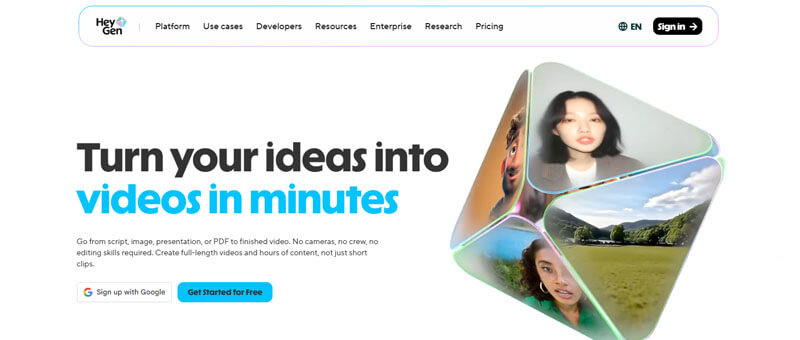
HeyGen is a strong AI avatar video generator for business, education, training, marketing, and professional explainers. It is different from cinematic AI video tools because it focuses more on AI presenters, avatars, voiceovers, and business communication.
HeyGen’s help page says its free plan includes 3 videos per month, 720p export, standard processing, stock avatars, and video sharing.
Best Features
- AI avatars
- Text-to-video presenter style
- Business video templates
- 720p free export
- Stock avatars
- Useful for training and explainers
- Good for marketers and educators
Limitations
- Free video length may vary by region.
- Avatar videos may not suit cinematic content.
- Advanced features require paid plans.
- Branding and commercial-use rules should be checked.
Best For
HeyGen is best for sales videos, business explainers, course introductions, training videos, LinkedIn content, and product walkthroughs.
HeyGen is one of the Best Free AI Text to Video Generators 2026 for avatar-based business videos.
5. Synthesia
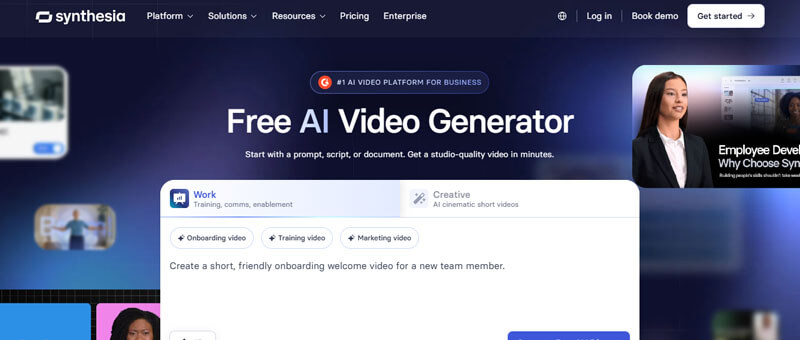
Synthesia is one of the most popular AI avatar video platforms for professional training, onboarding, tutorials, internal communication, and educational content.
Synthesia says its free plan includes 10 minutes of video per month, 9 stock avatars, and AI voices in 160+ languages.
Best Features
- AI avatars
- Multilingual voiceovers
- Training video workflows
- Useful for global audiences
- Good for corporate communication
Limitations
- Free videos may include branding.
- Downloads and brand controls may require paid plans.
- Less suitable for cinematic AI scenes.
- Free minutes may not be enough for frequent publishing.
Best For
Synthesia is best for training videos, tutorials, HR videos, online courses, educational lessons, and business explainers.
Synthesia is one of the Best Free AI Text to Video Generators 2026 for education and corporate training.
6. Kapwing
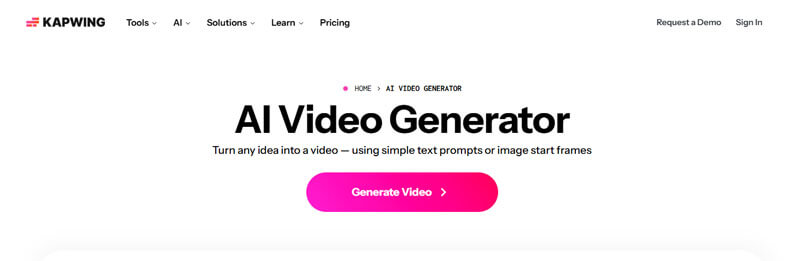
Kapwing is an online video platform that combines AI video generation with editing tools. It is useful for creators who want to generate, edit, caption, resize, and export videos in one workflow.
Kapwing says its AI Video Generator is free to try without watermarks, but each generation costs a different number of credits. Kapwing also states that its AI text-to-video tools run on a credit system.
Best Features
- AI text-to-video tools
- Online video editor
- Captions and subtitles
- Voiceover and music options
- Good for content repurposing
- Easy browser-based workflow
Limitations
- AI generation uses credits.
- Full AI Studio access may require Pro.
- Not the strongest cinematic generator.
- Free usage may be limited.
Best For
Kapwing is best for YouTubers, social media managers, marketers, educators, and teams that need video editing plus AI generation.
Kapwing is one of the Best Free AI Text to Video Generators 2026 for creators who need editing, captions, and resizing after generation.
7. FlexClip
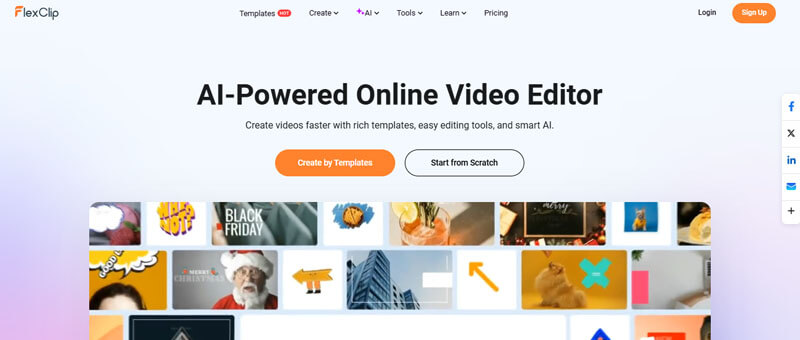
FlexClip is a simple online AI video maker and editor. It is useful for beginners who want to turn scripts, ideas, or prompts into structured videos.
FlexClip says its AI text-to-video tool can transform written text into a video, and it also supports script creation, stock media, voiceovers, subtitles, and editing tools.
Best Features
- AI text-to-video creation
- AI voiceovers
- Translation features
- Easy editing tools
Limitations
- Export limits should be checked.
- Some features may require paid access.
- Not ideal for high-end cinematic generation.
- Better for explainers than realistic film scenes.
Best For
FlexClip is best for simple explainers, product videos, educational videos, motivational clips, and beginner-friendly video creation.
FlexClip is a practical option in the Best Free AI Text to Video Generators 2026 list for users who want simple script-to-video creation.
8. InVideo AI
InVideo AI is useful for users who want to turn prompts into complete video drafts. It is especially helpful for YouTube videos, marketing videos, faceless content, explainer videos, and social media clips.
Best Features
- Prompt-to-video workflow
- AI script generation
- Marketing templates
- YouTube-friendly drafts
Limitations
- Free exports may include limitations.
- Watermarks may apply on some plans.
- High-quality exports often require paid access.
- AI-generated scripts still need human review.
Best For
InVideo AI is best for YouTubers, bloggers, marketers, small businesses, and creators who want complete video drafts from prompts.
InVideo AI belongs in the Best Free AI Text to Video Generators 2026 list because it helps users move from idea to full video draft quickly.
9. VEED
VEED is an online AI video editor with tools for captions, subtitles, dubbing, screen recording, AI avatars, and social media editing. It is especially useful after generating AI video clips in another tool.
Best Features
- AI captions
- Online video editing
- Subtitles
- Voice tools
- Dubbing
- Social media formats
- Repurposing tools
Limitations
- Free exports may include watermark.
- Advanced features may require paid plans.
- Better as an AI editor than a pure cinematic video generator.
Best For
VEED is best for social media creators, podcasters, educators, YouTubers, and businesses that need captions and cleanup.
VEED is a useful supporting tool in the Best Free AI Text to Video Generators 2026 list because it improves video polish and accessibility.
10. Canva AI Video Generator
Canva is a useful AI video tool for creators who already use it for design, branding, social media, presentations, and marketing. Its AI video features can create short text-to-video clips and edit them inside Canva.
Canva says its Create a Video Clip feature supports text prompts, synchronized audio, dialogue, and sound effects, with videos up to eight seconds long. However, access depends on the plan, and usage limits may apply. So, Canva is powerful, but users should not treat it as a fully free or unlimited AI video generator.
Best Features
- AI video generation from text prompts
- Canva video editor
- Easy drag-and-drop editing
- Useful for presentations and marketing videos
- Good for creators already using Canva
Limitations
- AI video access may depend on your Canva plan.
- Free users may not get full access to advanced AI video features.
- Generated clips may be short.
- Monthly AI generation limits may apply.
- Commercial use should be checked against Canva’s AI Product Terms and Terms of Use.
Best For
Canva is best for marketers, bloggers, small businesses, social media managers, educators, and creators who want AI video generation combined with design and editing tools.
Canva is a practical choice for branded videos, social posts, presentations, and marketing clips. However, users should check current plan access, AI usage limits, and commercial-use terms before relying on it as a free AI video generator.
11. CapCut AI Video Generator
CapCut is especially useful for short-form video creators. Its AI video generator page describes features such as avatars, templates, text-to-video generation, and automated storyboarding.
Best Features
- Text-to-video tools
- AI avatars
- Templates
- Automated storyboarding
- Mobile-friendly editing
- Social media formats
Limitations
- Free access and export rules may vary.
- Some advanced features may require paid access.
- Commercial-use terms should be checked.
- Quality depends on prompt and template choice.
Best For
CapCut is best for TikTok creators, Instagram Reels creators, YouTube Shorts creators, and mobile-first editors.
CapCut is worth including in the Best Free AI Text to Video Generators 2026 list because it is highly useful for short-form social video workflows.
Best Free AI Text to Video Generators 2026 by User Type
| User Type | Best Tool Choices | Why |
|---|---|---|
| Beginner creators | Pika, FlexClip, Kapwing | Simple prompt-based workflows |
| YouTubers | InVideo AI, Kapwing, Synthesia | Scripts, captions, explainers, editing |
| TikTok creators | Pika, CapCut, Canva | Short creative clips |
| Business owners | HeyGen, Synthesia, Canva | Professional avatar and presentation videos |
| Educators | Synthesia, HeyGen, FlexClip | Training videos and multilingual voiceovers |
| Marketers | InVideo AI, Canva, Kapwing | Ads, product videos, and branded content |
| AI filmmakers | Runway, Luma, Pika | Cinematic motion and creative visuals |
| Bloggers | InVideo AI, FlexClip, VEED | Blog-to-video workflows |
| Designers | Canva, Adobe Firefly, Runway | Brand visuals and creative workflows |
| Mobile creators | CapCut, Canva, Pika | Short-form video creation |
Best Free AI Text to Video Generators 2026 by Use Case
| Use Case | Best Tools |
|---|---|
| Best overall free creative tool | Pika |
| Best for premium AI video testing | Runway |
| Best for cinematic motion | Luma Dream Machine |
| Best for avatar business videos | HeyGen |
| Best for training videos | Synthesia |
| Best for social media editing | Kapwing, VEED |
| Best for blog-to-video workflow | InVideo AI, FlexClip |
| Best for TikTok and Reels | CapCut, Pika, Canva |
| Best for design-based videos | Canva |
| Best for professional creative teams | Adobe Firefly, Runway |
Best AI Text to Video Prompt Templates for 2026
The quality of AI video depends heavily on the prompt. A vague prompt creates a weak video. A detailed prompt gives the AI more direction.
Prompt Formula
Subject + Action + Location + Visual Style + Camera Motion + Lighting + Platform Format
YouTube Shorts Prompt
Create a 30-second vertical video explaining [topic] for beginners. Use fast-paced visuals, bold captions, simple animations, upbeat background music, and a clear hook in the first 3 seconds.
Product Video Prompt
Create a cinematic 10-second product video of [product name] on a clean studio background. Use soft lighting, slow camera movement, close-up shots, premium brand style, and a modern advertising feel.
Business Explainer Prompt
Create a professional AI video explaining how [business/service] helps customers solve [problem]. Use office visuals, animated charts, clean subtitles, and a confident voiceover.
Educational Video Prompt
Create a simple animated explainer video about [topic]. Use friendly visuals, clear examples, easy captions, and a calm teacher-style voiceover.
Instagram Reel Prompt
Create a vertical 15-second Instagram Reel about [topic]. Use trendy pacing, quick scene changes, bold text overlays, and an engaging final call-to-action.
How to Turn a Blog Post Into an AI Video
One of the best uses of the Best Free AI Text to Video Generators 2026 is turning blog content into short videos for YouTube Shorts, TikTok, Instagram Reels, LinkedIn, and Pinterest.
Follow this workflow:
- Choose one blog post.
- Pick 5 to 7 key points.
- Write a short video script.
- Add a hook in the first 3 seconds.
- Use an AI text to video generator.
- Add captions and subtitles.
- Add your logo or website name.
- Export in vertical format for Shorts and Reels.
- Create a horizontal version for YouTube or website embedding.
- Add a call-to-action at the end.
Example CTA:
“Read the full guide on our website for the complete tool comparison.”
This workflow helps bloggers get more value from every article and improves content reach across multiple platforms.
AI Video Disclosure Rules Creators Should Know
When using the Best Free AI Text to Video Generators 2026, creators should not ignore disclosure rules. AI-generated content can look realistic, and platforms may require creators to label it properly.
YouTube requires creators to disclose content that is meaningfully altered or synthetically generated when it seems realistic. This includes content that could make viewers believe a realistic person, place, scene, or event is real when it is not.
TikTok also requires creators to label AI-generated content that contains realistic images, audio, or video.
Creators should be careful with AI videos that include:
- Realistic human faces
- Celebrity-like characters
- Public figures
- Fake news-style scenes
- Realistic disasters or events
- AI-generated voices that sound like real people
- Political, financial, health, or legal claims
For safe publishing, add a clear disclosure when the video is realistic, synthetic, or could confuse viewers.
Commercial Use Checklist Before Publishing AI Videos
Free AI video tools are great for testing, but business users must check commercial rights before publishing. Not every free plan allows unrestricted commercial use.
Before using AI-generated videos for ads, YouTube monetization, client projects, or branded campaigns, check:
- Does the free plan allow commercial use?
- Does the exported video include a watermark?
- Are stock images, music, and voiceovers licensed?
- Can you use the AI avatar in business content?
- Can you download the video without branding?
- Does the platform allow client work?
- Are there restrictions on political, medical, financial, or adult content?
- Are you using a real person’s face, voice, or likeness?
- Does the platform store your prompts, files, or uploaded images?
This checklist adds strong trust value to a Best Free AI Text to Video Generators 2026 article because it helps readers avoid legal, copyright, and monetization problems.
Privacy and Data Safety Checklist for AI Video Tools
When using the Best Free AI Text to Video Generators 2026, users should think carefully before uploading private images, business files, customer data, product prototypes, or personal voice samples.
Before uploading content to any AI video platform, check:
- Does the platform store uploaded images or videos?
- Can your prompts be used to improve AI models?
- Can you delete uploaded files later?
- Are private business scripts safe to upload?
- Does the tool allow face, voice, or likeness cloning?
- Are team projects private by default?
- Does the tool explain data usage clearly?
- Are you uploading customer or employee information?
- Is the platform suitable for client work?
- Does the tool have clear copyright and privacy terms?
Creators should avoid uploading sensitive business, legal, medical, financial, or personal content unless they understand the platform’s terms.
Can You Monetize Videos Made With Free AI Text to Video Generators?
Yes, some creators can monetize AI-generated videos, but it depends on the tool’s license, the platform’s rules, and how the video is used. Free access does not always mean free commercial rights.
Before monetizing videos made with the Best Free AI Text to Video Generators 2026, check:
- Does the tool allow commercial use on the free plan?
- Does the video include licensed stock footage or music?
- Does the video include AI avatars or cloned voices?
- Does the tool add a watermark?
- Does YouTube require AI disclosure?
- Is the video original enough to provide value?
- Does the video include misleading claims?
- Are you using fake testimonials or fake endorsements?
- Are you representing AI content as real footage?
AI videos can be monetized when they are original, useful, policy-compliant, properly disclosed, and legally safe.
When You Should Not Use Free AI Text to Video Generators
Free AI video tools are useful, but they are not suitable for every purpose. Creators should avoid using AI video generators in ways that mislead viewers or violate platform rules.
Avoid using AI video tools to create:
- Fake news footage
- Fake celebrity endorsements
- Fake customer testimonials
- Deepfake videos without consent
- Misleading financial claims
- Misleading medical advice
- Fake disaster footage
- Political misinformation
- Fake product results
- Videos that imitate real people without permission
This section improves trust because the article does not simply promote tools. It also explains responsible use.
Common AI Video Problems and How to Fix Them
Even the Best Free AI text-to-video generators 2026 can produce imperfect results. AI video tools are powerful, but they still need human editing and review.
Even strong AI video outputs usually benefit from human editing before publishing publicly.
| Problem | Why It Happens | How to Fix It |
|---|---|---|
| Faces look strange | AI struggles with realistic human detail | Use avatar tools or avoid close-up faces |
| Motion looks unnatural | Prompt is too vague or complex | Use shorter prompts with clear action |
| Text appears wrong | AI video models often struggle with text | Add text later in a video editor |
| Video is too short | Free plans often limit duration | Generate multiple clips and edit together |
| Output has watermark | Free export restriction | Use watermark-free exports or upgrade |
| Low resolution | Free-plan limit | Use HD export only when needed |
| Voiceover sounds robotic | Weak TTS voice or poor script | Rewrite the script and test another voice |
| Captions are inaccurate | Auto-caption errors | Manually review captions before publishing |
AI Video Tools That May Not Be Best for Free Users
Some AI video tools are powerful but may not be ideal for users looking for truly free access. They may offer trials, limited credits, paid-only exports, or advanced features locked behind subscriptions.
A tool may not be ideal for free users if:
- It gives only one-time credits
- It requires payment for downloads
- It adds strong watermarks
- It limits exports to low resolution
- It does not clearly allow commercial use
- It is only available to paid users
- It has long waiting times
- It does not support full text-to-video workflows
For example, Runway is powerful, but its free plan gives one-time credits rather than monthly credits. Luma is better viewed as a premium cinematic AI video tool with limited free access. Canva’s AI video generator is useful, but full access may depend on Canva plan eligibility.
This does not mean these tools are bad. It simply means readers should understand the limits before choosing them as free long-term solutions.
Which Free AI Text to Video Generator Should You Try First?
- Try Pika first if you want short creative AI videos.
- Try Runway if you want to test premium AI video quality.
- Try Luma if you want cinematic motion and realistic visuals.
- Try HeyGen if you want avatar business videos.
- Try Synthesia if you want training or educational videos.
- Try Kapwing if you need editing, captions, and resizing.
- Try FlexClip if you want simple script-to-video creation.
- Try InVideo AI if you want full video drafts from prompts.
- Try VEED if you need captions, cleanup, and social video editing.
- Try Canva if you already use Canva for design and branding.
- Try CapCut if you mainly create TikTok, Reels, and Shorts.
Final Summary: Best Free AI Text to Video Generators 2026
| Goal | Best Tool to Try First |
|---|---|
| Best overall free creative AI videos | Pika |
| Best premium AI video testing | Runway |
| Best cinematic motion | Luma Dream Machine |
| Best avatar business videos | HeyGen |
| Best training videos | Synthesia |
| Best social media editing | Kapwing |
| Best blog-to-video workflow | InVideo AI |
| Best beginner script-to-video tool | FlexClip |
| Best captions and cleanup | VEED |
| Best design-based video workflow | Canva |
| Best short-form mobile workflow | CapCut |
Conclusion:
The Best Free AI Text to Video Generators 2026 are not all built for the same purpose. Some tools are best for cinematic clips, while others are better for avatar videos, blog-to-video workflows, social media editing, captions, or business explainers.
For most creators, Pika is one of the best places to start because it offers monthly free credits and strong creative flexibility. Runway is better for testing premium AI video quality, but its free credits are one-time only. Luma Dream Machine is useful for cinematic visuals, but it is better viewed as a premium AI video tool with limited free access.
For business and training videos, HeyGen and Synthesia are stronger because they focus on AI avatars and professional scripts. For social media editing, Kapwing, VEED, FlexClip, InVideo AI, Canva, and CapCut are practical choices.
Free AI video tools are excellent for testing ideas, creating drafts, making short clips, and learning AI video production. But for serious business use, client work, paid ads, or high-volume publishing, paid plans are usually more reliable.
The smartest approach is to start free, test several tools, compare video quality, check watermark and commercial-use rules, and then upgrade only when a tool fits your real content workflow.
In 2026, AI video generation is not just a trend. It is becoming a normal part of content creation. The creators who win will be the ones who combine AI tools with strong ideas, original storytelling, human editing, accurate disclosure, and responsible publishing.
Best Free AI Text to Video Generators 2026 FAQs
1. What are the Best Free AI Text to Video Generators 2026?
The Best Free AI Text to Video Generators 2026 include Pika, Runway, Luma Dream Machine, HeyGen, Synthesia, Kapwing, FlexClip, InVideo AI, VEED, Canva, and CapCut. The best choice depends on whether you need creative clips, avatar videos, social media videos, or editing tools.
2. Are free AI text to video generators really free?
Yes, many AI text to video generators offer free plans or free trials. However, most free plans include limits such as credits, watermarks, lower resolution, short duration, slower processing, or limited commercial rights.
3. Which free AI text to video generator is best for beginners?
Pika, FlexClip, Kapwing, Canva, and CapCut are good options for beginners because they offer simple workflows and easy editing features.
4. Which free AI video generator is best for avatar videos?
HeyGen and Synthesia are among the best free AI video generators for avatar-style videos, business explainers, training videos, and educational content.
5. Can I monetize videos made with free AI video generators?
Sometimes, but it depends on the tool’s terms and the platform’s rules. Always check commercial-use rights, watermark rules, copyright policies, and monetization guidelines before using AI-generated videos for YouTube, ads, or client work.
6. Do AI-generated videos need disclosure?
Yes, in some cases. YouTube requires creators to disclose meaningfully altered or synthetic content when it seems realistic. TikTok also requires labels for AI-generated content that contains realistic images, audio, or video.
7. What is the best free AI text to video generator without watermark?
Pika and Kapwing are worth checking first because they offer useful free AI video workflows, but watermark rules can change. Always verify export rules before publishing.
8. What should I check before choosing an AI video tool?
Check free credits, watermark rules, export quality, video length, commercial rights, privacy policy, editing tools, avatar support, and platform disclosure requirements.
9. Which tool is best for turning blog posts into videos?
InVideo AI, FlexClip, Kapwing, VEED, and Synthesia are useful for turning blog posts into video summaries, explainers, and social media clips.
10. Are free AI video generators safe?
Many well-known AI video generators are safe to use, but users should still check privacy policies, upload rules, copyright terms, and commercial-use permissions before uploading sensitive content.
