


Last Updated: August 25, 2026
ChatGPT remains one of the most capable and widely used AI assistants, but the market around it has changed dramatically. In 2026, users can choose from AI platforms built specifically for writing, coding, source-backed research, office productivity, multimodal creation, agentic automation, private local processing, and multi-model access.
That means searching for a ChatGPT alternative is no longer simply about finding another chatbot that can answer questions.
Claude has become a broad productivity and coding platform. Gemini combines large-context AI with Google’s ecosystem. Perplexity focuses heavily on current web research and citations. Microsoft Copilot works directly inside Microsoft 365. Grok emphasizes live web and X search. DeepSeek provides highly competitive developer pricing. Mistral Vibe combines work and coding agents. Meta AI is becoming more agentic across Meta’s apps. Kimi targets long-context reasoning and coding, while Poe lets users access numerous AI models from a single service.
The right choice therefore depends on what you want AI to do.
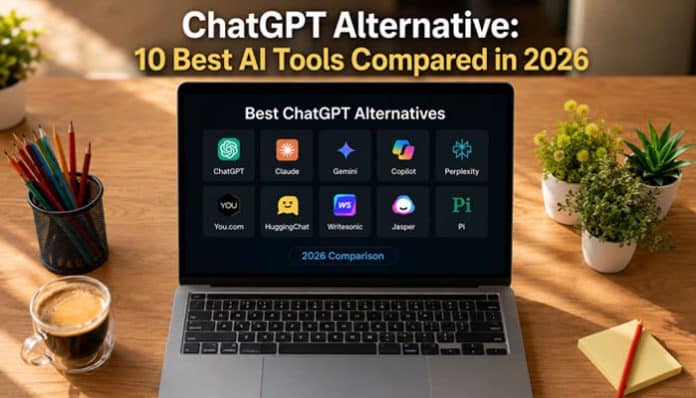
This guide compares 10 of the best ChatGPT alternatives in 2026, explains what each does well, identifies important limitations, and covers free, private, offline, student, coding, SEO, image-generation, and business use cases.
Quick Answer: What Is the Best ChatGPT Alternative in 2026?
There is no single alternative that is best for every user.
For most people, the strongest choices are:
- Claude – best for writing, coding, and complex knowledge work
- Google Gemini – best for Google users and very large context windows
- Perplexity – best for web research and source-backed answers
- Microsoft Copilot – best for Microsoft 365 productivity
- Grok – best for real-time web and X information
- DeepSeek – best for low-cost developer and API usage
- Mistral Vibe – best for combined work and coding agents
- Meta AI – best for everyday AI within Meta’s ecosystem
- Kimi – best emerging option for very long context and open-weight AI
- Poe – best for accessing many AI models through one service
For someone simply looking for a general-purpose ChatGPT alternative, Claude and Gemini are the closest places to start. For research, Perplexity deserves separate consideration because citations and web search are central to its product design.
How We Compared the Best ChatGPT Alternatives

This comparison is based primarily on current official product documentation, pricing information, help centers, model documentation, and feature availability as of August 25, 2026.
It is not presented as a controlled laboratory benchmark declaring one model universally smarter than another.
The tools were compared across the following areas:
- General-purpose usefulness
- Writing and editing features
- Coding and developer tools
- Current web research
- Citation support
- Free-tier usefulness
- Paid subscription value
- File and document handling
- Third-party integrations
- Context capacity
- Multimodal capabilities
- Privacy and data controls
- Business and enterprise features
- Local or self-hosted options
- Ease of use
The “best for” labels in this article therefore describe product fit, not an absolute benchmark ranking.
A coding assistant that performs brilliantly in an IDE may be a poor choice for a journalist. Likewise, an excellent research engine may not be the strongest tool for creative writing.
Best ChatGPT Alternatives at a Glance
| AI Tool | Best For | Free Option | Biggest Strength | Main Trade-Off |
|---|---|---|---|---|
| Claude | Writing, coding, complex work | Yes | Broad productivity and coding tools | Heavy usage can become expensive |
| Gemini | Google ecosystem, large files | Yes | Google integrations and large context | Advanced limits depend on plan |
| Perplexity | Research | Yes | Web search and citations | Less focused on pure creative conversation |
| Microsoft Copilot | Microsoft 365 | Yes/plan dependent | Deep Office integration | Strongest value inside Microsoft ecosystem |
| Grok | Live information | Yes | Real-time web and X search | Higher tiers cost more |
| DeepSeek | Developers and API value | Yes | Low API cost and long context | Smaller productivity ecosystem |
| Mistral Vibe | Work agents and coding | Yes | Unified work/coding agent | Smaller ecosystem than Microsoft or Google |
| Meta AI | Everyday consumer AI | Yes in supported markets | Meta ecosystem integration | Features vary by market |
| Kimi | Long context and open models | Available | 1M context on qualifying access | Availability and plans vary |
| Poe | Multi-model access | Yes, limited | Many models under one account | Point system adds complexity |
ChatGPT vs the Best Alternatives
Readers looking for a ChatGPT alternative ultimately need a baseline comparison with ChatGPT itself.
| Feature | ChatGPT | Claude | Gemini | Perplexity | Copilot |
|---|---|---|---|---|---|
| General AI assistant | Excellent | Excellent | Excellent | Strong | Strong |
| Long-form writing | Excellent | Excellent | Strong | Good | Good |
| Web research | Yes | Yes | Yes | Core strength | Yes |
| Citation support | Available | Available | Available | Core strength | Available |
| Coding | Excellent | Excellent | Excellent | Good | Strong |
| Office integrations | Apps and connected services | Connectors | Google ecosystem | Connectors | Microsoft 365 |
| Local/offline standard service | No | No | No | No | No |
| Free access | Yes | Yes | Yes | Yes | Available |
| Best reason to choose | Broad all-in-one platform | Writing/coding | Google ecosystem | Research | Microsoft productivity |
Privacy requires more nuance than labeling one provider “good” and another “bad.”
OpenAI currently lets individual ChatGPT users turn off Improve the model for everyone. Conversations can remain in chat history but are not used to improve OpenAI’s models after the setting is disabled.
Temporary Chats are not used to improve OpenAI’s models and are deleted from OpenAI systems after 30 days. They also do not appear in normal chat history or create memories.
Privacy comparisons should therefore specify the exact product, plan, settings, retention policies, integrations, and whether processing occurs locally or in the cloud.
1. Claude — Best ChatGPT Alternative for Writing and Complex Work
Claude from Anthropic is one of the strongest direct ChatGPT competitors. Its free version supports writing, web search, coding, file work, memory, connectors, and extended thinking. Claude Pro adds Research, Claude Code, Cowork, Projects, and additional models.
Anthropic released Claude Sonnet 5 on June 30, 2026, with improvements in coding, reasoning, tool use, and agentic work.
Why Claude Stands Out
Claude is particularly useful for:
- long-form writing and editing
- document analysis
- research
- coding and debugging
- multi-step professional tasks.
Claude Code also gives developers a dedicated coding workflow beyond standard chatbot use.
Claude Pricing
| Plan | Price |
|---|---|
| Free | $0 |
| Pro | $20/month or $200/year |
| Max 5x | $100/month |
| Max 20x | $200/month |
Claude Pros
- Strong writing and coding
- Web research and file analysis
- Connectors and code execution
- Free tier available
Claude Cons
- Usage limits apply
- Max plans are expensive
- API billing is separate
Best For
Writers, developers, researchers, analysts, and professionals handling complex knowledge work.
2. Google Gemini – Best for Google Users and Large Context Windows
Gemini is Google’s flagship AI assistant and a strong ChatGPT Alternative for people already using Google products.
One of its biggest advantages is context capacity.
| Plan | Context Window |
|---|---|
| No AI plan | 32K tokens |
| Google AI Plus | 128K tokens |
| Google AI Pro | 1 million tokens |
| Google AI Ultra | 1 million tokens |
Google estimates that 1 million tokens can represent roughly 1,500 pages of text or 30,000 lines of code.
Why Gemini Stands Out
Gemini works well for:
- large documents;
- Google Workspace;
- research and coding;
- image analysis;
- image and video generation;
- long conversations.
Its Google integration can reduce the need to move information manually between apps.
Gemini Pros
- Up to 1M-token context
- Strong Google integration
- Deep Research
- Image and video tools
- Free tier
Gemini Cons
- Some features are region dependent
- Large context requires higher plans
- Usage limits vary by subscription
Best For
Google users, students, researchers, developers, and people working with very large files.
3. Perplexity – Best ChatGPT Alternative for Research
Perplexity combines an AI assistant with web search and citations, making it especially useful for current research.
It can help answer questions such as:
- What happened recently?
- Which sources support this claim?
- How do competing products compare?
- What are the latest statistics?
Paid users can also access models from providers including OpenAI, Anthropic, Google, xAI, Kimi, and others, depending on the plan.
Perplexity Pricing
| Plan | Price |
|---|---|
| Standard | Free |
| Pro | $20/month or $200/year |
| Max | $200/month or $2,000/year |
Perplexity also offers agentic features for more complex multi-step research and computer tasks.
Perplexity Pros
- Web research
- Inline citations
- Multiple AI models
- Deep Research
- File analysis
- Free search tier
Perplexity Cons
- Less focused on creative conversation
- Advanced models require paid access
- Citations still need manual verification
Best For
Journalists, SEO professionals, students, researchers, analysts, and fact-checkers.
4. Microsoft Copilot – Best for Microsoft 365 Users
Microsoft Copilot is especially useful for people whose work already happens inside:
- Word;
- Excel;
- PowerPoint;
- Outlook;
- Teams;
- OneNote.
Microsoft 365 consumer plans include different levels of Copilot access. In the U.S., Microsoft currently lists Personal at $9.99/month and Premium at $19.99/month, although regional prices differ.
Why Copilot Stands Out
Copilot can help users:
- summarize emails;
- draft Word documents;
- analyze spreadsheets;
- create presentations;
- summarize Teams information;
- work with organizational data.
Business plans add stronger administration and security capabilities.
Copilot Pros
- Deep Microsoft 365 integration
- Strong document and spreadsheet workflows
- Presentation creation
- Enterprise controls
Copilot Cons
- Most useful inside Microsoft’s ecosystem
- Licensing can be complicated
- Business use may require qualifying Microsoft plans
Best For
Office workers, companies, analysts, Excel users, and Microsoft 365 customers.
5. Grok – Best for Real-Time Web and X Information
Grok from xAI stands out for real-time web and X search, including access on its free tier.
Grok Pricing
| Plan | Price |
|---|---|
| Free | $0 |
| SuperGrok | $30/month |
| SuperGrok Plus | $100/month |
Paid plans add higher limits, advanced models, image generation, and video creation.
When Grok Makes Sense
Grok is useful for:
- breaking news
- current events
- social trends
- X-based research
- coding
- image and video creation.
Social-media information should still be verified with reliable sources before treating it as fact.
Grok Pros
- Real-time web and X search
- Voice
- Coding
- Image and video generation
- Free access
Grok Cons
- Social sources may contain misinformation
- Premium plans can be expensive
Best For
Current events, social listening, trend research, developers, and users who need live information.
6. DeepSeek – Best Low-Cost ChatGPT Alternative for Developers
DeepSeek is an attractive option for developers because it combines long context with low API pricing.
Its current API models include:
- DeepSeek V4 Flash
- DeepSeek V4 Pro
Both document a 1-million-token context window, tool calling, thinking modes, and compatibility with OpenAI- and Anthropic-style APIs.
DeepSeek API Pricing
| Model | Input / 1M Tokens | Output / 1M Tokens |
|---|---|---|
| DeepSeek V4 Flash | $0.14 | $0.28 |
| DeepSeek V4 Pro | $0.435 | $0.87 |
Cached-input pricing can be lower, and DeepSeek notes that prices may change.
DeepSeek Pros
- Very competitive API pricing
- 1M-token context
- Tool calling
- Thinking modes
- Familiar API compatibility
DeepSeek Cons
- Smaller productivity ecosystem
- Organizations need to evaluate data and regulatory requirements
Best For
Developers, startups, coding workflows, and API-heavy applications.
7. Mistral Vibe – Best for Work and Coding Agents
Mistral’s former Le Chat has been renamed Mistral Vibe, combining productivity and coding in one AI agent.
Vibe can use information from files, connected apps, and the web to perform multi-step tasks.
What Mistral Vibe Can Do
- Web research
- Document drafting
- Email and calendar tasks
- Coding
- Terminal and VS Code work
- Remote coding tasks
- Connectors and MCP integrations
Its connector ecosystem includes services such as Gmail, Google Calendar, GitHub, Slack, Notion, and Jira.
Mistral Vibe Pricing
| Plan | Price |
|---|---|
| Free | $0 |
| Pro | $14.99/month |
| Team | $24.99/user/month |
| Enterprise | Custom |
Mistral Vibe Pros
- Competitive pricing
- Coding and work in one platform
- Web research
- Connectors
- Deployment flexibility
Mistral Vibe Cons
- Smaller consumer ecosystem
- Recent rebranding may confuse older users
- Advanced deployment needs technical planning
Best For
Developers, technical teams, agentic workflows, and organizations wanting deployment flexibility.
8. Meta AI – Best for Everyday AI Across Meta Apps
Meta AI’s biggest advantage is its integration across Meta’s ecosystem.
Depending on availability, users can access Meta AI through:
- Messenger
- Meta AI app
- Meta.ai
Meta has also expanded Meta AI with planning, research, email and calendar connections, slide creation, and recurring assistance.
Meta AI for Images
Meta’s Muse Image supports image generation, editing, visual references, and conversational refinement.
Meta AI Pros
- Convenient Meta integration
- Image creation and editing
- Agentic tasks
- Calendar and email connections
- Broad consumer reach
Meta AI Cons
- Availability varies by country
- Features roll out gradually
- Privacy settings should be reviewed before connecting personal data
Best For
Everyday users, social-media users, and people already active across Meta services.
9. Kimi – Best for Long Context and Open Models
Kimi from Moonshot AI is a notable ChatGPT Alternative for users interested in long context and open AI models.
Kimi K3 is a 2.8-trillion-parameter multimodal model with a maximum context window of up to 1 million tokens.
It is designed for:
- long-horizon coding
- reasoning
- knowledge work
- multimodal tasks
- agentic workflows
Important Context Detail
The full 1-million-token context is not available to every Kimi user. Higher qualifying tiers unlock the maximum context, while lower access may be limited.
Kimi Pros
- Up to 1M-token context
- Multimodal capabilities
- Coding and agent tools
- Open model
- Strong long-document support
Kimi Cons
- Full context requires qualifying access
- Smaller global ecosystem
- Running large models independently requires powerful hardware
Best For
Developers, researchers, long-document workflows, and users exploring open frontier models.
10. Poe – Best ChatGPT Alternative for Multi-Model Access
Poe is different from most alternatives because it gives users access to models and bots from multiple AI providers through one service.
Its platform supports:
- text models
- image generation
- video
- audio
- custom bots
- model comparison
How Poe Works
Poe uses compute points.
Different models consume different numbers of points depending on their cost and complexity. Free users receive a limited daily allocation, while subscribers receive more points and access to additional models.
Poe Pros
- Many AI models in one platform
- Easy model comparison
- Text, image, video, and audio support
- Custom bots
- Limited free access
Poe Cons
- Point pricing can be confusing
- Advanced models may consume points quickly
- Available models can change
Best For
AI power users, creators, testers, and people who want several AI models without managing separate subscriptions.
Other ChatGPT Alternatives Worth Considering
The article focuses on 10 broad alternatives, but several specialized tools deserve honorable mentions.
Ollama
Best for users who want to run open models locally.
Ollama’s privacy policy says it does not see prompts or data when models are run locally. Cloud-hosted models are a separate processing mode.
LM Studio
A graphical option for downloading and running local models.
LM Studio supports local chat, document RAG, and a local API server. Once a model is downloaded, these core functions can operate without internet access.
Duck.ai
A useful option for privacy-oriented, no-account AI conversations.
DuckDuckGo says Duck.ai anonymizes requests, removes identifying metadata such as IP addresses before sending requests to supported model providers, and prohibits model training on Duck.ai conversations under its provider agreements.
NotebookLM
NotebookLM is particularly useful for source-grounded research and study workflows because responses can be tied to the source materials users provide.
GitHub Copilot
GitHub Copilot deserves separate consideration from Microsoft’s general-purpose Copilot.
It is specifically designed for software development. Current individual plans include Free, Student, Pro, Pro+, and Max. GitHub currently lists Pro at $10/month, Pro+ at $39/month, and Max at $100/month.
Best Free ChatGPT Alternative

Many users do not need another paid subscription.
Claude Free
A capable option for writing, general knowledge work, coding, web search, and file-related tasks, with usage limits.
Gemini Free
Particularly attractive for everyday use and multimodal tasks. The standard no-plan context window is currently documented at 32K tokens.
Perplexity Free
Best when your priority is web research and sources rather than maximum creative flexibility.
Grok Free
Includes real-time web and X search, voice, and connectors within free-plan usage limits.
DeepSeek
DeepSeek is worth testing for users primarily interested in reasoning, coding, or developer-oriented AI.
Mistral Vibe Free
Provides an entry point into Mistral’s unified work and coding environment.
Duck.ai
A particularly interesting free option for users who want access to several anonymized third-party models without creating an account. DuckDuckGo explicitly states that its AI features can be used without an account.
The best free ChatGPT alternative therefore depends on whether you prioritize general chat, research, coding, privacy, or integrations.
Best Private ChatGPT Alternative
“Private AI” can mean several different things.
Before labeling any provider the best private option, ask three questions.
Where Does Inference Happen?
If inference runs on a cloud provider’s servers, the content must leave your device for processing.
If you run a model locally through Ollama or LM Studio, inference can remain on your own machine.
Where Are Conversations Stored?
A service might:
- store chats remotely
- store them temporarily
- save them only locally
- offer configurable retention
- use zero-data-retention infrastructure
These arrangements are not equivalent.
Can Conversations Be Used for Training?
This depends on the provider, plan, and settings.
For example, ChatGPT users can disable Improve the model for everyone, which prevents new conversations from being used to improve OpenAI’s models.
Duck.ai says chats are anonymized and are not used for model training by DuckDuckGo or the underlying model providers. Its provider agreements generally require zero data retention, subject to documented exceptions such as temporary prompt caching for some models.
Best Choice for Maximum Local Control
For users specifically trying to keep inference on their own hardware, Ollama or LM Studio are stronger candidates than another hosted chatbot.
That does not automatically make every local setup secure. Device security, malware, local permissions, backups, network configuration, and model sources still matter.
Should You Replace ChatGPT Completely?
Probably not unless another service clearly handles everything you need.
A growing number of users get better results by treating AI platforms as a toolbox rather than choosing one permanent winner.
| Task | Possible Tool |
|---|---|
| General work | ChatGPT |
| Long-form writing | Claude |
| Live research | Perplexity |
| Google documents | Gemini |
| Microsoft Office | Copilot |
| Coding | Claude or GitHub Copilot |
| Private local AI | Ollama |
| Source-grounded study | NotebookLM |
This changes the question from:
“Which AI should replace ChatGPT?”
to:
“Which AI tools create the best workflow for me?”
For many professionals, the second question is more useful.
How to Choose the Right ChatGPT Alternative
1. Start With Your Main Task
Identify the job you expect AI to perform most often.
Writing, coding, research, image generation, spreadsheets, customer support, and automation require different strengths.
2. Test Current Information
If you frequently ask about current topics, make sure the platform has reliable web access and visible sourcing.
3. Check the Context Window
Large context can matter for lengthy files, but do not judge a service purely by the maximum token number advertised.
4. Evaluate Integrations
An AI that connects directly to the software you already use can save more time than a theoretically stronger standalone model.
5. Compare Real Limits
Look beyond the monthly price.
Check:
- model access
- message caps
- weekly limits
- credit systems
- context limits
- image limits
- agent limits
- file limits
- API charges
6. Review Privacy
Determine whether the product is consumer, business, enterprise, local, or cloud based.
These distinctions can radically change how data is handled.
7. Consider Portability
If your workflows depend heavily on one platform’s proprietary features, switching later may require rebuilding prompts, projects, integrations, or custom agents.
How to Test a ChatGPT Alternative Before Paying
Do not choose an AI subscription because one website says a model scored slightly higher on a benchmark.
Run the same practical tests through your shortlist.
Test 1: Research
Ask a factual question that requires current sources.
Check whether the sources exist and support the response.
Test 2: Writing
Give each tool the same badly written paragraph and the same editing instructions.
Compare how much manual correction remains.
Test 3: Reasoning
Use a difficult problem relevant to your real work rather than a viral puzzle.
Test 4: File Analysis
Upload the same document and ask several questions whose answers appear in different sections.
Test 5: Your Actual Job
This is the most important test.
Give each AI a real task you routinely perform.
Then compare:
| Criterion | What to Measure |
|---|---|
| Accuracy | How many factual corrections are needed? |
| Instruction following | Did it actually follow your requirements? |
| Sources | Are citations relevant and trustworthy? |
| Editing effort | How much manual work remains? |
| Speed | Did it complete the task efficiently? |
| Formatting | Is the output usable immediately? |
| Hallucinations | Did it invent unsupported details? |
| Workflow fit | Does it integrate with your existing tools? |
The best ChatGPT alternative is often the service that saves you the most real work rather than the one with the most impressive marketing benchmark.
How to Switch From ChatGPT to Another AI Assistant
Switching does not have to mean deleting ChatGPT immediately.
A safer approach is gradual.
Export Important ChatGPT Data
ChatGPT’s Data Controls include an option to export account data.
Save prompts, instructions, templates, or research that you expect to reuse.
Copy Reusable Prompts
Move your most effective:
- prompt templates
- brand instructions
- coding conventions
- research checklists
- editing rules
Avoid transferring sensitive material unless you have reviewed the destination service’s privacy policies and data controls.
Rebuild Projects Carefully
Another AI may not have an exact equivalent of ChatGPT Projects, custom assistants, memory, or connected applications.
Recreate only the workflows you actually use.
Test Before Canceling Anything
Use both services on identical real tasks before canceling an existing subscription.
That makes weaknesses much easier to identify.
Review Privacy Settings
Do not assume a new service has the settings you expect.
Check:
- training controls
- data retention
- connected applications
- chat history
- third-party integrations
Keep Multiple Tools if They Save Time
There is no rule that you must permanently choose only one AI assistant.
For some people, a two-tool combination delivers better value than replacing ChatGPT entirely.
ChatGPT Alternative FAQs
1. What is the best free ChatGPT alternative?
Claude, Gemini, Perplexity, Grok, Mistral Vibe, Duck.ai, and other platforms provide some form of free access. Limits and included features differ significantly.
2. Is there a ChatGPT alternative without signing up?
Yes. DuckDuckGo says Duck.ai can be used without an account and anonymizes requests sent to supported third-party AI providers.
3. Which ChatGPT alternative is best for coding?
Claude, GitHub Copilot, DeepSeek, Kimi, and Mistral Vibe are all strong candidates. GitHub Copilot is particularly useful for developers who want AI integrated into GitHub and supported IDEs.
4. Which ChatGPT alternative is best for research?
Perplexity is one of the strongest choices for web research because citations are central to its product. NotebookLM is particularly useful when research should remain grounded in a controlled set of supplied sources.
5. What is the best private ChatGPT alternative?
If your definition of privacy requires local processing, Ollama and LM Studio are strong options because downloaded models can run on your own hardware. If you still want cloud AI without creating an account, Duck.ai offers another privacy-oriented approach.
6. Can I run a ChatGPT alternative offline?
Yes. Ollama and LM Studio can run downloaded models locally. LM Studio explicitly documents offline chat, local document analysis, and local server operation.
7. Is Claude or Gemini a better ChatGPT alternative?
Claude is particularly attractive for writing, coding, and complex professional work. Gemini is compelling for Google integrations, large context windows, and multimodal creation. Testing both against your own tasks is the best way to choose.
Final Verdict
There is no single ChatGPT Alternative that is best for everyone in 2026. Different AI tools now specialize in different tasks.
Claude is strong for writing, coding, and complex work. Gemini is ideal for Google users, large files, and multimodal tasks, while Perplexity stands out for research and citations. Microsoft Copilot works best with Microsoft 365, and Grok is useful for real-time web and X information.
Developers may prefer DeepSeek for low-cost API access, while Mistral Vibe combines coding and productivity. Meta AI suits everyday users, Kimi focuses on long-context and open-model workflows, and Poe provides access to multiple AI models.
For local and offline AI, Ollama and LM Studio are strong options.
Ultimately, the best ChatGPT Alternative in 2026 depends on your workflow, budget, privacy needs, and integrations. Testing two or three tools with the same real-world tasks is the best way to find the right fit.
