


Last Updated: August 25, 2026
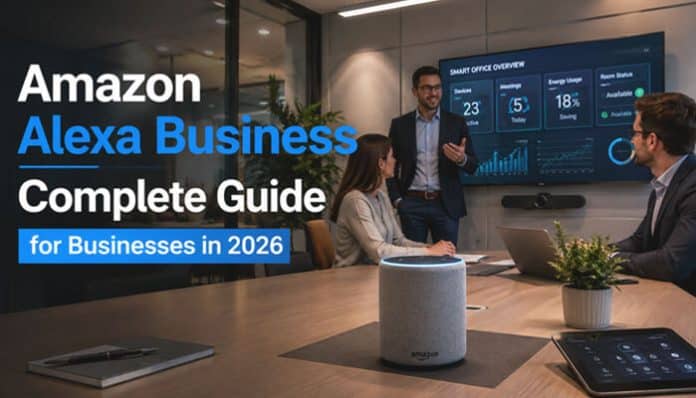
Amazon Alexa has changed dramatically since businesses first began placing Echo devices in meeting rooms and offices. What started as a voice-controlled workplace assistant has evolved into a broader ecosystem involving smart properties, generative AI, connected devices, procurement assistance, conversational shopping, and property-management integrations.
That evolution makes Amazon Alexa Business a potentially confusing topic in 2026.
Some people searching for Amazon Alexa Business are looking for Alexa for Business, the AWS service Amazon launched in 2017. Others want to know whether businesses can use Alexa+, Echo devices, or Alexa Smart Properties today. Hotels, healthcare organizations, and senior-living operators may be researching centrally managed Alexa deployments, while procurement teams may be interested in Amazon Business Assistant or Alexa for Shopping.
The most important distinction is that the original Alexa for Business is now a legacy service. Zoom’s documentation states that Amazon Web Services deprecated Alexa for Business on May 31, 2023 and later ended related Alexa for Business integrations with Zoom Rooms.
Amazon, however, continues to develop other Alexa and business-focused AI technologies.
For organizations researching Amazon Alexa Business in 2026, the better question is:
Which current Amazon Alexa or AI solution best fits the business problem we are trying to solve?
This guide explains the differences, available options, setup considerations, costs, use cases, limitations, security factors, and practical ways businesses can evaluate Alexa technology in 2026.
Amazon Alexa Business at a Glance
| Question | 2026 Answer |
|---|---|
| Is the original Alexa for Business a mainstream new service? | No. Treat it as a legacy/deprecated platform |
| Can businesses still use Alexa technology? | Yes |
| Main managed-property solution | Alexa Smart Properties |
| Main generative-AI Alexa experience | Alexa+ |
| Main Amazon Business procurement assistant | Amazon Business Assistant |
| Can organizations build Alexa applications? | Yes, through Alexa Skills Kit and supported APIs |
| Are all Echo devices compatible with Alexa Smart Properties? | No |
| Is Alexa Smart Properties available worldwide? | No |
| Does the old $7/$3 pricing represent current Smart Properties pricing? | No |
| Should businesses verify support before buying hardware? | Yes |
What Was Alexa for Business?
AWS introduced Alexa for Business at re:Invent in November 2017.
The idea was to bring voice interaction into workplaces while giving organizations a way to manage devices centrally.
Consumer Alexa accounts were not designed for environments containing dozens or hundreds of shared devices. Companies needed to know which Echo belonged to which meeting room, which skills were enabled, what conferencing systems were connected, and who had administrative access.
Alexa for Business created that organizational layer.
AWS described the platform as providing tools to:
- Provision shared Alexa devices
- Manage device locations
- Enable skills
- Connect conferencing systems
- Enroll users
- Integrate calendars
- Create private skills
Instead of treating every device like someone’s personal Echo, administrators could centrally manage workplace devices.
How Alexa for Business Worked
The original Amazon Alexa Business architecture centered on shared devices, rooms, users, and Alexa skills.
Shared Devices
Businesses could place Echo devices in shared spaces such as:
- Conference rooms
- Reception areas
- Huddle rooms
- Shared offices
These devices were managed by the organization rather than tied to one employee’s personal Alexa account.
Rooms
Administrators could assign devices to rooms and configure settings such as:
- Location
- Time zone
- Conferencing
- Device settings
- Assigned skills
Enrolled Users
Employees could connect their Alexa accounts to access supported workplace features, including calendars, meetings, and private skills.
Alexa Skills
Businesses could use public, custom, and private skills for tasks such as:
- Reporting facility problems
- Checking IT tickets
- Answering internal questions
- Finding office locations
The main benefit was connecting voice commands to useful business workflows.
What Could Amazon Alexa Business Do?
Alexa for Business was designed to simplify routine workplace tasks.
Start Meetings by Voice
Users could say:
“Alexa, start the meeting.”
Alexa could then work with configured conferencing systems and room equipment.
Manage Meeting Rooms
Employees could use Alexa to:
- Check room availability
- Find open meeting spaces
- Book rooms
- Review schedules
Connect Workplace Calendars
Calendar integrations helped employees access scheduling information and join supported meetings more easily.
Use Private Business Skills
Organizations could create private Alexa skills for internal functions such as IT support, facilities requests, HR information, and office directories.
Businesses researching these features today should verify current integrations rather than relying on older compatibility lists.
Historical Alexa for Business Pricing
The original pricing model was:
| Legacy Resource | Historical Monthly Price |
|---|---|
| Shared device | $7 per device |
| Enrolled user | $3 per user |
| Echo hardware | Purchased separately |
AWS originally offered Alexa for Business without upfront fees or long-term commitments.
For example, a company with 10 shared devices and 50 enrolled users would have paid:
- Devices: $70/month
- Users: $150/month
- Total: $220/month
These figures are historical Alexa for Business pricing and should not be used to estimate the cost of a new Alexa Smart Properties deployment.
Is Alexa for Business Still Available in 2026?
Businesses researching this topic should treat the original Alexa for Business platform as a legacy or deprecated service.
Zoom’s support documentation states that:
Amazon Web Services deprecated Alexa for Business on May 31, 2023.
Zoom later deprecated integrations that relied on the service.
That means a setup tutorial written in 2019 or 2021 may describe configurations or integrations that are no longer appropriate for a new deployment.
Legacy AWS pages, documentation, APIs, and search results may still be visible online, but their existence should not automatically be interpreted as evidence that Alexa for Business remains the preferred solution for new organizations.
Migrating From Legacy Alexa for Business
Organizations that previously used Alexa for Business should begin with an inventory rather than immediately choosing another Alexa product.
A migration audit should identify:
- Shared Echo devices
- Enrolled users
- Custom Alexa skills
- Conferencing integrations
- Calendar integrations
- AWS permissions
- Network profiles
- Rooms
- Third-party applications
- Unused resources
- Remaining charges
Zoom has recommended that former Alexa for Business customers using Zoom Rooms evaluate its native voice-command capabilities where appropriate.
Which Replacement Should You Consider?
| Legacy Use Case | 2026 Technology to Evaluate |
|---|---|
| Zoom meeting voice controls | Zoom native voice commands |
| Hotel guest rooms | Alexa Smart Properties for Hospitality |
| Senior-living communities | Alexa Smart Properties for Senior Living |
| Healthcare facilities | Alexa Smart Properties for Healthcare |
| General personal AI | Alexa+ |
| Procurement assistance | Amazon Business Assistant |
| Shopping research | Alexa for Shopping |
| Alexa applications | Alexa Skills Kit |
There is no single direct replacement for every Alexa for Business use case.
The appropriate technology depends on what the organization actually needs to accomplish.
What Is Alexa Smart Properties?
Alexa Smart Properties is one of the most relevant Amazon platforms for organizations interested in centrally managed Alexa deployments in 2026.
Amazon positions Alexa Smart Properties as technology that allows property owners and managers to deploy and manage Alexa-enabled devices at scale.
Current environments include:
- Hospitality
- Senior living
- Healthcare
- Other supported managed-property scenarios
For many businesses, Alexa Smart Properties is more relevant today than older Alexa for Business meeting-room documentation.
How to Set Up Amazon Alexa Business in 2026
For a new organization, setting up Amazon Alexa Business generally begins with determining which current Alexa product fits the intended use case.
For Alexa Smart Properties, Amazon’s onboarding process starts with an Amazon Business account.
If a company manages properties across several supported Amazon marketplaces, appropriate local Amazon Business accounts may be required for those markets.
Amazon notes that Amazon Business account validation can take approximately one to two days.
Typical Alexa Smart Properties Deployment Process
- Create the required Amazon Business account.
- Complete business verification.
- Register for Alexa Smart Properties.
- Select the appropriate subscription.
- Create the organizational and property structure.
- Create rooms or units.
- Configure administrators and roles.
- Plan networking.
- Purchase compatible Echo hardware.
- Provision devices.
- Associate devices with rooms.
- Configure Alexa skills and services.
- Test the installation.
- Deploy to users, guests, residents, or staff.
- Monitor performance and usage.
Developers can also use supported Alexa Smart Properties APIs to build programmatic management experiences.
Deploying Alexa Devices at Scale
Manually configuring hundreds of Echo devices can quickly become impractical.
Amazon therefore provides deployment approaches intended for larger environments.
Frustration-Free Setup
For compatible devices, provisioning options can simplify Wi-Fi configuration and device assignment.
Businesses should verify purchasing and setup requirements before ordering hardware because devices acquired outside the appropriate account or provisioning process may require additional configuration.
Alexa Smart Properties Device Setup Service
Amazon introduced a Device Setup Service for Alexa Smart Properties in 2025.
The service is designed to simplify larger deployments by allowing eligible newly purchased devices to be configured before reaching the property.
Customers may provide information such as:
- Property information
- Device type
- Room mapping
- Wi-Fi configuration
- Room templates
- Device quantity
- Testing information
Devices can then be configured, tested, labeled, and shipped so they can be matched with their intended rooms.
Important Limitation
Amazon states that the Device Setup Service currently applies to newly purchased eligible devices.
Previously used Echo devices cannot simply be sent through the same service for reconfiguration.
This can be particularly useful for:
- Hotel chains
- Hospitals
- Senior-living communities
- Resorts
- Multi-property operators
Which Devices Support Amazon Alexa Business in 2026?
Businesses should not assume that the newest Echo device automatically supports Alexa Smart Properties.
Amazon currently lists support for selected generations.
| Device Family | Supported Generations |
|---|---|
| Echo | 2nd, 3rd, 4th Gen |
| Echo Dot | 2nd, 3rd, 4th, 5th Gen |
| Echo Dot with Clock | 3rd, 4th, 5th Gen |
| Echo Plus | 1st, 2nd Gen |
| Echo Pop | Supported |
| Echo Show 5 | 1st, 2nd, 3rd Gen |
| Echo Show 8 | 1st, 2nd, 3rd Gen |
| Echo Show 15 | 1st, 2nd Gen |
| Echo Show 21 | Supported |
Amazon currently identifies the following as unsupported by Alexa Smart Properties:
- Echo Show 8 (4th Gen)
- Echo Show 11 (1st Gen)
This is an important purchasing consideration.
A business could invest heavily in new consumer Echo hardware only to discover that its required commercial-management platform does not support that specific generation.
Always verify current compatibility before placing a bulk order.
Where Is Alexa Smart Properties Available?
Alexa Smart Properties is not available equally in every market.
Amazon currently lists subscriptions as follows:
| Alexa Smart Properties Solution | Listed Markets |
|---|---|
| Hospitality | Canada, Germany, Spain, France, Italy, Japan, UK, US |
| Senior Living | Canada, Germany, Spain, France, Italy, Japan, UK, US |
| Healthcare | US |
| Core | US |
Feature availability may also differ between supported markets.
Businesses should verify both country-level availability and availability of the specific APIs or capabilities they need.
Is Alexa Smart Properties Available in India?
India is not currently included in Amazon’s published Alexa Smart Properties subscription-country list.
That does not mean ordinary Alexa consumer devices cannot be used in India.
It means businesses should not assume that the managed Alexa Smart Properties commercial platform is available simply because Echo or Alexa consumer products are available in the market.
Alexa Smart Properties for Hospitality
Hotels are one of the clearest modern examples of commercial Alexa deployment.
Alexa Smart Properties for Hospitality can support voice-enabled guest experiences across multiple rooms and properties.
Possible guest requests include:
- Playing music
- Checking the weather
- Calling the front desk
- Ordering room service
- Controlling room temperature
- Controlling compatible lights
- Asking about property services
- Checking out
A guest might say:
“Alexa, what time does breakfast start?”
or:
“Alexa, ask the hotel for more towels.”
The real business value depends on whether those requests connect effectively to hotel operations.
Alexa Smart Properties for Senior Living
Voice technology can be particularly useful in senior-living environments because it provides a hands-free interface.
Depending on the implementation, Alexa may help residents with:
- Reminders
- Information
- Entertainment
- Communication
- Announcements
- Smart-room controls
Staff may also use centrally managed communication functions across rooms or units.
Voice should still supplement, rather than completely replace, other accessible interfaces.
Alexa Smart Properties for Healthcare
Amazon also provides Alexa Smart Properties technology for healthcare environments in the United States.
Potential use cases include:
- Basic patient requests
- Non-clinical information
- Room controls
- Entertainment
- Communication
- Alerts
- Timers
Healthcare deployments have stricter requirements than typical office installations.
Organizations should involve:
- Cybersecurity teams
- Privacy officers
- Compliance teams
- Clinical leadership
- Legal counsel
Sensitive healthcare information should not be introduced into a workflow until the organization has confirmed that the service, integration, and configuration meet its privacy and regulatory requirements.
Amazon Alexa Business Network Requirements
A commercial Alexa deployment needs more planning than connecting a single Echo device to office Wi-Fi.
Amazon recommends a dedicated SSID for Alexa-enabled devices and advises businesses to consider:
- 5 GHz Wi-Fi where practical
- IPv4 addressing
- Dedicated access points in busy environments
- Firewall and security requirements
- Avoiding captive portals for device setup
Bandwidth
Amazon recommends at least 512 Kbps of internet bandwidth for supported streaming experiences. Calling features may require additional network configuration.
IT teams should also review:
- Wi-Fi coverage
- Bandwidth and access-point density
- Firewall rules
- Device isolation
- Network monitoring
- Outage recovery
Reliable Wi-Fi is especially important in hotels and large facilities.
Alexa Smart Properties APIs, Analytics and Automation
Alexa Smart Properties provides APIs for more than basic device management.
Businesses can use supported APIs for:
- Analytics
- Automation
- Device and endpoint management
- Wi-Fi settings
- Notifications
- Property structures
- Skills and users
Endpoint Management
Organizations can manage supported devices programmatically, including:
- Assigning devices to rooms
- Changing device associations
- Deregistering endpoints
Notifications and Automation
Supported capabilities can include:
- Voice announcements
- Visual alerts
- Scheduled notifications
- Light and power control
- Volume controls
- Thermostat settings
- Do Not Disturb
Analytics
Analytics can help businesses understand:
- How often Alexa is used
- Which features are popular
- Which properties have stronger adoption
- Whether the deployment delivers value
The goal should be measurable business results, not simply more Alexa commands.
What Does Amazon Alexa Business Really Cost in 2026?
Historical Alexa for Business pricing should not be confused with the cost of today’s commercial Alexa solutions.
A modern deployment may include:
| Cost Category | Examples |
|---|---|
| Hardware | Echo and Echo Show devices |
| Subscription | Alexa Smart Properties plan |
| Deployment | Device setup and configuration |
| Networking | Wi-Fi, access points, VLANs |
| Development | Skills and API integrations |
| Smart hardware | Lights, thermostats and blinds |
| Integration | PMS, PBX or business systems |
| Maintenance | Replacements and troubleshooting |
| Security | Monitoring and access control |
| Training | Staff onboarding |
Businesses should obtain current pricing for their intended deployment instead of relying on the historical $7 per device and $3 per user Alexa for Business model.
Amazon Alexa Business Security and Privacy
Privacy should be addressed before Alexa hardware is installed.
Voice devices may create reasonable concerns for:
- Employees
- Hotel guests
- Patients
- Residents
- Visitors
Organizations should clearly explain:
- What the device is used for
- Which functions are enabled
- What users should avoid saying
- What information may be processed
- How devices are managed
- Who administers the system
Use Least Privilege
Users and applications should receive only the permissions required for their roles.
This is particularly important when Alexa connects with:
- Internal applications
- Smart-property devices
- Communication tools
- APIs
- Cloud services
Segment Networks
A commercial Alexa fleet should not automatically have unrestricted access to the wider corporate network.
Network design may include:
- Dedicated SSIDs
- Network segmentation
- Firewall policies
- Certificate-based authentication
- Monitoring
Develop an Acceptable-Use Policy
Employees should understand which information may or may not be provided to voice or generative-AI assistants.
A lower-risk request might be:
“Alexa, remind me that the project meeting starts at three.”
A higher-risk request might involve asking Alexa to process confidential legal, financial, customer, or acquisition information.
Policies should reflect:
- Confidentiality
- Regulatory requirements
- Contractual obligations
- Data sensitivity
Alexa for Business vs Alexa+
Alexa+ is Amazon’s generative-AI-powered assistant. Amazon made it broadly available in the U.S. in February 2026 at $19.99 per month, with access included for U.S. Prime members.
Alexa+ supports tasks such as:
- Research and planning
- Shopping
- Calendar actions
- Reservations
- Smart-home control
However, Alexa+ is not a direct replacement for the former Alexa for Business platform.
| Feature | Legacy Alexa for Business | Alexa+ |
|---|---|---|
| Main audience | Organizations | Individuals and households |
| Central workplace device management | Core feature | Not equivalent |
| Generative AI | No | Yes |
| Conference-room management | Historical feature | Not a direct replacement |
| Browser access | No | Yes |
| Natural conversations | Limited | Major strength |
| Personal productivity | Supported | Strong focus |
Businesses may use Alexa+ for suitable employee tasks, but it should not be treated as Alexa for Business under a new name.
Amazon Alexa Business vs Amazon Business Assistant
Amazon Business Assistant is an AI procurement tool for Amazon Business customers, not an Echo-device management platform.
It can help with:
- Order status
- Approvals
- Spending
- Discounts
- User permissions
- SSO
- Purchasing controls
For example, an administrator might ask:
“Who is reviewing my order?”
This is very different from managing Alexa devices across hotels or other properties.
Amazon Alexa Business vs Alexa for Shopping
Alexa for Shopping focuses on product research and comparison, while Amazon Business Assistant focuses more on procurement administration.
Users might ask Alexa for Shopping to:
- Compare business laptops
- Find office chairs within a budget
- Compare commercial printers
Amazon reported in July 2026 that Amazon Business had reached $60 billion in annualized gross sales and served more than 11 million organizations worldwide.
Practical Amazon Alexa Business Use Cases in 2026
Hotels
Alexa can support:
- Room service
- Hotel information
- Lighting and temperature
- Entertainment
- Front-desk requests
Senior Living
Voice features may help with:
- Reminders
- Calling
- Announcements
- Information
- Room controls
Healthcare
Supported deployments may assist with non-clinical requests, communication, and entertainment. Strong privacy and compliance controls are essential.
Smart Properties
Alexa can connect with supported:
- Lights
- Thermostats
- Blinds
- Smart plugs
- Entertainment systems
Reception Areas
Voice experiences may provide directions, opening hours, and basic visitor information.
Employee Productivity
Where company policy allows, Alexa+ may help with:
- Research
- Brainstorming
- Planning
- Reminders
- Calendars
- Task organization
Benefits of Amazon Alexa Business Technology
- Hands-free access to information and services
- Faster completion of routine tasks
- Simple voice-based user experience
- Easier control of supported smart devices
- Better accessibility for some users
- Automated maintenance and service requests
- Central management of compatible Alexa devices
- Reduced need to navigate multiple apps or screens
- Improved guest and resident convenience
- Potential time savings for employees and staff
How to Evaluate Amazon Alexa Business ROI
A business should start with a measurable problem.
Suppose a hotel receives:
100 routine guest calls per day
and each interaction requires an average of:
2 employee minutes
That equals:
100 × 2 = 200 minutes
or approximately:
3.3 staff hours per day
If Alexa successfully handles 40 of those routine requests:
40 × 2 = 80 minutes of staff time potentially redirected each day
That does not automatically translate into pure profit.
The business must also account for:
- Hardware
- Subscriptions
- Networking
- Integration
- Device maintenance
- Staff training
- Replacement costs
Useful ROI Metrics
Measure:
- Alexa usage rate
- Successful request completion
- Failed requests
- Support calls avoided
- Average staff time saved
- Customer satisfaction
- Incremental sales
- Room-service revenue
- Maintenance requests
- Cost per successful interaction
The business goal—not the novelty of the technology—should determine whether the deployment succeeds.
How to Evaluate an Amazon Alexa Business Deployment
Step 1: Define the Problem
Start with a specific goal, such as reducing repetitive guest requests or saving staff time.
Step 2: Measure Current Performance
Track metrics such as:
- Calls per day
- Time per request
- Maintenance tickets
- Customer satisfaction
Step 3: Choose the Right Product
| Business Need | Product to Investigate |
|---|---|
| Hospitality | Alexa Smart Properties |
| Senior living | Alexa Smart Properties |
| Healthcare | Alexa Smart Properties |
| Personal AI productivity | Alexa+ |
| Amazon procurement | Amazon Business Assistant |
| Product research | Alexa for Shopping |
| Alexa app development | Alexa Skills Kit |
Step 4: Run a Pilot
Start with one property, floor, or business function.
Step 5: Measure Results
Compare performance with the original baseline.
Step 6: Scale Only if It Works
Expand when the deployment produces measurable business value.
Amazon Alexa Business for Small Businesses
Small businesses usually do not need a large Alexa device fleet.
Common uses may include:
- Reminders
- Timers
- Smart-device control
- Basic scheduling
- General information
Alexa+ may also support individual productivity where company policy allows. Businesses focused on purchasing may find Amazon Business Assistant more useful than installing multiple Echo devices.
Amazon Alexa Business for Large Enterprises
Large deployments require more planning and governance.
Key teams may include:
- IT
- Security
- Legal
- Facilities
- Procurement
- Compliance
Businesses should define:
- Device ownership
- Administrator access
- Network requirements
- Data handling
- Supported integrations
- Device replacement
- Permission management
- Decommissioning procedures
Enterprise deployments need strong operational controls, not just hardware.
Amazon Alexa Business vs Native Workplace Tools
Businesses should compare Alexa with voice and automation tools already available in platforms such as:
- Zoom
- Microsoft
- Google Workspace
- Conference-room systems
Compare options based on:
- Cost
- Setup complexity
- Security
- Employee familiarity
- Hardware needs
- Integration support
In some cases, the best solution may already be included in the software employees use every day.
Amazon Alexa Business Decision Checklist for 2026
Before deployment, check:
- Business goal: What problem will Alexa solve?
- Product: Alexa Smart Properties, Alexa+, Amazon Business Assistant, or Alexa Skills Kit?
- Availability: Is the service supported in your country?
- Hardware: Are your Echo devices compatible?
- Network: Is Wi-Fi reliable and properly configured?
- Security: Who can access devices and connected systems?
- Privacy: What sensitive information should users avoid sharing?
- Cost: Include hardware, subscriptions, integrations, and support.
- ROI: Which KPI will measure success?
- Lifecycle: What happens if devices, integrations, or services are discontinued?
Lifecycle planning is especially important because the original Alexa for Business service was deprecated.
What Is the Future of Amazon Alexa Business?
Amazon’s Alexa strategy has shifted considerably from the original workplace-focused service.
Three areas are particularly important.
1. Generative AI
Alexa+ can understand broader conversational requests and carry context across interactions.
This moves Alexa beyond basic command-response interactions.
2. Agentic Assistance
Alexa is increasingly designed not only to answer questions but also to complete supported tasks.
Potential areas include:
- Reservations
- Shopping
- Smart-device actions
- Planning
3. Specialized Commercial Environments
Alexa Smart Properties shows that voice technology may have its strongest commercial value in environments where it solves a specific operational problem.
Hotels, healthcare facilities, and senior-living communities represent more focused use cases than simply installing an Echo device on every office desk.
Should Your Business Use Amazon Alexa in 2026?
Alexa may make sense when:
- Hands-free interaction solves a genuine problem
- Customers repeatedly ask the same questions
- Voice is simpler than another interface
- Supported devices can be centrally managed
- Backend systems can be integrated
- Security and privacy risks are understood
- ROI can be measured
It may not make sense when:
- Employees already have faster tools
- Workflows involve highly confidential information
- Wi-Fi is unreliable
- The environment is excessively noisy
- Required integrations are unavailable
- Support costs outweigh potential savings
The most successful Amazon Alexa Business deployment is not necessarily the one with the largest number of Echo devices.
It is the one where Alexa removes measurable friction from a real business process.
Amazon Alexa Business FAQs
1. What replaced Alexa for Business?
There is no single direct replacement. Alexa Smart Properties supports managed commercial-property deployments, Alexa+ provides modern generative-AI assistance, and workplace platforms such as Zoom offer their own voice functionality.
2. What is Alexa Smart Properties?
Alexa Smart Properties is Amazon technology for centrally deploying and managing compatible Alexa-enabled devices across supported commercial properties, including hospitality, senior living, and healthcare environments.
3. How much does Amazon Alexa Business cost?
Legacy Alexa for Business historically cost $7 per shared device per month and $3 per enrolled user per month. Current Alexa Smart Properties deployments can involve subscriptions, hardware, networking, integration, deployment, development, and ongoing support costs.
4. Is Alexa Smart Properties available in India?
India is not currently included in Amazon’s published Alexa Smart Properties subscription-country list. Businesses should verify availability directly before planning a managed deployment.
5. Is Alexa+ the same as Alexa for Business?
No. Alexa+ is Amazon’s generative-AI assistant. It provides conversational AI, research, planning, organization, shopping, and supported task completion, but it does not recreate the original Alexa for Business enterprise device-management architecture.
6. Is Amazon Alexa Business worth it?
It depends on the use case. Alexa can provide value when voice reduces repetitive work, improves guest experiences, supports accessibility, or makes smart-property interactions easier. Businesses should evaluate compatibility, security, costs, integrations, adoption, and measurable ROI before investing.
Final Thoughts
Amazon Alexa Business in 2026 is best understood as a broader business technology ecosystem rather than a single product. The original Alexa for Business platform introduced voice-based workplace management, meeting controls, calendar access, private skills, and shared-device administration, but that service is now considered legacy.
Today, businesses are more likely to evaluate Alexa Smart Properties for managed commercial deployments, Alexa+ for generative-AI assistance, Amazon Business Assistant for procurement support, and Alexa for Shopping for product research and comparison.
The best approach is to start with a specific business need. Companies should determine whether voice technology can genuinely improve productivity, customer experience, automation, or operational efficiency before investing in devices and integrations.
They should also verify:
- Product and country availability
- Device compatibility
- Network and security requirements
- Privacy considerations
- Integration support
- Total deployment cost
- Measurable ROI
In 2026, the real value of Amazon Alexa Business comes from using voice, AI, connected devices, and automation where they solve a clear business problem. Businesses that focus on practical outcomes rather than simply adopting new technology are more likely to achieve useful and sustainable results.
