


Last updated: August 2026
A startup can have an excellent product and still struggle to get noticed if its branding feels inconsistent, generic, or unfinished. The challenge is that most early-stage companies do not have the budget for a branding agency, full-time designer, social media team, copywriter, video editor, and brand manager. That is where the Best Branding Tools for Startups can make a significant difference.
Modern branding software goes far beyond creating a logo. The right combination of tools can help founders choose colors and fonts, establish a visual identity, create marketing materials, design a product, build a website, maintain a consistent brand voice, produce videos, schedule social content, and eventually manage hundreds of brand assets across multiple teams.
The important point is that startups rarely need every branding tool available.
A three-person pre-seed company has very different needs from a Series A SaaS business managing designers, marketers, contractors, agencies, and multiple customer segments.
This guide compares 15 leading startup branding platforms for 2026, explains where each tool fits, shows how to build a practical branding stack, and covers strategic, legal, accessibility, budgeting, and measurement questions that many basic tool roundups overlook.
Quick Answer: What Are the Best Branding Tools for Startups?
Among the Best Branding Tools for Startups, Canva is the best overall choice for most early-stage businesses because it combines Brand Kits, templates, social graphics, presentations, video tools, and collaboration in one platform.
| Tool | Best For | Free Option |
|---|---|---|
| Canva | Overall branding | Yes |
| Adobe Express | Marketing design | Yes |
| Figma | Product and UI design | Yes |
| Looka | AI logo and Brand Kit | Free to try |
| Brandmark | One-time branding | Free to try |
| Tailor Brands | Branding + business setup | Limited |
| HubSpot Brand Kit Generator | Free starter identity | Yes |
| Namelix | Naming ideas | Yes |
| Coolors | Color palettes | Yes |
| Google Fonts | Typography | Yes |
| Webflow | Brand-focused websites | Limited |
| Buffer | Social publishing | Yes |
| Mailchimp | Email branding | Limited |
| Descript | Video and audio branding | Limited |
| Frontify | Brand management at scale | No |
Best Overall: Canva
Best for SaaS: Figma
Best Free Stack: HubSpot Brand Kit Generator + Coolors + Google Fonts + Canva
Best for Scaling: Frontify
Bonus for Brand Voice: Jasper
Key Takeaways
- Choose brand strategy before the Best Branding Tools for Startups.
- Most startups need only three to five tools.
- Canva is best for general branding, while Figma is stronger for product design.
- Free tools can build a solid early-stage brand.
- Check trademark, copyright, and accessibility before finalizing assets.
- As startups grow, move toward reusable brand systems and consistent guidelines.
Branding Tools Cannot Fix Weak Brand Strategy
A strong brand is more than a logo, font, and colors. Before choosing the Best Branding Tools for Startups, founders should first define what the business stands for and how it should be perceived.
A useful sequence is:
Audience → Positioning → Value Proposition → Personality → Messaging → Visual Identity
Define Your Target Customer
Know who has the problem, what they care about, and what alternatives they currently use. Trying to appeal to everyone often creates weak branding.
Clarify Your Category and Problem
Customers should quickly understand what type of business you are and what problem you solve. Keep the explanation simple and specific.
Study Competitive Alternatives
Competitors may include other companies, spreadsheets, freelancers, agencies, manual processes, or even doing nothing. Knowing these alternatives helps strengthen positioning.
Create a Value Proposition
Clearly explain:
- Who the product is for
- What problem it solves
- What result it delivers
- Why it is different
Define Brand Personality and Voice
Choose a few traits such as friendly, expert, bold, technical, premium, or practical.
Then apply that personality consistently across website copy, emails, ads, social media, product messaging, and customer support.
Branding tools should support this strategy—not replace it.
How We Chose the Best Branding Tools for Startups
This guide does not rank platforms simply because they are popular.
To identify the Best Branding Tools for Startups, the recommendations are based primarily on publicly available product capabilities, official documentation, current plan information, startup suitability, export flexibility, collaboration features, and where each tool fits in the branding lifecycle.
We focused on tools that solve practical problems for founders rather than simply offering the largest number of features.
Evaluation Criteria
| Evaluation Criterion | What We Considered |
|---|---|
| Branding capabilities | How well the tool supports meaningful startup branding tasks |
| Ease of use | Accessibility for founders, marketers, and non-designers |
| Value for startups | Practical usefulness relative to typical startup needs |
| Free/low-cost accessibility | Whether a startup can begin affordably |
| Brand consistency features | Brand Kits, templates, reusable assets, and controls |
| Collaboration | Shared workspaces, feedback, permissions, and team workflows |
| Export flexibility | Ability to download or transfer important brand assets |
| AI capabilities | Usefulness of AI-assisted branding features |
| Integrations/workflow fit | How naturally the tool fits product and marketing workflows |
| Scalability | Whether the platform remains useful as team and brand complexity grows |
What We Looked For
A good startup branding tool should ideally answer several questions:
- Can a founder use it without professional design training?
- Does it solve a meaningful branding problem?
- Can approved brand assets be reused consistently?
- Can the startup export important files?
- Is there a realistic free or affordable entry point?
- Can other employees collaborate?
- Will the platform still be useful as the company grows?
- Does it integrate naturally with the startup’s marketing or product workflow?
Not every tool needs to perform well in every category.
Namelix, for example, performs one relatively narrow task—name ideation—but can still be valuable during the earliest stage of building a brand.
What Should a Startup Branding Toolkit Include?
Before choosing the Best Branding Tools for Startups, founders should understand the core elements of a complete brand system.
Brand Name
Choose a name that is memorable, easy to pronounce, searchable, and suitable for domain and trademark use.
Logo System
Prepare more than one logo format, including:
- Primary logo
- Alternate logo
- Icon or favicon
- Light and dark versions
- Monochrome version
Color and Typography
Define:
- Primary and secondary colors
- Accent and background colors
- Text colors
- Headline and body fonts
- Fonts for web, presentations, and marketing
Brand Voice
Document the startup’s tone, vocabulary, formality, messaging style, and words to use or avoid.
Brand Guidelines
Create simple rules explaining how logos, colors, fonts, imagery, and messaging should be used consistently.
Content Creation
Apply the brand across:
- Websites
- Social media
- Ads
- Presentations
- Video
- Sales materials
- Product interfaces
A strong branding toolkit usually combines several specialized tools rather than relying on a single logo generator.
15 Best Branding Tools for Startups in 2026
1. Canva — Best Overall Branding Tool for Startups
Best for: Founders, small marketing teams, presentations, social content, campaigns, and general brand consistency.
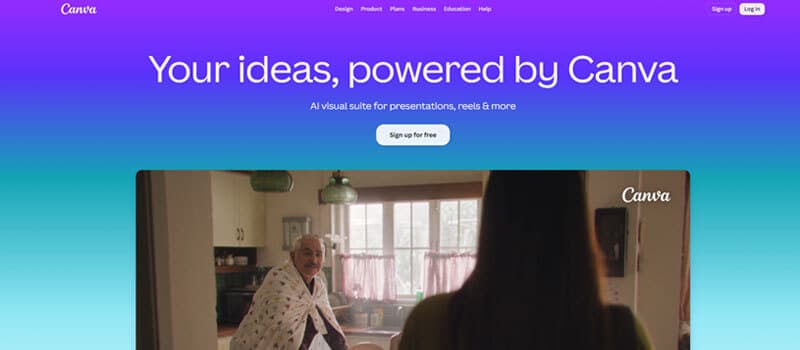
Canva earns its place among the Best Branding Tools for Startups because it covers a large portion of the everyday creative workflow in one accessible platform.
A startup can use Canva for:
- Pitch decks
- Social posts
- Ads
- Blog graphics
- Reports
- Business cards
- Infographics
- Sales presentations
- Short videos
- Marketing collateral
- Basic website graphics
Canva’s Brand Kit allows companies to organize fonts, logos, colors, imagery, graphics, icons, and Brand Templates in one location. Teams can also add contextual guidelines explaining how individual assets should be used.
Why Canva Works for Startups
The biggest advantage is accessibility.
A founder does not have to learn professional design software before creating reasonable marketing materials.
It can also reduce tool sprawl.
Instead of paying separately for simple presentation, social graphics, image editing, and lightweight video software, an early-stage team may be able to handle several tasks in Canva.
Strong Features
- Brand Kits
- Brand Templates
- Custom colors and fonts
- Logo storage
- Social scheduling
- Presentation creation
- Video tools
- Stock media
- Collaboration
- AI-assisted workflows
Pros
- Easy to learn
- Large template ecosystem
- Useful across many departments
- Strong for non-designers
- Works well for small teams
- Scales beyond basic graphics
Cons
- Heavy template use can make brands look generic
- Product designers may prefer Figma
- Highly custom identities still benefit from professional design work
Best Use Case
Create the identity elsewhere if necessary, then use Canva as the daily execution layer for the brand.
Verdict
If an early-stage company wants only one general creative subscription, Canva remains one of the strongest choices.
2. Adobe Express — Best for Professional Marketing Content
Best for: Companies that want accessible creative tools while remaining connected to the Adobe ecosystem.
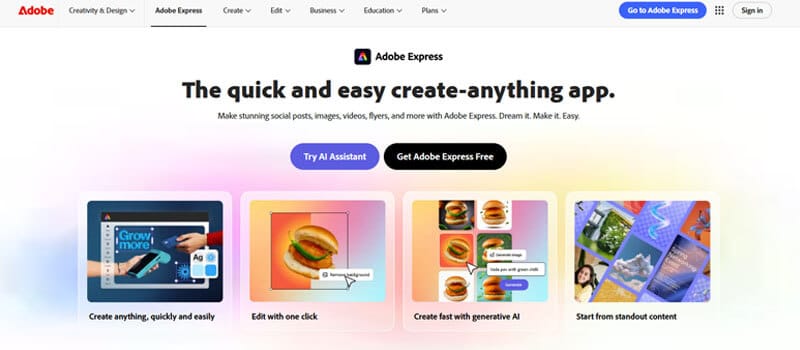
Adobe Express belongs among the Best Branding Tools for Startups for teams that want templates, photo and video editing, brand management, social scheduling, stock assets, and generative AI functionality in one environment.
Best Startup Uses
- Advertising creative
- Social media posts
- Posters
- Video content
- Sales graphics
- Flyers
- Presentations
- Promotional materials
Why Choose It Over Canva?
Adobe Express makes particular sense when your design workflow already involves:
- Photoshop
- Illustrator
- Adobe Fonts
- Adobe Stock
- Acrobat
- Other Adobe products
Pros
- Strong creative ecosystem
- Good font and stock libraries
- Brand Kits
- Video and image editing
- Team-level controls available
- Free plan
Cons
- Some advanced capabilities require paid plans
- Canva may have a gentler learning curve for complete beginners
Verdict
Adobe Express is a strong alternative for startups that want easier design software without completely leaving Adobe’s professional ecosystem.
3. Figma — Best for Product Branding and Design Systems
Best for: SaaS, mobile apps, software products, digital services, and design-led startups.
For product companies comparing the Best Branding Tools for Startups, branding does not stop at the marketing website.
Customers also experience the brand through:
- Navigation
- Buttons
- Dashboards
- Forms
- Icons
- Empty states
- Error messages
- Mobile layouts
- Product typography
Figma is particularly valuable because reusable libraries and components allow designers to establish consistent systems across a product.
Best Features
- Shared libraries
- Reusable components
- Variables
- Prototyping
- UI design
- Design systems
- Developer handoff
- Team collaboration
Canva vs. Figma
| Need | Canva | Figma |
|---|---|---|
| Social graphics | Excellent | Fair |
| Pitch decks | Excellent | Good |
| Product UI | Basic/Good | Excellent |
| Design systems | Good | Excellent |
| Marketing templates | Excellent | Moderate |
| Developer handoff | Limited | Excellent |
| Beginner friendliness | Excellent | Moderate |
Verdict
For SaaS startups, Figma + Canva is often more useful than trying to decide between the two.
Use Figma for product systems and Canva for everyday marketing.
4. Looka — Best for Quickly Creating an AI Brand Kit
Best for: Founders needing a usable visual identity quickly.
Looka is one of the Best Branding Tools for Startups that need to move from a company name to a more complete identity system without immediately hiring a designer.
Its Brand Kit can extend a logo into branded materials such as:
- Social assets
- Business cards
- Email signatures
- Letterheads
- Invoices
- Brand guidelines
Good For
- MVP launches
- Solopreneurs
- Side businesses
- Idea validation
- Very early startups
Pros
- Fast setup
- Beginner-friendly
- Logo plus supporting assets
- Vector files available
- Useful before professional rebranding
Cons
- AI concepts can feel generic
- Brand strategy still requires human decisions
- Generated logos should be checked for legal and competitive conflicts
Verdict
Looka is most attractive when speed and affordability matter more than creating a deeply customized identity.
5. Brandmark — Best One-Time Branding Package
Best for: Bootstrapped startups that prefer a one-time purchase.
Brandmark has an interesting advantage over subscription-heavy branding software: its main packages are sold as one-time purchases.
| Package | Price | Included |
|---|---|---|
| Basic | $35 one-time | PNG and vector logo |
| Designer | $95 one-time | Source files, revisions, guidelines, website and marketing designs |
| Enterprise | $195 one-time | Designer package + handcrafted concepts |
Brandmark also states that commercial usage is included with purchased packages.
Pros
- One-time cost
- Vector formats
- Brand guidelines
- Social designs
- Presentation assets
- Source files on higher tiers
Cons
- Less useful for everyday marketing production
- Generated identity still needs strategic evaluation
Verdict
Brandmark is an attractive option for a bootstrapped founder wanting to establish initial visual assets without creating another recurring software bill.
6. Tailor Brands — Best for Branding and Business Setup Together
Best for: U.S.-focused founders starting a company and brand at the same time.
Tailor Brands combines its logo maker with a broader business-launch ecosystem.
The logo generator supports:
- Wordmarks
- Monograms
- Icon logos
- Font customization
- Color customization
- EPS, SVG, and PNG files
The platform also offers branded assets, website tools, digital business cards, business formation, compliance tools, and related services.
Pros
- Logo and business tools together
- Vector files
- AI-assisted creation
- Website functionality
- Social assets
- Useful for first-time founders
Cons
- Some services are primarily designed around U.S. business formation
- Less compelling if the startup already has legal and operational infrastructure
Commercial Rights
Tailor Brands states that purchased logos include commercial-use rights, although users should still examine current terms and perform independent trademark clearance.
Verdict
Tailor Brands is strongest for entrepreneurs simultaneously handling company formation and initial branding.
7. HubSpot Brand Kit Generator — Best Free Starter Brand Kit
Best for: Founders who need an initial identity without spending money.
For founders comparing free options among the Best Branding Tools for Startups, HubSpot’s Brand Kit Generator can help create:
- Logo
- Favicon
- Color palette
- Font combination
Where It Fits
This is ideal when your startup needs enough branding to create:
- First landing page
- Pitch deck
- Social profiles
- Email signature
- Early marketing materials
What It Does Not Replace
It does not replace:
- Customer research
- Positioning
- Trademark clearance
- Professional art direction
- Messaging strategy
Verdict
It can be a useful zero-budget option for establishing a minimum viable brand.
8. Namelix — Best AI Tool for Startup Naming Ideas
Best for: Early-stage naming and brainstorming.
Namelix generates short brand-name ideas using AI and allows users to prioritize factors such as keywords, length, and domain extensions.
A Better Naming Workflow
Do not register the first interesting suggestion.
Instead:
- Generate 30–50 possible names.
- Remove difficult spellings.
- Say each name aloud.
- Check relevant domains.
- Search major social networks.
- Search Google.
- Conduct preliminary trademark searches.
- Test finalists with potential customers.
Important Limitation
AI can generate ideas.
It cannot guarantee that a name is legally available.
Verdict
Namelix is useful as an ideation engine, not as final legal clearance.
9. Coolors — Best Brand Color Palette Tool
Best for: Creating and organizing brand color systems.
Among the more focused Best Branding Tools for Startups, Coolors makes it easy to:
- Generate palettes
- Save colors
- Explore combinations
- Extract colors from images
- Visualize palettes
- Check contrast
Better Than Choosing Random Colors
Assign functional roles.
| Brand Color Role | Typical Use |
|---|---|
| Primary | Main identity |
| Secondary | Supporting graphics |
| Accent | Calls to action |
| Dark neutral | Main text |
| Light neutral | Backgrounds |
| Success | Confirmation |
| Warning | Caution |
| Error | Problems |
Accessibility Matters
Color combinations that look attractive may still be difficult to read.
For normal text, WCAG 2.2 specifies a minimum contrast ratio of 4.5:1, while qualifying large text can use 3:1. Logo text is exempt from this specific criterion.
Verdict
Coolors is a simple but extremely useful tool that can prevent random and inconsistent color choices.
10. Google Fonts — Best Free Typography Resource
Best for: Professional typography without additional font licensing costs.
Google Fonts deserves a place among the Best Branding Tools for Startups because it provides open-source font families that can be used in both commercial and non-commercial projects.
Simple Startup Typography System
Most startups do not need five different typefaces.
Try:
Heading font: distinctive and readable
Body font: highly readable
Optional accent font: used sparingly
Sometimes one flexible font family with several weights is enough.
Test Fonts For
- Mobile readability
- Long paragraphs
- Numbers
- Buttons
- Presentations
- International characters
- Website performance
Verdict
Google Fonts is one of the most useful completely free resources available for building a professional startup identity.
11. Webflow — Best for Turning the Brand Into a Website
Best for: Design-led SaaS companies, agencies, premium startups, and businesses where the website plays a major role in customer acquisition.
Your website is often the place where customers experience the full brand system.
It brings together:
- Typography
- Colors
- Layout
- Photography
- Animation
- Copy
- Interaction
- Calls to action
Webflow gives design-focused teams considerable control over how those elements work together across pages.
Pros
- Significant visual control
- Responsive websites
- CMS functionality
- Strong fit for modern technology brands
- Less developer dependence for many marketing changes
Cons
- Higher learning curve than basic builders
- Can be overkill for a simple validation page
- Costs and requirements may grow with the website
Verdict
Choose Webflow when the startup’s website itself needs to become a major expression of the brand.
12. Buffer — Best for Consistent Social Publishing
Best for: Startups trying to maintain a reliable brand presence across social channels.
Brand consistency is partly visual.
It is also behavioral.
A startup that posts intensively for four days and then disappears for six weeks will struggle to build familiarity.
Buffer supports publishing across major social platforms and gives small teams a way to organize their content calendar.
Practical Workflow
A small team might use:
Canva → Create graphics
Brand guidelines → Check consistency
Buffer → Schedule distribution
Verdict
Buffer does not create your brand identity, but it can help ensure the brand actually appears consistently over time.
13. Mailchimp — Best for Extending Branding Into Email
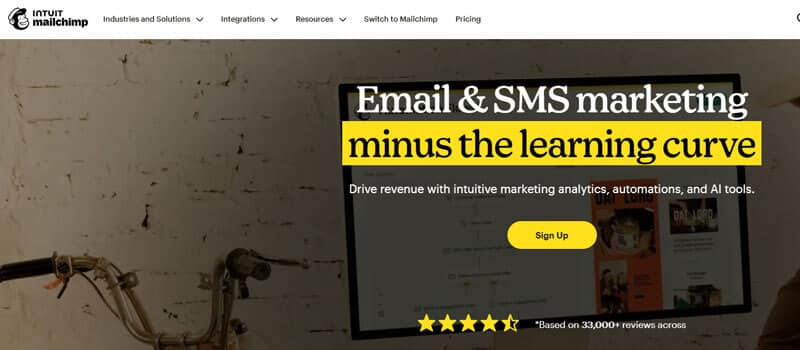
Best for: Newsletters, onboarding campaigns, promotional emails, and lifecycle communication.
A polished website can quickly lose credibility if company emails look unrelated to the rest of the brand.
Mailchimp’s Brand Kit can help teams manage elements such as:
- Logos
- Fonts
- Colors
- Brand personality
- Button styles
Those elements can then be applied across email templates and marketing workflows.
Why Email Branding Matters
Customers may move through:
Ad → Website → Signup → Welcome Email → Newsletter → Offer → Purchase
If every step looks and sounds like a different company, brand recognition becomes harder to build.
Pros
- Email and branding connected
- Reusable assets
- Brand Kit
- Marketing automation
- Template workflows
Cons
- Too broad if you only need visual design
- Paid functionality grows with marketing needs
Verdict
Mailchimp becomes a branding tool when email is an important part of the customer journey.
14. Descript — Best for Branded Video and Audio
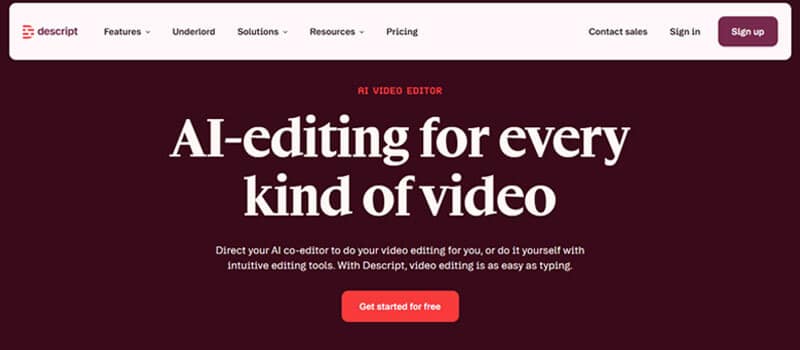
Best for: Product demos, founder videos, podcasts, tutorials, sales clips, and social video.
As startups produce more video, maintaining consistent visual and verbal presentation becomes harder.
Descript’s Brand Studio can centralize elements such as:
- Layout packs
- Custom fonts
- Colors
- Media
- Brand terminology
Good Startup Applications
- Product demos
- Customer tutorials
- Sales videos
- Founder announcements
- Podcast clips
- Social content
- Internal training
Verdict
The cost may be difficult to justify for occasional video production, but content-heavy startups can benefit significantly from reusable video-brand systems.
15. Frontify — Best Brand Management Platform for Scaling Startups
Best for: Growing companies with multiple teams, agencies, countries, brands, or large asset libraries.
Frontify sits at the opposite end of the spectrum from free logo generators.
You probably do not need it when three founders are sharing a Canva folder.
The need emerges when a growing company starts dealing with:
- Multiple agencies
- Multiple product lines
- Regional marketing teams
- Hundreds of assets
- Localization
- Permissions
- Outdated files
- Approval workflows
Frontify combines capabilities such as brand guidelines, digital asset management, templates, brand portals, design systems, and brand governance.
Verdict
Frontify is not an early-stage necessity.
It becomes valuable when brand inconsistency itself becomes an operational problem.
What Should a Startup Branding Toolkit Include?
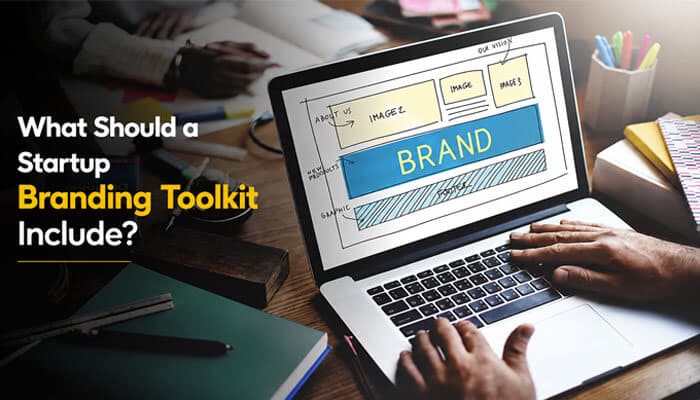
Before choosing the Best Branding Tools for Startups, founders should understand the core elements of a complete brand system.
Brand Name
Choose a name that is memorable, easy to pronounce, searchable, and suitable for domain and trademark use.
Logo System
Prepare more than one logo format, including:
- Primary logo
- Alternate logo
- Icon or favicon
- Light and dark versions
- Monochrome version
Color and Typography
Define:
- Primary and secondary colors
- Accent and background colors
- Text colors
- Headline and body fonts
- Fonts for web, presentations, and marketing
Brand Voice
Document the startup’s tone, vocabulary, formality, messaging style, and words to use or avoid.
Brand Guidelines
Create simple rules explaining how logos, colors, fonts, imagery, and messaging should be used consistently.
Content Creation
Apply the brand across:
- Websites
- Social media
- Ads
- Presentations
- Video
- Sales materials
- Product interfaces
A strong branding toolkit usually combines several specialized tools rather than relying on a single logo generator.
How to Choose the Right Branding Tools
1. Identify the Bottleneck
Ask what is causing inconsistency. It may be an unusable logo, slow content creation, inconsistent product design, scattered assets, or different messaging across channels.
When comparing the Best Branding Tools for Startups, choose software that solves a clear problem rather than adding unnecessary subscriptions.
2. Prioritize Ease of Use
Powerful software has little value if the team avoids using it. For early startups, simplicity and adoption often matter more than advanced features.
3. Check Collaboration
Useful features include:
- Shared assets
- Comments
- Permissions
- Version history
- Approval workflows
- Team libraries
4. Review Export and Brand Controls
Make sure important assets can be exported in formats such as SVG, PNG, PDF, and source files where needed.
Also look for approved colors, fonts, reusable templates, permissions, and shared guidelines.
5. Check Commercial Rights
Review licensing before using logos, fonts, stock images, icons, templates, or AI-generated assets commercially.
Remember: commercial-use permission does not always mean exclusivity.
6. Avoid Vendor Lock-In
Check whether you can download assets, keep original files, transfer documentation, and retain access if you cancel.
7. Plan for Growth
Consider whether the tool can still support the company as the team, content volume, and branding needs expand.
A 7-Step Startup Branding Workflow
Step 1: Define Positioning
Clarify your target customer, problem, category, differentiation, value proposition, and brand personality.
Step 2: Generate Naming Ideas
Use brainstorming, customer language, Namelix, and competitive research to create a shortlist.
Step 3: Check the Name
Review:
- Domains
- Search engines
- Social platforms
- Company registries
- Trademark databases
Seek professional trademark advice when appropriate.
Step 4: Build the Visual Identity
Create:
- Primary and alternate logos
- Icon and favicon
- Color palette
- Typography
- Image style
Tools such as Looka, Brandmark, Coolors, Google Fonts, and HubSpot Brand Kit Generator can help.
Step 5: Create a Design System
Store approved assets in Canva or Figma and document colors, typography, spacing, buttons, icons, and logo rules.
Step 6: Document Brand Guidelines
A simple guide can cover:
- Positioning
- Logo usage
- Colors
- Typography
- Imagery
- Brand voice
- Templates
- Examples
Keep essential assets in formats such as SVG, PNG, and PDF, and document color codes, fonts, licensing, and approved templates.
Step 7: Apply the Brand Consistently
Use the same identity across your website, product, social media, email, advertising, presentations, sales materials, and customer support.
Consistency builds recognition through repeated exposure.
Brand Guidelines by Startup Stage
Brand systems should become more structured as a startup grows.
| Stage | What to Include |
|---|---|
| Pre-launch | Logo, colors, fonts, basic voice |
| Pre-seed | Add social templates and pitch deck |
| Seed | Add website/UI rules and imagery |
| Series A | Add design systems, permissions, and detailed voice |
| Growth | Add governance, asset libraries, localization, and approvals |
Early-stage teams only need enough consistency to launch. As more employees, agencies, and markets are added, stronger guidelines, permissions, and brand-management systems become more valuable.
How Do You Know If Your Startup Branding Is Working?
Choosing the Best Branding Tools for Startups is only the beginning. You also need to measure whether people notice, remember, and understand the brand.
Track:
- Branded search growth
- Direct website traffic
- Social mentions
- Share of voice
- Aided and unaided awareness
- Message recall
- Brand consistency
- Conversion from returning or branded visitors
The goal is not only recognition. Customers should also understand what you do, who you serve, and why you are different.
Brand Monitoring Tools: When Do You Need Them?
Early startups can usually rely on manual searches, platform notifications, analytics, and customer feedback.
As the company grows, dedicated tools become more useful.
Brand24 — Bonus Tool for Growing Startups
Brand24 can track:
- Mentions
- Reach and engagement
- Sentiment
- Sources
- Trends
- Share of voice
Its cost may be difficult to justify for bootstrapped startups, so it makes more sense when reputation, PR, and competitive monitoring become important.
AI Branding Tools: Use AI Without Losing Differentiation
AI can quickly generate logos, names, images, colors, copy, and marketing materials.
However, using the same models, templates, and trends as thousands of other companies can make brands look similar.
AI cannot fully replace human judgment around:
- Positioning
- Customer perception
- Cultural context
- Differentiation
- Trademark risk
- Long-term brand value
A better approach is:
AI for exploration + human judgment for selection and refinement.
Who Owns an AI-Generated Logo?
Three issues matter when using AI-generated branding.
Commercial-Use Rights
Check whether the platform allows commercial use of the generated design.
Trademark Clearance
Commercial-use permission does not guarantee that the logo is free from trademark conflicts.
Copyright Protection
Copyright protection for AI-assisted work can depend on how much original human creative expression is involved.
Therefore:
Commercial permission does not automatically mean full copyright ownership.
For an important long-term brand asset, founders should review platform terms, trademark risks, and applicable intellectual-property rules.
Do You Need a Trademark Before Launching?
Not every startup needs a registered trademark before launching a landing page. However, investing heavily in a name without checking for conflicts can create expensive problems.
Before committing to a brand name, consider:
- Preliminary trademark searches
- Domain availability
- Company-name searches
- Competitor research
- Professional legal advice where appropriate
Important: This article provides general information, not legal advice.
Do Not Ignore Accessibility When Building a Brand
A visually attractive brand can still create a poor user experience if its colors are difficult to read.
For example, light gray text on a white background may look minimalist but provide poor readability.
WCAG 2.2 sets a minimum contrast ratio of 4.5:1 for normal text and 3:1 for qualifying large text under its contrast requirements.
Consider creating two systems:
Brand Palette
The full set of colors representing the brand.
Accessible UI Combinations
Approved color combinations tested for:
- Text
- Buttons
- Forms
- Navigation
- Alerts
- Interactive states
Not every brand color should automatically be used for text.
Free vs. Paid Branding Tools for Startups
| Free Tools May Be Enough When… | Paid Tools Become Useful When… |
|---|---|
| Validating an idea | Multiple people create content |
| Building an MVP | Reusable templates save significant time |
| Testing names | Stronger brand controls are needed |
| Creating initial designs | Approval workflows are required |
| Launching social profiles | Asset libraries are growing |
| Building a simple website | Permissions and collaboration matter |
A paid tool should ideally:
- Save meaningful time
- Improve quality
- Reduce inconsistency
- Remove a scaling bottleneck
Startup Branding Budget by Stage
There is no universal branding budget. The Best Branding Tools for Startups should match the company’s current stage rather than simply being the most expensive options.
| Startup Stage | Branding Approach | Tool Strategy |
|---|---|---|
| Idea | Validate before investing heavily | Mostly free |
| Pre-seed | Build a credible minimum identity | Free + selected paid tools |
| Seed | Create reusable systems | Collaborative paid stack |
| Series A | Formalize brand governance | Professional design + management |
| Growth | Maintain consistency at scale | Brand management + workflows |
Idea Stage
Focus on validating the business before spending heavily. Use free tools for naming, colors, fonts, a basic logo, and an initial landing page.
Pre-Seed
A stronger identity can help with investors, recruiting, early customers, and product launches. One or two paid tools may be enough.
Seed
Shared templates, design systems, better websites, and consistent email branding can improve both marketing and team productivity.
Series A
Formalize:
- Brand governance
- Differentiation
- Brand architecture
- Copy systems
- Asset management
Growth
As more teams and campaigns appear, dedicated brand-management tools can help prevent inconsistency and reduce duplicated work.
When Should a Startup Hire a Professional Designer or Branding Agency?
Even the Best Branding Tools for Startups cannot replace professional expertise in every situation.
DIY Branding Makes Sense When
- The business is still validating demand.
- Budget is highly constrained.
- Branding needs are simple.
- Speed matters more than perfect differentiation.
- The product may change significantly.
Professional Branding Becomes More Valuable When
You Raise Significant Funding: More stakeholders, customers, and employees increase the need for consistency.
You Enter Retail: Packaging and physical environments require more specialized design.
You Need Strong Differentiation: Generic identities can struggle in crowded markets.
You Sell to Enterprise Buyers: Credibility, consistency, documentation, and presentation become more important.
You Expand Internationally: Names, imagery, colors, and messaging may require cultural consideration.
Your Brand Is Inconsistent: A professional system can bring different teams and channels into alignment.
Legal Questions Become Significant: Trademark, licensing, and related issues may require professional legal advice alongside design expertise.
Common Startup Branding Mistakes
- Starting with the logo before defining strategy.
- Using too many tools or subscriptions.
- Copying competitors instead of standing out.
- Choosing fonts without testing usability.
- Relying too heavily on generic templates.
- Ignoring brand voice and accessibility.
- Buying expensive tools too early.
- Ignoring asset licensing.
- Failing to measure brand recognition.
- Rebranding too frequently.
Keep your brand simple, distinctive, and consistent as you grow.
Final Decision Matrix: Which Branding Tool Should You Choose?
If you are still comparing the Best Branding Tools for Startups, use this matrix to match your biggest branding need with the most practical starting point.
| If Your Biggest Need Is… | Start With |
|---|---|
| Everything in one place | Canva |
| Marketing design | Adobe Express |
| SaaS/product design | Figma |
| Fast AI identity | Looka |
| One-time branding purchase | Brandmark |
| Company formation + branding | Tailor Brands |
| Free starter identity | HubSpot Brand Kit Generator |
| Naming | Namelix |
| Colors | Coolors |
| Typography | Google Fonts |
| Website design | Webflow |
| Social publishing | Buffer |
| Email branding | Mailchimp |
| Video branding | Descript |
| Brand management at scale | Frontify |
| Brand voice (Bonus) | Jasper |
| Brand monitoring (Bonus) | Brand24 |
Conclusion: Choosing the Best Branding Tools for Startups
The Best Branding Tools for Startups are the ones that match your current stage, budget, and biggest branding challenge. Early-stage founders usually do not need a large software stack. A few well-chosen tools can be enough to build a professional and consistent identity.
For most startups, Canva is the strongest all-around option, while Figma is better suited to product and SaaS design. Tools such as Looka, Brandmark, Coolors, Google Fonts, Webflow, Buffer, Mailchimp, and Frontify become useful when specific branding needs arise.
The most important step is to establish your positioning, visual identity, brand voice, and guidelines before adding more software. Branding tools should make those decisions easier to apply consistently—not make the decisions for you.
Start with the tools that solve your most immediate problems, upgrade as your team grows, and keep your brand consistent across every customer touchpoint. A recognizable brand is built through clear strategy and repeated execution, not simply by using more tools.
Frequently Asked Questions
1. What are the best branding tools for startups?
The Best Branding Tools for Startups depend on the company’s needs. Canva is the strongest overall option, while Figma is ideal for SaaS and product design. Other useful choices include Looka, Brandmark, Coolors, Google Fonts, Webflow, Buffer, Mailchimp, and Frontify.
2. Is Canva good for startup branding?
Yes. Canva is a strong choice for startups because it combines Brand Kits, templates, presentations, social content, video, and collaboration in one platform. It is especially useful for founders and small teams without professional design experience.
3. What is the best free branding tool for startups?
A combination of free tools can work well. HubSpot Brand Kit Generator, Coolors, Google Fonts, Canva Free, and Figma’s starter option can cover basic identity, colors, typography, marketing design, and product UI needs.
4. What branding tools are best for a SaaS startup?
Figma is particularly useful for SaaS startups because it supports product UI, reusable components, design systems, prototyping, and developer handoff. Combining Figma + Canva + Webflow can cover product, marketing, and website branding.
5. Do startups need multiple branding tools?
Not necessarily. Most early-stage startups can begin with three to five tools rather than paying for a large collection of subscriptions. Start with tools that solve immediate problems and add specialized platforms as the company grows.
6. Can AI branding tools create a complete startup brand?
AI tools can help generate names, logos, colors, images, and marketing content, but they cannot replace decisions about positioning, differentiation, customer perception, or trademark risk. A better approach is AI for exploration and human judgment for selection and refinement.
7. When should a startup pay for branding software?
Paid branding software becomes more useful when a startup has multiple content creators, needs reusable templates, requires approval workflows, manages larger asset libraries, or needs stronger brand controls.
8. When should a startup hire a professional branding designer?
Professional help becomes more valuable when the startup needs stronger differentiation, enters retail, sells to enterprise customers, expands internationally, raises significant funding, or struggles with inconsistent branding. Tools can support execution, but they do not replace strategic or creative expertise.
