
Last Updated: May 2026
This is why searches for Best Free AI Image to Video Tools 2026 are growing among YouTubers, TikTok creators, Instagram Reels editors, ecommerce sellers, bloggers, educators, marketers, agencies, designers, and small business owners. These tools can turn product photos, portraits, AI-generated artwork, real estate images, food pictures, logos, fashion shots, and social media graphics into short animated videos.
This guide compares the Best Free AI Image to Video Tools 2026 based on free limits, watermark rules, commercial-use rights, output quality, editing features, mobile support, prompt control, privacy, and real-world use cases.
Best Free AI Image to Video Tools 2026
The Best Free AI Image to Video Tools 2026 include Adobe Firefly, Runway, Pika, Luma Dream Machine, Canva, VEED, Kapwing, PixVerse, Kling AI, and Hailuo AI.
| User Need | Best Tool Choices |
|---|---|
| Commercial-safe creative workflow | Adobe Firefly |
| Cinematic AI video testing | Runway, Luma Dream Machine, Kling AI |
| Beginner-friendly social videos | Canva, VEED, Kapwing |
| Creative viral effects | Pika, PixVerse, Hailuo AI |
| Product ads and ecommerce videos | Kapwing, VEED, Canva, Adobe Firefly |
| No-watermark free testing | Kapwing, Pika |
| Realistic motion testing | Luma, Runway, Kling AI |
| Mobile AI video creation | Hailuo AI, Kling AI, Canva |
| YouTube Shorts and Reels | Pika, VEED, Canva, Kapwing, PixVerse |
The best strategy is to test two or three tools using the same image and prompt. Compare motion quality, watermark rules, export quality, credit limits, privacy settings, and commercial-use rights before choosing one platform for regular content creation.
Real Free Limits of the Best Free AI Image to Video Tools 2026
When comparing the Best Free AI Image to Video Tools 2026, users should understand that most platforms are free-to-start, not fully unlimited. Free access usually means limited credits, lower resolution, watermarks, slower generation, or personal-use restrictions.
| Tool | Free Limit | Best Free Use | Main Limitation |
|---|---|---|---|
| Runway | 125 one-time credits | Cinematic AI video testing | Credits are limited and better for testing than regular production |
| Pika | 80 monthly video credits and 480p access | Creative short-form videos | Credit use depends on feature, quality, and duration |
| Luma Dream Machine | Limited monthly credits | Realistic motion testing | Free plan includes watermarks and non-commercial use only |
| Kapwing | Free-to-start credit system | No-watermark testing and editing | AI tools use credits, so heavy use may need an upgrade |
| VEED | Free-to-try workflow | Social videos, captions, and quick editing | Export limits or watermark rules may require a paid plan |
This is why readers should not choose a tool only because it says “free.” They should compare credits, watermarks, commercial-use rights, export resolution, clip duration, privacy rules, and whether the free plan is suitable for publishing or only testing.
Free Limits Comparison Table
| Tool | Free Type | Best Free Use | Main Limitation |
|---|---|---|---|
| Runway | One-time free credits | Cinematic AI video testing | Credits do not refresh monthly |
| Pika | Monthly free credits | Short creative clips | Credit cost depends on feature and quality |
| Luma Dream Machine | Limited free plan | Realistic motion testing | Watermark and non-commercial free use |
| Kapwing | Free-to-start credit system | Social videos, product ads, editing | Credits limit heavy usage |
| VEED | Free-to-try workflow | Social media clips and product visuals | Export and plan limits should be checked |
| Canva | Free-to-start design workflow | Beginner-friendly social videos | Advanced tools may require paid access |
| Adobe Firefly | Free-to-start with credits | Commercial-safe creative workflow | Heavy use requires credits or paid plans |
| PixVerse | Free-to-start creative tool | Viral-style AI clips | Check credit and export limits |
| Kling AI | Free-to-start app/web access | Realistic motion and mobile video | Credits, wait times, and access may vary |
| Hailuo AI | Free-to-start app/web access | Mobile AI image-to-video effects | Advanced features may require subscription |
| Gemini/Veo | Paid-plan access | Premium benchmark | Not a normal free tool |
Google’s Gemini video generation page says Veo can create eight-second videos with sound and photo-to-video workflows, but access is tied to Google AI plans, so Gemini/Veo should be treated as a premium benchmark rather than a normal free tool.
What Is an AI Image-to-Video Tool?
An AI image-to-video tool is software that turns a still image into a moving video using artificial intelligence. Many of the Best Free AI Image to Video Tools 2026 let users upload a photo, product image, logo, artwork, AI-generated image, or design and then write a prompt explaining how the image should move.
For example, a user may upload a product image and write:
“Slow cinematic camera zoom toward the product, soft studio lighting, subtle background movement, premium ecommerce advertisement style.”
The AI then creates new frames from the original image. It may simulate camera movement, product rotation, facial expression, background motion, depth, lighting changes, atmosphere, or cinematic effects.
These tools can be used to create product videos, portrait animations, logo intros, AI art motion clips, social media videos, real estate previews, fashion campaign clips, food promotion videos, ecommerce ads, website hero videos, YouTube Shorts, Instagram Reels, and TikTok clips.
Image-to-Video vs Text-to-Video vs AI Video Editor
Not every AI video tool works the same way. Readers searching for Best Free AI Image to Video Tools 2026 may also see terms such as text-to-video, AI video editor, AI animation tool, AI video generator, and AI clip maker.
| Type | How It Works | Best For |
|---|---|---|
| AI Image-to-Video | Starts with an existing image. Users upload a photo, product shot, portrait, logo, artwork, or AI-generated image. The tool animates that image based on the prompt. | Product videos, portrait animation, logo intros, AI art motion, social media clips |
| AI Text-to-Video | Starts with a written prompt. Users do not need to upload an image. The AI creates a full video scene from text. | Storytelling videos, concept scenes, creative ads, cinematic clips |
| AI Video Editor | Helps users edit videos after generation. Users can resize, subtitle, caption, trim, brand, add music, add voiceovers, and export videos. | YouTube Shorts, Instagram Reels, TikTok videos, marketing videos, branded content |
Why AI Image-to-Video Tools Are Popular in 2026
Short-form video dominates digital attention. TikTok, YouTube Shorts, Instagram Reels, LinkedIn videos, ecommerce ads, and website hero sections all reward movement. This is one reason the Best Free AI Image to Video Tools 2026 are becoming popular among creators, marketers, and small businesses.
AI image-to-video tools help users create more content from assets they already have. A small business can animate product photos. A creator can turn AI artwork into Reels. A real estate agent can add movement to property images. A blogger can create video snippets from featured images. A marketer can test several ad creatives without arranging a new shoot.
These tools are also useful for content repurposing. One image can become a TikTok clip, YouTube Short, Instagram Reel, product ad, website banner, presentation intro, newsletter visual, or paid social creative.
How We Compared the Best Free AI Image to Video Tools 2026
This comparison focuses on practical factors that matter to real users, not just tool popularity.
| Ranking Factor | Why It Matters |
|---|---|
| Free access | Users need to know whether the tool is free, freemium, trial-based, or credit-based |
| Credit limits | AI video generation often depends on credits |
| Watermark rules | Watermarks affect professional publishing |
| Commercial-use rights | Businesses need permission for ads, ecommerce, and client work |
| Output quality | Resolution, motion realism, and stability matter |
| Prompt control | Better prompt control creates better results |
| Ease of use | Beginners need simple workflows |
| Editing tools | Captions, music, text, and resizing improve the final video |
| Mobile support | TikTok and Reels creators often work from phones |
| Privacy and safety | Users need to protect personal and client images |
The best tool is not always the tool with the most advanced model. The best tool is the one that matches the user’s goal, skill level, budget, privacy needs, and publishing plan.
Best Free AI Image to Video Tools 2026
| Rank | Tool | Best For | Free Access Type | Main Strength |
|---|---|---|---|---|
| 1 | Adobe Firefly | Commercial-safe creative workflows | Free-to-start with credits | Brand-safe generation and Adobe workflow |
| 2 | Runway | Cinematic AI video testing | One-time credits | High-quality generative video |
| 3 | Pika | Creative social clips | Monthly credits | Short-form creativity and effects |
| 4 | Luma Dream Machine | Realistic motion testing | Limited free plan | Natural movement and cinematic feel |
| 5 | Canva | Beginners and social media | Free-to-start | Templates and easy editing |
| 6 | VEED | Social clips and quick editing | Free-to-try | Generation plus subtitles and editing |
| 7 | Kapwing | No-watermark testing and team editing | Credit-based free access | Free testing without watermarks |
| 8 | PixVerse | Viral AI effects | Free-to-start | Trend-focused video effects |
| 9 | Kling AI | Advanced AI motion | Free-to-start app/web access | Image-to-video and high-quality generation |
| 10 | Hailuo AI | Mobile AI creation | Free-to-start app/web access | Phone-friendly image-to-video creation |
Editor’s Pick: Best Overall Free AI Image-to-Video Tool
For most users, Kapwing is one of the best starting points because it combines AI image-to-video generation with editing tools and no-watermark free testing on a credit system.
For commercial-safe brand work, Adobe Firefly is the better choice because Adobe says videos created with Firefly generative AI are commercially safe for campaigns, client work, presentations, and more.
For cinematic motion testing, Runway and Luma Dream Machine are stronger options. Runway offers high-quality generative video testing through credits, while Luma is useful for realistic motion testing but has watermark and non-commercial restrictions on the free plan.
Free vs Freemium vs Free Trial: What Users Should Know
Many users searching for Best Free AI Image to Video Tools 2026 expect unlimited video generation without payment. In reality, most AI video platforms use one of three models.
| Type | What It Means | Common Limits | Best For |
|---|---|---|---|
| Free Tool | Allows users to create basic videos without paying | Limited credits, lower resolution, slower speed, or restricted usage rights | Simple testing and beginner use |
| Freemium Tool | Offers a free plan with paid upgrades | Watermarks, limited exports, fewer credits, or lower quality | Users who may upgrade later |
| Free Trial Tool | Gives temporary access to premium features | Trial expires or credits run out | Testing advanced features before paying |
This distinction matters because AI video generation uses significant computing resources. A tool may be excellent for testing but not practical for publishing videos every week unless the user upgrades.
Best Free AI Image to Video Tools 2026 With No Watermark
Watermark rules are one of the most important factors when choosing the Best Free AI Image to Video Tools 2026. A watermarked video may be acceptable for testing, but it is usually not ideal for ads, client work, ecommerce, brand campaigns, or monetized YouTube videos.
• Kapwing: Kapwing is one of the strongest options for no-watermark free testing. Its AI Image to Video page says users can try the tool for free without watermarks, although AI tools still run on a credit system.
•Pika: Pika may also be useful for no-watermark downloads depending on current plan rules. Its pricing page lists 80 monthly video credits on the free plan and says users can download videos with no watermark, but credit usage varies by feature, model, quality, and duration.
•Luma: Luma’s free web plan is not ideal for watermark-free publishing because its official support page lists watermarks and non-commercial use only on the free plan.
Before publishing professionally, users should check whether the free export includes a watermark, whether the video can be used commercially, whether export resolution is high enough, whether generated videos are public or private, and whether uploaded images can be deleted.
Can You Use Free AI Image-to-Video Tools for Commercial Projects?
Commercial use is an important factor when comparing the Best Free AI Image to Video Tools 2026. Some platforms allow free video generation, but that does not always mean the output can be used in product ads, ecommerce listings, YouTube monetization, client campaigns, app store previews, or brand content.
• Luma: Luma clearly separates free testing from professional use because its free web plan lists non-commercial use only and watermarks.
•Adobe Firefly: Adobe Firefly is one of the strongest options for business users because Adobe says videos created with Firefly generative AI are commercially safe for campaigns, client work, presentations, and more. Adobe also says Firefly image-to-video outputs can be exported directly into Premiere for further editing.
Top 10 Best Free AI Image to Video Tools 2026
1. Adobe Firefly
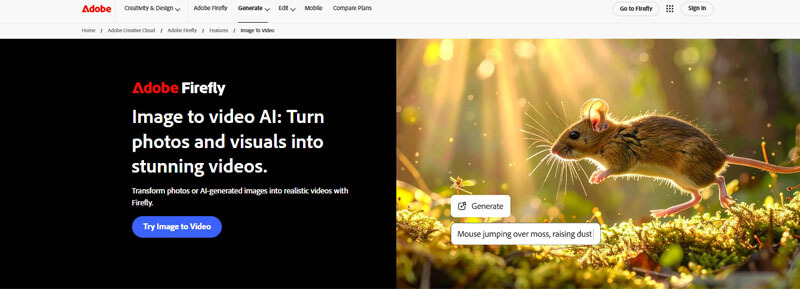
Adobe Firefly is one of the best options in the Best Free AI Image to Video Tools 2026 list for marketers, businesses, designers, and agencies that care about brand safety and commercial use. It supports image-to-video and text-to-video workflows and fits well into Adobe’s wider creative ecosystem.
Adobe Firefly is especially valuable for professional users because Adobe positions Firefly-generated videos as commercially safe for campaigns, client work, presentations, and other business projects. Adobe also explains that users can export generated video into Premiere for further editing.
Best Features
- Image-to-video generation
- Text-to-video generation
- Commercial-safe positioning
- Adobe ecosystem integration
- Useful for campaigns and client work
- Good for product videos and marketing content
Best For
Adobe Firefly is best for brands, marketers, agencies, designers, and business users who want a more professional AI video workflow.
Limitations
Firefly is not an unlimited free tool. Users should check generative credit limits and paid plan requirements before using it for regular video production.
2. Runway
Runway is one of the most popular tools in the Best Free AI Image to Video Tools 2026 list for cinematic video generation, creative direction, and AI filmmaking experiments. It is useful for creators who want strong motion quality, advanced visual control, and professional-looking video tests.
Runway’s free plan includes 125 one-time credits and Gen-4 Turbo image-to-video access. The credits do not renew after they are spent, so the free plan is best for testing.
During testing, Runway produced smoother cinematic camera movement than most beginner-focused tools, although credits were consumed quickly during repeated experiments.
Best Features
- Cinematic AI video generation
- Gen-4 Turbo image-to-video access
- Strong creative controls
- Useful for concept trailers and ads
- Good for AI filmmakers and advanced creators
Best For
Runway is best for filmmakers, YouTubers, AI artists, creative directors, and marketers testing cinematic video ideas.
Limitations
The free credits are one-time credits, so users who need regular video creation may need a paid plan.
3. Pika
Pika is a strong creative tool in the Best Free AI Image to Video Tools 2026 list for short-form content, fun effects, visual experiments, and social clips. It is useful for creators who want to animate images for TikTok, Instagram Reels, YouTube Shorts, and viral posts.
Pika’s pricing page lists 80 monthly video credits on the free plan, access to Pika 2.5 at 480p only, selected image-to-video features, and no-watermark downloads. Credit costs vary by feature and quality level.
Best Features
- Creative image-to-video effects
- Short-form video generation
- Useful for social media
- Good for visual experiments
- Monthly credit-style workflow
Best For
Pika is best for social media creators, meme creators, short-form editors, and users who want creative AI effects.
Limitations
Credit usage depends on the feature and quality level. Users should check current pricing and export rules before relying on it for regular content.
4. Luma Dream Machine
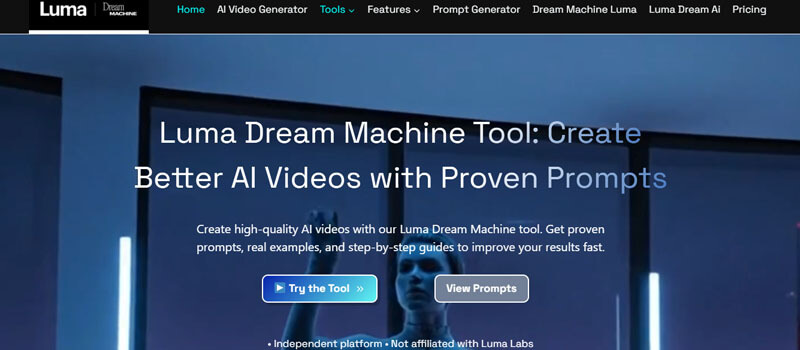
Luma Dream Machine is a strong option in the Best Free AI Image to Video Tools 2026 list for realistic motion, cinematic clips, and natural scene movement. It is useful for users who want to test how a still image can become a more believable moving video.
Luma’s free web plan includes limited monthly credits, draft resolution, lower priority processing, non-commercial use only, and watermarks.
Luma often produced more natural environmental motion, especially in landscape-style prompts.
Best Features
- Realistic motion testing
- Cinematic scene generation
- Good for landscapes and character motion
- Useful for AI video experiments
- Strong creative potential
Best For
Luma is best for creators who want realistic AI motion and cinematic experiments.
Limitations
The free plan is limited and watermarked, so it is better for testing than professional publishing.
5. Canva
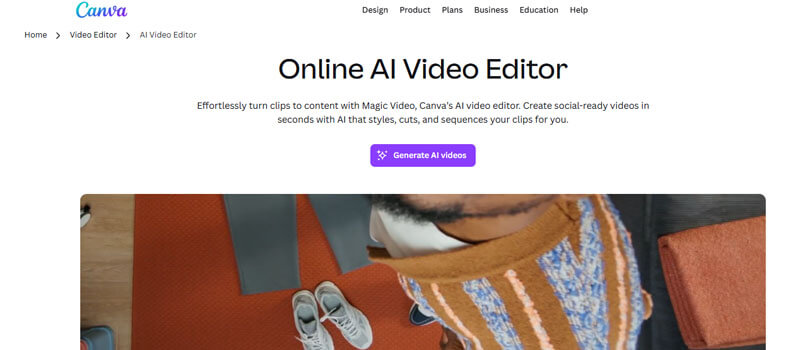
Canva is one of the easiest tools in the Best Free AI Image to Video Tools 2026 list for beginners because it combines design, templates, editing, social media formats, and AI features in one platform. It is especially useful for users who want to create videos without complex editing software.
Canva’s photo-to-video page says users can work across devices, download videos in MP4 format, and share them on social media. Its AI image-to-video page also says users can turn static photos and graphics into dynamic videos.
Canva felt easier for beginners because most editing tools were already familiar from its normal design workflow.
Best Features
- Beginner-friendly interface
- Templates for Reels, Shorts, ads, and presentations
- Easy text, music, and branding tools
- Useful for non-designers
- Mobile and desktop workflow
Best For
Canva is best for bloggers, small businesses, teachers, students, social media managers, and beginners.
Limitations
Advanced AI tools and premium assets may require paid access. Canva is easier than cinematic tools but may not offer the same motion realism as Runway or Luma.
6. VEED
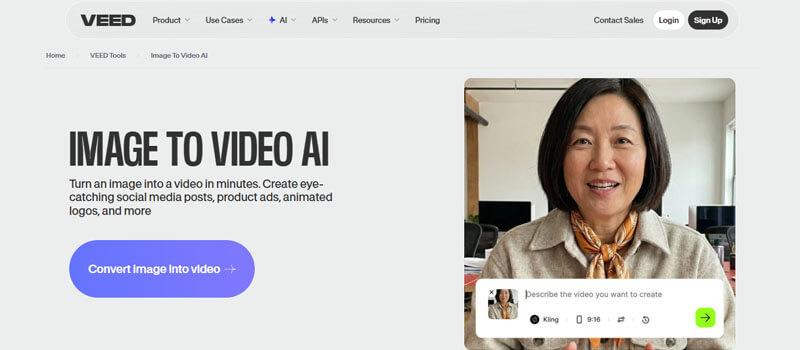
VEED is a strong choice in the Best Free AI Image to Video Tools 2026 list for creators who want AI generation and editing in one platform. It is useful for social videos, product clips, captions, subtitles, and marketing content.
VEED’s image-to-video page says users can upload a photo, describe the movement they want, generate a video, edit it, caption it, and export in one place.
Best Features
- AI image-to-video workflow
- Built-in video editor
- Captions and subtitles
- Social media export workflow
- Useful for product showcases
Best For
VEED is best for social media creators, marketers, ecommerce sellers, YouTubers, and small businesses.
Limitations
Users should check current export rules, watermark rules, and plan limits before publishing professional brand content.
7. Kapwing
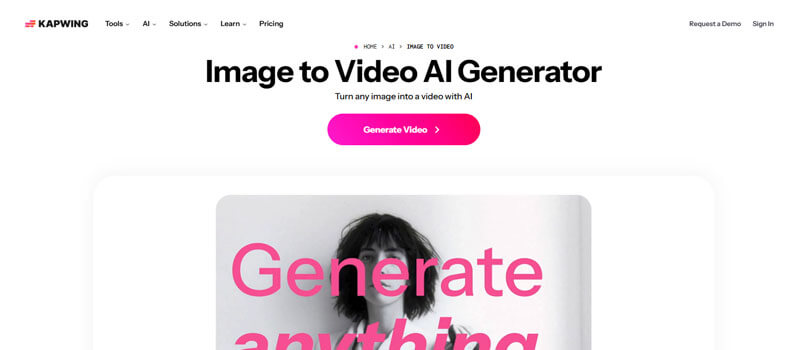
Kapwing is one of the best options in the Best Free AI Image to Video Tools 2026 list for users who want free testing without watermarks. It also includes editing tools, subtitles, social video formats, collaboration features, and AI-powered video tools.
Kapwing says anyone can try its AI Image to Video tool for free without watermarks, but AI tools run on a credit system.
Best Features
- Free testing without watermarks
- AI image-to-video generation
- Online video editing
- Subtitles and captions
- Social media formats
- Team collaboration
Best For
Kapwing is best for agencies, marketers, educators, creators, and teams that need both generation and editing.
Limitations
AI tools use credits, so heavy usage may require an upgrade.
8. PixVerse
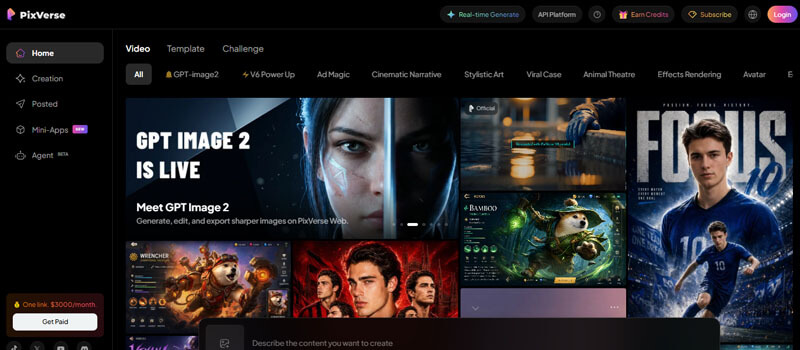
PixVerse is a creative tool in the Best Free AI Image to Video Tools 2026 list for fast generation, social media effects, and trend-friendly video creation. Its official site describes text/image-to-video support and allows users to upload images or enter prompts to generate dynamic videos.
Best Features
- Text/image-to-video support
- Image animation
- Trend-based effects
- Good for viral content
- Fast creative workflow
Best For
PixVerse is best for TikTok creators, Reels creators, meme pages, and users who want fun AI video effects.
Limitations
Users should check credit limits, export rules, watermark policies, and commercial-use rights before using it for brand work.
9. Kling AI
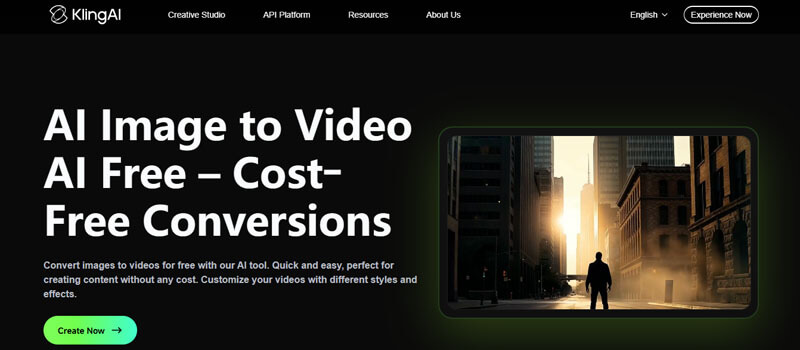
Kling AI is an advanced tool in the Best Free AI Image to Video Tools 2026 list for image and video generation. Its Google Play listing says it supports text-to-video and image-to-video generation and can create high-quality videos up to 1080p.
Best Features
- Text-to-video and image-to-video support
- High-quality video generation
- AI image generation and editing
- Good for cinematic and realistic clips
- Useful for mobile and web creators
Best For
Kling AI is best for advanced creators, AI video enthusiasts, mobile creators, and users testing realistic motion.
Limitations
Credits, wait times, availability, and export quality may vary. Users should avoid uploading sensitive files unless they understand the platform’s privacy and content policies.
10. Hailuo AI
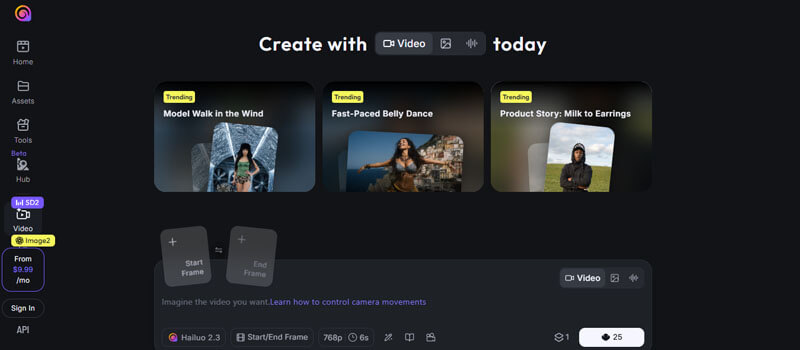
Hailuo AI is a mobile-friendly tool in the Best Free AI Image to Video Tools 2026 list for AI image and video creation. Its image-to-video page says users can upload a picture, add a text prompt, and turn images into dynamic videos. Its Google Play listing also mentions text-to-video and image-to-video creation.
Best Features
- Image-to-video generation
- Text-to-video generation
- Mobile and web access
- Good for short-form video
- Easy creative workflow
Best For
Hailuo AI is best for mobile creators, TikTok users, Instagram Reels creators, and users who want quick image-to-video effects.
Limitations
Advanced features may require subscription or credits. Users should check usage rights and privacy terms before uploading personal or client images.
Mobile vs Desktop AI Image-to-Video Tools
Mobile and desktop workflows are different when choosing the Best Free AI Image to Video Tools 2026. A creator making TikTok videos from a phone may prefer a simple mobile app, while a marketer preparing product ads may need a desktop editor with branding, captions, and export controls.
| Workflow | Best Tools | Why |
|---|---|---|
| Mobile-first creation | Hailuo AI, Kling AI, Canva, PixVerse | Useful for TikTok, Reels, and fast social clips |
| Desktop editing | Runway, Adobe Firefly, VEED, Kapwing, Canva | Better for detailed prompts, branding, subtitles, and exports |
| Team workflow | Kapwing, Canva, Adobe Firefly | Easier collaboration and brand control |
| Quick experiments | Pika, PixVerse, Hailuo AI | Fast creative testing |
| Professional campaigns | Adobe Firefly, Runway, Kapwing, VEED | Better for brand and editing workflows |
Mobile tools are good for speed. Desktop tools are better for precision, brand control, commercial review, and professional editing.
Best Free AI Image to Video Tools 2026 by Use Case
Different users need different tools. The Best Free AI Image to Video Tools 2026 should be compared by purpose, not only by popularity.
| Use Case | Recommended Tools | Why These Tools Are Useful |
|---|---|---|
| Beginners | Canva, VEED, Kapwing | Simple interfaces, templates, captions, and built-in editing tools |
| Social media creators | Pika, PixVerse, Canva, Hailuo AI, VEED | Good for Reels, TikTok, YouTube Shorts, memes, and viral-style clips |
| Marketers | Adobe Firefly, Kapwing, VEED, Canva | Useful for brand-safe visuals, captions, overlays, product clips, and ad-ready exports |
| Ecommerce sellers | VEED, Kapwing, Canva, Adobe Firefly | Helps animate product photos, create teasers, add text overlays, and make vertical ads |
| Cinematic AI videos | Runway, Luma Dream Machine, Kling AI, Adobe Firefly | Better for camera movement, realistic lighting, motion testing, and creative storytelling |
| No-watermark free testing | Kapwing, Pika | Useful for testing AI image-to-video results without watermarks, depending on current plan rules |
Best Free AI Image to Video Tools 2026 by Content Type
- Product ads: Kapwing, VEED, Canva, Adobe Firefly
- Instagram Reels: Pika, PixVerse, Canva, Hailuo AI
- YouTube Shorts: Pika, VEED, Kapwing, Canva
- Ecommerce listings: VEED, Kapwing, Canva
- Cinematic clips: Runway, Luma, Kling AI
- Beginner videos: Canva, VEED, Kapwing
- AI art animation: PixVerse, Pika, Luma
- Mobile creation: Hailuo AI, Kling AI, Canva
- Brand campaigns: Adobe Firefly, Kapwing, VEED
- Testing AI models: Runway, Luma, Pika, Gemini/Veo
Simple Prompt Formula for Better AI Image-to-Video Results
A strong AI image-to-video prompt should include five parts:
Subject + motion + camera movement + lighting + style
Example:
“Animate this product photo with a slow camera push-in, soft studio lighting, subtle background motion, premium ecommerce advertisement style.”
Use this formula:
[Subject] + [What should move] + [Camera action] + [Mood/lighting] + [Final video style]
Examples:
“Animate this portrait with subtle head movement, soft smile, gentle hair motion, cinematic close-up style.”
“Turn this food photo into a restaurant ad with slow camera pan, warm lighting, steam rising, shallow depth of field.”
“Animate this real estate image with a smooth drone-style push-in, sunset lighting, slight tree movement, luxury property style.”
“Turn this logo into a clean intro video with soft glow, smooth zoom-in, modern tech brand style.”
“Animate this travel image with moving clouds, slow forward camera motion, golden-hour lighting, peaceful cinematic style.”
Best AI Image-to-Video Prompt Examples
These prompt examples can help users get better results from the Best Free AI Image to Video Tools 2026 by giving the AI clear direction for motion, lighting, camera movement, and style.
Product Video Prompt
“Create a smooth five-second product video. Slow camera zoom toward the product, soft studio lighting, clean background, subtle reflection, premium ecommerce advertisement style.”
Portrait Animation Prompt
“Animate the portrait with subtle natural movement. Slight head turn, soft smile, gentle hair movement, realistic lighting, shallow depth of field, professional cinematic style.”
Travel Photo Prompt
“Turn this landscape photo into a cinematic travel video. Slow drone-style camera push forward, moving clouds, soft sunlight, natural wind motion, peaceful atmosphere.”
Food Video Prompt
“Animate this food image with a slow camera pan, warm lighting, subtle steam rising, shallow depth of field, restaurant advertisement style.”
Fashion Prompt
“Create a stylish fashion campaign clip. Slow camera movement from bottom to top, fabric moving gently, studio lighting, luxury editorial style.”
Real Estate Prompt
“Animate this home exterior photo with a slow cinematic push-in, warm sunset lighting, slight tree movement, premium real estate video style.”
Logo Animation Prompt
“Animate this logo with a clean zoom-in, soft glow, subtle background particles, modern technology brand style, smooth motion.”
Common Problems With AI Image-to-Video Tools and How to Fix Them
Even the Best Free AI Image to Video Tools 2026 can produce poor results if the input image or prompt is weak.
| Problem | Why It Happens | How To Fix It |
|---|---|---|
| Face looks distorted | The AI struggles with realistic facial motion | Use subtle motion prompts and high-quality portraits |
| Product shape changes | Too much motion causes object warping | Ask for slow zoom or gentle camera movement |
| Hands look strange | AI models still struggle with hands and fingers | Avoid prompts requiring complex hand movement |
| Text becomes unreadable | AI often distorts text inside images | Add text later using an editor |
| Logo changes shape | AI may reinterpret brand graphics | Use simple zoom or pan instead of transformation |
| Video looks blurry | Low-resolution image or free-plan limit | Upload a sharper image and export at higher resolution |
| Motion is too dramatic | Prompt is too broad | Use words like “subtle,” “slow,” and “natural” |
| Output does not match prompt | Prompt lacks direction | Mention camera movement, subject action, lighting, and style |
| Watermark appears | Free plan restriction | Check watermark rules before exporting |
| Video cannot be used commercially | Free plan terms may restrict commercial use | Review licensing before publishing |
Privacy Checklist Before Uploading Images to AI Video Tools
Before using the Best Free AI Image to Video Tools 2026, users should think carefully about what they upload. This is especially important for personal photos, client images, children’s photos, private documents, medical images, brand assets, unreleased products, or confidential campaign materials.
Use this checklist:
- Do you own the image?
- Do you have permission from people shown in the image?
- Is the image private or sensitive?
- Does the tool allow file deletion?
- Does the platform use uploads for model training?
- Can the video be used commercially?
- Does the free plan add a watermark?
- Are generated videos public by default?
- Are there age limits for using the app?
- Does the platform scan or review uploaded content?
AI Video Safety, Copyright, and Responsible Use
The Best Free AI Image to Video Tools 2026 can be powerful, but they should be used responsibly. Users should avoid creating misleading videos, fake endorsements, fake testimonials, nonconsensual likeness videos, or realistic clips that could make viewers believe something happened when it did not.
A responsible AI video workflow should include:
- Use images you own or have permission to use
- Avoid fake celebrity endorsements
- Avoid misleading product demonstrations
- Check commercial-use terms before publishing
- Keep records of prompts and source images
- Add disclosure when content could be mistaken for real footage
This is especially important for brands, publishers, agencies, educators, and YouTube creators who use the Best Free AI Image to Video Tools 2026 for public, commercial, or monetized content.
Should You Disclose AI-Generated Videos?
Yes, users should disclose AI-generated videos when a platform requires it or when the content could mislead viewers. This is important when using the Best Free AI Image to Video Tools 2026 to animate realistic people, places, products, or events.
YouTube requires creators to disclose meaningfully altered or synthetically generated content when it looks realistic. Google DeepMind’s SynthID is also important because it helps watermark and identify AI-generated content.
Users should disclose AI use when:
- A realistic person is animated
- A real event is recreated
- A product demo is simulated
- A testimonial is AI-generated
- A public figure appears synthetic
- A video could be mistaken for real footage
Clear disclosure helps creators use the Best Free AI Image to Video Tools 2026 safely, responsibly, and transparently.
Honorable Mentions: Other AI Image-to-Video Tools to Watch in 2026
The AI video market is changing quickly, so users may also see tools like Google Gemini/Veo, Seedance-powered tools, CapCut AI video features, Freepik AI video tools, Leonardo AI, Clipfly, Wan models, and other AI video generators while researching the Best Free AI Image to Video Tools 2026.
However, not every popular AI video model should be listed as a “free” tool. Gemini/Veo is powerful, but Google’s Gemini video generation page ties its high-quality video generation to Google AI plans.
Sora should also be handled carefully in a 2026 article. OpenAI’s help center says Sora web and app experiences were discontinued on April 26, 2026, and the Sora API will be discontinued on September 24, 2026.
Final Ranking: Best Free AI Image to Video Tools 2026
| Rank | Tool | Best Strength | Best User Type |
|---|---|---|---|
| 1 | Adobe Firefly | Commercial-safe creative workflow | Brands, marketers, agencies |
| 2 | Runway | Cinematic AI video testing | Filmmakers, creators |
| 3 | Pika | Creative short-form clips | TikTok, Reels, Shorts creators |
| 4 | Luma Dream Machine | Realistic motion testing | Advanced creators |
| 5 | Canva | Beginner-friendly design workflow | Non-designers, small businesses |
| 6 | VEED | AI generation plus editing | Social media marketers |
| 7 | Kapwing | No-watermark free testing | Teams, creators, agencies |
| 8 | PixVerse | Viral AI video effects | Short-form creators |
| 9 | Kling AI | Realistic and advanced AI motion | AI video enthusiasts |
| 10 | Hailuo AI | Mobile AI image-to-video creation | Mobile creators |
Which Tool Should You Use First?
If you are completely new, start with Canva, VEED, or Kapwing. These tools are easier because they combine AI generation with familiar editing features.
If you want cinematic AI video quality, test Runway, Luma Dream Machine, Kling AI, or Adobe Firefly.
If you want fun and viral short clips, try Pika, PixVerse, or Hailuo AI.
If you are creating videos for ads, client work, ecommerce, or brand campaigns, start with Adobe Firefly, Kapwing, or VEED, but always check current commercial-use terms before publishing.
Best Free AI Image to Video Tools 2026 FAQs
Conclusion:
For the best results, test the same image and prompt across two or three tools. Compare motion quality, face stability, product accuracy, watermark rules, and export options. This will help you choose the right AI image-to-video generator for your content goals in 2026.
In 2026, AI image-to-video tools are increasingly becoming part of normal social media workflows rather than experimental creator tools. Many businesses now use them for low-cost ad testing, ecommerce visuals, and short-form content production.