


If you are searching for UTI Blackboard login help in 2026, the most important thing to know is that Universal Technical Institute uses Blackboard Ultra and ties access to your UTI student email account, not a separate standalone Blackboard username. UTI’s official student resources say students access Blackboard through the official portal, sign in with their student email credentials, and can use computers, tablets, or mobile devices with internet access.
Go to uti.blackboard.com, enter your full username@student.uti.edu email address, use your UTI student email password, and complete any sign-in prompts that appear. UTI also recommends using Google Chrome and enabling third-party cookies for smoother setup and access.
The real UTI Blackboard process is broader: you may need to activate your student email first, change your password on first sign-in, set up recovery methods for verification, and contact the right support team depending on whether the issue is a login problem or a course-access problem. UTI’s official pages support all of those steps.
What Is UTI Blackboard?
UTI Blackboard is the Blackboard Ultra platform used for the online portion of student training. UTI’s overview and FAQ pages explain that students use it to access coursework, course materials, online instruction, and assignments, and that online attendance credit is tied to completing assignments in Blackboard Ultra.
In practical terms, students use Blackboard Ultra to:
- Access class materials
- Complete assignments and quizzes
- View instructor content and course updates
- Manage the online part of their training
- Earn online attendance-related credit through coursework completion
UTI also says the online learning component is available 24/7, while the amount of time a student spends in it varies by program, learning style, and course demands.
Official UTI Blackboard Login Link
The official UTI Blackboard portal is:
uti.blackboard.com
UTI’s official setup page directs students to type that address into Google Chrome to begin Blackboard Ultra access.
UTI Blackboard Login Requirements
Before signing in, make sure you have the following:
1. Your active UTI student email
UTI says the Blackboard username is your full UTI student email address in the format username@student.uti.edu.
2. Your UTI student email password
Your Blackboard access uses the same password as your UTI student email. If you forgot it, UTI instructs students to reset the student email password through Microsoft’s portal.
3. Google Chrome
UTI specifically recommends Google Chrome for Blackboard Ultra setup and use.
4. Third-party cookies enabled
UTI’s setup instructions say third-party cookies should be enabled. This is an important detail because blocked cookies can interfere with sign-in and redirects.
5. Internet access
UTI says Blackboard Ultra can be used on internet-connected computers, tablets, and mobile devices. Students without internet access are directed to work with campus Education and Student Services about options such as Learning Resource Center access.
UTI Blackboard Login at a Glance
| Item | Official UTI Detail | Why It Matters |
|---|---|---|
| Official login URL | uti.blackboard.com | This is the correct Blackboard Ultra portal for UTI students. |
| Username format | username@student.uti.edu | Students must use the full UTI student email address. |
| Password | Same as UTI student email password | Blackboard access is tied to the student email account. |
| Recommended browser | Google Chrome | UTI recommends Chrome for smoother setup and login. |
| Cookies setting | Third-party cookies enabled | Blocked cookies can cause sign-in or redirect problems. |
| First-time setup | Complete student email setup first | Many Blackboard login problems happen because email setup was not finished. |
| Password reset page | portal.office.com | UTI directs students to reset the student email password there. |
| Recovery methods | Phone number and/or authenticated email | These are needed for verification and password recovery. |
| Mobile access | Available on phones and tablets | Students can access Blackboard on mobile devices with internet access. |
| If you forgot your student email | Email campus_support@uti.edu | UTI says campus support can help identify the correct student email. |
| Login/technical support | Service Desk: (877) 340-4447 | Best for Blackboard account creation or login trouble. |
| Course access/help | Campus Education Department | Best for course access, navigation, and course completion questions. |
The table above brings the official UTI setup details into one snippet-friendly section that helps both readers and search engines understand the key steps quickly.
How to Log In to UTI Blackboard: Step-by-Step
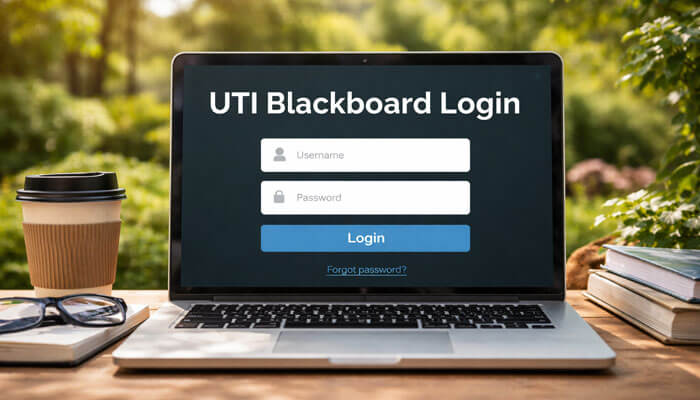
Step 1: Open the official UTI Blackboard portal
Use Google Chrome and go to uti.blackboard.com. UTI’s official setup page tells students to start there.
Step 2: Enter your UTI student email address
Type your full email in the format username@student.uti.edu.
Step 3: Enter your student email password
Use the same password tied to your UTI email account. UTI’s password reset and email-access instructions confirm that Blackboard depends on the same account credentials.
Step 4: Complete the sign-in flow
UTI’s setup page says Blackboard Ultra uses Single Sign On, which means the sign-in process may run through Microsoft-style prompts before you reach Blackboard.
Step 5: Open your courses
After you sign in, you should be able to access your course materials, assignments, and class content. If the login works but the course does not appear, UTI routes those questions to the campus Education Department rather than the Service Desk.
First-Time UTI Blackboard Login: What New Students Should Do
A major reason students fail to access UTI Blackboard is that they try Blackboard before finishing their UTI student email setup. UTI’s student email page says students first access email through portal.office.com, and on the first login they are required to change their password. UTI also says students are then prompted to set up additional recovery information for account recovery.
The correct first-time sequence is:
- go to portal.office.com
- sign in with your UTI student email
- change your password on first login
- set up recovery details
- go to uti.blackboard.com
- sign in using the same credentials
This matters because many Blackboard login problems are really student email setup problems, not Blackboard platform problems.
UTI Blackboard Login and MFA / Account Verification
This is one of the most valuable sections for ranking because many students searching “UTI Blackboard login not working” are actually dealing with verification problems.
UTI’s student email instructions say students must provide a phone number and/or authenticated email address to verify the account. UTI also explains that password recovery and account recovery use those methods later if access is lost.
That means Blackboard access is directly affected by your recovery setup. If your recovery phone number changed, you lost access to the backup email, or you never completed the verification setup, your Blackboard login may fail even though the real problem is your UTI student email account.
For best results:
- set up at least one working recovery method
- keep the phone number or backup email current
- expect verification codes during password reset
- understand that Blackboard login and student-email access are linked
How to Reset Your UTI Blackboard Password
There is usually no separate Blackboard-only password for UTI students. Since Blackboard access uses your student email credentials, resetting Blackboard access usually means resetting your UTI student email password. UTI’s reset page tells students to go to portal.office.com, select Forgot my password, enter their UTI student email, complete the verification step, choose how to receive a code, and then set a new password.
Password reset steps
- Go to portal.office.com
- Click Forgot my password
- Enter your UTI student email address
- Enter the verification code shown on screen
- Choose to receive a code by email, text, or phone call
- Enter the received code
- Create a new password
- Return to uti.blackboard.com and sign in again
UTI says that once the password reset is finished, you can log in normally to access your student email again, which also restores Blackboard access.
Common UTI Blackboard Login Problems and Fixes
1. Wrong username or password
UTI says the correct username is your full username@student.uti.edu address. Using a personal email or shortened username can break the sign-in.
Fix: Use the full student email format and, if needed, reset your student email password.
2. Student email was never set up
If your student email was never fully activated, Blackboard access may fail because both systems are connected.
Fix: Finish the first-time email setup at portal.office.com before trying Blackboard again.
3. Cookies or browser issues
UTI explicitly recommends Chrome and enabled third-party cookies.
Fix: Use Chrome, enable third-party cookies, clear cache, and retry in a new or incognito window.
4. Recovery method no longer works
If your backup email or recovery phone is outdated, the password reset process may fail because you cannot receive the code.
Fix: Use the recovery method you still control, or contact UTI support if you are locked out.
5. Course is missing after login
This is different from a login failure. UTI separates technical support from course access and navigation support.
Fix: Contact your campus Education Department for course-access, navigation, or course-completion questions.
6. You forgot your UTI student email address
UTI’s setup page says that if you do not know your student email address, you should email campus_support@uti.edu.
Fix: Contact campus_support@uti.edu before trying to sign in again.
7. Mobile or app-based confusion
UTI supports mobile email setup and mobile device access, but its setup flow is centered on the browser-based login process.
Fix: Use Chrome on your phone, tablet, or computer if the app route is not working smoothly.
UTI Blackboard Problems and Quick Fixes
| Problem | Likely Cause | Quick Fix |
|---|---|---|
| Blackboard login not working | Wrong email format or password | Use full username@student.uti.edu and reset password if needed |
| Password reset not working | Recovery email or phone not available | Use an active recovery method or contact official support |
| Course not showing up | Not a login issue, but a course-access issue | Contact your campus Education Department |
| Login page keeps reloading | Browser or cookie issue | Use Chrome and enable third-party cookies |
| First-time access fails | Student email setup not completed | Finish setup at portal.office.com first |
| Forgot UTI email address | Username is unknown | Email campus_support@uti.edu |
| Mobile login issues | App/browser conflict | Use Chrome on your phone or tablet |
This table improves scannability and gives your article a stronger chance to capture featured-snippet style traffic for troubleshooting searches. The fixes above match the official UTI workflow and support structure.
What If You Forgot Your UTI Student Email Address?
This is one of the best high-intent additions for an article on this keyword because it solves a real user problem. UTI’s setup page states that students who do not know their student email address should contact campus_support@uti.edu.
A lot of users think they have a password issue when the real problem is that they are trying to sign in with the wrong username. Including this section makes the article more useful and more likely to satisfy search intent.
Can You Use UTI Blackboard on Mobile?
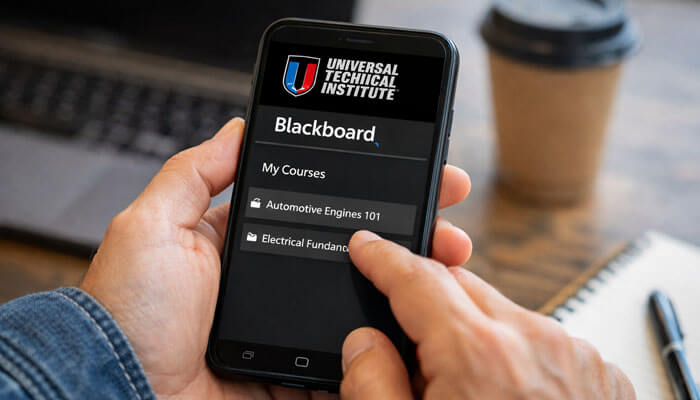
Yes. UTI’s official pages say Blackboard Ultra can be accessed on devices with internet connectivity, and student email can also be set up on mobile devices through the device email app or Outlook app.
The best mobile workflow is usually:
- use Chrome for Blackboard access
- use Outlook or your device’s email app for UTI email
- use the browser workflow if an app flow creates sign-in issues
Additional UTI Blackboard Help Resources
UTI’s student-facing resources do more than point students to the login screen. The official ecosystem includes:
- Blackboard Ultra Overview
- Blackboard Ultra Setup
- Blackboard Ultra FAQs
- Student Email Access
- Password Reset
- Tech Support
UTI’s setup page also says students can review the Blackboard Ultra Handbook for more guidance and should contact campus-specific Education departments for course access, Blackboard navigation, and course completion questions.
Official UTI Blackboard Support
One of the most important trust-building details in this topic is that UTI separates technical login help from academic-access help.
Service Desk for login and technical problems
If you need help logging in or with related technical issues, UTI’s student resources direct students to technical support at (877) 340-4447 on the email and reset pages.
Campus Education or Student Services for course access
UTI’s overview/setup resources say that course access, navigation, and related campus help are handled through campus teams, including Education and Student Services depending on the page and issue.
Support hours
UTI’s official pages show support hours in different time-zone formats. The overview page shows Arizona Time hours of Monday–Thursday 5:00 AM to 8:00 PM and Friday 5:00 AM to 6:00 PM. Readers should verify the current hours on the official UTI support pages before calling.
Why UTI Blackboard Login Matters
This is not just a portal access topic. UTI’s FAQ and overview explain that Blackboard Ultra is part of the online learning process and course participation, so login problems can affect class progress.
That is why a strong article on this keyword needs to do more than repeat the login URL. It needs to explain the credential flow, first-time setup, verification, reset path, support routing, and real troubleshooting points.
Final Thoughts
The UTI Blackboard login process in 2026 is straightforward once you understand the system correctly. The official path is to go to uti.blackboard.com, sign in with your full UTI student email and student email password, and complete the standard sign-in prompts.
For the best results, use Google Chrome, enable third-party cookies, complete your student email setup first, keep your recovery phone or email current, and contact the right support team based on the problem. For technical login help, use (877) 340-4447. For course-access help, contact your campus team. If you do not know your student email address, email campus_support@uti.edu.
UTI Blackboard Login FAQs
1. What is the official UTI Blackboard login URL?
The official UTI Blackboard portal is uti.blackboard.com, which UTI directs students to open in Google Chrome. Using the correct portal helps avoid fake or outdated login pages.
2. What username and password do I use for UTI Blackboard login?
UTI says students should sign in with their full username@student.uti.edu email address and their UTI student email password. Blackboard access is tied to the same credentials used for the student email account.
3. Why is my UTI Blackboard login not working?
The most common reasons are an incomplete student email setup, wrong login format, blocked third-party cookies, or an outdated recovery method. UTI recommends finishing email setup first, using Chrome, and enabling third-party cookies.
4. How do I reset my UTI Blackboard password?
To reset Blackboard access, go to portal.office.com, click Forgot my password, and reset your UTI student email password. After verification, use the new password to sign back in at uti.blackboard.com.
5. Who do I contact if I cannot access UTI Blackboard?
For login or technical issues, UTI directs students to official support resources, while course-access questions are handled through campus teams. If you forgot your student email address, UTI says to contact campus_support@uti.edu
