



Last updated: October 2026
A one 4 all gift card gives recipients more choice than a traditional retailer-specific gift card. Instead of being limited to one store, the card can be spent with participating One4all retailers, both in physical stores and online where supported.
One4all currently says its gift cards can be used across 10,000+ brands, covering categories such as fashion, beauty, dining, home, entertainment and everyday shopping. However, acceptance varies by retailer and sometimes by payment channel, so it is important to check the current retailer directory before spending.
This guide explains where to buy a One 4 All gift card, where you can use it, how to check the balance, how to spend it online and in stores, how refunds work, what fees apply, what happens after the card date expires, and how to redeem the remaining gift card balance for cash.
What Is a One 4 All Gift Card?
A One4all Gift Card is a prepaid, multi-store gift card issued by GVS Prepaid Limited. It is electronic money rather than a bank debit card or credit card.
The card is designed for spending with participating retailers. It can be used in physical stores, online and, for eligible cards, through supported digital wallets such as Apple Wallet and Google Wallet.
One4all currently offers several types of products, including:
- Standard physical One4all Gift Cards
- Digital One4all Gift Cards
- One4all Chip & PIN Gift Cards
- Favourites Gift Cards
- Certain reloadable digital cards supplied through corporate programmes
The exact spending rules, limits, activation requirements and validity periods can differ between products. Always check the terms for the particular card you have.
One 4 All Gift Card at a Glance
| Feature | Current information |
|---|---|
| Card type | Prepaid multi-store gift card |
| Main market | UK |
| Participating brands | 10,000+ |
| Standard physical card values | Generally £10 to £120 |
| Standard digital card values | Generally £5 to £120 |
| Chip & PIN cards | Higher-value options are available |
| In-store spending | Yes, at participating retailers |
| Online spending | Yes, at participating online retailers |
| Digital wallets | Apple Wallet and Google Wallet for eligible cards |
| Balance checking | App, website, text and phone |
| Standard spending fee | No fee |
| Monthly card charge | 90p after the 18-month charge-free period |
| Cash redemption fee | £7.50 per redemption per card, subject to exclusions |
| Standard ATM withdrawals | Not supported |
| Standard card top-ups | Not supported |
Product availability and limits can change, so check the official One4all product page before purchasing.
Who Issues the One4all Gift Card?
The One4all and One4all Favourites Gift Card is issued by GVS Prepaid Limited, which is authorised by the Financial Conduct Authority under the Electronic Money Regulations 2011.
This matters because a One4all card is not the same thing as a bank account. The funds are electronic money and are safeguarded separately from the issuer’s own funds.
Is the Money on a One4all Card FSCS Protected?
No. One4all explains that its card funds are not protected by the Financial Services Compensation Scheme (FSCS) because FSCS protection does not cover e-money. Instead, the funds are safeguarded in accordance with the applicable electronic-money rules.
This distinction is useful for consumers who assume that every prepaid payment product receives the same protection as money held in a bank account.
Where Can You Use a One 4 All Gift Card?
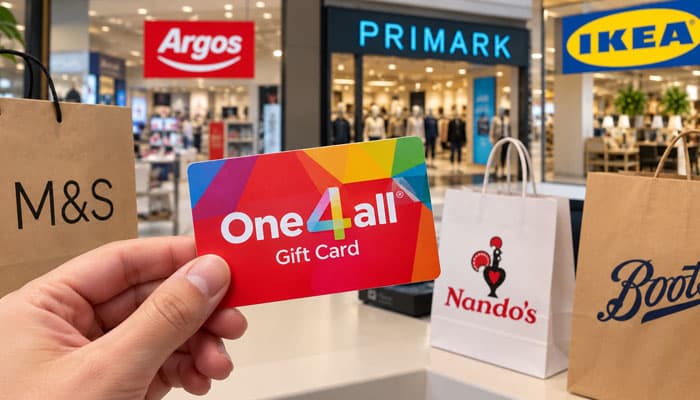
The main advantage of a one 4 all gift card is the range of participating retailers.
One4all currently advertises access to 10,000+ brands, with shopping available in stores and online depending on the retailer. The network includes large brands as well as smaller participating businesses.
Examples highlighted by One4all include:
- Argos
- Marks & Spencer
- Nando’s
- Primark
- IKEA
These examples should not be treated as a permanent guarantee that every branch, website or transaction type will accept every One4all product.
Check the Retailer Before You Spend
Retailer participation can change, and a retailer may accept One4all in store but not online.
For that reason, the safest approach is to use One4all’s current Where to Spend directory immediately before shopping.
Does Every One4all Retailer Accept the Card Online?
No.
Online acceptance is separate from in-store acceptance. Some participating retailers accept One4all online, while others may only accept it at physical locations.
When shopping online, check the current One4all online retailer list before adding items to your basket.
This is particularly important because online retailers generally require the One4all card to cover the entire transaction amount.
Where to Buy a One 4 All Gift Card
You can buy a one 4 all gift card directly from the One4all website in physical or digital formats. One4all also makes gift cards available through participating retail channels.
Buying Online
The basic process is:
- Visit the One4all website.
- Select the gift-card product you want.
- Choose an available design.
- Select the card value.
- Enter the required recipient information.
- Add a personal message or other available personalisation.
- Review the order.
- Complete payment.
One4all’s current online product page lists standard physical card values beginning at £10 and going up to £120, with an option to enter another amount within the applicable minimum and maximum limits.
Is There a Fee for Buying a One4all Gift Card?
One4all says there is no additional purchase fee when buying its gift cards online or in store. Other costs, such as delivery or product-specific charges, can depend on the order and card type, so review the checkout total before paying.
Physical vs. Digital One4all Gift Cards
| Feature | Physical card | Digital card |
|---|---|---|
| Delivery | Physical delivery | Email or text |
| Tangible gift | Yes | No |
| In-store use | Yes, at participating retailers | Yes, using supported digital-wallet methods |
| Online use | Yes, where supported | Yes, where supported |
| Suitable for last-minute gifts | Less convenient | Very convenient |
| Personalisation | Available designs | Designs plus available digital personalisation |
Digital One4all Gift Cards are useful when you need to send a gift quickly because One4all says they can be delivered by email or text. Available digital products can also include personal messages or video.
How to Use a One 4 All Gift Card In Store
Using a physical One4all card in a participating store is straightforward.
Steps
- Check the card balance.
- Confirm that the retailer currently accepts One4all.
- Take the card to the checkout.
- Tell the cashier that you want to use the One4all card.
- Use the card as instructed by the payment terminal.
- Complete the transaction.
If the transaction is greater than your available balance, the authorisation can fail. One4all recommends checking the balance before attempting the purchase.
Can You Use a One4all Card for Part of a Purchase?
Yes, potentially.
One4all says a participating retailer can accept the card as part payment, with the remaining amount paid using another payment method. However, the retailer decides whether it will accept part payments.
For example, if your One4all balance is £25 and your purchase costs £40, you can ask the cashier whether you can pay £25 with One4all and the remaining £15 using another card.
How to Use a One 4 All Gift Card Online
Online spending works slightly differently.
A standard One4all card generally works through the Visa debit-card payment system.
Steps for Online Shopping
- Confirm that the retailer accepts One4all online.
- Check that the total order value does not exceed your card balance.
- At checkout, choose Visa, Visa Debit, or the specific One4all payment option if the retailer provides one.
- Enter the 16-digit card number.
- Enter the expiry date.
- Enter the three-digit CVV2.
- Enter your own name where the checkout asks for the cardholder name.
- Use your own billing address.
- Complete any required payment authentication.
One4all specifically advises customers not to select a normal retailer “Gift Voucher” or “Gift Card” option unless the retailer specifically provides a One4all payment option.
Can You Spend More Than the Balance Online?
Usually, no.
Most online retailers do not support multiple payment methods in one transaction. Therefore, your One4all balance normally needs to cover the full purchase amount.
For example, if your card has £30 remaining, an online basket costing £34 will generally not work.
How to Check a One 4 All Gift Card Balance
You can check your balance in several ways.
1. One4all App
The One4all app allows you to add your card and view the balance and transaction history.
One4all recommends the app as a convenient way to manage your card.
2. Online Balance Checker
For a physical card:
- Scan the QR code on the back of the card or visit the One4all balance-check page.
- Enter your card ID or card number.
- Enter the three-digit CVV2.
- Select Check Balance.
Your available balance should then appear on screen.
3. Check by Text Message
One4all currently provides an SMS balance service.
Send:
My Balance [your card number]
to:
57887
You should then receive a message showing your balance. Your mobile provider may apply its own messaging charges.
4. Check by Phone
You can also call:
0330 828 0881
Follow the automated instructions and enter your card number and CVV2 when requested.
Can You Use a One4all Gift Card More Than Once?
Yes.
You do not normally have to spend the entire balance in one transaction. Remaining funds stay available for future purchases, provided the card remains usable and within the applicable terms.
For example, a £50 card could be used for:
- £15 at one retailer
- £20 at another retailer
- £10 at a third retailer
- £5 on a later purchase
This makes the card more flexible than a gift card that must be spent at a single store.
Can You Spend the Balance at Different Stores?
Yes.
You do not have to spend the entire one 4 all gift card balance with the same retailer. You can use the remaining balance at other participating retailers.
This is one of the main reasons a multi-store card can be useful when you are unsure which brand the recipient prefers.
Can You Top Up a One4all Gift Card?
Standard One4all Gift Cards cannot be topped up.
They are generally single-load cards that are loaded when purchased. You cannot normally add more money later.
There is an exception for certain digital reloadable cards provided through corporate programmes, where the organisation supplying the card may be able to reload it.
Can You Combine Multiple One4all Gift Cards?
Yes, but there are conditions.
One4all says customers can request that multiple One4all Gift Cards be combined up to a maximum value of £120 through customer service, with a fee applying. The original cards are frozen once the combination process is completed.
Alternatively, when shopping in store, you can ask the retailer whether it will accept multiple One4all cards as part payment.
Can You Add a One4all Gift Card to Apple Pay or Google Pay?
Eligible One4all cards can be added to supported digital wallets.
Through the One4all app, customers can add eligible cards to:
- Apple Wallet
- Google Wallet
This can make in-store spending easier when the card supports the required digital-wallet functionality.
Digital-wallet availability can depend on the specific card, so follow the instructions shown for your card in the One4all app.
How Do Chip & PIN One4all Cards Work?
One4all also offers higher-value Chip & PIN Gift Cards.
These cards have additional activation and identity-verification requirements because of their higher value.
To activate a Chip & PIN card, One4all says you can:
- Sign in to the One4all app.
- Add the card.
- Enter the requested card details.
- Complete the ID-verification process.
- Wait for confirmation that the card is active.
- Receive the PIN by text or view it through the app where available.
The card can then be used at participating retailers that accept it.
Does a One 4 All Gift Card Expire?
This is an important distinction.
For the standard One4all Gift Card, the funds themselves do not simply disappear because the month/year printed on the card has passed.
However, the card itself has an expiry date and can no longer be used after that date until One4all issues a replacement. If funds remain, One4all says customers should contact customer service so a new card can be issued.
The 18-Month Rule
Standard cards have an 18-month charge-free period.
Starting in the 19th month after purchase, a 90p monthly card charge is deducted until the balance reaches zero.
Therefore, the practical advice is:
Spend the full balance within 18 months whenever possible.
Important Exception: Favourites Cards
Not every One4all product follows exactly the same validity rules.
One4all says Restaurant Favourites and Foodie Favourites cards are valid for 12 months from purchase rather than following the standard 18-month charge-free period.
Always check the terms for the specific card you received.
What Fees Apply to a One 4 All Gift Card?
There is no fee simply for making an ordinary purchase with the card. However, certain fees can apply in specific situations.
| Fee | Amount | When it may apply |
|---|---|---|
| Ordinary spending | £0 | No fee for standard purchases |
| Monthly card charge | 90p | From the 19th month after purchase |
| Cash redemption | £7.50 | Per redemption per card, subject to exclusions |
| Replacement card | £5 | May apply to lost or stolen cards |
The £7.50 redemption fee does not apply in every situation. One4all’s terms include specific exceptions, so check the current terms before requesting a cash redemption.
How to Redeem a One 4 All Gift Card for Cash
“Redeeming” a One4all card can mean spending it at a retailer, but One4all also uses the term for transferring the card’s remaining e-money balance to a nominated bank account.
You can request either a partial or full redemption while the card is active, subject to One4all’s terms.
How Cash Redemption Works
Generally:
- Request redemption from One4all.
- Provide the required bank-account information.
- Complete any identity or compliance checks required.
- One4all processes the redemption.
- The funds are transferred to the nominated bank account after applicable fees and outstanding transactions are accounted for.
One4all says the bank account must be in the same name and registered to the same address as the card. It aims to transfer redemption funds within seven business days after the request, subject to outstanding transactions and other requirements.
Is Cash Redemption Worth It?
It depends on the remaining balance.
If you have £50 remaining, a £7.50 redemption fee may be less significant than it would be on a £10 balance. If you can easily spend the card at a participating retailer, ordinary spending may provide better value.
Can You Withdraw Money From a One4all Card at an ATM?
No.
A standard One4all Gift Card is not designed for ATM cash withdrawals. It also cannot be used for money transfers or paying off debts under the current card terms.
Cash redemption is a separate process and is not the same as making an ATM withdrawal.
What Happens If You Return Something Bought With One4all?
The retailer’s normal returns policy applies.
If you return an item purchased with a One4all card, the refund generally needs to go back to the same One4all card used for the purchase.
One4all recommends keeping the card even after its balance reaches £0 because it may be needed to receive a refund. Refunds can take up to seven working days to appear on the card.
This is one reason you should not throw away a used One4all card immediately.
What If a One4all Gift Card Is Declined?
A declined transaction does not necessarily mean the card is defective.
Check the following:
Check the Balance
The transaction cannot exceed the available balance in circumstances where the retailer requires the card to cover the full purchase.
Check the Retailer
Make sure the retailer currently participates in One4all.
Check Online Acceptance
A retailer that accepts One4all in store may not necessarily accept it online.
Check Your Card Details
For online purchases, verify:
- 16-digit card number
- Expiry date
- CVV2
- Name
- Billing address
Check for Restricted Transactions
Certain transaction types are restricted by the One4all card terms.
Check Whether the Card Needs Activation
Certain high-value Chip & PIN or reloadable cards require activation and identity verification before they can be spent.
Why Might My Online One4all Payment Fail?
Common causes include:
- The retailer does not accept One4all online.
- The order exceeds your available balance.
- The card details were entered incorrectly.
- The retailer does not support prepaid Visa transactions.
- The card requires activation.
- The transaction falls into a restricted category.
- Additional payment authentication was not completed.
- The card has reached its displayed expiry date.
If the transaction continues to fail, check the retailer listing and One4all support information before repeatedly attempting payment.
What Can You Not Buy With a One4all Gift Card?
The card is intended for ordinary spending at participating retailers and is not unrestricted cash.
The current terms prohibit or restrict various uses, including:
- ATM cash withdrawals
- Money transfers
- Debt repayments
- Credit-card repayments
- Loan repayments
- Certain recurring payments
- Gambling
- Certain adult-entertainment transactions
- Illegal goods or services
- Certain hotel or car-rental pre-authorisation transactions
The exact restrictions are defined in the current card terms, so check those terms if you are unsure whether a particular transaction is allowed.
Is a One4all Gift Card Safe to Use Online?
One4all cards are designed for online spending at participating retailers, but you should treat the card details like payment-card information.
For safer online use:
- Only enter your card details on the legitimate retailer website.
- Do not share your CVV2 or full card number with strangers.
- Avoid entering card details through suspicious links.
- Keep your One4all account secure.
- Do not send card details to someone who claims you need to pay them with a gift card.
One4all also publishes scam warnings because criminals sometimes pressure victims into buying gift cards and providing the card details or codes.
One4all Gift Card Scam Warning
Be particularly cautious if someone asks you to buy a One4all card to:
- Pay an unexpected bill
- Pay a supposed government charge
- Pay a stranger for an online purchase
- “Verify” your identity
- Pay a job-related fee
- Pay someone who contacted you unexpectedly
- Send the card number or security details as proof of payment
A genuine gift-card transaction should not require you to give the card’s payment details to an unknown person.
If a request feels unusual or urgent, stop and independently verify who is asking for the payment.
What Happens If You Lose a One4all Gift Card?
Contact One4all as soon as possible if your card is lost or stolen.
A replacement may be possible, but One4all’s current fee information says a £5 replacement-card fee may apply.
Keep purchase records and any available card information because they may help with customer-service enquiries.
One4all Gift Card vs. Store-Specific Gift Card
| Feature | One4all Gift Card | Store-Specific Gift Card |
|---|---|---|
| Retailer choice | Many participating retailers | Usually one retailer |
| Flexibility | High | Lower |
| Online use | Depends on retailer | Usually tied to issuing retailer |
| In-store use | Participating retailers | Issuing retailer |
| Best for | People who want choice | People with a known favourite store |
| Balance management | One4all app and other tools | Issuer-specific |
| Split payment | Possible in store if retailer allows | Depends on retailer |
| Cash redemption | Available under One4all rules | Depends on issuer |
The main advantage of One4all is flexibility. The trade-off is that acceptance is not universal.
One4all Gift Card vs. Cash
A One4all card provides more spending flexibility than a single-store voucher, but it is still not the same as cash.
Advantages
- Large choice of participating retailers
- Online and in-store options
- Physical and digital formats
- Digital-wallet support for eligible cards
- Multiple ways to check the balance
- Can be used across different shopping categories
Disadvantages
- Not accepted everywhere
- Online purchases usually cannot use split payments
- Monthly charges begin after the standard 18-month charge-free period
- Some transactions are restricted
- Cash redemption can involve a £7.50 fee
- Retailer participation can change
For a recipient who wants choice, the advantages can outweigh these limitations. Someone who wants complete cash flexibility may prefer money instead.
Tips for Getting the Most Value From a One 4 All Gift Card
1. Check the Retailer First
Don’t assume that a brand accepts every One4all product or accepts it through every payment channel.
2. Check Your Balance Before Shopping
This is particularly important before online purchases.
3. Spend the Balance Within 18 Months
Using a standard card within 18 months avoids the subsequent 90p monthly charge.
4. Keep the Card After Spending
You may need it if you later return something and receive a refund.
5. Ask About Split Payments In Store
If your balance is less than your purchase total, ask the cashier whether the retailer allows part payment.
6. Use the App
The app can make it easier to view your balance, transaction history and, for eligible cards, digital-wallet options.
7. Don’t Treat It Like a Bank Card
Remember that it is prepaid e-money, not a credit card or ordinary bank debit card.
8. Watch for Scams
Never give your card details to someone simply because they claim you need a gift card to pay them.
Is a One 4 All Gift Card Worth It?
For many people, yes.
The biggest advantage is choice. A recipient who does not have a particular favourite retailer can decide where to spend the money from the participating One4all network.
It is particularly useful when:
- You do not know what gift the recipient wants.
- You want to give someone several retailer choices.
- You need a digital gift quickly.
- The recipient shops both online and in stores.
- You want an alternative to a single-brand gift card.
However, it is not as flexible as cash. The recipient needs to use participating retailers, online acceptance varies, and standard cards become subject to a 90p monthly charge after the 18-month charge-free period.
One 4 All Gift Card FAQs
1. Where can I use a One 4 All Gift Card?
You can use it at participating retailers. Check the One4all retailer directory because online and in-store acceptance may differ.
2. Can I use a One 4 All Gift Card online?
Yes, at participating online retailers. Follow the retailer’s One4all payment instructions and make sure your balance covers the purchase.
3. How do I check my One 4 All Gift Card balance?
Use the One4all app, online balance checker, SMS or automated telephone service.
4. Do I have to spend my entire balance at one store?
No. You can make multiple purchases across different participating retailers until your balance runs out.
5. Can I spend more than my One 4 All Gift Card balance?
Some physical stores allow you to pay the difference using another payment method. Most online stores require your card balance to cover the full purchase.
6. Can I top up a One 4 All Gift Card?
Standard One4all cards cannot be topped up. Certain corporate digital reloadable cards are an exception.
7. Can I get a refund onto my One 4 All Gift Card?
Refunds generally go back to the card used for the purchase. Keep your card until the refund has been processed.
8. What should I do if my One 4 All Gift Card is declined?
Check your balance, card details, expiry date, activation status and retailer acceptance. Contact One4all support if the issue continues.
Final Thoughts
A one 4 all gift card is a flexible alternative to a traditional single-store gift card. With access to 10,000+ participating brands, recipients can choose from a broad range of shopping, dining, entertainment and lifestyle options.
The most important thing to remember is that One4all acceptance is not universal. Always check the current retailer directory, particularly if you intend to shop online.
Before spending, check your balance and make sure the purchase fits within the available funds. In store, a retailer may allow part payment, while online purchases generally need to be fully covered by the One4all balance.
For standard cards, try to use the balance within 18 months to avoid the 90p monthly charge that begins in the 19th month. Keep the card after making purchases because refunds may need to be credited back to it.
Finally, remember that a One4all card is prepaid e-money rather than cash or a bank card. It cannot normally be used at an ATM, and cash redemption is a separate process that can involve a £7.50 fee.
For the best experience, check the current One4all retailer list and card terms immediately before spending, since participating retailers, product features and conditions can change.
