

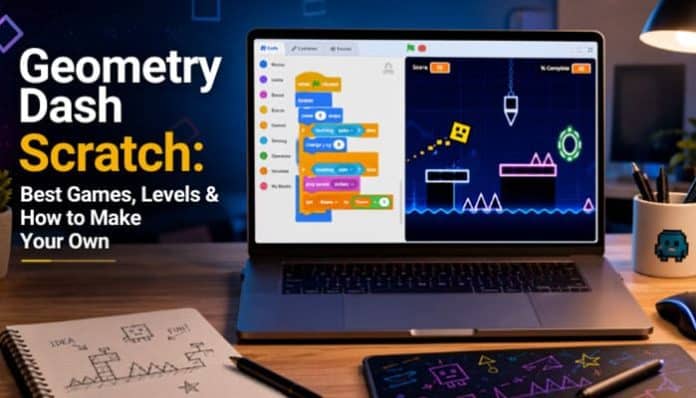
Geometry Dash Scratch brings the fast-paced, precision-platforming concept of Geometry Dash into Scratch, giving players a way to explore community-made projects while helping aspiring developers understand jumping, gravity, scrolling, collision detection, clones, music, and level design.
At first, the idea appears simple. A character moves through a level, the player jumps over hazards, and one mistake can trigger an instant restart. Building that experience in Scratch, however, can become surprisingly technical. A polished project may require physics variables, collision systems, camera scrolling, object management, level data, music synchronization, checkpoints, particle effects, save codes, and performance optimization.
The landscape also looks different in 2026 than it did a few years ago. Griffpatch’s well-known Geometry Dash recreation became one of the most recognizable Scratch versions of the game, while his tutorial series demonstrated how creators could reproduce important platforming systems. Scratch community discussions from late 2025 and early 2026, however, reported copyright-related removals affecting several recreations, including Griffpatch’s playable version. His Geometry Dash Tutorials 1 to 12 studio remains indexed on Scratch.
That makes today’s Geometry Dash Scratch search less about locating one permanent clone and more about discovering original rhythm-platformers, custom levels, coding engines, tutorials, and techniques for creating something new.
Quick Answer
Geometry Dash Scratch refers to Geometry Dash-inspired games, levels, engines, and tutorials built with Scratch.
You can use these projects to:
- Play custom rhythm-platformer levels
- Learn jumping, gravity, and scrolling
- Remix eligible projects
- Build your own levels and game mechanics
Scratch is a free visual programming platform for creating and sharing games, animations, and interactive projects.
Key Takeaways
- Geometry Dash Scratch covers community-made games, levels, engines, and tutorials.
- Griffpatch’s famous recreation was removed, but his tutorial studio remains available.
- Good projects need smooth physics, fair collisions, stable performance, and clear level design.
- Scratch has limits involving clones, cloud variables, and mobile controls.
- TurboWarp may improve performance for demanding projects.
- Original graphics, music, levels, and mechanics are safer and more creative.
- Building a Scratch Dash-style game can teach coding, debugging, and game design.
What Is Geometry Dash Scratch?
Geometry Dash Scratch refers to Geometry Dash-inspired games and coding projects built with Scratch. These projects often use jumping, scrolling, obstacles, rhythm, and precision timing.
Unlike the official Geometry Dash game from RobTop Games, Scratch versions are independently programmed with visual coding blocks.
Geometry Dash vs Scratch-Made Games
| Feature | Official Geometry Dash | Scratch-Made Projects |
|---|---|---|
| Developer | RobTop Games | Scratch creators |
| Official game | Yes | No |
| Levels | Official and community | Creator-made |
| Level editor | Built-in | Must be programmed |
| Performance | Native game | Browser dependent |
| Remixing | No Scratch remixing | Supported on shared projects |
| Learning value | Gameplay | Gameplay + coding |
What Are People Looking for When They Search Geometry Dash Scratch?
The same search can represent several different intentions.
| Search Intent | What the User Usually Wants |
|---|---|
| Game | A playable browser project |
| Levels | Community-created stages |
| Griffpatch | Griffpatch’s former project or tutorials |
| Tutorial | Instructions for building a game |
| Engine | Reusable movement and collision code |
| Remix | A modified community project |
| Editor | A tool for designing custom stages |
| Code | Jumping, scrolling, or collision scripts |
| Scratch Dash | An original Dash-style game |
| Mobile | A project with touch-friendly controls |
Geometry Dash Scratch is best understood in 2026 as a broad term covering games, engines, custom levels, tutorials, remixes, and coding projects.
What Happened to Griffpatch’s Geometry Dash on Scratch?
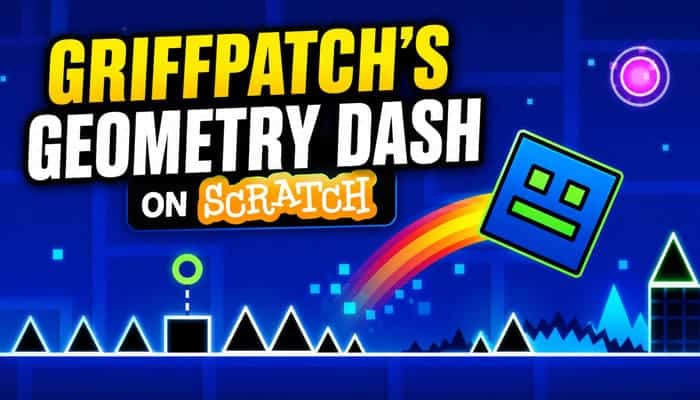
Griffpatch is one of the most recognized Scratch creators and tutorial makers.
His profile continues to show numerous programming tutorial studios, including Geometry Dash Tutorials 1 to 12.
His playable recreation was historically one of the best-known examples of a Dash-style game built with Scratch.
Scratch forum discussions beginning in late 2025 reported that several Geometry Dash recreation projects disappeared following copyright or DMCA-related action. Community posts in early 2026 also discussed the disappearance of Griffpatch’s version.
These discussions changed how many players approach Geometry Dash Scratch, because older guides may still point to projects that are no longer available.
The reports should still be described carefully. Community forum posts are not the same thing as a detailed legal statement from Scratch or RobTop Games.
Is It Gone Completely?
No. Geometry Dash Scratch is not gone as a broader idea or search category.
What changed is the availability of some famous reproductions.
Scratch still contains related material such as:
- Original rhythm-platformers
- Dash-style engines
- Scratch Dash projects
- Coding tutorials
- Custom obstacle stages
- Level-building experiments
- Remixable programming examples
Scratch has also indexed a project titled Scratch Dash in connection with Griffpatch’s tutorial material.
For new creators, this makes original game development more valuable than trying to reproduce a removed project exactly.
Best Geometry Dash Scratch Games and Projects to Explore
Finding the best Geometry Dash Scratch game in 2026 is different from following an old top-10 article.
Scratch projects can be:
- Updated
- Renamed
- Remixed
- Unshared
- Moderated
- Removed
- Replaced
A project described as one of the best several years ago may therefore no longer be playable.
Current projects are better evaluated according to originality, gameplay quality, reliability, performance, and educational value.
1. Scratch Dash-Style Original Games
Original rhythm-platformers can provide some of the most interesting experiences.
Instead of reproducing Geometry Dash exactly, creators can introduce their own:
- Characters
- Obstacles
- Levels
- Environments
- Interfaces
- Music
- Stories
- Special abilities
These projects show how inspiration can become an original game concept.
2. Tutorial-Built Engines
Tutorial projects are especially useful for people interested in programming.
Griffpatch’s tutorial series explores concepts including:
- Player design
- Jumping
- Scrolling
- Cloning
- Spike collision
- Gravity
- Platforms
- Floor collision
- Ceiling collision
- Wall collision
- Game-over logic
Studying a tutorial engine can be more educational than simply playing the finished result.
3. Custom-Level Projects
Some developers focus on a single highly polished stage rather than a full game.
A strong custom level can emphasize:
- Precise timing
- Music synchronization
- Obstacle patterns
- Visual effects
- Difficulty progression
- Distinctive environments
For beginners, completing one excellent level is often more realistic than attempting a huge campaign.
4. Reusable Game Engines
An engine contains the underlying systems needed for multiple stages.
A basic engine may include:
- Player movement
- Jump physics
- Gravity
- Ground detection
- Hazard collision
- Camera scrolling
- Restart logic
- Attempt tracking
More advanced systems can support:
- Portals
- Gravity changes
- Moving platforms
- Multiple movement modes
- Data-driven levels
- Particles
5. Level Editor Projects
A custom editor allows users to build stages.
Possible features include:
- Object selection
- Grid snapping
- Placement tools
- Delete mode
- Playtesting
- Saving
- Loading
- Export codes
A reliable editor is significantly more complex than a single fixed level.
What Makes a Good Geometry Dash Scratch Level?
Difficulty by itself does not make a stage enjoyable.
A good Geometry Dash Scratch level introduces its rules clearly, gives players enough information to react, and increases difficulty without becoming unfair.
Strong Level Design Usually Includes
- Clearly visible hazards
- Predictable jumping
- Fair obstacle spacing
- Consistent visual language
- Gradual difficulty progression
- Smooth transitions
- Appropriate music synchronization
- Limited visual clutter
- Interesting repeated patterns
- Reliable checkpoints where appropriate
- Stable frame rate
Weak Level Design Often Includes
- Invisible hazards
- Blind jumps
- Random spikes
- Excessive decoration
- Obstacles hidden by effects
- Sudden unexplained physics changes
- Extreme difficulty spikes
- Unnecessary clone usage
- Unavoidable deaths
- Inconsistent collision boxes
The best levels feel challenging because the timing requires skill—not because the rules are unclear.
Make Fast Scratch Levels Easier to Read
Rhythm-platformers often use dramatic effects such as:
- Flashing backgrounds
- Screen shake
- Particles
- Rapid color changes
- Glowing objects
- Animated scenery
- Fast transitions
These effects can make a level exciting, but they should not hide gameplay information.
Creators can improve accessibility by allowing players to reduce:
- Flashing
- Screen shake
- Particle density
- Background movement
- Strong visual effects
Maintain clear visual separation between:
player → safe platform → hazard
A useful rule is:
Important gameplay objects should remain readable even when most decoration is removed.
If players must memorize a spike because visual effects hide it, the level needs better communication.
Best Geometry Dash Scratch Level Ideas
An original Geometry Dash Scratch level does not need to copy RobTop’s official stages. Unique themes can give your project its own identity.
| Level Theme | Gameplay Idea |
|---|---|
| Neon City | Glowing platforms and digital signs |
| Frozen Circuit | Futuristic ice environment |
| Space Station | Gravity-based challenges |
| Digital Glitch | Distorted objects and transitions |
| Jungle Ruins | Ancient platforms and traps |
| Robot Factory | Mechanical hazards |
| Lava Escape | Rising danger |
| Cyber Tunnel | High-speed sections |
| Gravity Lab | Frequent gravity changes |
| Cloud Kingdom | Floating platforms |
| Haunted Network | Dark digital world |
| Underwater Core | Aquatic visuals and bubbles |
| Clockwork Tower | Timed mechanical obstacles |
| Crystal Cavern | Glowing crystal structures |
| Pixel Universe | Retro-inspired graphics |
| Scratch World | Scratch-themed art and characters |
Original themes make your game more distinctive and memorable.
Geometry Dash Scratch Controls
Controls vary between Geometry Dash Scratch projects. Common options include:
- Spacebar – Jump
- Up Arrow – Jump
- Mouse Click – Jump
- Screen Tap – Jump
- R – Restart
- P – Pause
Always check the project’s instructions because creators may use different controls.
Can You Play Geometry Dash Scratch on PC, Chromebook, Tablet and Mobile?
Most Geometry Dash Scratch projects run in a web browser and work best on desktops, laptops, Chromebooks, and tablets.
Device Compatibility
| Device | Play Projects | Create/Edit | Important Note |
|---|---|---|---|
| Windows PC | Yes | Yes | Current browser recommended |
| Mac | Yes | Yes | Use a supported browser |
| Chromebook | Usually | Yes | Performance varies by hardware |
| Tablet | Yes | Yes | Keyboard controls may be limited |
| Smartphone | Some projects | No full editor | Touch support depends on project |
Why Some Projects Do Not Work Well on Phones
A project may load on a smartphone but still rely on keyboard controls such as:
For better mobile support, creators can provide:
keyboard + mouse click + touch input
An on-screen jump button can also make one-button platformers easier to play on touchscreen devices.
How Geometry Dash Scratch Physics Work
A realistic Geometry Dash Scratch jump usually uses vertical velocity and gravity rather than simply moving the player upward once.
The basic sequence is:
- The player jumps.
- Vertical velocity becomes positive.
- The player moves upward.
- Gravity reduces the velocity.
- Velocity reaches zero.
- The player begins falling.
- Ground collision stops the fall.
Conceptually:
Player Y = Player Y + Y Velocity
Y Velocity = Y Velocity – Gravity
Useful Physics Variables
| Variable | Purpose |
|---|---|
| Y Velocity | Vertical movement |
| Gravity | Downward acceleration |
| Speed | Level scrolling rate |
| Camera X | Current stage position |
| Playing | Tracks active gameplay |
| Attempts | Number of tries |
| Progress | Level completion percentage |
| Level | Current stage |
| Mode | Current movement type |
The ideal values depend on the game. A slower, floatier platformer needs different gravity and jump strength from a fast precision-based level.
How to Make Your Own Geometry Dash Scratch Game
Building your own Geometry Dash Scratch project is easiest when you begin with the core mechanics and add complexity gradually.
Scratch’s block-based system makes it possible to create a basic platformer without first learning a traditional programming language.
For the strongest result, use the gameplay concept as inspiration while creating original artwork, levels, names, sounds, and mechanics.
Step 1: Create a New Project
Start with a blank Scratch project.
Decide what type of game you want:
- Cube runner
- Robot platformer
- Space runner
- Rhythm obstacle game
- One-button arcade game
A clear concept prevents the project from becoming a collection of unrelated features.
Step 2: Design the Player
Create a simple player sprite.
For the first version, prioritize:
- Simple shape
- Clear outline
- Centered costume
- Minimal animation
Polish the artwork after the engine works reliably.
Step 3: Create Core Variables
Useful variables include:
Y VelocityGravitySpeedPlayingAttemptsProgressCamera X
Advanced projects can later add:
LevelModeRotationCheckpointMusic Position
Step 4: Program Gravity
Conceptually:
forever
    change y by (Y Velocity)
    change Y Velocity by (-1)
end
A finished project will also need logic preventing the character from falling through platforms.
Step 5: Add Jumping
Only allow jumping when the player is grounded.
For example:
if touching ground then
    set Y Velocity to 12
end
Consistency matters more than the exact value.
Players can learn difficult sections only when physics remain predictable.
How to Build Geometry Dash Scratch Levels with Lists
Advanced Geometry Dash Scratch developers can store stage objects as data instead of manually positioning everything.
A list could store:
- Object type
- X position
- Y position
For example:
block,100,0
spike,160,0
block,220,50
spike,280,50
The game engine reads each entry and creates the correct object.
Advantages
- Easier editing
- Reusable engine
- Cleaner organization
- Larger levels
- Custom editor support
- Faster level loading
Disadvantages
- Harder for beginners
- Requires data parsing
- More debugging
- One formatting mistake can affect the whole stage
Build a small manual level first, then convert it into a list-driven system.
How to Create Better Geometry Dash Scratch Levels
Strong Geometry Dash Scratch level design requires more than placing spikes at random.
The player should understand a mechanic before being tested on a difficult version of it.
Introduce Mechanics Gradually
A beginner stage could progress through:
- One spike
- Two spikes
- A raised platform
- A small gap
- Platform plus hazard
- Longer sequence
- Faster sequence
Teach before testing.
Repeat Patterns With Variation
Bring back earlier ideas with one change:
- Additional obstacle
- Different platform height
- Faster movement
- Gravity reversal
- New visual cue
Recognition makes difficult sections feel learnable.
Design With Rhythm
Music can influence:
- Jump timing
- Scene transitions
- Effects
- Speed
- Environmental changes
Do not sacrifice fair gameplay merely to synchronize every action to a beat.
How to Reduce Lag in Geometry Dash Scratch
Performance is particularly important in Geometry Dash Scratch because inconsistent frame timing can change the way jumps feel.
Delete Off-Screen Objects
For example:
if x position < -260 then
    delete this clone
end
Reduce Effects
Limit unnecessary:
- Particle trails
- Glowing decorations
- Moving scenery
- Animated backgrounds
Use Custom Blocks
Custom blocks can organize repeated logic more efficiently. Scratch also includes a Run without screen refresh option for custom blocks that can be useful for certain computation-heavy operations when implemented correctly.
Avoid Unnecessary Forever Loops
Not every sprite needs to update continuously. Use broadcasts and event-driven scripts when appropriate.
Recycle Objects
Advanced engines can reuse objects instead of constantly creating replacements.
Scratch Limits That Matter When Building Geometry Dash Scratch
Scratch supports sophisticated projects, but a Geometry Dash Scratch developer still needs to design around platform limits.
One important restriction involves clones. Scratch projects are generally limited to roughly 300 simultaneous clones.
That matters because a Geometry Dash Scratch project may use clones for:
- Ground tiles
- Spikes
- Platforms
- Decorations
- Coins
- Background pieces
- Particles
- Moving objects
If objects remain alive after leaving the screen, the game may eventually stop producing new clones.
Better Object Management
Think about the full lifecycle:
Create → Display → Move → Interact → Leave Screen → Delete
A long level may use hundreds or thousands of objects over time without needing all of them to exist simultaneously.
Geometry Dash Scratch vs TurboWarp
Advanced Geometry Dash Scratch creators may use TurboWarp for larger or performance-heavy projects.
TurboWarp is an independent Scratch-compatible mod that can run some projects faster through compilation.
| Feature | Scratch | TurboWarp |
|---|---|---|
| Official Scratch platform | Yes | No |
| Project support | Native | Highly compatible |
| Visual editor | Yes | Yes |
| Environment | Standard Scratch | Modified |
| Performance | Standard | Often faster |
| Best for | Beginners | Advanced users |
| Extra settings | Limited | More options |
| Publishing | Scratch community | Separate environment |
TurboWarp is best treated as an advanced option, not a replacement for Scratch. If you plan to publish on Scratch, always test the final project there too.
Can You Remix Geometry Dash Scratch Projects?
Scratch encourages users to build upon shared projects, so Geometry Dash Scratch engines and original Dash-style games can sometimes serve as useful learning material when remixing is available.
A meaningful remix might add:
- Original character
- New stages
- Different obstacles
- New physics
- Improved menu
- Original music
- Performance improvements
- New visual direction
A weak remix might:
- Change only the title
- Alter one color
- Keep nearly everything else unchanged
- Claim the original work as its own
Remixing works best when it becomes the starting point for substantial creative changes.
Remember that permission to remix someone’s Scratch project does not automatically provide rights to unrelated third-party commercial content that may appear inside it.
Can You Publish Your Own Geometry Dash Scratch Game in 2026?
Publishing an original Geometry Dash Scratch project is very different from reproducing another game’s copyrighted artwork, soundtrack, icons, or official levels.
Creators should preferably make an inspired-by game rather than an exact replica.
Develop original:
- Characters
- Icons
- Obstacles
- Levels
- Backgrounds
- Interface
- Game title
- Music or properly licensed audio
- Special mechanics
You can still learn from general ideas such as:
- Auto-scrolling
- One-button jumping
- Gravity
- Timing
- Camera movement
- Obstacle patterns
without recreating an official Geometry Dash stage.
An original project is also much stronger as a programming portfolio example.
How to Make Your Project Feel Original
Ask yourself:
What would make someone recognize my game without seeing its title?
Change the Character
Instead of a cube, try:
- Robot
- Spaceship
- Crystal
- Creature
- Digital avatar
Change the Objective
The goal could be:
- Escape a collapsing environment
- Collect energy
- Beat a countdown
- Outrun an enemy
- Activate checkpoints
Add Different Mechanics
Experiment with:
- Double jumps
- Shields
- Dashing
- Teleporters
- Time slowdown
- Color-sensitive platforms
- Switches
- Branching paths
Create a Distinct Visual Identity
Develop your own:
- Color palette
- Environment
- User interface
- Animation style
- Effects
The underlying one-button platforming idea can support many completely different games.
How to Test a Geometry Dash Scratch Game Before Publishing
Before publishing a Geometry Dash Scratch project, ask someone else to test it. A fresh player can spot problems you may miss.
| Test | What You Are Checking |
|---|---|
| First-play test | Are the controls clear? |
| Collision test | Are deaths fair? |
| Performance test | Does lag affect jumping? |
| Restart test | Does everything reset properly? |
| Completion test | Does the level end correctly? |
| Long-play test | Are unused clones deleted? |
| Touch test | Do touchscreen controls work? |
| Music test | Does audio stay synchronized? |
| Difficulty test | Is the level reasonably challenging? |
Watch where testers struggle, hesitate, miss hazards, or misunderstand controls. Their behavior can reveal level-design problems that are difficult for the creator to notice.
Beginner, Intermediate and Advanced Project Roadmap
Beginner
Build:
- One player
- Jumping
- Gravity
- Ground
- Basic hazards
- Restart system
Goal: Finish one playable level.
Intermediate
Add:
- Scrolling
- Platforms
- Rotation
- Music
- Progress meter
- Particles
- Multiple levels
Goal: Create a complete small game.
Advanced
Add:
- Data-driven stages
- Lists
- Portals
- Multiple movement modes
- Save codes
- Level editor
- Checkpoints
Goal: Build a reusable game engine.
Expert
Experiment with:
- Advanced editors
- Cloud high scores
- Custom physics
- Complex object encoding
- Advanced visual effects
| Experience | Recommended Project |
|---|---|
| Beginner | One simple level |
| Intermediate | Multi-level game |
| Advanced | Reusable game engine |
| Expert | Full level editor |
What You Learn From Building This Type of Game

Frequently Asked Questions
1. What is Geometry Dash Scratch?
The term generally refers to Geometry Dash-inspired games, levels, engines, tutorials, and coding projects created with Scratch. These are community-made projects rather than official RobTop releases.
2. Is it free to play?
Scratch itself is free, and shared community projects can generally be opened without purchasing the official Geometry Dash game. They should not be confused with the commercial RobTop title.
3. What happened to Griffpatch’s old project?
Scratch community discussions from late 2025 and early 2026 reported that Griffpatch’s famous recreation was removed following copyright-related action affecting Geometry Dash recreations. His tutorial material remains a useful programming resource.
4. Can I still make a Dash-style game in Scratch?
Yes. Jumping, gravity, scrolling, collision detection, obstacle timing, and rhythm-based design are general programming and game-development concepts. Creating original graphics, levels, audio, and naming is the stronger approach.
5. Can these projects work on a phone?
Some projects can be viewed or played on phones, but compatibility depends on their control design. Keyboard-only projects may be difficult or impossible to play without a physical keyboard.
6. Why does my project lag?
Common causes include excessive clones, large particle systems, animated decorations, too many continuously running scripts, and failure to delete objects after they leave the screen.
7. How many clones can Scratch use?
Scratch projects are commonly described as supporting roughly 300 simultaneous clones. Efficient games delete or recycle off-screen objects so they do not approach that limit unnecessarily.
8. Can I save custom levels?
Yes. Temporary level information can be stored in lists, while more advanced projects can convert stage data into exportable save codes. Cloud variables can support certain shared data, but they have limitations.
Final Thoughts
Geometry Dash Scratch is more than a way to play Geometry Dash-inspired games in a browser. It has become a useful learning platform for players and beginner developers who want to understand how jumping, gravity, scrolling, collision detection, level design, and game logic work.
Although some older Geometry Dash recreations have been removed, Scratch still offers tutorials, engines, original rhythm-platformers, and custom projects that can help creators learn valuable coding skills.
For the best results, focus on creating something original. Use your own characters, levels, visuals, music, and mechanics rather than copying existing content.
Start with a simple playable level, test the controls and collisions, then gradually add features such as music, particles, checkpoints, save codes, and custom level systems.
A well-designed Geometry Dash Scratch project can be both fun to play and an excellent introduction to game development.
