



Last updated: September 2026
If you have searched for Delta Math, you may be trying to log in, join a class, complete an assignment, understand why an answer was marked wrong, find a solution, or learn what the platform actually does.
Delta Math is an online mathematics learning platform built around teacher-assigned practice, randomized questions, automatic grading, feedback, assessments, and student progress data. Its current content library includes 2,500+ math skills/problem types, covering mathematics from lower elementary through Grade 12.
The platform has also grown significantly since it was created in 2009. Delta Math says it had 180,000 teacher-users and 10 million students annually by 2026, while its current site displays over 10 billion problems solved.
This complete guide explains Delta Math login, assignments, answers, class codes, skill types, tests, teacher features, pricing, integrations, troubleshooting, DeltaMath for Home, and frequently asked questions.
What Is Delta Math?
Delta Math is a browser-based mathematics practice, learning, and assessment platform.
Teachers use Delta Math to assign specific mathematical skills to students. Students then solve problems online and receive feedback based on the assignment settings.
A typical Delta Math workflow looks like this:
Teacher selects skill → creates assignment → student solves problems → Delta Math grades responses → student receives feedback → teacher reviews performance
The platform is designed around repeated practice and feedback rather than simply providing a static worksheet.
Many problems are randomized, meaning students practicing the same skill can receive different versions of a question.
This is particularly important when students are tempted to share answers. If two students receive different numerical values, copying one student’s final answer may not work for the other student.
Who Created Delta Math?
Delta Math was created by Zach Korzyk, a mathematics teacher.
The project began in 2009 with a simple program designed to help students practice substitution into the Quadratic Formula. After students responded positively, Korzyk expanded the project into a broader mathematics platform.
According to Delta Math’s current history, the site grew from about 100 teachers and 5,000 students in its first full year to 100,000 teacher-users and 4 million students annually by 2019. By 2026, Delta Math reports 180,000 teacher-users and 10 million students annually.
Delta Math at a Glance
| Feature | Details |
|---|---|
| Platform | Online mathematics learning and practice |
| Founder | Zach Korzyk |
| Founded | 2009 |
| Math skills/problem types | 2,500+ |
| Content range | Lower elementary through Grade 12 |
| Home-learning range | 4th grade through AP Calculus |
| Practice | Randomized and repeated |
| Grading | Automatic for supported responses |
| Feedback | Immediate feedback and explanations |
| Interactive activities | Yes |
| Tests | Available on applicable paid plans |
| Custom problems | Available on applicable paid plans |
| Teacher data | Performance and activity information |
| Integrations | Google Classroom, Canvas, Schoology, Clever, ClassLink, Infinite Campus and others depending on license |
How Does Delta Math Work?
Delta Math works differently for students, teachers, and families.
For students
Students typically:
- Join a class.
- Open an assignment.
- Solve and submit problems.
- Review feedback.
- Continue practicing until requirements are met.
For teachers
Teachers can:
- Create classes and assignments.
- Select math skills.
- Set grading and access options.
- Monitor student progress.
- Review results and performance data.
For families
DeltaMath for Home provides independent math practice along with parent progress monitoring.
Delta Math Login
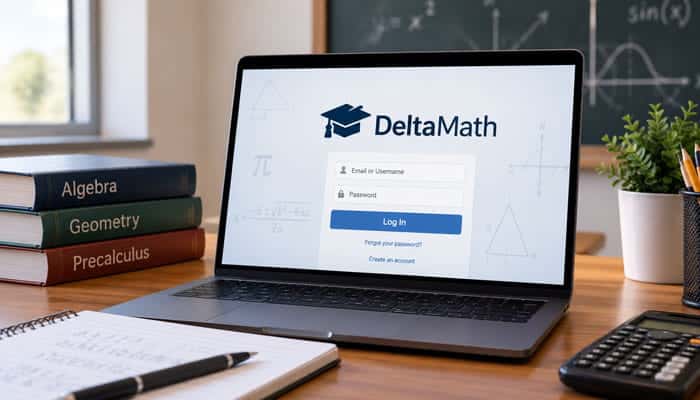
The official Delta Math website provides access to the platform’s login system.
Students should use the login method supplied by their teacher or school.
Depending on the school setup, this may involve:
- Standard Delta Math login
- Google Single Sign-On
- Google Classroom
- Canvas
- Schoology
- Clever
- ClassLink
- Infinite Campus
The login process can therefore differ between schools.
Delta Math Student Login
Students using a traditional Delta Math class generally need a student account associated with their teacher’s class.
Your teacher may give you:
- A registration link
- An 8-character class code
- School login instructions
If your school uses an integrated system, follow those instructions instead of creating another account.
Delta Math Teacher Login
Teachers can create a teacher account and then manage:
- Classes
- Students
- Assignments
- Tests
- Skills
- Student data
- Additional tools
Teacher accounts provide access to the content library and classroom-management functions appropriate to the selected account or license.
How to Join a Delta Math Class
There are two common ways to join a traditional Delta Math class.
Join with a registration link
Your teacher can give you a registration link.
The link already contains the class information, so the registration process can be simpler.
Join with a class code
A teacher can provide an 8-character alphanumeric class code.
The general process is:
- Go to Delta Math.
- Select the registration option.
- Enter your account information.
- Enter the class code.
- Complete registration.
- Log into your account.
- Confirm that the correct class appears.
What if I already have a Delta Math account?
Do not automatically create another account.
If you try to register for a new class while already having a Delta Math student account, Delta Math directs you to log into the existing account. After logging in, you can be registered for the additional course.
Students can use an existing account to join more than one class.
What Is a Delta Math Class Code?
A Delta Math class code connects a student account to a teacher’s class.
The teacher generates the code from the class-management area.
If you do not know your class code, ask your teacher rather than using a random code found online.
A class code is not the same thing as your password.
Can You Join More Than One Delta Math Class?
Yes.
An existing student account can be used to join multiple classes.
This can be useful if you have:
- More than one mathematics teacher
- Different course sections
- A regular class and tutoring class
- Multiple Delta Math courses
Students cannot generally remove themselves from old classes, so ask the relevant teacher if you need an outdated class removed or changed.
Delta Math Assignments
Assignments are one of the central features of the platform.
Teachers can select specific skills and configure how students should complete them.
An assignment can contain:
- One skill
- Multiple skills
- Different problem types
- Different problem subtypes
- Timed activities
- Specific questions
- Teacher-created questions
- Interactive activities
What can teachers control?
Depending on the account and license, teachers can control settings such as:
- Classes receiving the assignment
- Individual students
- Student groups
- Posting time
- Due date
- Late date
- Time limits
- Solution visibility
- Video visibility
- Other assignment restrictions
- Student work uploads
- Assignment visibility after the due date
This flexibility allows the same platform to be used for homework, practice, review, remediation, and assessment preparation.
Delta Math Assignment vs. Test
This distinction is important and is often missing from basic Delta Math guides.
A Delta Math assignment is generally designed around completion or mastery of skills.
A Delta Math test is designed around accuracy.
| Feature | Delta Math Assignment | Delta Math Test |
|---|---|---|
| Main purpose | Practice and mastery | Assessment |
| Grading emphasis | Completion/mastery | Accuracy |
| Typical use | Homework and practice | Quiz, test, diagnostic or benchmark |
| Questions | Skills and problem sets | Individual questions |
| Repeated practice | Yes | More restricted |
| Time limits | Available for applicable assignments | Available |
| Passcode | Not the primary feature | Available |
| Results controls | Assignment-dependent | Dedicated test settings |
| Solutions | Teacher-controlled | Teacher-controlled |
| Test corrections | Separate workflow | Supported |
Tests can be used for quizzes, diagnostics, exit tickets, unit tests, and benchmarks.
How Delta Math Grading Works
Delta Math grading is more nuanced than simply counting how many questions a student answered.
The outcome can depend on the assignment type and settings.
Relevant factors may include:
- Required score
- Accuracy
- Penalty settings
- Skill weight
- Maximum number of problems
- Specific questions
- Teacher-created questions
- Late work
Completion percentage vs. grade percentage
These are not necessarily the same thing.
A student can complete an assignment but still receive a grade affected by accuracy or lateness, depending on how the teacher configured the assignment.
This is why a student should not assume that reaching 100% completion automatically means the assignment will show as a 100% grade.
What Does “Required” Mean in Delta Math?
The required setting establishes the amount of demonstrated success needed for a skill.
For a mastery-style assignment, students may need to reach a particular score rather than simply answer a fixed number of questions.
This allows teachers to make practice more rigorous or more forgiving depending on the learning goal.
What Does “Penalty” Mean?
Penalty settings can affect how incorrect responses influence progress.
The exact behavior depends on the skill and assignment configuration.
A student may therefore notice that getting an answer wrong does not always affect every assignment in exactly the same way.
What Does “Weight” Mean?
Weight controls how much a skill contributes to the overall assignment.
For example, if two skills each have a weight of 1, they contribute equally.
If one skill has a larger weight, it can contribute more heavily to the assignment’s overall result.
Why Is My Delta Math Grade Lower Than My Completion Percentage?
Possible explanations include:
- The assignment grades accuracy.
- You completed the work late.
- Specific questions were assigned.
- Teacher-created questions are included.
- The assignment has a maximum problem setting.
- Different skills have different weights.
- The assignment is configured differently from a standard mastery exercise.
If the grade does not appear to match the assignment instructions, ask your teacher to check the assignment settings.
Delta Math Skill Types
Delta Math is more than a collection of basic multiple-choice questions.
The current content library includes several different skill formats.
Standard Skills
In a standard skill, students generally enter a mathematical response.
The response might be:
- A number
- An expression
- An equation
- Another mathematical value
The system then evaluates the response.
Guided Skills
Guided skills divide mathematical reasoning into steps.
Students may receive prompts that help them move through the process.
If an intermediate answer is incorrect, the platform can provide a notice or hint that helps direct the student toward the next step.
Guided skills can therefore be useful when a student understands the goal but struggles with the sequence of operations.
Graphing Skills
Graphing skills provide interactive mathematical activities.
Students can perform tasks such as:
- Plotting points
- Graphing lines
- Shading inequalities
- Creating figures
- Manipulating geometric objects
Timed Skills
Timed skills are designed to build mathematical fluency.
Students practice accuracy while working against a timer.
The skills can range from basic arithmetic to more advanced mathematical topics.
Discovery Skills
Discovery skills allow students to investigate mathematical relationships visually.
For example, students can manipulate transformations and observe how changes affect graphs or geometric figures.
Geometric Proofs
Delta Math includes interactive geometric proof activities.
Students may need to:
- Enter statements
- Select reasons
- Complete proof steps
- Justify mathematical conclusions
Geometric Constructions
Geometric construction activities use an interactive straightedge and compass.
Students can work on constructions such as:
- Segment bisectors
- Angle bisectors
- Other Euclidean constructions
This makes the platform more useful for geometry than a simple numerical-answer system.
How to Find a Delta Math Skill
Teachers can search the content library by:
- Grade or year
- Topic
- Keyword
- State or provincial standards
- Recently added content
The search system is relatively precise.
For example, searching a root word rather than a modified form can return more relevant results.
Premium users can also organize content by standards, including state, district, or Canadian curriculum options where supported.
Does Delta Math Have More Than 2,500 Skills?
Yes.
Delta Math’s current content descriptions list 2,500+ math skills/problem types covering mathematics from lower elementary through Grade 12.
The platform continues to add content, so the library is not static.
Does Delta Math Show Answers?
Delta Math can show step-by-step solutions, but the teacher controls whether and when students see them on supported assignments.
Possible solution settings include:
- Show solutions after each answer
- Show solutions only after an incorrect answer
- Show solutions only after a correct answer
- Do not show solutions
Therefore, if you submit a response and do not see a solution, that may be an intentional assignment setting.
How to Use Delta Math Answers Correctly
Searching for “Delta Math answers” usually means one of two things:
- A student wants to understand why an answer is correct.
- A student wants the final answer without solving the problem.
The first use is much more valuable for learning.
A better process is:
Try → Submit → Review → Understand → Retry
If a question is marked incorrect:
- Read the feedback.
- Identify the incorrect step.
- Compare your method with the explanation.
- Solve another version.
- Check whether you can repeat the process independently.
Because many problems are randomized, memorizing one answer is unreliable; understanding the method is more useful.
Why Are My Delta Math Questions Different From My Classmate’s?
Randomization is a core feature of Delta Math.
Two students working on the same assignment can receive different numbers or problem versions.
For example:
Student A
4x + 6 = 26
Student B
7x - 3 = 32
The numbers differ, but the underlying algebraic skill is similar.
Randomization encourages students to learn the method rather than copy a final answer.
Can Teachers Assign the Same Exact Question?
Yes, applicable premium features can allow teachers to assign specific questions rather than relying entirely on randomized skill generation.
This can be useful when a teacher wants everyone to analyze the same problem.
Specific-question assignments are particularly useful for:
- Assessments
- Class discussion
- Targeted remediation
- Curriculum alignment
- Review questions
Can Teachers Create Their Own Delta Math Questions?
Yes.
Premium Delta Math plans provide tools for creating custom questions.
Depending on the question type, teachers can create:
- Standard questions
- Multiple-choice questions
- Guided-sentence questions
- Paragraph questions
Teachers can also incorporate mathematical formatting and supported visual elements.
This allows an assignment to combine Delta Math’s premade content with teacher-specific material.
Delta Math Videos
Delta Math’s paid offerings can include instructional videos associated with problem types.
Teachers can control whether students can access those videos while completing an assignment.
This can be helpful when a student needs a short explanation before trying another problem.
Videos work best as part of a cycle of instruction and practice rather than as a substitute for solving problems.
Delta Math Tests
Tests provide a different assessment model from regular assignments.
Delta Math describes tests as accuracy-based assessments rather than mastery-style assignments.
Teachers can use tests for:
- Quizzes
- Unit tests
- Diagnostics
- Exit tickets
- Benchmarks
Test-specific settings
Depending on the license, teachers can control:
- When results appear
- When solutions appear
- Whether students can change answers
- Time limits
- Passcodes
- Access to other assignments
- Grade passback behavior in supported integrations
Does Delta Math Have a Lockdown Browser?
No.
Delta Math’s official test documentation states that it does not currently have a lockdown browser.
It does provide other assessment controls, such as time limits, passcodes, restrictions on other assignments, and result controls.
Schools should therefore not describe Delta Math as a complete lockdown testing environment.
Delta Math Test Corrections
Test corrections allow teachers to turn assessment results into additional learning opportunities.
Instead of simply recording a score, teachers can use corrections to have students revisit missed material.
This can help students identify:
- Which concepts they misunderstood
- Which mistakes were procedural
- Which questions require further review
Test corrections are particularly useful when the goal is learning from an assessment rather than treating the test as the end of the learning process.
Delta Math Teacher Features
The free teacher version includes substantial functionality.
Delta Math currently lists features such as:
- Unlimited assignments
- Unlimited student practice
- 2,500+ premade problem types
- Automatic grading
- Detailed student data
- Timestamps
- Evidence of student progress
- Cheat-prevention tools
- Assignment copying and sharing
- Google Single Sign-On
Paid plans add additional capabilities.
Delta Math PLUS
PLUS is a school or district-level paid offering.
Features can include:
- Instructional videos
- Teacher-assigned videos
- Tests
- Additional assignment controls
- Specific problem types
- Custom problems
- Individual and group assignments
- Additional data and administrative tools
The exact package should be checked against the current school or district license.
Delta Math INTEGRAL
INTEGRAL is a more advanced school/district offering.
Depending on the current license configuration, it can provide features such as:
- Expanded integrations
- Student work uploads
- PDF printing
- Advanced reporting
- Diagnostics
- Standards-based reporting
- Additional administrative tools
Delta Math Student Data
Teachers can access detailed information about student work.
Depending on the feature and license, this can include:
- Problems attempted
- Questions viewed
- Student responses
- Correct answers
- Timestamps
- Time spent
- Completion
- Grades
- Video activity
- Assessment results
This information helps teachers understand more than simply whether a student received a passing grade.
For example, a teacher can identify whether a student repeatedly struggles with one specific skill.
Can Teachers See Your Delta Math Activity?
Students should assume that activity within their Delta Math assignments can be visible to teachers through the platform’s student-data tools.
Depending on the feature, teachers may see information related to:
- Questions
- Responses
- Completion
- Timing
- Attempts
- Assignment progress
- Assessment performance
This does not mean that teachers automatically see everything happening on a student’s device.
Delta Math’s documented teacher data relates to activity within the platform and its assignments.
Does Delta Math Track Browser Tabs?
Students often ask this question because they want to know whether switching tabs is visible to their teacher.
Do not treat Delta Math as a browser-wide surveillance tool. The important distinction is between activity recorded inside Delta Math and everything happening on the student’s computer.
Teachers can access platform-related activity and performance information, but Delta Math’s official test documentation does not describe the platform as a full device-monitoring or lockdown-browser system.
Delta Math Privacy and Student Data
Because Delta Math is used in schools, privacy is an important consideration.
The platform’s privacy documentation discusses information associated with teacher and student accounts and assignment activity.
Schools and districts can also enter separate data-protection agreements with educational technology providers.
Students should:
- Use their assigned account
- Avoid sharing passwords
- Follow school privacy rules
- Use school-approved login methods
- Ask a teacher or administrator about school-specific data policies
Parents should review their school’s technology and privacy policies when Delta Math is used by younger students.
Delta Math Integrations
Delta Math supports multiple educational technology integrations.
Current Help Center documentation includes integrations for:
- Google Classroom
- Canvas
- Schoology
- Clever
- ClassLink
- Infinite Campus
The available integration depends on the school’s Delta Math license and configuration.
Delta Math and Google Classroom
Google Classroom integration can help teachers connect Delta Math with an existing classroom workflow.
It can support:
- Class setup
- Student rostering
- Assignment creation
- Grade-related workflows
Students should use the Google account provided by their school when instructed to do so.
Delta Math and Canvas
Canvas integration can allow teachers to create Delta Math activities through Canvas.
Depending on the setup, teachers can assign work to:
- Entire courses
- Sections
- Individuals
This can be particularly useful for schools already managing courses through Canvas.
Delta Math and Schoology
Schoology integration provides another way for schools to connect Delta Math with their existing learning-management system.
Supported workflows can include:
- Rostering
- Assignments
- Tests
- Data
- Test corrections
Delta Math, Clever and ClassLink
Clever and ClassLink can provide school-level authentication and rostering.
This means students may access Delta Math through the school portal rather than maintaining a separate login workflow.
If Delta Math does not appear in your Clever or ClassLink dashboard, contact your school administrator rather than creating a duplicate account.
Delta Math for Home
DeltaMath for Home is separate from the standard teacher-managed classroom experience.
It is designed for independent learners and families.
The current home offering covers learners from 4th grade through AP Calculus and includes:
- Teacher-created math content
- Targeted practice
- Step-by-step explanations
- Independent practice
- Parent progress monitoring
- Pre-quiz-based support
- Focused practice activities called BURSTS
The home product is intended for learners who want additional mathematics practice outside a traditional teacher-managed class.
DeltaMath for Home Parent Dashboard
One feature that deserves more attention is the parent dashboard.
A parent account can provide information about a learner’s:
- Quiz scores
- Practice time
- Progress
- Areas for improvement
A parent account is included with the DeltaMath for Home subscription.
Learners can also use DeltaMath for Home independently.
Delta Math Grade Coverage
Delta Math’s main content library covers mathematics from lower elementary through Grade 12.
DeltaMath for Home currently markets content from 4th grade through AP Calculus.
This means the platform can serve students at very different stages of mathematics education.
Topics can include areas such as:
- Elementary mathematics
- Pre-algebra
- Algebra
- Geometry
- Algebra II
- Trigonometry
- Precalculus
- Calculus
- Statistics
- Mathematical proofs
- Graphing
The exact availability of individual skills can change as Delta Math adds new content.
Delta Math Standards Alignment
Premium content can be searched by educational standards.
The official Help Center says teachers can search by standards covering:
- All 50 U.S. states
- Washington, D.C.
- Canada
This allows teachers to connect Delta Math skills with curriculum expectations.
Delta Math PDF Printing
Applicable Delta Math plans provide PDF printing for supported assignments and tests.
This can help teachers:
- Print paper copies
- Provide offline work
- Create classroom packets
- Support students who need printed material
However, highly interactive activities cannot always reproduce their online experience perfectly on paper.
Delta Math Student Work Uploads
INTEGRAL includes student work-upload functionality.
Students can upload:
- Images
- PDFs
- Handwritten calculations
They can also use a QR code to upload work from a phone in supported workflows.
This feature is useful when teachers want to see the student’s mathematical reasoning rather than only the final digital answer.
Is Delta Math Free?
Delta Math has several product options.
| Version | General pricing model | Main audience |
|---|---|---|
| DeltaMath Teacher | Free | Individual teachers |
| DeltaMath PLUS | Paid school/district license | Schools and districts |
| DeltaMath INTEGRAL | Paid school/district license | Schools and districts needing advanced tools |
| DeltaMath for Home | Paid subscription | Families and independent learners |
The free teacher version provides substantial core functionality.
Paid plans add advanced instructional, assessment, integration, and administrative features.
Pricing and included features can change, so schools should check the current official Delta Math offering before purchasing.
Delta Math vs. Traditional Worksheets
| Feature | Delta Math | Traditional Worksheet |
|---|---|---|
| Randomized questions | Yes, for supported skills | Usually no |
| Automatic grading | Yes | Usually manual |
| Immediate feedback | Yes | Usually delayed |
| Repeated practice | Easy | Requires additional copies |
| Teacher data | Detailed | Limited |
| Interactive graphing | Available | Usually limited |
| Guided activities | Available | Depends on worksheet |
| Timed practice | Available | Manual |
| Assignment scheduling | Available | Manual |
| Student timestamps | Available | Usually unavailable |
| Digital assessments | Available | Limited |
| Customized questions | Available on applicable plans | Teacher-created |
Delta Math vs. Answer Websites
Delta Math is fundamentally different from a website that simply publishes an answer.
An answer website may provide a final result without explaining the process.
Delta Math is built around:
- Practice
- Feedback
- Repeated attempts
- Skill development
- Teacher oversight
- Performance information
The key difference is that Delta Math can generate another version of a problem, so understanding the method is more useful than memorizing one final answer.
Advantages of Delta Math
Several characteristics make Delta Math useful for structured mathematics practice.
Large skill library
The platform provides 2,500+ math skills/problem types.
Randomized practice
Students can practice the same concept using different problem versions.
Immediate feedback
Students do not necessarily need to wait until the next class to discover whether an answer was correct.
Multiple skill formats
The platform includes standard, guided, graphing, timed, discovery, proof, and construction activities.
Teacher controls
Teachers can adjust assignments according to their instructional goals.
Detailed data
Teachers can see much more than a final percentage.
Assessment tools
Tests and test corrections expand the platform beyond ordinary homework.
Limitations of Delta Math
Delta Math is primarily a practice, assignment, and assessment environment.
It should not be treated as a complete replacement for mathematics instruction.
Students may still need:
- Teacher explanations
- Textbook instruction
- Worked examples
- Tutoring
- Classroom discussion
- Conceptual lessons
- Additional practice resources
Another important limitation is that different teachers may configure assignments very differently.
Two students using Delta Math can have noticeably different experiences depending on:
- Skill selection
- Required score
- Penalty
- Due date
- Solution settings
- Videos
- Time limits
- Assignment type
How to Get Better Results With Delta Math
Students can make the platform much more useful by changing how they approach assignments.
1. Try the problem yourself first
Do not immediately search for the answer.
2. Write out the calculation
Even if only the final answer is entered online, showing your work separately can make mistakes easier to identify.
3. Study incorrect responses
Ask why the answer was wrong.
4. Use feedback
If a solution is available, compare your method with the explanation.
5. Try another randomized problem
This checks whether you understood the skill rather than memorized the answer.
6. Ask your teacher for clarification
If the same mistake keeps happening, additional instruction may be more useful than repeatedly guessing.
Tips for Teachers Using Delta Math
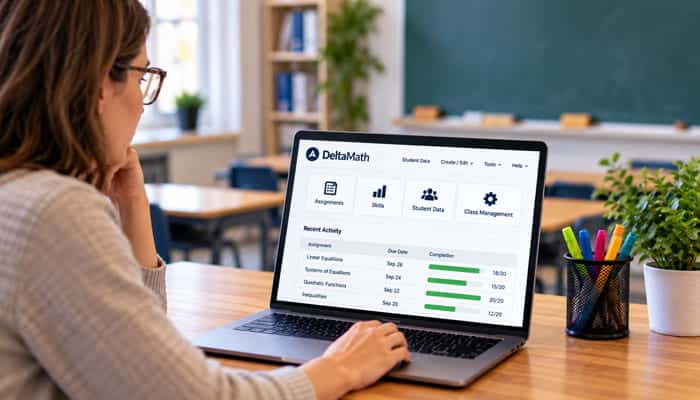
Teachers can improve learning by matching Delta Math settings to the purpose of each activity.
For practice
- Use randomized problems
- Keep assignments short
- Enable immediate feedback
For remediation
- Use guided skills
- Add instructional videos
- Assign targeted practice
For assessment
- Use tests and specific questions
- Set time limits or passcodes
- Use test corrections
For differentiation
- Assign work to individuals or groups
- Use different problem types
- Adjust difficulty and rigor
Common Delta Math Login Problems
Common problems include:
- Incorrect username or password
- Using the wrong school account
- Choosing the wrong login method
- Forgotten password
- Creating a duplicate or wrong account
- Google login not working
- Browser or cache issues
- Internet connection problems
- Delta Math not loading
- School login integrations not syncing properly
If your school uses Google, Clever, ClassLink, Canvas, or Schoology, use the login method provided by your school.
Why Can’t I See My Delta Math Assignment?
Possible reasons include:
- The teacher has not posted it.
- The assignment is scheduled for later.
- The assignment is still a draft.
- You are in the wrong class.
- You are logged into another account.
- The assignment was hidden after its due date.
- The school integration has not synchronized.
- The teacher changed the assignment settings.
If other students can see the assignment but you cannot, ask your teacher to verify your class registration.
Why Is My Delta Math Answer Wrong?
Check:
- Negative signs
- Parentheses
- Fractions
- Decimals
- Algebraic steps
- Units
- Rounding instructions
- Response format
Also check whether you accidentally answered a previous question rather than the current one.
If the displayed correct answer appears mathematically identical to your response, take a screenshot or show the problem to your teacher so the exact response format can be checked.
Why Can’t I See the Solution?
The teacher may have configured the assignment so solutions are:
- Hidden
- Shown only after incorrect answers
- Shown only after correct answers
- Shown under specific result conditions
This is usually an assignment-setting issue rather than a login problem.
Can Delta Math Detect Cheating?
Delta Math provides teacher-facing activity information and cheat-prevention tools.
However, it should not be described as a perfect cheating-detection system.
The platform’s documented test controls include time limits, passcodes, restrictions on other assignments, and result controls.
It does not currently provide a lockdown browser.
Students should follow their school’s academic-integrity rules and complete assignments independently.
Is Delta Math Good for Learning Math?
Delta Math can be useful for structured practice because it combines:
- Large skill coverage
- Randomized questions
- Immediate feedback
- Automatic grading
- Guided activities
- Interactive mathematics
- Teacher oversight
- Performance data
Its effectiveness depends heavily on how it is used.
A student who repeatedly guesses until an answer is accepted may complete an assignment without understanding the concept.
A student who studies mistakes, reviews explanations, and solves new randomized versions is more likely to gain useful practice.
Is Delta Math Good for Elementary Students?
Yes.
The current Delta Math content library extends into lower elementary mathematics.
DeltaMath for Home currently specifically advertises content beginning in 4th grade and continuing through AP Calculus.
The exact skills available depend on the product and account.
Is Delta Math Good for Homeschooling?
DeltaMath for Home is particularly relevant for families who want independent mathematics practice.
It offers:
- 4th-grade-through-AP-Calculus content
- Targeted practice
- Step-by-step explanations
- Pre-quizzes
- Parent progress reporting
- Independent learner accounts
It can supplement a homeschool curriculum, although families may still want a separate structured curriculum for lessons and broader instruction.
What Does Delta Mean in Delta Math?
The word “delta” is a mathematical term commonly associated with change or difference. However, that does not establish that the educational platform’s name was derived from the Greek letter.
Students should not assume that Delta Math is simply a “delta calculator” or a website about the mathematical delta symbol. Delta Math is the name of the educational platform created by Zach Korzyk.
Important Facts About Delta Math
A few current statistics help put the platform’s scale into perspective.
| Statistic | Current information |
|---|---|
| Founded | 2009 |
| Founder | Zach Korzyk |
| Teacher-users by 2026 | 180,000 |
| Students annually by 2026 | 10 million |
| Math skills/problem types | 2,500+ |
| Problems solved shown on current site | Over 10 billion |
| DeltaMath for Home | 4th grade through AP Calculus |
These figures come from Delta Math’s current product and company pages and can change as the platform grows.
What Competitors Commonly Get Wrong About Delta Math
Several common explanations oversimplify the platform.
“Delta Math is just a homework website.”
Not exactly.
It includes practice, mastery-style assignments, tests, interactive skills, teacher-created questions, student data, integrations, and home learning.
“Every Delta Math question has the same answer for everyone.”
Not necessarily.
Many skills are randomized.
“Delta Math always shows the solution.”
No.
Teachers can control solution visibility on applicable assignments.
“Delta Math is a lockdown browser.”
No.
The official test documentation specifically says Delta Math does not currently have a lockdown browser.
“Delta Math is completely free.”
The standard teacher version is free, but paid school/district offerings and DeltaMath for Home also exist.
“Delta Math is only for high school.”
No. The current content library extends into lower elementary mathematics, while DeltaMath for Home covers 4th grade through AP Calculus.
Delta Math FAQs
1. How do I join a Delta Math class?
Use your teacher’s registration link or 8-character class code. If you already have an account, use the existing account rather than creating a new one.
2. Why are Delta Math questions different for every student?
Many Delta Math skills use randomized question generation, so students can receive different numbers or versions of the same type of problem.
3. Can teachers see student answers?
Yes. Teachers can access assignment and assessment information, including student responses and performance data, depending on the feature and license.
4. Does Delta Math have a lockdown browser?
No. Delta Math’s official documentation says it does not currently provide a lockdown browser.
5. Can students upload handwritten work?
Yes. Student work uploads are available through applicable INTEGRAL features, allowing students to submit images, PDFs, or handwritten calculations.
6. Can Delta Math assignments be printed?
Yes. Supported assignments and tests can be printed to PDF with applicable features, although interactive activities may not transfer perfectly to paper.
7. Is Delta Math good for homeschool?
DeltaMath for Home is designed for families and independent learners and covers mathematics from 4th grade through AP Calculus.
8. Can parents see their child’s DeltaMath for Home progress?
Yes. DeltaMath for Home includes a parent dashboard that can show progress information such as quiz scores, practice time, and areas for improvement.
Final Thoughts
Delta Math is more than a website where students type answers to math homework. Its current platform combines 2,500+ math skills/problem types, randomized practice, immediate feedback, guided activities, graphing, timed practice, discovery activities, geometric proofs, constructions, teacher-created questions, tests, test corrections, student data, integrations, and home-learning tools.
For students, the most important lesson is simple: use Delta Math to learn the method, not just to obtain the answer.
Because questions can be randomized, understanding how to solve a problem is more valuable than memorizing one numerical response.
For teachers, Delta Math provides a flexible environment for assigning targeted practice, differentiating instruction, monitoring student progress, and assessing mathematical understanding.
And for families, DeltaMath for Home provides a separate path for independent practice from 4th grade through AP Calculus.
Whether you searched for Delta Math login, Delta Math answers, Delta Math assignments, a class code, Delta Math tests, pricing, or troubleshooting, the platform is best understood as a practice-and-feedback system that connects mathematical skills with repeated application, teacher oversight, and measurable progress.
