

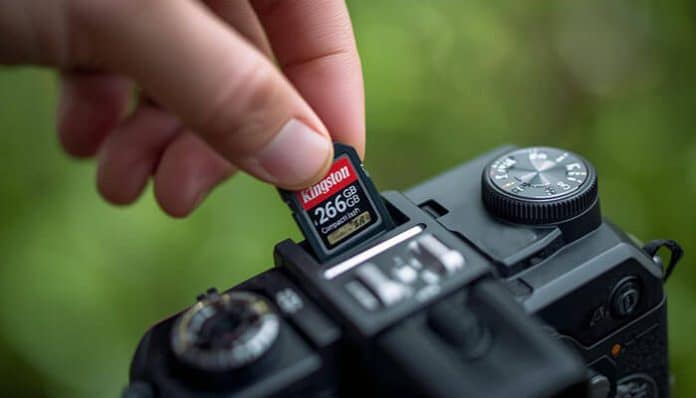

When shooting 4K video, nothing’s more frustrating than having your recording stop unexpectedly or end up with corrupted footage due to a subpar memory card. So what’s the best micro SD card for 4K video recording?
The SanDisk Extreme PRO microSDXC UHS-I Card (128GB-400GB) is the top choice, offering V30/U3 speed ratings, write speeds up to 90MB/s, and proven reliability for continuous 4K recording.
However, this recommendation assumes you’re using a typical consumer camera or drone. If you’re working with specific camera brands or need to record at extremely high bitrates, you’ll want to keep reading since some devices have unique requirements that might make other cards a better choice for your situation.
How Different Cameras Require Different SD Cards
Professional cinema cameras like the Blackmagic Pocket 6K require much faster cards due to their higher bitrates, often necessitating CFast or V90-rated SD cards. Meanwhile, most mirrorless cameras from Sony, Canon, and Nikon work perfectly fine with V30/U3 cards. Action cameras like GoPros typically need at least V30 speed ratings, but some newer models benefit from faster V60 cards.
The camera’s codec and compression settings also play a crucial role. If you’re shooting in highly compressed formats like H.264/H.265, a V30 card will usually suffice. However, shooting in All-I or ProRes formats requires significantly faster write speeds.
What Speed Ratings Actually Matter For 4K Video
The confusing array of speed ratings on SD cards (like U3, V30, A2) can make choosing the right card challenging. For 4K video, the most important rating to look for is the Video Speed Class, marked with a “V” followed by a number. V30 means the card can write at least 30MB/s consistently, which is sufficient for most 4K recording.
The UHS Speed Class (U1 or U3) is also relevant but somewhat outdated. U3 is equivalent to V30, while U1 (10MB/s) is generally too slow for 4K video. Other ratings like A1/A2 relate to app performance on mobile devices and aren’t relevant for video recording.
How To Avoid Fake SD Cards

With the prevalence of counterfeit memory cards online, it’s crucial to purchase from authorized retailers. Fake cards often advertise impressive speeds and capacities but actually use lower-quality memory that can fail during recording.
The safest approach is to buy directly from major retailers like Amazon (not third-party sellers), B&H Photo, or Adorama. If a price seems too good to be true, it probably is. Also, check the card’s authenticity using the manufacturer’s verification tools – most major brands like SanDisk and Lexar offer ways to verify their products online.
How To Test Your SD Card’s Real Performance
Before committing to a full day of shooting, it’s wise to verify your card’s actual performance. Several free tools like H2testw (Windows) or F3 (Mac/Linux) can check if your card delivers its advertised speeds and capacity. For video-specific testing, try recording for at least 30 minutes continuously to ensure the card can handle sustained writing.
Keep in mind that a card’s performance can degrade over time, especially as it fills up. It’s good practice to format your card regularly and keep at least 20% free space to maintain optimal performance. Some cameras also have built-in tools to verify if a card is fast enough for their specific recording modes.
What To Do If Your Card Fails During Recording
Even the best SD cards can fail, so it’s essential to have a backup plan. Professional videographers often use cameras with dual card slots, recording simultaneously to both cards. If that’s not an option, consider carrying multiple smaller cards rather than one large card – this way, if a card fails, you don’t lose all your footage.
If a card does fail, stop using it immediately. Don’t format or write any new data to it, as this could overwrite potentially recoverable footage. There are various data recovery software options available, like Recuva or PhotoRec, that might help retrieve your files. For critical shoots, consider using professional data recovery services.
For prevention, always properly eject cards from computers, avoid removing them while the camera is writing data, and keep them protected from extreme temperatures and physical damage. These simple practices can significantly reduce the risk of card failure.
Time To Start Recording
Now that you understand what makes a great SD card for 4K video, start by testing your current card’s performance using H2testw or F3 to see if it meets the minimum V30 requirements. This simple test will either confirm you’re ready to shoot or signal that it’s time to upgrade to a more capable card, potentially saving you from losing valuable footage down the line.
