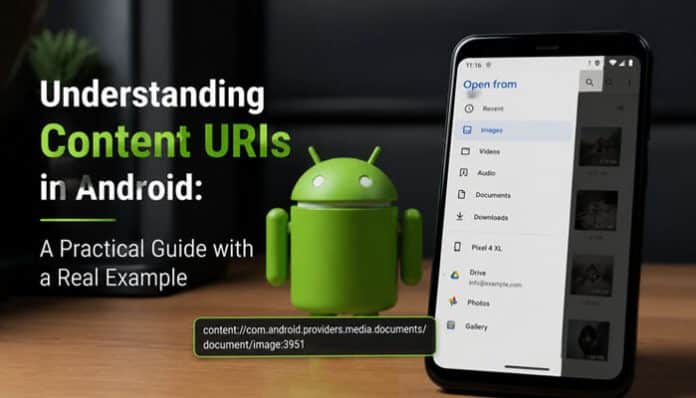

In today’s mobile ecosystem, secure and efficient data access is one of the most critical requirements for modern applications. Android solves this challenge through Content Providers a framework that allows apps to share structured data in a controlled and standardized way.
At the heart of this system is the Content URI, a special identifier that points to data exposed by a Content Provider. In this guide, we’ll explore how Content URIs work, why they matter, and break down a real-world example:
content://cz.mobilesoft.appblock.fileprovider/cache/blank.html
You’ll learn its structure, purpose, and how developers use such URIs to manage and share data safely.
What Is a Content URI?
A Content URI is a unique address used in Android to access data from a Content Provider. Unlike file paths that depend on device storage structures, Content URIs provide a stable and secure reference that works across applications.
They are commonly used for:
- Sharing files between apps
- Accessing system data (contacts, media, calendars)
- Abstracting storage implementation
- Enforcing access permissions
Anatomy of a Content URI
A standard Content URI follows this format:
content://<authority>/<path>/<id>
| Part | Description |
| authority | Identifies the Content Provider (usually the app’s package name) |
| path | Specifies the data category or location |
| id | Optional – identifies a single record or file |
Example Breakdown
content://cz.mobilesoft.appblock.fileprovider/cache/blank.html
- Authority: cz.mobilesoft.appblock.fileprovider
- Path: cache
- ID / File: blank.html
This tells Android to retrieve the file blank.html from the cache directory of the AppBlock file provider.
Why Content URIs Matter
Content URIs offer several major advantages:
🔄 Data Sharing
Apps can securely access data from other apps or system providers.
🧩 Abstraction
The underlying storage method can change without breaking the app or external access.
🔐 Security
Permissions and access rules prevent unauthorized data usage.
Understanding Content Providers
A Content Provider is a special Android component that manages access to shared data. It acts as a gatekeeper, allowing controlled interaction through Content URIs.
Key Capabilities
- Supports CRUD operations (Create, Read, Update, Delete)
- Provides a uniform data access interface
- Enables inter-app communication
Common Use Cases
- Contacts & calendars
- Media files (images, videos, audio)
- App-specific shared storage
What Is a File Provider?
A File Provider is a specialized Content Provider used to share files safely. Instead of exposing file paths directly, it generates secure Content URIs that grant temporary access to specific files.
This prevents apps from gaining unrestricted access to your internal storage.
How Developers Use Content URIs
1. Creating a Content Provider
public class MyContentProvider extends ContentProvider {
// Implement query, insert, update, delete, etc.
}
2. Registering It in the Manifest
<provider
android:name=”.MyContentProvider”
android:authorities=”cz.mobilesoft.appblock.fileprovider”
android:exported=”true” />
3. Accessing Data via ContentResolver
Cursor cursor = getContentResolver().query(
Uri.parse(“content://cz.mobilesoft.appblock.fileprovider/cache/blank.html”),
null, null, null, null
);
if (cursor != null) {
while (cursor.moveToNext()) {
// Process data
}
cursor.close();
}
Managing Permissions Securely
You can protect your provider using custom permissions:
<provider
android:name=”.MyContentProvider”
android:authorities=”cz.mobilesoft.appblock.fileprovider”
android:permission=”cz.mobilesoft.appblock.permission.ACCESS_DATA”
android:exported=”true” />
Only apps with this permission can access the data.
Best Practices for Content URIs
✔ Use clear, logical URI structures
✔ Keep paths descriptive
✔ Manage cache files properly
✔ Protect sensitive data with permissions
✔ Test all access scenarios thoroughly
Final Thoughts
Content URIs are a cornerstone of Android’s data-sharing architecture. They provide a safe, flexible, and standardized way to expose information between applications.
The example:
content://cz.mobilesoft.appblock.fileprovider/cache/blank.html
demonstrates how Android combines security, abstraction, and accessibility into a single reference system.
By mastering Content Providers and Content URIs, developers can build scalable, secure, and future-proof Android apps that handle data with confidence.