



Last updated: October 2026
If you want to check your sonic gift card balance, the quickest option is to use SONIC’s official Gift Cards page. You can also call SONIC’s gift-card support number if you need help.
SONIC gift cards can be used for eligible purchases at participating SONIC Drive-In locations in the United States. Physical gift cards can also be loaded into the SONIC App for App orders, while SONIC App eGift Cards have separate redemption rules. SONIC currently states that its gift cards never expire and have no fees.
This guide explains how to check your balance, where to use your card, how reloading works, what to do with a small remaining balance, and how to handle lost, stolen, or malfunctioning cards.
How to Check Sonic Gift Card Balance
There are two clearly supported ways to check a sonic gift card balance: online through SONIC’s official Gift Cards page or by phone.
1. Check Your Sonic Gift Card Balance Online
SONIC’s official Gift Cards page provides a Check Balance option.
To check your balance:
- Go to the official SONIC Gift Cards page.
- Select Check Balance.
- Enter the requested gift-card information.
- Submit the information.
- Review the balance displayed for your card.
SONIC specifically directs customers to its Gift Cards page to check a card balance or reload a card.
2. Check Your Sonic Gift Card Balance by Phone
If you cannot use the online balance checker, SONIC currently lists 1-866-657-6642 for gift-card balance and reload assistance.
Keep your gift-card information and purchase records available if you need customer-service assistance.
Important: Some older websites and videos still publish different phone numbers. Because contact information can change, use the number currently published by SONIC rather than relying on an old third-party article or video.
3. Can You Check the Balance at a SONIC Drive-In?
This is one area where online articles can be misleading.
SONIC’s current official gift-card information specifically directs customers to the Gift Cards page or its gift-card support number for checking a balance.
A restaurant employee may be able to help with a gift-card transaction, but SONIC’s published information does not establish every Drive-In as a guaranteed balance-checking location. Therefore, the official website or phone support is the most reliable method when you need to confirm the exact balance.
Sonic Gift Card Balance at a Glance
| Question | Current Answer |
|---|---|
| Can I check my Sonic gift card balance online? | Yes |
| Official balance-check location | SONIC Gift Cards page |
| Can I check by phone? | Yes |
| Current gift-card support number | 1-866-657-6642 |
| Do standard SONIC gift cards expire? | No |
| Are there gift-card fees? | No |
| Can physical cards be used at participating SONIC locations? | Yes |
| Can physical cards be loaded into the SONIC App? | Yes |
| Can SONIC App eGift Cards be used directly at a Drive-In? | No, according to SONIC’s FAQ |
| Can eGift/digitized cards be used through the SONIC website? | No, under current gift-card terms |
| Can gift cards be redeemed for cash? | Generally no, unless required by law |
| Can a gift card purchase another gift card? | No |
| Can an existing gift card be reloaded? | Yes |
These points reflect SONIC’s current gift-card page and FAQ.
What You Need to Check Your Sonic Gift Card Balance
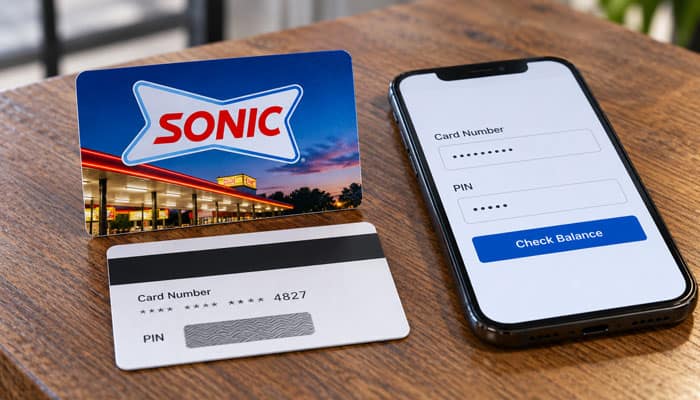
Before starting a balance check, have the card information available.
For a physical card, this generally means having the card itself available. For an eGift Card, keep the original delivery information accessible.
If you are contacting SONIC about a lost card, the company specifically recommends having the 16-digit card number and proof of purchase available.
Do not publish your complete gift-card number or PIN on social media, forums, or other public websites.
How to Check Sonic Gift Card Balance Without an Account
SONIC’s published gift-card instructions do not state that a SONIC Rewards account is required to check a gift-card balance. Start with the official Gift Cards page and follow the current Check Balance process. If the online process does not work, use SONIC’s published gift-card support number.
This is also why using an unofficial “Sonic balance checker” can be unnecessary. Start with SONIC’s own website rather than entering card information into an unfamiliar third-party site.
Can You Check Your Sonic Gift Card Balance in the App?
The SONIC App supports gift-card use, but SONIC’s published gift-card information specifically directs customers to the Gift Cards page or phone support to check the balance.
The App is particularly useful if you want to load an eligible physical gift card and use it for App orders. SONIC’s FAQ confirms that physical gift cards can be loaded into the SONIC Mobile App.
Therefore, checking the balance and redeeming the card are related but not necessarily the same process.
How to Use a Sonic Gift Card
SONIC states that a physical gift card can be redeemed at a participating Drive-In or loaded into the SONIC App for App orders.
The card can be redeemed up to its available balance.
For example:
- Starting balance: $25
- Purchase: $17
- Remaining balance: $8
You can then use the remaining amount on a later eligible purchase.
SONIC’s current terms state that the card is not a debit or credit card and cannot be used to purchase another gift card.
Physical Sonic Gift Card vs. Sonic App eGift Card
One of the most important distinctions for anyone researching sonic gift card balance is that physical gift cards and SONIC App eGift Cards do not have identical redemption rules.
| Feature | Physical Sonic Gift Card | Sonic App eGift Card |
|---|---|---|
| Balance checking | Yes, through SONIC’s supported process | Use SONIC’s supported balance-check process |
| Use at participating Drive-In | Yes | No, according to SONIC FAQ |
| Load into SONIC App | Yes | Digital card |
| Use for App orders | Yes | Yes |
| Use through SONIC website | Not applicable to the same extent as App eGift rules | No, under current terms |
| Expires | No | Standard gift card does not expire |
| Fees | No | No |
SONIC’s FAQ states that physical gift cards can be redeemed at participating Drive-In locations or loaded into the App, while App eGift Cards can only be redeemed through the App and cannot be used directly at Drive-In locations.
SONIC’s current terms also state that eGift and digitized cards are redeemable for online orders placed through the SONIC App but not for online orders placed through the SONIC website.
How to Add a Sonic Gift Card to the App
If you have a physical SONIC gift card and want to use it for App ordering, SONIC says the card can be loaded into the SONIC Mobile App.
The exact interface can change with App updates, but the general process is:
- Open the SONIC App.
- Sign in to your MySONIC account if required.
- Open the payment or gift-card section.
- Choose the option to add a gift card.
- Enter the requested card information.
- Save the card.
- Select the gift card when paying for an eligible App order.
If the card cannot be added, double-check the information and contact SONIC if the problem continues.
Can You Use a Sonic Gift Card on the Sonic Website?
This is an important distinction that many generic gift-card articles miss.
SONIC’s current gift-card terms state that eGift and digitized cards are redeemable for online orders through the SONIC App but are not redeemable for online orders placed through the SONIC website.
So do not automatically assume that “online” means every SONIC digital ordering channel.
The relevant distinction is:
- At a participating Drive-In: Physical gift cards can be used.
- SONIC App: Eligible physical and digital gift cards can be used according to their terms.
- SONIC website: eGift and digitized cards are not currently redeemable under the published gift-card terms.
What If Your Sonic Gift Card Balance Is Too Small for Your Order?
You do not necessarily need to leave a small balance unused.
SONIC’s FAQ specifically addresses this situation. It explains that customers cannot currently use multiple payment methods for Order Ahead orders, but they can use SONIC Pay at the restaurant to spend the remaining gift-card balance and then pay the rest with a credit card or cash.
For example:
- Gift card balance: $4
- Order total: $11
- Gift card applied: $4
- Remaining amount: $7
According to SONIC’s instructions, you can place the order at the restaurant, check in through the Pay tab, and use the remaining card balance without reloading it. You can then pay the remaining amount separately.
This is particularly useful when a card has only a few dollars left.
Can You Use More Than One Sonic Gift Card on an App Order?
Do not assume that you can combine several gift cards simply because you have multiple cards.
SONIC’s current gift-card promotional terms have included a rule that only one eBonus or gift card can be redeemed per App purchase, and promotional terms can also specify a maximum number of cards in the App wallet.
Because payment functionality and promotions can change, check the current App checkout screen and the applicable terms before attempting to combine cards.
Can You Reload a Sonic Gift Card?
Yes.
SONIC’s FAQ says an existing gift card can be reloaded through the official Gift Cards page or at a local Drive-In.
To reload online:
- Visit the official SONIC Gift Cards page.
- Select the reload option.
- Provide the requested card information.
- Follow the payment instructions.
- Confirm that the reload was completed.
- Check the balance again if you want to verify the updated amount.
Do Sonic Gift Cards Expire?
No.
SONIC states that its gift cards never expire or decrease in value.
That means you should not lose the monetary value of a standard SONIC gift card simply because you have not used it for a long time.
However, this rule should not be confused with promotional offers.
Gift Card vs. Promotional eBonus
A standard gift card and a promotional eBonus are not necessarily subject to the same rules.
For example, SONIC’s 2026 gift-card promotion offered $5 eBonus cards with a defined redemption period. The promotion required qualifying purchases during a specific promotional window and imposed a separate deadline for the eBonus.
Therefore:
- Standard gift card: Does not expire under SONIC’s current terms.
- Promotional eBonus: May have its own expiration date.
- Coupon or reward: May have separate conditions.
Always read the terms attached to a promotional item.
Are There Fees for Sonic Gift Cards?
No.
SONIC’s current gift-card terms state that the card has no fees and does not expire.
That means you should not expect an inactivity or dormancy fee to reduce the value of a standard SONIC gift card.
Can You Get Cash Back From a Sonic Gift Card?
Generally, no.
SONIC’s current terms state that a gift card is not redeemable for cash or refundable unless required by law.
Some jurisdictions have laws concerning cash redemption of low-value gift-card balances. Whether an exception applies depends on the applicable law and circumstances.
Therefore, it is more accurate to say that SONIC gift cards generally cannot be exchanged for cash rather than claiming that cash redemption is impossible in every situation.
Can You Use a Sonic Gift Card to Buy Another Gift Card?
No.
SONIC’s current terms specifically state that its gift cards cannot be used to purchase gift cards.
For example, a $20 SONIC gift card cannot normally be used to buy another $20 SONIC gift card.
Where Can You Buy Sonic Gift Cards?
SONIC’s FAQ states that both physical and eGift cards can be purchased online through its official Gift Cards page. Physical cards are also available at SONIC locations.
SONIC also states that cards purchased online can be mailed to U.S. addresses.
For the safest purchase, use SONIC’s official gift-card page or a participating SONIC location.
Be particularly careful with third-party sellers offering unusually large discounts. SONIC’s terms say the company can deactivate or reject cards sold by unauthorized sellers or cards associated with fraudulent activity.
Can Businesses Buy Sonic Gift Cards in Bulk?
Yes.
SONIC states that registered businesses can receive a 10% discount on orders of $500 or more through the Inspire Brands Corporate Gift Card Program, subject to approval.
This can be useful for:
- Employee incentives
- Customer appreciation
- Company events
- Promotional campaigns
- Recognition programs
The corporate program information states that gift cards can be ordered in denominations from $5 to $250, with a $500 minimum order for the business program.
What If Your Sonic Gift Card Balance Is Wrong?
If your sonic gift card balance does not match what you expected, work through these checks.
Check Your Recent Purchase
Compare the amount charged with your latest receipt.
Check for a Recent Reload
If you recently reloaded the card, make sure the reload was successfully processed.
Verify the Card Information
Make sure you are checking the correct card, particularly if you own multiple physical or digital gift cards.
Check Whether It Is a Gift Card or Promotional Card
A promotional eBonus may have different terms from a standard gift card.
Contact SONIC
If the balance remains incorrect, contact SONIC using the gift-card support information currently published by SONIC.
Keep your card information and purchase receipt available.
Why Does My Sonic Gift Card Show $0?
A $0 balance can have several explanations.
Possible causes include:
- The balance was already spent.
- You checked the wrong card.
- A recent transaction reduced the balance.
- The card information was entered incorrectly.
- A transaction or account issue needs to be investigated.
- The card was purchased through an unauthorized source and may have been deactivated.
SONIC’s terms specifically reserve the right to deactivate or reject cards sold by unauthorized sellers or cards involved in fraudulent activity.
If you purchased the card legitimately and believe the displayed balance is incorrect, contact SONIC rather than entering the card information into multiple third-party balance-checking websites.
What If Your Sonic Gift Card Is Not Working?
If the card is declined or cannot be added to the App, try the following:
- Check the balance.
- Verify the card information.
- Confirm the type of gift card.
- Check whether you are using the correct redemption channel.
- Confirm that the card came from an authorized source.
- Try another eligible payment method if your order costs more than the available balance.
- Contact SONIC support if the problem continues.
A common mistake is assuming that every SONIC gift-card format can be used everywhere. Current SONIC information distinguishes physical cards from App eGift Cards and distinguishes App ordering from website ordering.
What Should You Do If You Lose a Sonic Gift Card?
Treat your SONIC gift card like cash.
SONIC’s FAQ says that if you lose your card, you should contact gift-card support and have the 16-digit card number and proof of purchase available.
At the same time, SONIC’s current gift-card terms state that a card will not be replaced if it is lost, stolen, damaged, or used without authorization.
This means you should not assume that a lost physical gift card will automatically be replaced.
The safest approach is to contact SONIC as soon as possible and provide whatever purchase and card information you have.
Sonic Gift Card vs. MySONIC Stored Value
Another topic that competitors often overlook is the difference between a regular gift card and SONIC’s other stored-value products.
A SONIC gift card is specifically a gift card that can be used toward eligible SONIC purchases.
A MySONIC stored-value card or other digital payment arrangement may have different account, registration, or replacement rules.
Do not automatically apply the rules for one type of card to another. When dealing with a lost card, disputed balance, or digital-account issue, identify the specific product first.
Sonic Gift Card Balance vs. Sonic Rewards Points
A sonic gift card balance is monetary value stored on a gift card.
SONIC Rewards points are loyalty-program points. They are not the same as gift-card dollars and should not be treated as interchangeable.
SONIC’s current Rewards information says customers earn points through qualifying purchases, while its legal terms provide separate rules for the Rewards program.
| Feature | SONIC Gift Card | SONIC Rewards Points |
|---|---|---|
| Represents monetary gift-card value | Yes | No |
| Used as a payment method | Yes | No |
| Subject to gift-card expiration | No | Separate Rewards rules apply |
| Can be reloaded | Yes, for eligible gift cards | Not applicable |
| Same as cash balance? | No | No |
| Same as Rewards points? | No | No |
Keeping these two balances separate prevents confusion when checking the SONIC App.
Do Sonic Gift Card Purchases Earn Rewards Points?
Do not assume that buying a gift card works like buying food.
SONIC’s current legal terms state that the purchase or reload of SONIC Gift Cards does not qualify as a purchase for earning Rewards points.
This is an important distinction for customers who buy gift cards regularly.
For example, if you spend $50 purchasing SONIC gift cards, you should not automatically expect that $50 to count toward your qualifying Rewards activity.
Sonic Gift Card Balance and Partial Payments
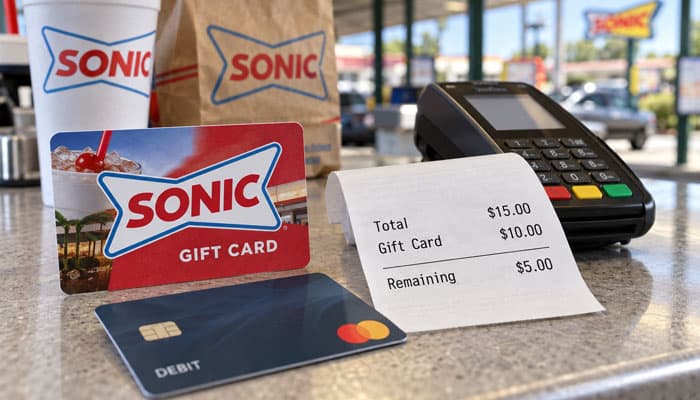
A useful way to think about your balance is that you do not have to spend the entire amount in one transaction.
If your card has:
- $30 and your order costs $12, approximately $18 remains.
- $8 and your order costs $5, approximately $3 remains.
- $3 and your order costs $9, the remaining $6 may need to be paid separately using a supported payment method.
For small remaining balances, SONIC’s FAQ specifically provides instructions for using SONIC Pay at the restaurant and paying the remainder separately.
Important Security Warning About Sonic Gift Card Balance Checkers
Search results for “Sonic gift card balance” include third-party websites claiming to provide balance-checking services.
You do not need to use an unfamiliar website simply because it appears in search results.
SONIC itself provides the official balance-checking route through its Gift Cards page and published gift-card support channels.
Avoid These Common Gift Card Scams
Be cautious if a website or person:
- Asks you to send the full card number and PIN by email.
- Promises to “restore” a lost balance for a fee.
- Offers an unusually large discount on a gift card.
- Claims you must pay a fee to activate a standard SONIC gift card.
- Requests gift-card information through an unsolicited message.
- Tells you to purchase another gift card to “unlock” your existing balance.
Use SONIC’s official channels whenever possible.
Sonic Gift Card Balance: Common Problems and Solutions
| Problem | Best Next Step |
|---|---|
| Cannot find balance online | Use SONIC’s official Gift Cards page |
| Online balance check fails | Contact SONIC gift-card support |
| Balance is lower than expected | Review recent transactions |
| Card will not work in the App | Verify the card type and card information |
| eGift Card does not work at the Drive-In | Check its App-only redemption terms |
| Card does not work on the website | Review current online redemption rules |
| Only a few dollars remain | Use the remaining balance through a supported payment method |
| Card is lost | Contact SONIC and provide card number and proof of purchase if available |
| Card came from an unauthorized seller | Contact SONIC; unauthorized cards may be rejected |
| Promotional card expired | Check the specific promotion’s terms |
| Gift-card purchase did not earn Rewards | This is expected under current Rewards terms |
Sonic Gift Card Balance FAQs
1. How do I check my Sonic gift card balance?
Visit SONIC’s official Gift Cards page and select Check Balance. Contact gift-card support if you need help.
2. Why does my Sonic gift card balance show zero?
Check your card details and recent transactions. If the balance still looks incorrect, contact SONIC gift-card support.
3. Do Sonic gift cards expire?
No. SONIC states that its gift cards never expire or decrease in value and have no fees.
4. Can I reload my Sonic gift card balance?
Yes. Existing SONIC gift cards can be reloaded through the official Gift Cards page or at a local Drive-In.
5. Can I use a physical Sonic gift card in the App?
Yes. Physical SONIC gift cards can be loaded into the SONIC Mobile App for App orders.
6. What happens if my Sonic gift card balance is too low for my order?
SONIC describes using SONIC Pay at the restaurant and paying the remainder separately. Order Ahead does not support multiple payment methods.
7. Will SONIC replace a lost gift card?
SONIC’s terms state that gift cards are not replaced if lost, stolen, damaged, or used without authorization.
8. Do Sonic gift-card purchases earn Rewards points?
No. Gift-card purchases and reloads do not qualify for SONIC Rewards points.
Final Thoughts
Checking your sonic gift card balance is simple when you use SONIC’s official channels. The primary option is the Check Balance feature on the SONIC Gift Cards page, while SONIC’s published gift-card support number is another option for balance and reload assistance.
The most important detail is that SONIC gift cards do not all have identical redemption methods. Physical cards can be used at participating Drive-In locations and loaded into the SONIC App, while SONIC App eGift Cards are intended for App redemption and cannot be used directly at a Drive-In according to SONIC’s FAQ. Current terms also distinguish App orders from orders placed through the SONIC website.
Standard SONIC gift cards currently do not expire and have no fees. They can also be reloaded, and a small remaining balance can still be useful through supported payment methods.
If your balance appears incorrect, your card is not working, or you have lost it, contact SONIC directly rather than relying on unofficial balance-checking websites. Keeping your gift-card information and purchase receipt secure can also make future problems easier to resolve.
