



Last updated: October 2026
Contactless payment has transformed the way consumers pay for everyday purchases. Instead of inserting a card into a payment terminal or handling cash, customers can simply tap a compatible card, smartphone, smartwatch, or other payment-enabled device near a checkout terminal.
That simple tap is powered by technologies and standards including Near Field Communication (NFC), EMV chip technology, cryptography, tokenization, and transaction-specific security data. These systems work together to make payments fast while providing important protections against many forms of payment fraud.
Today, contactless payments are used in retail stores, restaurants, public transportation, vending machines, parking facilities, hotels, and many other environments.
This guide explains what contactless payment is, how it works, the technology behind it, different types, benefits, limitations, security features, privacy considerations, fees, troubleshooting, business requirements, and the future of tap-to-pay transactions.
What Is Contactless Payment?
Contactless payment is a method of paying for goods or services without physically inserting or swiping a payment card through a payment terminal.
A customer typically holds a compatible card or payment-enabled mobile or wearable device near a contactless-enabled point-of-sale terminal. The payment device and terminal communicate wirelessly over a short distance, allowing the transaction to be processed.
Contactless payments can include:
- Contactless credit cards
- Contactless debit cards
- Smartphones
- Smartwatches
- Mobile wallets
- Payment-enabled wearables
- Certain transit cards and payment systems
EMV-based contactless transactions use transaction-specific cryptographic security data designed to help prevent fraudulent reuse of captured transaction information.
The basic process is:
Tap → Authenticate if required → Authorize → Payment completed
Although the customer experience is simple, several payment and security systems operate behind the scenes.
Examples of Contactless Payment
Common examples of contactless payment include:
- Tapping a contactless debit card at a store
- Paying with a smartphone wallet at a checkout terminal
- Using a smartwatch to pay for a purchase
- Tapping a bank card at a public-transit gate
- Paying at a vending machine with a contactless card
- Using Tap to Mobile at a small business
- Using a supported NFC-based UPI payment method
These examples show that contactless payment is broader than simply tapping a physical bank card. Depending on the country and service, phones, wearables, transit credentials, and merchant devices can all participate in contactless transactions.
How Does Contactless Payment Work?
Contactless payment generally uses Near Field Communication (NFC) to allow a payment device and compatible terminal to communicate when they are very close together.
A typical transaction involves several steps.
1. The Customer Presents a Payment Device
The customer brings a contactless card, smartphone, smartwatch, or other supported device close to the payment terminal.
The terminal must support contactless payments and normally displays the contactless symbol.
2. The Terminal Detects the Device
The terminal establishes short-range communication with the card or device.
With a physical contactless card, an embedded chip and antenna communicate with the terminal.
With a smartphone or wearable, the device’s NFC functionality communicates with the terminal.
3. Payment Data Is Exchanged
The card or device provides the information required to initiate the payment.
Modern contactless transactions are not simply equivalent to transmitting a static card number. EMV-based transactions use cryptographic security mechanisms and transaction-specific data.
4. Authentication May Be Required
Depending on the transaction, issuer, payment method, country, amount, and risk controls, additional authentication may be required.
Examples can include:
- PIN entry
- Fingerprint recognition
- Facial recognition
- Device passcode
- Device unlock
- Other supported authentication methods
Mobile wallets can therefore provide an additional layer of authentication before a payment is authorized.
5. The Transaction Is Authorized
The transaction moves through the payment ecosystem involving the merchant, payment processor or acquirer, card network, and issuing financial institution.
The issuer can evaluate factors such as:
- Available funds or credit
- Account status
- Transaction information
- Fraud indicators
- Authentication results
- Applicable transaction limits
The transaction is then approved or declined.
6. The Terminal Confirms the Result
If the payment is approved, the terminal confirms the transaction.
For many everyday purchases, the complete process takes only a few seconds.
What Technology Is Used in Contactless Payment?
Several technologies and standards work together to make modern tap-to-pay transactions possible.
NFC
Near Field Communication (NFC) provides short-range wireless communication between compatible payment devices and terminals.
NFC is particularly suitable for payments because communication takes place over a short distance.
EMV Chip Technology
EMV refers to technical specifications used for chip-based payment transactions.
EMVCo maintains specifications for contact and contactless chip payments and associated acceptance devices. Its contactless specifications continue to evolve as payment technology develops.
Cryptography
Cryptographic mechanisms help protect payment transactions and generate transaction-specific security values.
These mechanisms are an important reason modern contactless payments are more sophisticated than simply transmitting static card information.
Tokenization
Tokenization can replace a card’s primary account number with an alternative payment token.
Payment tokens can be constrained to a particular merchant, device, or payment scenario. This can reduce the usefulness of compromised payment information.
Secure Device Technology
Mobile wallets can use device-specific security technologies to protect payment credentials.
Depending on the platform, this can involve secure hardware, device authentication, tokenization, and other security controls.
What Does the Contactless Symbol Mean?
The familiar contactless symbol resembles a series of curved radio waves.
It can appear on:
- Payment cards
- Payment terminals
- Store signage
- Mobile payment interfaces
- Other compatible payment devices
The Contactless Indicator on a card generally means the card can be used for contactless payments.
The Contactless Symbol on a terminal indicates where a customer should hold or tap a compatible card or device.
If you do not see a contactless symbol on a terminal, contactless payment may not be available there.
How to Make a Contactless Payment
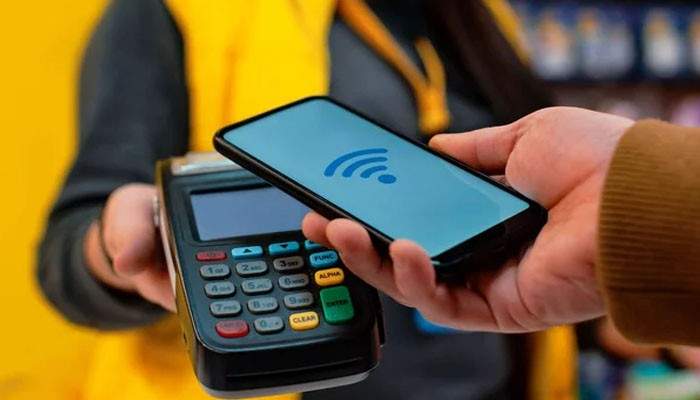
Using contactless payment is generally straightforward.
Step 1: Check for Contactless Acceptance
Look for the contactless symbol on the terminal.
Step 2: Wait for the Payment Prompt
Allow the cashier or terminal to reach the payment stage.
Step 3: Hold Your Card or Device Near the Symbol
Place the contactless card, smartphone, or wearable near the designated area.
Step 4: Authenticate if Required
You may be asked for a PIN, biometric authentication, passcode, or another verification method.
Step 5: Wait for Confirmation
The terminal should indicate whether the payment was approved.
Step 6: Take Your Device Away
Once the transaction is complete, remove the card or device.
Do You Actually Have to Touch the Terminal?
No.
The term contactless means physical contact is not required.
A card or device normally needs to be held very close to the terminal for communication to occur.
The exact distance and interaction can vary depending on the terminal, card, phone, wearable, and payment system.
Types of Contactless Payment
Contactless payment is available through several different devices and payment environments.
1. Contactless Credit Cards
A contactless credit card contains a chip and antenna that allow it to communicate with compatible terminals.
The customer simply holds the card near the terminal.
2. Contactless Debit Cards
Contactless debit cards work similarly, with the transaction drawing against the underlying eligible account according to the issuer’s rules.
3. Smartphone Payments
Smartphones can store eligible cards in supported mobile wallets.
Examples include:
- Apple Pay
- Google Pay
- Other country- or bank-specific mobile wallets
Availability depends on the country, device, bank, card, network, and merchant.
4. Smartwatch Payments
Some smartwatches can make contactless payments without requiring the customer to take out a physical card.
5. Other Wearables
Payment-enabled rings and other specialized wearable devices can also support contactless transactions where the relevant service is available.
6. Transit Payments
Contactless technology is widely used in public transportation.
Passengers may tap a card, phone, wearable, or transit-enabled credential at a gate or reader.
Transit systems can have specialized fare rules and processing arrangements, so they should not automatically be treated as identical to ordinary retail card transactions.
Contactless Payment vs. Mobile Payment
These terms are related but not identical.
Contactless payment describes a payment interaction that does not require physical contact with the terminal.
Mobile payment is a broader term for payments involving mobile devices.
A smartphone can therefore be used for:
- Contactless NFC payments
- Online purchases
- In-app purchases
- QR-code payments
- Other digital payment methods
Not every mobile payment is a contactless payment.
Contactless Payment vs. QR-Code Payment
Both methods enable fast, cashless transactions without inserting or swiping a physical card. However, contactless payment and QR-code payment use different technologies and checkout processes.
| Feature | Contactless Payment | QR-Code Payment |
|---|---|---|
| Main technology | NFC/contactless chip | QR code |
| Typical action | Tap or hold a device/card near a terminal | Scan or display a QR code |
| Physical card required | Not always | Usually not |
| Smartphone commonly used | Yes, especially with mobile wallets | Yes |
| Dedicated contactless terminal | Usually required | Not necessarily |
| Internet dependence | Depends on the payment setup | Depends on the payment system |
| Common use cases | Card payments, mobile wallets, transit | Mobile wallets, account transfers, merchant payments |
In India, UPI QR payments and NFC card or wallet payments are different payment mechanisms even though both can provide a cashless checkout experience.
Contactless Payment vs. Chip-and-PIN
Contactless and chip-and-PIN payments can both use EMV chip technology, but the customer interaction differs.
| Feature | Contactless Payment | Chip-and-PIN |
|---|---|---|
| Card insertion | No | Yes |
| Card tapping | Yes | No |
| PIN always required | No | Often |
| NFC used | Usually | No |
| EMV chip | Commonly | Yes |
| Smartphone support | Yes, where supported | Not generally applicable |
| Checkout experience | Usually faster | Usually slower |
| Additional authentication | Depends on transaction | Commonly PIN |
A contactless payment is not necessarily authentication-free. Authentication requirements vary by the transaction and payment environment.
What Information Is Transmitted During Contactless Payment?
A common misconception is that a contactless card simply broadcasts all of its information to anyone nearby.
Modern payment transactions are more controlled than that.
Depending on the payment system, transaction processing can involve information such as:
- Payment account information
- Expiration information
- Transaction data
- Card or device-related information
- Transaction-specific security data
- Tokenized payment credentials in some mobile-wallet environments
The exact information and processing method depend on the card network, card, device, wallet, terminal, and transaction.
Contactless Payment and Tokenization
Tokenization is especially important for smartphone and wearable payments.
A token can represent an underlying payment account without simply exposing the original card number throughout the transaction.
Payment tokens can be constrained to particular devices, merchants, or payment scenarios.
For example, a mobile wallet may use a device-specific payment credential rather than presenting the original physical card number to the merchant.
This can reduce the usefulness of compromised payment information.
Is Contactless Payment Safe?
Contactless payment is generally designed with strong security protections, but no payment system is completely risk-free.
Several protections can work together during a transaction, including:
- EMV chip technology
- Transaction-specific security data
- Cryptography
- Tokenization in supported mobile-wallet environments
- Device authentication where required
- Short-range NFC communication
These protections help reduce the risk associated with unauthorized reuse of captured payment information.
Can Someone Steal Money by Scanning a Contactless Card?
The possibility of unauthorized card-data collection is often described as contactless skimming.
However, reading payment information from a contactless card does not automatically allow someone to create a legitimate transaction.
Modern contactless payment systems use transaction-specific security mechanisms that make captured transaction information difficult to reuse fraudulently.
That does not mean fraud is impossible.
Other risks include:
- Lost or stolen cards
- Account takeover
- Phishing
- Malware
- Social engineering
- Fake payment websites
- Compromised merchant systems
- Stolen authentication credentials
The broader security of the payment account therefore remains important.
Can Contactless Payment Be Hacked?
No payment technology should be described as completely “hack-proof.”
A contactless payment system contains multiple components, including:
- Payment device
- Terminal
- Merchant
- Acquirer
- Payment processor
- Card network
- Issuing bank
- Mobile wallet where applicable
An attack against one component can create risks even if the NFC communication itself is well protected.
For consumers, the most practical security measures are:
- Keep devices updated
- Use strong authentication
- Protect cards
- Monitor transactions
- Avoid phishing
- Report lost cards immediately
- Use official banking applications and websites
Common Contactless Payment Risks
Lost or Stolen Cards
Someone who obtains a physical payment card may attempt unauthorized transactions.
Report a missing card to the issuer as soon as possible.
Lost Smartphones
A lost phone can create risks if the device is poorly secured.
Use:
- A strong device passcode
- Biometrics where appropriate
- Remote-locking features
- Account recovery protections
Phishing
Scammers may impersonate banks, card issuers, payment services, or merchants.
They may ask for:
- Passwords
- PINs
- One-time verification codes
- Card numbers
- Security codes
Never provide sensitive authentication information to an unsolicited caller or message simply because the sender claims to represent your bank.
QR-Code Scams
QR payments introduce a different type of fraud risk.
Consumers should verify where a QR code leads before entering financial information.
Modified Mobile Devices
Payment applications can impose device-security requirements.
Some payment services may not support in-store NFC payments on certain rooted, modified, or otherwise insecure devices.
How to Use Contactless Payment Safely
1. Keep Your Phone Locked
Use a strong passcode and supported biometric authentication.
2. Keep Software Updated
Install operating-system and security updates when available.
3. Enable Transaction Alerts
Notifications can help you identify suspicious transactions quickly.
4. Review Bank Statements
Check transactions regularly.
5. Report Lost Cards Immediately
Contact your bank or card issuer as soon as a card disappears.
6. Never Share One-Time Codes
Do not give authentication codes to unsolicited callers or messages.
7. Check QR Codes Carefully
Verify the destination before making a QR-based payment.
8. Use Official Apps
Access your bank or payment service through its official application or website.
9. Avoid Unsecured Devices
Do not install payment applications on devices with unknown or modified security configurations.
Contactless Payment Privacy: What Can the Merchant See?
Contactless payment does not mean that the merchant sees nothing.
The merchant and payment ecosystem need sufficient transaction information to process the purchase, settle funds, provide receipts, manage refunds, and perform fraud controls.
However, a mobile-wallet transaction may use tokenized credentials rather than simply exposing the physical card number.
The exact information available to a merchant depends on:
- Payment method
- Card network
- Mobile wallet
- Merchant processor
- Receipt system
- Applicable regulations
Consumers should also remember that payment privacy and payment security are different concepts.
A payment can be technically secure while still generating transaction records for the merchant, bank, payment provider, or applicable service providers.
Does Contactless Payment Cost More?
For consumers, contactless payment generally does not automatically mean paying an additional fee simply because a card is tapped.
For consumers, any applicable card, foreign-exchange, or account fees are generally determined by the card issuer and payment arrangement rather than by the act of tapping itself.
For merchants, payment costs can include:
- Merchant service fees
- Card-network-related fees
- Processor fees
- Terminal costs
- Equipment rental
- Software fees
- Chargeback-related costs
The exact cost depends on the merchant’s payment provider, country, card type, transaction type, and contractual arrangement.
A merchant should therefore compare the complete cost of accepting contactless payments rather than assuming that the contactless feature itself has a universal fee.
What Happens If a Contactless Payment Is Declined?
A contactless transaction can be declined for many reasons.
Possible causes include:
- Insufficient funds
- Insufficient credit
- Expired card
- Blocked card
- Fraud detection
- Incorrect authentication
- Transaction limits
- Terminal problems
- Network problems
- Unsupported card or wallet
- Device security issues
A declined contactless payment does not automatically mean that the card itself is defective.
Try inserting the physical card where supported or use another authorized payment method.
If repeated declines occur, contact the card issuer.
Can You Accidentally Pay Twice by Tapping Twice?
Modern payment systems are designed to help prevent accidental duplicate charging from repeated taps.
However, customers should still check the terminal and receipt if they are uncertain.
If two separate transactions actually appear on a statement, contact the merchant or card issuer and request an investigation.
What Happens If You Need a Refund?
Contactless payment does not fundamentally prevent refunds.
A merchant can generally process a refund according to its payment system and card-network procedures.
Depending on the transaction, the merchant may need:
- Original transaction details
- Card or wallet information
- Receipt
- Payment reference
- Other verification information
If you paid using a mobile wallet, the refund process may involve the underlying payment card or tokenized payment credential.
The merchant’s refund policy and the payment provider’s procedures determine the exact process.
Consumers should keep receipts for expensive purchases, particularly when a refund or dispute might later be necessary.
If a refund does not appear within the merchant’s stated timeframe, contact the merchant first and then the card issuer if necessary.
Contactless Payment in India
Contactless card payments are available in India subject to card, issuer, terminal, network, and regulatory requirements.
The Reserve Bank of India increased the per-transaction limit for eligible contactless card transactions without an additional authentication factor to ₹5,000, effective January 1, 2021.
However, consumers should not treat every digital payment in India as the same type of contactless payment.
For example:
- NFC card payment
- NFC mobile-wallet payment
- UPI QR payment
- UPI Lite
- Online card payment
are different payment mechanisms and can be subject to different rules.
Is UPI a Contactless Payment?
UPI is not inherently an NFC contactless payment method, but some UPI implementations support contactless payments.
For example, UPI can be used through QR codes, while supported services such as Google Pay also offer Tap & Pay on UPI using NFC.
Therefore, UPI and contactless payment are not synonymous, but they can overlap.
Contactless Card Limit vs. Offline Payment Limit
Another important distinction is between contactless card transactions and RBI’s specific framework for offline digital payments.
RBI’s offline-payment framework permits certain eligible offline transactions in proximity mode and establishes separate limits and conditions.
Therefore, the ₹5,000 contactless card limit should not be confused with a separate offline-payment limit.
How to Use NFC Contactless Payment in India
For compatible Android devices and supported payment services, NFC must generally be available and enabled.
Availability can depend on the specific phone, bank, card, payment service, and merchant.
For supported services, users generally need to:
- Confirm that the phone meets applicable security requirements.
- Check that NFC is available.
- Turn on NFC.
- Configure the supported payment service.
- Add an eligible payment method.
- Unlock or authenticate the phone when required.
- Tap the phone against the payment terminal.
- Follow the on-screen payment instructions.
How to Turn On Contactless Payment
For a smartphone, the exact steps depend on the operating system and payment service. On a compatible Android device, you generally need to:
- Make sure NFC is supported.
- Turn on NFC in Settings.
- Install or enable a supported payment service.
- Add an eligible card or payment method.
- Set the payment service as the default contactless payment app when required.
- Use an appropriate screen lock or device authentication.
- Unlock or authenticate the device when prompted.
Requirements vary by country, bank, card, device, and payment service.
Contactless Payment for Businesses
Businesses that want to accept contactless payments generally need a compatible payment acceptance setup.
This may include:
- Merchant account or acquiring relationship
- Payment processor
- Contactless-enabled terminal
- Supported card networks
- Appropriate payment software
- Security controls
- Reliable connectivity or supported offline capability
Modern payment terminals can often accept multiple payment methods.
For example, a single terminal may support:
- Contactless cards
- Mobile wallets
- Chip cards
- Magnetic-stripe cards where still supported
- Other supported payment methods
Payment acceptance requirements vary by provider, country, card network, and merchant setup.
Tap to Mobile and Smartphone-Based Acceptance
Contactless technology is not only changing how customers pay. It is also changing how merchants accept payments.
Tap to Mobile allows certain compatible mobile devices to function as payment-acceptance devices.
This can be useful for:
- Small businesses
- Delivery workers
- Market vendors
- Mobile service providers
- Event operators
- Businesses that do not need a traditional countertop terminal
Availability depends on the country, hardware, operating system, acquiring provider, and payment service.
Can Contactless Payment Work Without Internet?
This is one of the most misunderstood aspects of contactless payment.
Contactless and offline are not the same thing.
A contactless card does not have to connect to the internet itself. In some mobile-payment implementations, the phone may also complete a tap payment without an active internet connection.
However, whether the transaction can actually be authorized and completed depends on the payment service, terminal, issuer, network, and applicable offline-payment rules.
Whether a payment works without an internet connection can therefore depend on:
- Card
- Device
- Terminal
- Payment network
- Issuer
- Merchant setup
- Offline-payment rules
- Transaction amount
- Risk controls
An NFC connection between a card and terminal should not be confused with the separate question of whether the payment ecosystem needs online authorization.
What Happens When Contactless Payment Does Not Work?
If a contactless transaction fails, work through the following checklist.
Check 1: Look for the Contactless Symbol
The terminal may not support tap-to-pay.
Check 2: Hold the Device Correctly
Hold the card or device near the contactless symbol rather than moving it rapidly around the terminal.
Check 3: Remove Other Cards
If several contactless cards are stacked together, the terminal may not identify the intended card correctly.
Check 4: Check NFC
For smartphone payments, confirm that NFC is enabled.
Check 5: Unlock or Authenticate
Your phone or wallet may require authentication before payment.
Check 6: Try Again
Move the card or phone slightly closer to the contactless reader and wait for confirmation.
Check 7: Insert the Card
If supported, use the card’s chip instead.
Check 8: Contact Your Issuer
If the card repeatedly fails, the bank or issuer may need to investigate.
Contactless Payment at Transit Systems
Transit is one of the most important real-world applications of contactless payment.
Instead of purchasing a conventional ticket, a passenger may tap:
- Contactless bank card
- Smartphone
- Smartwatch
- Transit card
at a gate or reader.
Transit systems can process fares differently from conventional retail payments.
They may use:
- Fare caps
- Journey-based pricing
- Offline processing
- Deferred authorization
- Special transit payment tokens
- Account-based ticketing
Because of these differences, a transit tap should not always be evaluated using ordinary retail-payment assumptions.
Contactless Payment for Small Businesses
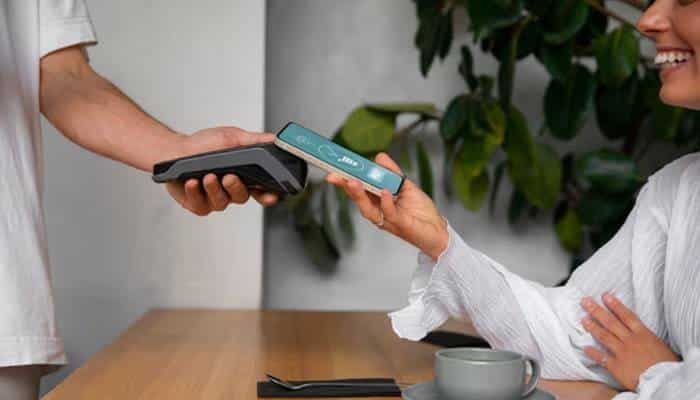
Contactless acceptance can be particularly useful for businesses where transactions need to be completed quickly.
Examples include:
- Cafés
- Food trucks
- Salons
- Taxi services
- Local retailers
- Delivery businesses
- Market stalls
- Event vendors
For these businesses, smartphone-based acceptance can potentially reduce the need for dedicated payment hardware where supported.
Before choosing a provider, merchants should compare:
- Transaction fees
- Monthly costs
- Hardware costs
- Settlement times
- Supported card networks
- Mobile-wallet support
- Refund tools
- Reporting
- Customer support
- Security and compliance requirements
Advantages of Contactless Payment
1. Fast Checkout
Customers can complete many transactions with a quick tap.
2. Convenience
A physical card, smartphone, or wearable can be used without inserting a card.
3. Strong Security
Modern contactless payments use multiple security protections, including transaction-specific security mechanisms.
4. Digital Wallet Support
Phones and wearables can store supported payment credentials.
5. Less Physical Interaction
Customers do not need to physically insert a card into a terminal.
6. Good for High-Volume Environments
Fast transactions can help reduce checkout friction in busy locations.
7. Flexible Form Factors
Payments can be made with cards, smartphones, watches, and other supported devices.
8. Useful Beyond Retail
Contactless technology can support transit, vending, parking, events, and other payment environments.
Disadvantages of Contactless Payment
Contactless payment offers speed and convenience, but it also has some limitations. Acceptance, device compatibility, authentication requirements, and technical problems can affect when and how it works.
| Disadvantage | What It Means |
|---|---|
| Not universally accepted | Some merchants may not have payment terminals that support contactless transactions. |
| Device compatibility varies | Smartphones and wearables must support the required NFC technology, wallet, and payment method. |
| Authentication may be required | Depending on the country, issuer, transaction value, and payment method, users may need to enter a PIN or verify themselves on their device. |
| Lost cards or devices can create risks | A lost contactless card could potentially be used for unauthorized transactions, subject to applicable security controls and limits. |
| Payment failures can occur | Terminal problems, connectivity issues, card or device errors, and issuer declines can interrupt a transaction. |
| Merchant fees vary | Businesses may pay processing fees based on their payment provider, card network, transaction type, and merchant agreement. These fees are not necessarily unique to contactless payments. |
| Rules differ by country | Contactless transaction limits, security requirements, and authentication rules can vary between markets. |
Security note: Mobile contactless payments can benefit from protections such as device locks, biometric authentication, wallet security controls, and payment tokenization.
Important: QR-code and online payments are alternative payment methods, not inherent disadvantages of contactless payment.
Contactless Payment vs. Magnetic Stripe
Modern EMV contactless payment uses chip-based security and transaction-specific authentication data. Traditional magnetic-stripe payments rely on static card data, which can be copied and reused more easily.
| Security Feature | Magnetic Stripe | Modern EMV Contactless |
|---|---|---|
| Payment technology | A magnetic stripe read by swiping the card | A contactless chip or compatible digital wallet read by tapping |
| NFC communication | No | Yes |
| Dynamic transaction authentication | No | Yes |
| Transaction-specific cryptographic value | No | Yes |
| Tokenization | Not inherent to the payment method | Common in mobile wallets, but not universal across contactless cards |
| Mobile-wallet compatibility | Not a standard mobile-wallet payment method | Supported by compatible wallets and terminals |
| Protection against copied card data | Weaker because stripe data is static | Stronger because authentication data changes for each transaction |
Modern EMV contactless payment provides stronger protection against card cloning and counterfeit transactions than magnetic-stripe processing. However, it does not eliminate every risk, including scams or unauthorized use of a lost card.
Contactless Payment and Accessibility
Contactless payment can also improve convenience for people who find inserting a card or handling cash difficult.
For some customers, tapping a card or wearable can be easier than:
- Counting cash
- Handling coins
- Inserting a card precisely
- Removing a card from a narrow terminal slot
However, accessibility depends on the physical design of the payment terminal and the merchant environment.
Businesses should consider:
- Terminal placement
- Screen visibility
- Audio prompts
- Physical accessibility
- Clear instructions
- Alternative payment options
Contactless payment should complement, rather than replace, accessible payment choices.
Contactless Payment and International Travel
Contactless cards and mobile wallets can be particularly convenient when traveling internationally.
However, acceptance and transaction rules vary between countries.
Travelers should check:
- Whether their card works internationally
- Foreign transaction fees
- Currency-conversion charges
- Contactless acceptance
- Mobile-wallet compatibility
- Card-network acceptance
- Local authentication requirements
A contactless symbol does not guarantee that every foreign-issued card or wallet will work at every terminal.
It is also wise to carry a backup payment method when traveling.
Contactless Payment and Chargebacks
Contactless payments are still card transactions when a card network is involved, so ordinary dispute and chargeback processes may apply.
A customer may potentially dispute a transaction for reasons such as:
- Unauthorized payment
- Duplicate charge
- Merchandise not received
- Qualifying merchant dispute
- Incorrect transaction amount
The precise rules depend on the issuer, card network, transaction type, and applicable regulations.
Consumers should report unauthorized transactions promptly.
Contactless Payment Security vs. Privacy
Security and privacy are related but different.
Security asks:
Can someone improperly access or manipulate the payment?
Privacy asks:
Who can see or use information associated with the transaction?
A secure payment can still generate records for:
- Merchant
- Bank
- Payment processor
- Card network
- Payment wallet
- Applicable regulatory systems
Mobile-wallet tokenization can reduce exposure of the underlying card number, but it does not mean the transaction is anonymous.
Common Contactless Payment Myths
Myth 1: Contactless Means No Security
False.
Modern contactless payments use chip technology, cryptography, transaction-specific security data, and other controls.
Myth 2: Anyone Can Charge Your Card From Across the Room
False.
NFC communication is designed for very short-range interactions.
Myth 3: Contactless Payments Never Require Authentication
False.
Additional authentication can be required depending on the transaction and payment environment.
Myth 4: Contactless Means the Card Number Is Always Exposed
False.
Mobile-wallet transactions can use tokenization, and modern contactless transactions use transaction-specific security mechanisms.
Myth 5: Every Tap Is the Same as a QR Payment
False.
NFC contactless payments and QR-code payments use different technologies and transaction processes.
Myth 6: Contactless and Offline Mean the Same Thing
False.
Contactless describes the communication method. Offline describes how transaction authorization or processing occurs.
Contactless Payment Trends in 2026
The contactless payment ecosystem continues to evolve.
EMVCo’s 2026 work includes developments involving TapToMobile acceptance, payment tokenization, biometric payment cards, digital payment credentials, agentic payments, and emerging payment experiences such as EV charging.
This suggests that contactless payment is increasingly becoming part of a broader payment infrastructure rather than simply a feature on a bank card.
Several developments are particularly important.
Tap to Mobile
More merchants can potentially accept contactless payments using compatible mobile devices.
Biometric Payment Cards
Payment cards incorporating biometric authentication continue to be an area of industry development.
More Advanced Tokenization
Payment tokenization is evolving to support additional payment environments and improve control over payment credentials.
EMVCo published version 2.4 of its Payment Tokenisation Technical Framework in July 2026.
Digital Payment Credentials
EMVCo has also been working on frameworks for digital credentials that could support authentication and future payment experiences.
Agentic Payments
The payments industry is examining how AI agents could initiate transactions on behalf of consumers while maintaining appropriate authentication and security controls.
Agentic payments are therefore becoming an important area of payment-industry development.
Contactless Payment FAQs
1. What is contactless payment?
Contactless payment lets you pay by tapping a compatible card, smartphone, or smartwatch near a supported terminal without inserting or swiping a card.
2. Is contactless payment safe?
Modern contactless payments use transaction-specific security data to help prevent fraud. Mobile wallets often add tokenization and device authentication for extra protection.
3. Does contactless payment require a PIN?
Not always. PIN requirements depend on the transaction amount, country, card issuer, and payment method. Mobile wallets may use a fingerprint, facial recognition, or device passcode instead.
4. Does contactless payment work without internet?
A contactless card does not need its own internet connection. Some mobile wallets also allow payments without an active connection, but successful processing depends on the wallet and merchant’s payment system.
5. Can I be charged twice if I tap twice?
Repeated taps do not normally create duplicate charges for the same transaction. If two charges appear, check whether they are pending or completed and contact the merchant or card issuer.
6. Can I get a refund on a contactless payment?
Yes. Merchants can generally refund contactless payments through their usual refund process. You may need your receipt and the card or device used for the purchase.
7. Can contactless payments be used internationally?
Yes, where merchants accept your card network or mobile wallet. Acceptance, authentication requirements, and foreign transaction fees vary by destination and card issuer.
8. What should I do if my contactless card is lost?
Freeze or block the card immediately through your banking app or card issuer. Report the loss, request a replacement, and check your account for unauthorized transactions.
Final Thoughts on Contactless Payment
Contactless payment has evolved from a simple tap-to-pay card feature into a sophisticated payment ecosystem involving NFC, EMV chip technology, cryptography, tokenization, mobile wallets, wearables, and increasingly flexible merchant acceptance technology.
For consumers, its main advantages are speed, convenience, flexibility, and strong transaction security. For businesses, contactless acceptance can reduce checkout friction and allow customers to pay using cards, smartphones, watches, and other supported devices.
However, contactless technology is not completely risk-free. Consumers should still protect their cards and devices, use strong authentication, install security updates, monitor transactions, avoid phishing attempts, and report lost payment credentials quickly.
It is also important to understand that contactless, mobile, QR, and offline payments are not interchangeable terms. Each technology has different transaction flows, security mechanisms, limits, and requirements.
As payment tokenization, Tap to Mobile, biometric authentication, digital credentials, and other technologies continue to develop, contactless payment is likely to remain an important part of the modern payment ecosystem.
The key takeaway is simple: a contactless payment may look like a quick tap, but sophisticated security and payment infrastructure operate behind that tap to make the transaction possible.
