


Social media is now part of everyday life. To understand what is social media safety, it’s important to know how people use platforms like Instagram, TikTok, Facebook, Snapchat, YouTube, WhatsApp, LinkedIn, and X to connect with friends, share photos, grow businesses, follow news, watch videos, learn skills, and communicate with communities worldwide.
But social media is not risk-free. Fake accounts, phishing links, cyberbullying, privacy leaks, scams, harmful content, online predators, AI deepfakes and misinformation can affect children, teens, adults, seniors, creators and businesses.
That is why many users ask an important question: What Is Social Media Safety?
Social media safety means using social media in a smart, private, secure and responsible way. It includes protecting your personal information, securing your account, avoiding suspicious links, managing privacy settings, reporting harmful behavior and thinking carefully before posting.
In 2026, social media safety is more important than ever. The FTC reported $2.1 billion in scam losses linked to social media in 2025, while Pew Research found that teens’ experiences with TikTok, Instagram, and Snapchat vary widely in areas like messaging, cyberbullying, screen time, and mental health.
This complete guide explains what social media safety means, why it matters, the biggest risks, and the best practical ways to stay safe online in 2026.
Quick Answer: What Is Social Media Safety?
Social media safety is the practice of protecting your privacy, identity, account, money, reputation and mental well-being while using social media platforms.
It includes:
- Keeping personal information private.
- Using strong passwords and multi-factor authentication.
- Avoiding suspicious links, fake ads and scam messages.
- Managing who can see your posts, stories and location.
- Blocking and reporting cyberbullying, harassment and impersonation.
- Thinking before sharing photos, opinions or personal updates.
- Teaching children and teens how to use social media safely.
- Avoiding harmful content, misinformation and risky conversations.
In simple words, social media safety means enjoying social media without putting your privacy, security, emotions or future reputation at risk.
Why Social Media Safety Matters in 2026
Social media is now connected to shopping, banking, customer support, business marketing, online learning, career networking, news and entertainment. Because of this, unsafe social media habits can create real problems.
Unsafe social media use can lead to:
- Account hacking
- Identity theft
- Financial fraud
- Cyberbullying
- Emotional stress
- Reputation damage
- Privacy leaks
- Family safety risks
- Business account compromise
- Exposure to harmful or false information
In 2025, the FTC reported about $16 billion in overall fraud losses, with imposter scams as the most reported fraud type. Social media plays a major role because scammers use fake profiles, hacked accounts, ads and private messages to reach users.
Social media safety also matters for young users. NCMEC reported more than 50,000 financially motivated sextortion reports in 2025, showing why children, teens, parents, schools and communities must take online safety seriously.
Main Elements of Social Media Safety
Social media safety is not one single action. It is a combination of privacy, security, awareness, behavior and emotional control.
| Safety Area | What It Means | Example |
|---|---|---|
| Privacy protection | Controlling who sees your information | Making your profile private |
| Account security | Preventing unauthorized access | Turning on multi-factor authentication |
| Scam awareness | Recognizing fraud and fake offers | Avoiding fake investment groups |
| Safe communication | Avoiding harmful conversations | Blocking unknown harassers |
| Content safety | Avoiding harmful or misleading content | Reporting dangerous posts |
| Reputation safety | Protecting your future image | Thinking before posting |
| Mental well-being | Managing emotional effects | Taking breaks from toxic content |
| Child safety | Protecting young users | Using parental controls and open talks |
| Location safety | Avoiding real-time tracking | Turning off location sharing |
| Business safety | Protecting brand accounts | Limiting admin access |
A safe social media user does not need to be afraid of every platform. They need to understand the risks and use the right safety habits.
Common Social Media Safety Risks
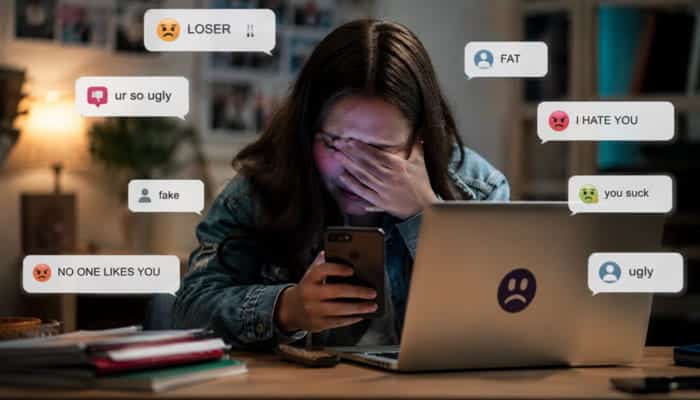
Understanding common risks is important when answering What Is Social Media Safety? Social media can be useful, but unsafe habits may expose users to scams, privacy leaks, bullying, hacking and harmful content.
1. Oversharing Personal Information
Oversharing means posting too much private information, such as your phone number, home address, school, workplace, travel plans, ID cards or daily routine.
For example, live vacation updates may tell strangers your home is empty. Sharing a child’s school uniform may reveal where they study.
2. Weak Passwords and Account Hacking
Weak or reused passwords make accounts easier to hack. If one password leaks, attackers may try it on your email, banking, shopping and social media accounts.
A safe password should be long, unique and difficult to guess. This is a key part of What Is Social Media Safety?
3. Phishing Links
Phishing happens when scammers trick users into clicking fake links and entering passwords, banking details or verification codes.
Common phishing messages may say:
- “Your account will be deleted.”
- “Click here to verify.”
- “You won a prize.”
- “Someone posted your photo.”
- “Your payment failed.”
- “Confirm your identity now.”
- “Get free followers.”
Never click suspicious links. Go directly to the official app or website instead.
4. Social Media Scams
Scammers use fake profiles, fake shopping pages, fake giveaways, fake job offers, fake support accounts and fake romantic relationships to trick users.
Common scams include:
- Investment scams
- Shopping scams
- Romance scams
- Fake job offers
- Fake giveaways
- Account recovery scams
Avoid sending money, passwords, OTP codes or private documents to anyone you only know online.
5. Cyberbullying and Harassment
Cyberbullying includes insults, threats, rumors, public shaming, doxxing, hate comments and sharing private information without permission.
It can happen in:
- Comments
- Direct messages
- Group chats
- Gaming communities
- Anonymous apps
- Public posts
- Story replies
Cyberbullying can affect confidence, sleep, school performance, work performance and mental health.
6. Fake Profiles and Impersonation
Fake profiles are used to scam, stalk, harass or impersonate others. A scammer may copy someone’s name, photo and bio to ask for money or damage their reputation.
Checking for fake accounts is another important part of What Is Social Media Safety?, especially for creators, business owners and public figures.
7. Harmful Content
Social media may expose users to violent content, hate speech, adult content, self-harm content, dangerous challenges and harmful trends.
Users should:
- Use sensitive content controls
- Block harmful accounts
- Report dangerous posts
- Avoid engaging with harmful trends
8. Misinformation and Fake News
Many people get news, health advice, financial tips and public updates from social media, but viral posts are not always true.
Before sharing, users should:
- Check the source
- Look for official confirmation
- Avoid emotional or shocking claims
- Verify images and dates
- Avoid spreading rumors
Learning to pause and verify is a major part of What Is Social Media Safety?
9. Location Tracking
Location tags, check-ins, live stories, Snap Map, background landmarks and travel posts can reveal where you are.
Location sharing can be risky for:
- Children
- Teens
- Solo travelers
- Public figures
- Domestic abuse survivors
- Business owners
- People attending private events
Users should avoid sharing live locations and review app location settings regularly.
10. AI Deepfakes and Image Misuse
AI tools can now copy faces, voices, photos and videos. This creates risks such as fake ads, fake profiles, deepfake videos, edited images and online harassment.
In 2026, What Is Social Media Safety? also includes AI awareness because public photos and videos can be misused more easily than before.
Social Media Scam Warning Signs
Social media scams are common in 2026 because scammers use fake profiles, fake ads, emotional messages and urgent offers to trick users quickly.
Watch for these warning signs:
- Guaranteed investment profit
- Requests to move chats to WhatsApp or Telegram
- Fake support accounts asking for passwords or codes
- Products offered at unbelievable discounts
- Romantic contacts asking for money, gift cards or crypto
- Job offers that require payment first
- Giveaways that ask for a fee
- Messages saying your account will be deleted unless you click a link
- Sellers refusing secure payment methods
- Strangers asking for ID documents, bank details or OTP codes
The safest rule is simple: never send money, passwords, OTP codes, private photos or documents to anyone you only know through social media.
Types of Social Media Scams
| Scam Type | How It Works | Safety Tip |
|---|---|---|
| Investment scam | A fake expert promises high returns | Never trust guaranteed profit claims |
| Shopping scam | A fake store sells products that never arrive | Check reviews and website details |
| Romance scam | A fake romantic partner asks for money | Never send money to online-only contacts |
| Job scam | A fake recruiter asks for payment or personal data | Verify the company independently |
| Giveaway scam | A fake prize requires a fee | Real prizes do not need upfront payment |
| Account recovery scam | A fake support agent asks for login codes | Never share verification codes |
| Crypto scam | A stranger promotes a trading platform | Avoid investment tips from DMs |
| Impersonation scam | Someone pretends to be a friend or official | Confirm through another contact method |
| Fake charity scam | A fake fundraiser asks for urgent donations | Donate only through verified organizations |
| Sextortion scam | Someone threatens to share private images | Save evidence and seek help immediately |
Platform-Specific Social Media Safety Settings to Check
A complete answer to What Is Social Media Safety? should include platform safety settings because every app has different privacy and security tools.
| Platform | Safety Settings to Check | Why It Helps |
|---|---|---|
| Private account, Hidden Words, comment limits, Close Friends, tag approval | Reduces harassment, spam and unwanted visibility | |
| TikTok | Private account, Family Pairing, comment filters, Restricted Mode, DM limits | Helps protect teens from unsafe contact and harmful content |
| Snapchat | Ghost Mode, friend-only contact, story visibility, Snap Map settings | Prevents strangers from tracking location or viewing stories |
| Profile privacy, friend list visibility, tagging review, login alerts | Limits oversharing, fake requests and account risks | |
| Two-step verification, profile photo privacy, group invite control, last seen settings | Reduces scams, spam groups and impersonation | |
| YouTube | Comment moderation, Restricted Mode, watch history controls, privacy settings | Helps manage harmful comments and content exposure |
| Profile visibility, connection controls, message settings, job scam awareness | Protects career information and professional reputation | |
| X / Twitter | Protected posts, mute words, DM controls, two-factor authentication | Reduces harassment, impersonation and unwanted contact |
Users should review these settings every few months because privacy menus and safety tools often change. This is an important part of What Is Social Media Safety?
Social Media Safety for Different Users
Different users face different risks. A teenager, parent, business owner, senior citizen and influencer may all use social media differently.
| User Type | Main Risk | Best Safety Practice |
|---|---|---|
| Children | Unsafe contact and harmful content | Parent guidance and privacy controls |
| Teens | Cyberbullying, pressure and oversharing | Open conversations and reporting tools |
| Adults | Scams, phishing and identity theft | Strong passwords and scam awareness |
| Seniors | Romance scams and impersonation | Verify before trusting or paying |
| Creators | Impersonation and harassment | Monitor fake accounts and protect location |
| Businesses | Hacked pages and brand damage | Use access control and policies |
| Students | Reputation risks and bullying | Think before posting |
| Job seekers | Fake recruiters and oversharing | Verify job offers and protect documents |
| Parents | Child privacy and photo misuse | Limit public sharing of children’s images |
Social Media Safety for Seniors
Social media safety is not only for children and teens. Seniors also need protection because scammers often target older adults through fake profiles, fake investment offers, romance scams, fake customer support pages and impersonation messages.
Older adults should be careful when:
- A stranger quickly becomes romantic or emotional.
- Someone claims to be a grandchild, friend or official asking for urgent money.
- A fake bank or government page asks for personal details.
- A person recommends crypto, stocks or investment groups through social media.
- A seller asks for payment outside trusted platforms.
- A message says there is a problem with an account and asks for login details.
- A fake customer support account asks them to download an app.
- A caller or message says money must be moved immediately to “protect” it.
Family members can help seniors by reviewing privacy settings, explaining scam examples, turning on multi-factor authentication and encouraging them to verify before sending money.
Best Social Media Safety Tips for Everyone
These tips help answer What Is Social Media Safety? in a practical way. Social media safety means protecting your account, privacy, money, reputation and mental health while using online platforms.
1. Use Strong and Unique Passwords
Your password is the first protection for your social media account. Avoid using your name, birthday, phone number, pet name or simple passwords like “123456.”
A strong password should:
- Be long
- Be unique for each account
- Use letters, numbers and symbols
- Avoid personal details
- Be stored safely in a password manager
Using strong passwords is a basic part of What Is Social Media Safety?
2. Turn On Multi-Factor Authentication
Multi-factor authentication, also called MFA or two-factor authentication, adds an extra login step. Even if someone gets your password, they still need a code, device or approval to access your account.
Use MFA for:
- TikTok
- Snapchat
- YouTube
- X
- Email accounts connected to social media
Your email account is especially important because password reset links usually go there.
3. Keep Your Profile Private
A private account gives you better control over who can see your posts, stories, followers and personal details.
Privacy settings can help you control:
- Who can follow you
- Who can message you
- Who can comment
- Who can tag you
- Who can see your stories
- Who can find you by phone number or email
- Who can see your location or activity status
Privacy control is another key part of What Is Social Media Safety?
4. Think Before You Post
Before posting, ask yourself:
- Could this reveal my location?
- Could someone misuse this photo?
- Could this affect my job, school or business later?
- Am I sharing someone else’s private information?
- Would I be comfortable if this post was screenshotted?
- Does this reveal my child’s school, routine or identity?
- Am I posting while angry or emotional?
A post can be deleted, but screenshots can last forever.
5. Avoid Suspicious Links
Do not click unknown links in DMs, comments, fake ads or emails. Scammers often create panic by saying your account is locked, deleted or under review.
Instead of clicking, open the official app or website yourself and check your account.
6. Never Share Verification Codes
A verification code is like a temporary password. Never share it with anyone, even if they claim to be from customer support, your bank, a delivery company or a social media platform.
Real companies do not ask for passwords or OTP codes through DMs. Knowing this helps users understand What Is Social Media Safety? more clearly.
7. Block and Report Harmful Users
If someone threatens, scams, blackmails or harasses you, do not keep replying. Save evidence, block the account and report it.
Report:
- Cyberbullying
- Threats
- Fake profiles
- Scam messages
- Hate speech
- Sexual harassment
- Impersonation
- Private image sharing
- Dangerous content
8. Review Old Posts
Old posts may reveal information you no longer want public. Review old photos, captions, tags, check-ins and comments.
Remove or hide posts that reveal:
- Old addresses
- School details
- Workplace conflicts
- Personal documents
- Private relationships
- Family routines
- Sensitive information
- Public location history
9. Manage Screen Time
Social media safety also includes emotional safety. Too much scrolling can affect sleep, focus, confidence and mood.
Healthy habits include:
- Turning off unnecessary notifications
- Avoiding social media before sleep
- Taking breaks from toxic content
- Unfollowing accounts that make you feel worse
- Setting daily usage limits
- Spending time offline
- Avoiding arguments with strangers
- Muting topics that cause stress
In short, What Is Social Media Safety? It is the habit of using social media wisely, protecting your information and staying aware before you post, click or reply.
Social Media Safety Checklist
Use this quick checklist to improve your social media safety:
- Use strong, unique passwords.
- Turn on multi-factor authentication.
- Make personal accounts private.
- Limit who can message, tag or follow you.
- Avoid sharing live location.
- Never click suspicious links.
- Never share passwords, OTPs or verification codes.
- Report fake accounts, scams and harassment.
- Review old posts, photos and connected apps.
- Save backup codes securely.
- Limit screen time and harmful content.
- Talk to children about online risks.
What Not to Share on Social Media
Some information should never be posted publicly.
| Do Not Share | Why It Is Risky |
|---|---|
| Home address | Can expose you to stalking or burglary |
| Phone number | Can lead to spam, scams or account attacks |
| Passwords or OTPs | Can give hackers account access |
| ID cards or passports | Can lead to identity theft |
| Bank details | Can lead to financial fraud |
| Live location | Can reveal where you are in real time |
| Children’s school details | Can create safety risks |
| Travel plans | Can reveal when your home is empty |
| Private chats | Can violate trust and privacy |
| Workplace secrets | Can create legal or career problems |
| Medical documents | Can expose private health information |
| Full birth date | Can help identity thieves |
| Vehicle plate numbers | Can reveal personal details |
| Event tickets with QR codes | Can be stolen or copied |
Social Media Privacy Settings to Review
Every platform is different, but most have similar safety controls.
| Setting | Recommended Action |
|---|---|
| Account visibility | Use private mode for personal accounts |
| Friend requests | Limit requests from strangers |
| Direct messages | Restrict unknown users |
| Story visibility | Share only with trusted people |
| Tagging | Approve tags before they appear |
| Location | Turn off location sharing |
| Ad preferences | Limit personal data used for ads |
| Search discovery | Limit finding by phone or email |
| Comments | Filter offensive words |
| Login alerts | Turn on alerts for new devices |
| Connected apps | Remove apps you no longer use |
| Activity status | Hide if you want more privacy |
| Profile photo visibility | Limit public access |
| Group invitations | Restrict who can add you |
Account Recovery and Backup Codes
Two-factor authentication is important, but account recovery is also part of What Is Social Media Safety? If you lose your phone, change your number or forget your password, backup codes and recovery settings can help you regain access.
To stay safe:
- Save backup codes in a secure place.
- Keep your recovery email updated.
- Add a trusted phone number.
- Remove old devices from login settings.
- Do not use an email account you no longer access.
- Avoid sharing account access with friends or employees.
- Use a password manager to store login details safely.
- Check security emails from official platforms.
- Review login activity regularly.
- Remove suspicious third-party apps.
Your email account is the key to most password resets, so protect it with a strong password and multi-factor authentication too.
Social Media Safety for Children and Teens
Children and teens need extra online protection because they may not fully understand privacy, scams, grooming, cyberbullying or long-term reputation risks. A complete answer to What Is Social Media Safety? should include clear rules for young users and practical guidance for parents.
Social media can help teens connect, learn and express creativity, but it can also expose them to bullying, harmful content, unsafe adults, peer pressure and blackmail attempts.
Important Safety Rules for Teens
Teens should:
- Keep accounts private.
- Avoid accepting strangers.
- Never share home, school or phone details publicly.
- Avoid sending private photos.
- Tell a trusted adult about threats or blackmail.
- Screenshot harmful messages before blocking.
- Avoid suspicious links, groups and viral challenges.
- Think before posting jokes, rumors or personal comments.
- Report bullying instead of replying.
- Never share passwords with friends or partners.
- These simple rules are an important part of What Is Social Media Safety? for young users.
Safety Tips for Parents
Parents can help by:
- Talking openly about online risks.
- Setting age-appropriate rules.
- Reviewing privacy settings together.
- Knowing which apps their child uses.
- Explaining scams, grooming and cyberbullying.
- Encouraging children to report uncomfortable messages.
- Avoiding public oversharing of children’s photos.
- Creating family screen-time rules.
- Checking who can message or tag their child.
- Teaching children they will not be punished for asking for help.
NCMEC’s CyberTipline receives reports of suspected child sexual exploitation, making it an important reporting option for serious child-safety concerns. This is why What Is Social Media Safety? should always include child protection, parent awareness and safe reporting steps.
AI Deepfakes and Social Media Safety
In 2026, AI tools can copy faces, voices, photos and videos, creating new risks like fake profiles, deepfake videos, fake ads, edited images and online harassment.
To reduce AI-related risks:
- Avoid posting high-resolution public photos of children.
- Use private sharing options for family photos.
- Remove sensitive images from old public albums.
- Do not share school uniforms, home locations or daily routines.
- Watermark creator images when useful.
- Search your name or brand to find fake profiles.
- Report fake or edited content quickly.
- Teach teens about AI image misuse, bullying and sextortion.
- Avoid uploading sensitive images to unknown AI apps.
- Verify videos or voice clips before trusting them.
AI image misuse is now a serious part of social media safety, especially for parents, teens, creators and public profiles.
Safe Commenting and Responsible Posting
Social media safety also includes respectful online behavior. A safer online space depends on how people post, comment and treat others.
Good digital behavior includes:
- Avoid insults, threats and hate speech.
- Do not share private photos or messages without permission.
- Do not join bullying, mocking or rumors.
- Never expose someone’s address, phone number or workplace.
- Avoid pressuring others to reply or share personal details.
- Do not post when angry.
- Respect different opinions.
- Correct false information if you share it by mistake.
- Give credit when using someone else’s work.
- Avoid public arguments that may hurt your reputation.
- Do not record or post people without consent.
Responsible posting protects your reputation and helps make social media safer for everyone.
What to Do If Private Photos or Personal Information Are Shared
If someone shares your private photos, address, phone number, school details or personal information without permission, act quickly.
Steps to take:
- Take screenshots as evidence.
- Copy the profile link, post link or message link.
- Report the content to the platform.
- Ask trusted friends not to share or comment on it.
- Block the person after saving evidence.
- Tell a trusted adult, teacher, employer or family member if needed.
- If threats, blackmail or sexual content are involved, contact local authorities or a child-safety reporting service.
- Change passwords if your account or personal data may be exposed.
- Search your name to see if the content appears elsewhere.
- Document dates, usernames and messages.
Never pay a blackmailer. Paying does not guarantee they will delete the content, and it may encourage more threats.
Where to Report Social Media Safety Problems
When something goes wrong, report it quickly and save proof.
| Problem | What to Do |
|---|---|
| Scam message or fake ad | Report it to the platform and avoid payment |
| Hacked account | Reset password, remove unknown devices and contact support |
| Cyberbullying or harassment | Screenshot evidence, block, report and tell someone trusted |
| Threats or blackmail | Save proof and contact local authorities |
| Child exploitation or grooming | Report to a child-safety hotline or official reporting center |
| Fake profile or impersonation | Report the account to the platform |
| Private image abuse | Report the content and seek legal or safety support |
| Fake shopping page or financial scam | Save proof, report it and contact your bank if needed |
| Misinformation or hate speech | Do not share it; report if it violates platform rules |
Reporting is not overreacting. It helps remove harmful content and can protect other users from the same abuse or scam.
Social Media Safety for Businesses
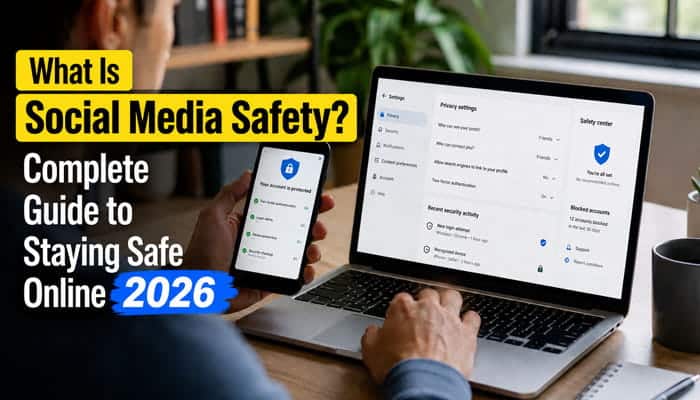
Businesses also need social media safety because a hacked account can damage customer trust, expose private messages, spread scams and harm brand reputation.
Business Social Media Risks
Common risks include:
- Hacked brand pages
- Fake customer support accounts
- Employee posting mistakes
- Leaked login details
- Fake reviews
- Scam ads using the brand name
- Data privacy mistakes
- Former employees keeping access
- Customer information shared publicly
Business Safety Best Practices
Businesses should:
- Use role-based access.
- Remove access when employees leave.
- Turn on multi-factor authentication.
- Use a password manager.
- Create a social media policy.
- Approve sensitive posts before publishing.
- Train staff about phishing.
- Monitor fake accounts and scam ads.
- Keep backup admin access.
- Avoid sharing private customer data in public replies.
A business social media account is a digital asset, not just a marketing tool, so it needs regular protection.
Social Media Safety for Content Creators
Content creators need extra social media safety because their profiles are often public. More visibility can help them grow followers, earn money and get brand deals, but it can also attract fake accounts, scammers, harassment, privacy risks and content theft. Creators should protect both their personal safety and their online brand.
Creators should:
- Use a business email instead of a personal email.
- Avoid sharing home addresses or private locations.
- Use a P.O. box for gifts, PR packages or business mail.
- Watermark original images when useful.
- Monitor fake accounts using their name or photos.
- Avoid showing real-time locations in posts or stories.
- Protect private family details.
- Use comment filters and moderation tools.
- Keep brand deals and collaborations in writing.
- Never share account access casually.
- Separate personal and creator accounts.
- Avoid showing children’s faces publicly if privacy is a concern.
- Warn followers about fake accounts pretending to be them.
Creators should also remind followers that they will never ask for money, passwords, OTP codes or private information through random messages.
Social Media Safety and Mental Health
Social media can support connection, learning and inspiration, but it can also cause comparison, anxiety, distraction, cyberbullying and sleep problems.
Ask yourself:
- Do I feel worse after using this app?
- Am I comparing myself too much?
- Do I feel pressure to post?
- Am I losing sleep from scrolling?
- Do certain accounts make me anxious or angry?
Helpful steps include:
- Mute toxic accounts.
- Follow positive or educational pages.
- Take breaks from comment sections.
- Avoid doomscrolling.
- Turn off unnecessary notifications.
- Set phone-free times.
- Use app time limits.
- Avoid social media before bedtime.
Social Media Safety for Online Reputation
Your online reputation can affect school, college admissions, job opportunities, business deals and personal relationships. Many people forget that social media posts can be seen by future employers, clients, teachers or partners.
To protect your reputation:
- Avoid posting when angry.
- Do not share hateful or abusive content.
- Avoid spreading rumors.
- Check facts before sharing news.
- Keep professional accounts clean.
- Separate personal and business accounts if needed.
- Remove old posts that no longer represent you.
- Be respectful in comments and debates.
- Avoid posting confidential workplace information.
- Do not attack customers, employers or classmates publicly.
- Think before joking about sensitive topics.
A safe digital reputation is built through consistency, privacy and good judgment.
How to Recognize Unsafe Social Media Behavior
Unsafe behavior is not always obvious. Watch for warning signs such as:
- Someone asks for money after a short online friendship.
- A stranger asks for private photos.
- A message pressures you to act quickly.
- A link asks you to log in again.
- A giveaway asks for payment first.
- An account uses stolen-looking photos.
- A seller refuses secure payment methods.
- A person asks you to keep conversations secret.
- A group promises guaranteed investment returns.
- A message threatens to expose private information.
- Someone asks you to download an unknown app.
- A profile has few posts but sends many messages.
- A person avoids video calls but asks for money.
- An account copies a famous person or brand.
If something feels rushed, secretive or too good to be true, stop and verify.
Social Media Safety Tools
Most platforms provide safety tools, but users must turn them on.
Common tools include:
- Block button
- Report button
- Restricted accounts
- Comment filters
- Hidden Words
- Private account mode
- Multi-factor authentication
- Login alerts
- Trusted contacts
- Screen-time reminders
- Parental supervision tools
- Sensitive content controls
- Muted words
- Story audience controls
- Tag approval
- Location controls
- Account recovery codes
These tools are most effective when users review them regularly.
Social Media Safety Rules for Families
Families can create simple rules for safer social media use.
| Rule | Why It Helps |
|---|---|
| No sharing private family details publicly | Protects privacy |
| Ask before posting someone else’s photo | Builds respect |
| No phones during sleep time | Improves rest |
| Talk about strange messages | Helps prevent grooming and scams |
| Review apps together | Builds awareness |
| Use privacy settings | Reduces stranger access |
| Report bullying immediately | Prevents escalation |
| Avoid public location tags | Protects physical safety |
| No secret chats with strangers | Reduces grooming risks |
| No sharing passwords | Protects accounts |
| Discuss AI image risks | Builds modern safety awareness |
Family safety works best when everyone follows the rules, including adults.
Common Social Media Safety Mistakes to Avoid
- Accepting every follow request from unknown people.
- Using the same password on multiple accounts.
- Posting live travel updates or real-time location.
- Trusting fake verified-looking accounts without checking.
- Ignoring privacy setting updates.
- Sharing too much personal information about children.
- Replying to harassers or trolls.
- Clicking scary or urgent links without checking.
- Sharing news without verifying the source.
- Keeping old devices logged into your accounts.
Future of Social Media Safety
The future of social media safety will focus more on AI risks, stronger privacy tools and better user protection. A complete answer to What Is Social Media Safety? should also include how online safety may change in the coming years.
Users can expect more focus on:
- AI-generated scams
- Deepfake detection
- Stronger youth safety rules
- Better privacy controls
- Scam detection systems
- Safer content recommendations
- More parental supervision tools
- Stronger account verification
- Anti-impersonation tools
- AI content labeling
- Better reporting systems
Technology will keep changing, but the basic rule stays the same: protect your privacy, think carefully and use social media responsibly.
Final Thoughts
So, What Is Social Media Safety? It is the practice of using social media wisely, securely and respectfully. It means protecting your account, personal data, reputation, money, mental health and relationships while still enjoying the benefits of online connection.
Social media safety is not only for children or beginners. It matters for everyone: students, parents, professionals, seniors, creators and businesses. In 2026, scams, cyberbullying, fake profiles, harmful content, misinformation and AI misuse make safety habits more important than ever.
The best way to stay safe online is to combine awareness with action. Use strong passwords, turn on multi-factor authentication, keep accounts private, avoid suspicious links, report harmful behavior, protect children’s information and think carefully before posting. Social media can be powerful, but safety should always come first.
Frequently Asked Questions
1. What Is Social Media Safety?
Social media safety means protecting your privacy, account, identity, reputation, money and mental well-being while using social media platforms. It includes safe posting, privacy settings, scam awareness, strong passwords and respectful online behavior.
2. Why is social media safety important?
Social media safety is important because unsafe habits can lead to scams, cyberbullying, hacking, identity theft, privacy leaks, harmful content exposure, mental stress and reputation damage.
3. What are the biggest social media safety risks?
The biggest risks include fake profiles, phishing links, online scams, cyberbullying, oversharing, harmful content, location tracking, weak passwords and AI-generated misuse of photos or videos.
4. How can I stay safe on social media?
You can stay safe by using strong passwords, enabling multi-factor authentication, keeping your profile private, avoiding suspicious links, limiting personal information, blocking harmful users and reviewing privacy settings regularly.
5. How can parents improve social media safety for children?
Parents can improve safety by talking openly about online risks, setting age-appropriate rules, checking privacy settings, teaching children not to share personal details and encouraging them to report uncomfortable messages.
6. What should I not post on social media?
Avoid posting your home address, phone number, passwords, OTP codes, ID documents, bank details, live location, travel plans, children’s school details and private conversations.
7. Is social media safe for teens?
Social media can be safe for teens when used with privacy settings, guidance, healthy limits and open communication. However, teens should be aware of cyberbullying, scams, harmful content, unsafe contacts and pressure to overshare.
8. What should I do if someone harasses me online?
Save evidence, block the person, report the account or content to the platform, and tell someone you trust. If there are threats, blackmail or serious abuse, contact local authorities.
9. How often should I review my social media privacy settings?
You should review your privacy settings every few months or whenever a platform updates its features. Regular checks help you control who can see, message, tag or find you online.
10. What is the most important social media safety tip?
The most important tip is to think before you post, click or reply. Most social media risks become easier to avoid when you pause, verify and protect your personal information.
