
Last Updated: May 9, 2026, AI video tools evolve rapidly, so this guide is regularly updated with new features, pricing changes, and platform updates.
This is why many creators, marketers, educators, startups, freelancers, and small businesses are searching for the Best Free AI Video Generators 2026. These tools help users create YouTube Shorts, Instagram Reels, TikTok clips, product demos, avatar videos, social media ads, explainer videos, training videos, and marketing content without needing advanced video editing skills.
The demand for AI video tools is growing because video remains one of the most important digital content formats. Wyzowl’s 2026 video marketing data says 91% of businesses use video as a marketing tool, while HubSpot’s 2026 State of Marketing Report says 80% of marketers use AI for content creation and 75% use it for media production.
However, there is one important truth readers should understand before choosing a tool: most “free” AI video generators are not completely unlimited. In 2026, “free” usually means limited credits, a free trial, watermarked exports, standard-speed generation, lower-resolution downloads, or restricted access to premium models.
This guide explains the best free and free-to-try AI video generators in 2026, what each tool is best for, what limitations users should expect, and how to choose the right platform for text-to-video, image-to-video, avatar videos, social media clips, and business content.
Who Should Use These AI Video Generators?
This guide is useful for:
- YouTube creators
- Instagram Reel creators
- TikTok marketers
- Bloggers repurposing articles into videos
- Small businesses
- Startup founders
- Educators and trainers
- E-commerce brands
- Agencies and freelancers
Whether you need cinematic AI videos, short-form social clips, AI avatars, or simple marketing videos, these tools cover different creative workflows and skill levels.
What Is an AI Video Generator?
For example, a user can type:
“Create a 10-second cinematic video of a futuristic startup office with glowing screens, warm lighting, and slow camera movement.”
An AI video tool can then generate a short video based on that prompt. Some platforms focus on realistic cinematic scenes, while others are better for social media videos, animated images, product demos, training videos, AI avatar presentations, or marketing clips.
Why “Free” AI Video Generators Are Not Always Fully Free in 2026
When users search for the Best Free AI Video Generators 2026, many expect tools that are completely free forever. In reality, most AI video platforms use a limited free model because video generation requires more computing power than simple text generation or basic image editing.
Creating moving visuals, realistic motion, camera movement, face animation, audio, avatars, and high-resolution exports can be expensive for AI companies. That is why many platforms use credit systems, free trials, monthly limits, watermarks, or paid upgrades.
In 2026, free AI video generators usually fall into these categories:
- Free plan with monthly or weekly credits
- Free trial with limited exports
- Free video generation with watermark
- Free standard generation but paid fast generation
- Free editing tools but paid AI video models
- Free personal use with limited commercial rights
- Free preview but paid download
- Free low-resolution export but paid HD or 4K export
For example, Runway’s free plan includes a one-time deposit of 125 credits, InVideo AI says free-plan exports include the InVideo watermark and stock media watermarks, and Kapwing says its AI video generator is free to try but each generation uses credits.
Latest AI Video Generator Trends in 2026
AI video generation is no longer experimental. In 2026, it is becoming part of daily content workflows for creators, marketers, educators, and businesses. This is one reason many users compare the Best Free AI Video Generators 2026 before choosing a platform.
The biggest AI video trends in 2026 include:
• Text-to-video generation: Users type a prompt and receive a short AI-generated video.
• Image-to-video animation: Static photos, product images, and artwork are turned into moving video clips.
• AI avatars: Virtual presenters read scripts in different languages.
• AI video with sound: Newer models can generate native audio, dialogue, ambient sound, or sound effects.
• Short-form video creation: More tools now support YouTube Shorts, TikTok, and Instagram Reels formats.
• AI-assisted editing: Captions, resizing, dubbing, background noise removal, and silence removal are becoming common.
• Brand-safe AI video: Businesses want commercially usable AI content with lower copyright risk.
• Multi-model platforms: Some platforms now connect to models such as Veo, Sora, Kling, Runway, Luma, and other video models inside one workflow.
Google Veo, Flow, and YouTube Shorts: Why They Matter in 2026
A strong guide to the Best Free AI Video Generators 2026 should include Google’s AI video ecosystem because it is becoming highly relevant for creators.
Google DeepMind describes Veo 3.1 as its latest video generation model with audio, and it is available through Gemini, Flow, and developer tools. Google AI Studio also notes that Veo supports high-quality video generation with landscape and portrait aspect ratios, which matters for creators making both long-form and short-form content.
YouTube is also bringing AI video creation closer to everyday creators. YouTube’s support page says creators can generate images and videos from text-based prompts and use them as green screen backgrounds for Shorts, although availability may vary by region.
Sora and Bing Video Creator Context
Sora is one of the most searched AI video models because it brought major attention to text-to-video generation. For users looking for accessible Sora-style video creation, Bing Video Creator is an important tool to mention.
Microsoft says Bing Video Creator can create videos from text and that standard creation is free, while fast creation generally requires Microsoft Rewards points. Bing’s AI video generator page also describes it as powered by Sora 2 and says it can create videos from text prompts with audio.
This makes Bing Video Creator one of the most important tools to include in an article about the Best Free AI Video Generators 2026, especially for readers searching for a free text-to-video AI tool or a free Sora-style video generator.
AI Video Generator Free Plan Comparison
| Tool | Free Access Type | Watermark / Limit Notes | Best For |
|---|---|---|---|
| Canva AI Video Generator | Limited access through Canva AI features | Canva’s video clip feature supports AI-generated video from text with synchronized audio | Beginners, social media, branded clips |
| Bing Video Creator | Standard creation is free | Fast creation generally uses Microsoft Rewards points | Free text-to-video testing |
| Pika | Free Basic plan | Pika lists a $0 free Basic plan; credits and feature limits apply | Creative short videos |
| Runway | Free plan with one-time credits | Free plan includes 125 one-time credits | Cinematic AI video testing |
| Luma Dream Machine | Free trial credits | Luma says all plans come with free trial credits | Cinematic image-to-video |
| Adobe Firefly | Free-to-try / credit-based | Firefly model videos are promoted as safe for commercial use | Brand-safe video content |
| InVideo AI | Free plan available | Free exports include InVideo and stock media watermarks | Prompt-to-video marketing content |
| Kapwing | Free to try | AI generation uses credits | Online editing and social videos |
| VEED | Free tools and AI access | Some AI and export features may require paid plans | Subtitles, avatars, social clips |
| Clipchamp | Free AI-assisted editing | Some premium assets and features may require paid plans | Beginners and editors |
| HeyGen | Free plan | Limited monthly avatar video generation and 720p exports | AI presenter videos |
| Synthesia | Free plan | Free plan includes monthly video limits and Synthesia branding on free videos | Training and explainer videos |
| Leonardo AI | Free daily tokens / free access | Free users receive daily tokens that reset | Image-to-motion creative videos |
| FlexClip | Free AI video tools | Export and feature limits may apply | Template-based videos |
How We Evaluated the Best Free AI Video Generators 2026
To create this guide, we reviewed AI video platforms based on real-world creator and business needs. We compared tools using factors such as:
- Free plan limitations and credit systems
- Watermark policies
- Text-to-video quality
- Image-to-video performance
- Ease of use for beginners
- Social media export support
- AI avatar quality
- Rendering speed
- Commercial-use suitability
- Editing and customization features
We also analyzed official platform documentation, creator workflows, feature updates, and business use cases to help readers compare the best free AI video generators in 2026 more accurately.
Best Free AI Video Generators 2026 by Use Case
| Use Case | Best AI Video Tool |
|---|---|
| Beginners | Canva |
| Cinematic AI Videos | Runway |
| AI Avatar Videos | HeyGen |
| Marketing Videos | InVideo AI |
| Social Media Content | VEED |
| Free Text-to-Video Testing | Bing Video Creator |
| Image-to-Video Animation | Luma Dream Machine |
Best Free AI Video Generators 2026: Top Tools Reviewed
1. Canva AI Video Generator
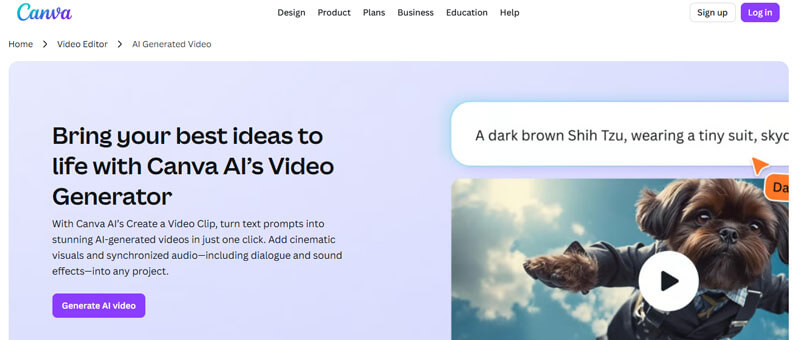
Canva is one of the easiest tools to include in a list of the Best Free AI Video Generators 2026 because it combines AI video creation with a simple design editor. Users can create AI-powered videos from text prompts and then edit them with templates, text, graphics, music, captions, animations, and brand colors.
Canva is especially useful because users can generate a video clip and then continue editing it with templates, text, graphics, music, brand colors, captions, animations, and social media layouts.
Best Features
- Text-to-video generation
- AI-generated video clips with audio
- Social media templates
- Drag-and-drop video editing
- Brand kits and design tools
- Captions, animations, music, and graphics
- Easy export for Reels, Shorts, TikTok, and presentations
Best For
Canva is best for bloggers, marketers, students, educators, solopreneurs, and small businesses that need simple, branded videos.
Pros
- Very beginner-friendly
- Strong template library
- Good for social media videos
- Useful for product teasers and brand clips
- Easy editing after generation
Cons
- AI video generation may be limited depending on plan
- Some advanced AI tools may require paid access
- Not as advanced as Runway or Luma for cinematic control
Expert Observation
Canva is especially useful for creators who want fast social media videos without learning advanced editing software.
Best Use Case
2. Bing Video Creator
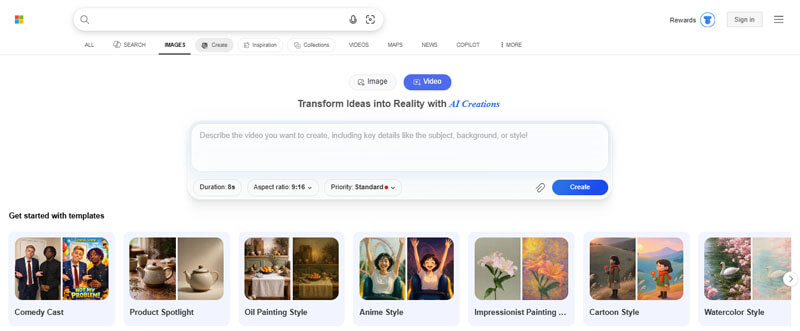
Bing Video Creator is one of the most useful tools in the Best Free AI Video Generators 2026 list because it gives users access to text-to-video creation powered by Sora. Microsoft says standard creation is free, while fast creation generally requires Microsoft Rewards points.
It is a strong option for beginners who want to experiment with text-to-video generation without paying upfront.
Best Features
- Free standard text-to-video creation
- Sora-powered video generation
- Prompt-based interface
- Microsoft account integration
- Useful for short creative experiments
- Content credentials and provenance support for AI-generated videos
Best For
Bing Video Creator is best for beginners, students, casual creators, bloggers, and users who want to try AI video generation for free.
Pros
- Standard creation is free
- Easy to use
- Strong search interest because of Sora
- Good for prompt testing
- Useful for short creative clips
Cons
- Fast generation may require Rewards points
- Output length and format may be limited
- Not a complete professional editing suite
Best Use Case
3. Pika
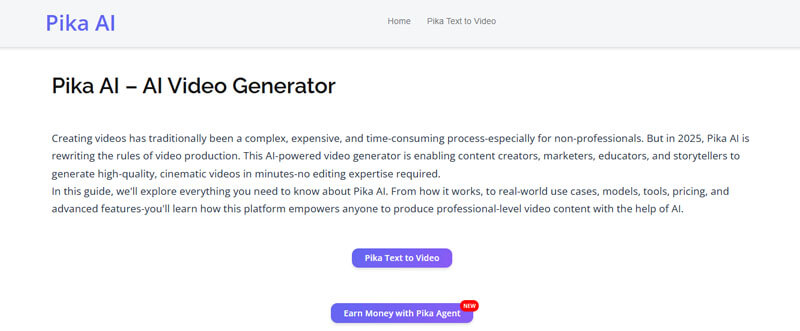
Pika is a popular tool in the Best Free AI Video Generators 2026 list for creative short-form videos. Its pricing page lists a $0 free Basic plan, making it useful for users who want to test AI video generation before upgrading.
Pika is especially useful for creators who want animated images, social media effects, stylized clips, and viral-style videos.
Best Features
- Text-to-video generation
- Image animation
- Creative AI effects
- Character motion
- Short-form video generation
- Social-media-friendly outputs
Best For
Pika is best for TikTok creators, Instagram creators, meme pages, visual artists, and people who want creative effects rather than formal corporate videos.
Pros
- Free plan available
- Strong creative effects
- Good for viral-style content
- Easy to test
- Useful for image animation
Cons
- Free usage is limited
- Results depend heavily on prompt quality
- Not always ideal for formal business videos
Expert Observation
Pika works best for short experimental clips and animated social content rather than long-form storytelling.
Best Use Case
4. Runway
Runway is one of the most advanced tools in the Best Free AI Video Generators 2026 list for creators, agencies, filmmakers, and professional editors. Runway’s pricing page says its free plan is for individuals who want to explore its AI tools and includes 125 one-time credits.
Runway is closer to a professional AI creative suite than a simple beginner tool. It is useful for cinematic AI video, image-to-video workflows, creative testing, ad concepts, and storyboarding.
Best Features
- Generative video tools
- Image-to-video workflows
- AI video editing
- Cinematic outputs
- Advanced model access on paid plans
- Useful for storyboarding and concept films
Best For
Runway is best for filmmakers, creative agencies, advertisers, startup teams, and advanced AI creators.
Pros
- High-quality AI video tools
- Strong cinematic potential
- Good for creative testing
- Useful for ad concepts and storyboards
Cons
- Free credits are one-time only
- Advanced usage requires payment
- Higher learning curve than Canva or Clipchamp
Expert Observation
Runway performs better when prompts are highly visual and cinematic rather than simple descriptive text.
Best Use Case
5. Luma Dream Machine
Luma Dream Machine is a strong option in the Best Free AI Video Generators 2026 list for cinematic motion and image-to-video generation. Luma’s pricing page says all plans include free trial credits, making it useful for testing before choosing a paid plan.
Luma is especially useful for visual storytellers, designers, marketers, and creators who want realistic movement from prompts or images.
Best Features
- Text-to-video generation
- Image-to-video animation
- Cinematic motion
- Realistic camera movement
- Creative visual storytelling
- Advanced model access on paid plans
Best For
Luma is best for visual storytellers, designers, marketers, filmmakers, and creators who want cinematic clips from prompts or images.
Pros
- Strong motion quality
- Good for cinematic visuals
- Useful for image animation
- Great for creative concepts
Cons
- Free access is limited to trial credits
- Paid plans are better for regular use
- Commercial rights may depend on plan
Best Use Case
6. Adobe Firefly
Adobe Firefly is a strong choice in the Best Free AI Video Generators 2026 list for users who care about brand safety, commercial use, and professional creative workflows. Adobe says Firefly supports text-to-video and image-to-video creation for product videos, social media clips, B-roll, special effects, and cinematic visuals.
This makes Firefly especially useful for agencies, designers, businesses, and e-commerce teams that need safer AI-generated content for professional use.
Best Features
- Text-to-video generation
- Image-to-video generation
- Product video generation
- B-roll creation
- AI video editing
- Brand-safe creative workflow
- Adobe ecosystem integration
Best For
Adobe Firefly is best for designers, marketers, agencies, e-commerce teams, and businesses that need safer commercial content.
Pros
- Trusted creative brand
- Strong commercial-use positioning
- Good for product and marketing visuals
- Useful for professional workflows
Cons
- Free use is credit-limited
- Premium video features may require paid access
- Partner model usage terms may differ from Adobe’s own Firefly model terms
Best Use Case
7. InVideo AI
InVideo AI is a useful tool in the Best Free AI Video Generators 2026 list for users who want to turn a prompt, idea, blog post, or script into a complete video. Its help center says users can use InVideo AI for free, but free-plan exports include InVideo and stock media watermarks.
InVideo AI is especially useful for marketers, bloggers, YouTubers, coaches, and businesses that want full video drafts with narration, captions, and media.
Best Features
- Prompt-to-video generation
- Script generation
- AI voiceovers
- Subtitles
- Stock media
- Text-based editing
- Marketing video workflows
Best For
InVideo AI is best for YouTubers, marketers, bloggers, coaches, small businesses, and agencies that want complete videos from prompts.
Pros
- Good for full video drafts
- Useful for social media and marketing
- Free plan available
- Good for script-based video creation
Cons
- Free exports include watermarks
- Advanced features require paid plans
- Some stock media may carry watermarks on free exports
Best Use Case
8. Kapwing
Kapwing is a browser-based tool in the Best Free AI Video Generators 2026 list that combines AI video generation with practical online editing. Kapwing says its AI Video Generator is free to try without watermarks, but each video generation uses a different number of credits.
Kapwing is useful because it combines AI generation with practical editing tools such as captions, resizing, team collaboration, and social media formatting.
Best Features
- AI video generator
- Text-to-video
- Image-to-video
- Auto subtitles
- Online editor
- Resizing for social platforms
- Team collaboration
Best For
Kapwing is best for creators, marketers, educators, podcasters, and teams that need fast online editing.
Pros
- Free to try
- Browser-based workflow
- Strong social editing tools
- Good for captions and resizing
Cons
- Credit-based AI usage
- Paid plan needed for higher usage
- Not as cinematic as Runway or Luma
Best Use Case
9. VEED
VEED is a practical tool in the Best Free AI Video Generators 2026 list for creators, marketers, educators, and teams that need AI generation and editing in one place. VEED says its AI video generator can create videos from text, scripts, or images with visuals, AI voiceovers, avatars, and subtitles.
VEED is a practical option for users who want AI generation, editing, subtitles, avatars, and branding in one place.
Best Features
- Text-to-video generation
- Image-to-video generation
- AI avatars
- AI voiceovers
- Subtitles
- Dubbing
- Social media video editing
- Brand tools
Best For
VEED is best for solopreneurs, marketers, educators, coaches, and teams creating branded videos.
Pros
- All-in-one workflow
- Good subtitle tools
- Useful for social clips
- Supports avatars and voiceovers
Cons
- Some advanced features require payment
- Free exports may have limits
- AI usage may be credit-based
Best Use Case
10. Microsoft Clipchamp
Microsoft Clipchamp is a useful option in the Best Free AI Video Generators 2026 list for users who need AI-assisted editing rather than full cinematic video generation. It offers tools such as AI voiceovers, auto subtitles, background noise removal, silence removal, templates, and screen recording.
This makes Clipchamp useful for people who already have videos, screen recordings, photos, or slides and want to turn them into cleaner edited content.
Best Features
- Free online video editor
- AI voiceover generator
- Auto subtitles
- Silence removal
- Background noise removal
- Templates
- Screen recording
Best For
Clipchamp is best for beginners, students, educators, Windows users, and people who already have footage or images.
Pros
- Easy to use
- Good for basic editing
- AI voiceover is useful
- Strong for subtitles and simple projects
Cons
- Not a full text-to-cinematic-video generator
- Some premium features require payment
- Better for editing than generating scenes
Best Use Case
11. HeyGen
HeyGen is a strong option in the Best Free AI Video Generators 2026 list for users who need AI avatar videos. Its pricing page lists a free plan with limited monthly video creation, 720p export, stock avatars, and sharing/download options.
HeyGen is especially useful for users who want AI presenters for training, onboarding, sales, product explainers, and business videos.
Best Features
- AI avatars
- Script-to-video
- AI voices
- Stock avatars
- Custom digital twin options
- Business video workflows
Best For
HeyGen is best for trainers, educators, SaaS teams, HR departments, course creators, and marketers.
Pros
- Good avatar quality
- Free plan available
- Useful for training videos
- Good for business explainers
Cons
- Free plan is limited
- Avatar videos may feel scripted if the writing is weak
- Advanced features require paid access
Best Use Case
12. Synthesia
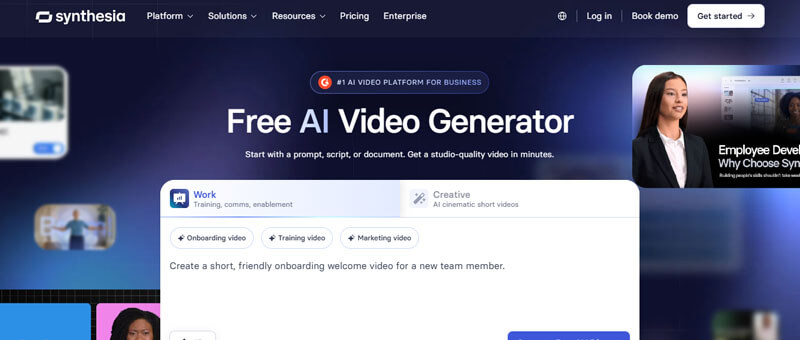
Synthesia is a leading AI avatar platform in the Best Free AI Video Generators 2026 list for businesses, educators, and training teams. Synthesia says its free plan includes 10 minutes of video per month, stock avatars, and AI voices in 160+ languages, while free videos include the Synthesia logo.
Synthesia is best for professional training, compliance, e-learning, internal communication, and corporate explainers.
Best Features
- AI avatars
- Text-to-video
- Multilingual voiceovers
- Training templates
- Business video workflows
- AI video editing
Best For
Synthesia is best for corporate training, compliance videos, internal communication, e-learning, and business explainers.
Pros
- Strong business focus
- Free plan available
- Good for training and education
- Supports many languages
Cons
- Free videos include logo
- Not ideal for cinematic scenes
- Paid plans are better for serious business use
Best Use Case
13. Leonardo AI
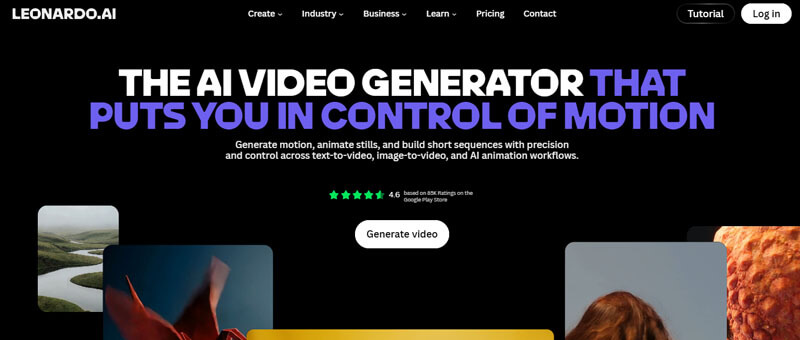
Leonardo AI is a strong visual-first option in the Best Free AI Video Generators 2026 list for designers, artists, and creative video makers. The platform supports image generation, motion tools, and video creation, while free users receive daily tokens that reset each day.
Leonardo is useful when your video workflow starts with strong visuals, character concepts, product images, fantasy art, or stylized scenes.
Best Features
- AI image generation
- Image-to-video
- Motion tools
- Creative style control
- Daily free tokens
- Visual storytelling workflow
Best For
Leonardo AI is best for artists, designers, game creators, concept artists, and creators who want to animate visual ideas.
Pros
- Strong visual generation
- Free daily tokens
- Good for stylized content
- Useful for image-to-motion videos
Cons
- Not always ideal for complete video production
- Token limits apply
- Advanced features require paid plans
Best Use Case
14. FlexClip
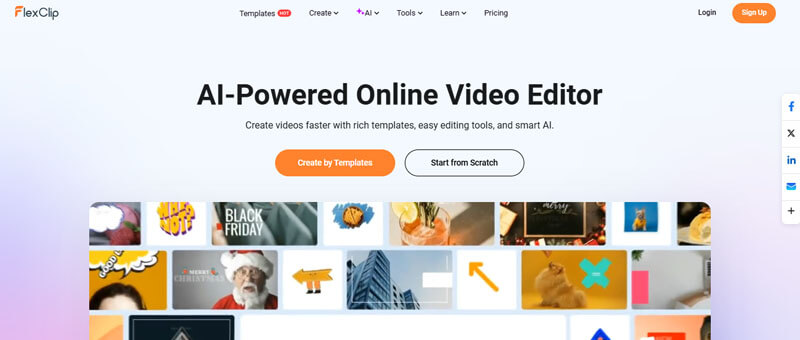
FlexClip is a simple template-based option in the Best Free AI Video Generators 2026 list for beginners, small businesses, educators, YouTubers, and marketers. It combines templates, online editing tools, stock media, and AI video features in one browser-based workspace.
It is a good option for simple business videos, slideshows, product promos, social media clips, and educational content.
Best Features
- AI video generation
- Text-to-video
- Image-to-video
- Templates
- Stock media
- Online editing tools
- Slideshow and promo video formats
Best For
FlexClip is best for beginners, small businesses, educators, YouTubers, and marketers who want simple template-based videos.
Pros
- Easy to use
- Good templates
- Useful for simple marketing videos
- Good for beginners
Cons
- Free exports may have limits
- Not as advanced as cinematic AI video tools
- Paid plans unlock more features
Best Use Case
Best Free AI Video Generators 2026 by Content Type
| Content Type | Best Free or Free-to-Try Tools | Why It Works |
|---|---|---|
| Text-to-video clips | Bing Video Creator, Pika, Runway, Luma, Adobe Firefly | Good for turning prompts into videos |
| Image-to-video animation | Canva, Luma, Adobe Firefly, Leonardo AI, VEED | Useful for animating product photos or artwork |
| AI avatar videos | HeyGen, Synthesia, VEED | Best for training, explainers, and business videos |
| Social media videos | Canva, VEED, Kapwing, InVideo AI, FlexClip | Good for Reels, Shorts, TikTok, and ads |
| Cinematic AI video | Runway, Luma, Adobe Firefly, Google Veo/Flow | Better for realistic scenes and camera movement |
| Marketing videos | InVideo AI, Canva, Adobe Firefly, VEED, Kapwing | Good for scripts, voiceovers, captions, and branding |
| Beginner editing | Clipchamp, Canva, FlexClip | Easy for users without editing experience |
| YouTube Shorts | Canva, Bing Video Creator, Pika, VEED, Kapwing | Good for vertical short-form content |
| Product videos | Adobe Firefly, Canva, InVideo AI, Luma, VEED | Good for e-commerce and social ads |
Best Free AI Video Generators 2026 for YouTube Shorts, Reels, and TikTok
Short-form video is one of the biggest reasons people search for the Best Free AI Video Generators 2026. Creators need tools that can quickly make vertical videos, captions, hooks, background clips, animated images, product shots, and visual storytelling content.
Best Tools for Short-Form Content
- Canva is excellent for Reels, Shorts, TikTok clips, product promos, and branded videos because it combines AI video generation with templates, text, graphics, music, and editing.
- Pika is useful for viral-style clips, animated images, funny effects, and experimental videos.
- VEED works well for captions, subtitles, avatars, voiceovers, and social video formatting.
- Kapwing is strong for browser-based editing, resizing, subtitles, and collaborative social video creation.
- InVideo AI is useful when you want to turn a script, blog idea, or marketing prompt into a complete social video.
- Bing Video Creator is helpful for quick text-to-video testing and free standard generation.
Best Short-Form Video Tips
For YouTube Shorts, Reels, and TikTok, do not rely only on AI generation. Improve the final video with:
- A strong opening hook
- Vertical 9:16 format
- Captions
- Clear branding
- Fast cuts
- Mobile-friendly text
- Music or voiceover
- A clear call to action
Prompt Engineering Guide for AI Video Generators
A good AI video prompt should be specific, visual, and easy for the model to understand. Even when using the Best Free AI Video Generators 2026, weak prompts can create generic videos. Strong prompts describe the subject, action, setting, lighting, camera movement, mood, and aspect ratio.
Best AI Video Prompt Formula
Subject + Action + Setting + Style + Camera Movement + Lighting + Mood + Aspect Ratio
Example Prompt
“Create an 8-second cinematic video of a young entrepreneur walking through a modern startup office with glowing holographic screens, slow camera push-in, warm lighting, realistic business style, confident mood, 16:9 aspect ratio.”
Product Video Prompt
“Create a short product video of black wireless headphones rotating on a glass table, soft studio lighting, luxury technology style, slow camera movement, clean background, 9:16 format.”
YouTube Shorts Prompt
“Create a vertical video showing a small business owner packing online orders in a bright workspace, fast motion, friendly mood, realistic lifestyle style, captions area at the bottom, 9:16 format.”
Travel Video Prompt
“Create a cinematic travel video of a tropical beach at sunrise, gentle waves, palm trees moving in the wind, golden light, drone-style camera movement, peaceful mood, 16:9 format.”
Educational Video Prompt
“Create a simple animated explainer video showing how solar panels convert sunlight into electricity, clean flat design, bright colors, smooth transitions, 16:9 format.”
Prompt Writing Tips
- Mention the video length if the tool allows it.
- Use one main subject per clip.
- Add camera movement such as pan, zoom, tracking shot, or drone view.
- Mention the mood, such as professional, cinematic, fun, peaceful, or futuristic.
- Use the correct aspect ratio for the platform.
- Avoid too many actions in one short clip.
- Generate several versions and choose the best one.
AI Video Workflow for Bloggers, Marketers, and Small Businesses
Many readers do not only want a list of tools. They also want to know how to create videos using the Best Free AI Video Generators 2026 in a real content strategy.
Step 1: Choose the Goal
Decide what the video is for:
- YouTube Shorts
- Instagram Reels
- TikTok
- Product promotion
- Blog repurposing
- Training
- Education
- Brand awareness
- Paid advertising
- Website hero video
Step 2: Write a Short Script
For a 30-second video, keep the script around 70 to 90 words. Use simple language and one clear message.
Step 3: Generate Visuals
Use tools like Canva, Bing Video Creator, Pika, Runway, Luma, Adobe Firefly, or Leonardo AI to create visual clips.
Step 4: Add Voiceover
Use AI voiceover tools from InVideo AI, VEED, Clipchamp, HeyGen, Synthesia, or Canva.
Step 5: Add Captions
Captions are important because many viewers watch videos without sound. They also improve accessibility and viewer retention.
Step 6: Edit for the Platform
| Platform | Best Format |
|---|---|
| YouTube Shorts | 9:16 vertical |
| Instagram Reels | 9:16 vertical |
| TikTok | 9:16 vertical |
| YouTube long-form | 16:9 horizontal |
| 1:1, 4:5, or 16:9 | |
| Website hero video | 16:9 or wide banner |
| Facebook feed | 1:1 or 4:5 |
| Presentation video | 16:9 horizontal |
Step 7: Review Before Publishing
Commercial Use, Copyright, and AI Safety
A helpful guide to the Best Free AI Video Generators 2026 should include commercial-use and safety advice because AI-generated videos can create legal, ethical, and trust issues if used carelessly.
Before using AI-generated videos for YouTube monetization, paid ads, client campaigns, or business promotion, check:
- Whether commercial use is allowed
- Whether the export includes a watermark
- Whether the tool gives usage rights
- Whether stock media is licensed
- Whether AI avatars can be used commercially
- Whether music and voices are covered
- Whether the video needs an AI disclosure label
- Whether the prompt uses copyrighted characters, celebrity likenesses, or brand assets
Adobe Firefly is notable because Adobe promotes videos generated with the Firefly model as safe for commercial use, though users should still check the terms for partner models or third-party assets.
Avoid Creating These Types of AI Videos
Users should avoid creating or publishing:
- Fake news-style videos
- Misleading political or financial content
- Deepfake videos of real people without consent
- Fake celebrity endorsements
- Copyrighted characters without permission
- Medical, legal, or investment claims without expert review
- Videos that imitate real people in harmful or deceptive ways
This section improves E-E-A-T because it shows readers how to use AI video tools responsibly.
Limitations of Free AI Video Generators
Even the Best Free AI Video Generators 2026 have limitations. Free plans are useful for testing ideas, but they may include credit limits, short video duration, slower generation, watermarked exports, lower resolution, limited commercial rights, fewer model options, and restricted downloads.
Common limitations include:
- Limited monthly or weekly credits
- Short video duration
- Slower generation queues
- Watermarked exports
- Lower resolution
- Limited commercial rights
- Fewer model options
- Less control over camera movement
- Inconsistent characters between scenes
- Poor text rendering inside videos
- Unnatural hands, faces, or movement
- Limited audio support
- Restricted downloads
- No full control over final output
Even advanced AI video tools can make mistakes. A generated video may include distorted objects, unnatural motion, inconsistent lighting, or incorrect visual details. That is why AI video generators should be treated as creative assistants, not complete replacements for professional editors.
How to Choose the Best Free AI Video Generator 2026
The best tool depends on your goal.
- Choose Canva if you want beginner-friendly social media videos with templates and branding.
- Choose Bing Video Creator if you want free standard text-to-video generation powered by Sora.
- Choose Pika if you want creative effects, animated images, and viral-style clips.
- Choose Runway if you want cinematic AI video testing and professional creative control.
- Choose Luma Dream Machine if you want beautiful image-to-video animation and realistic motion.
- Choose Adobe Firefly if you need brand-safe commercial content and professional creative workflows.
- Choose InVideo AI if you want complete videos from prompts, scripts, voiceovers, and stock footage.
- Choose Kapwing if you want online editing, subtitles, resizing, and team collaboration.
- Choose VEED if you want subtitles, avatars, voiceovers, and social video workflows.
- Choose Clipchamp if you already have footage and need simple AI-assisted editing.
- Choose HeyGen or Synthesia if you need AI avatar presenters.
- Choose Leonardo AI if you want to create images and animate them into motion.
- Choose FlexClip if you want simple template-based videos for business or education.
Conclusion:
The Best Free AI Video Generators 2026 are not all equal. Some are best for text-to-video, some are best for image animation, and others are better for avatars, social media, product videos, or editing.
For most beginners, Canva is the easiest starting point. For free Sora-style text-to-video testing, Bing Video Creator is one of the most important options, while Pika is strong for creative short clips.
Among the Best Free AI Video Generators 2026, Runway and Luma Dream Machine are better for cinematic videos, Adobe Firefly is useful for brand-safe business content, InVideo AI, Kapwing, and VEED work well for marketing videos, and HeyGen and Synthesia are excellent for avatar videos.
The smartest approach is to test two or three free plans first, compare output quality, check watermarks and licensing, and upgrade only when the tool fits your content workflow.
The Future of AI Video Creation in 2026
One major trend shaping the AI video industry in 2026 is the shift from simple text-to-video tools toward complete AI content workflows. Many platforms now combine AI video generation, subtitles, avatars, voiceovers, image animation, and social media optimization inside one system instead of focusing only on raw video generation.
This change is making AI video tools more useful for marketers, creators, educators, startups, and businesses that want faster content production without managing multiple separate editing platforms.
Important Note
AI video platforms change quickly, and free-plan limits, credits, watermark rules, and features may change over time. Users should always verify current pricing, licensing, and commercial-use policies directly from the official platform before publishing business or monetized content.
Best Free AI Video Generators 2026 FAQs
1. What is the easiest free AI video generator for beginners in 2026?
Canva, Clipchamp, FlexClip, and VEED are some of the easiest options in the Best Free AI Video Generators 2026 list because they offer simple editing tools, templates, captions, and beginner-friendly workflows.
2. Which free AI video generator is best for turning images into videos?
Luma Dream Machine, Leonardo AI, Adobe Firefly, Canva, and Kapwing are useful for turning images into videos because they support image-to-video animation, motion effects, and creative visual storytelling.
3. Can free AI video generators make videos for TikTok and Instagram Reels?
Yes, many tools from the Best Free AI Video Generators 2026 can help create TikTok and Instagram Reels. Canva, Pika, VEED, Kapwing, and InVideo AI are useful for vertical videos, captions, hooks, product clips, and social media content.
4. What should I check before using a free AI video generator for business?
Before using any tool from the Best Free AI Video Generators 2026 for business, check watermark rules, commercial-use rights, export quality, stock media licensing, AI voice rights, avatar permissions, and paid advertising rules.
5. Are free AI video generators good enough for YouTube content?
Free AI video generators are good for YouTube Shorts, video drafts, intros, explainers, and background clips. However, professional YouTube content may require paid plans for watermark-free exports, higher resolution, longer videos, and more credits.
6. Do free AI video generators support audio?
Yes, some tools in the Best Free AI Video Generators 2026 support audio features such as voiceovers, music, sound effects, and avatar narration. However, free plans may limit audio quality, video length, or export options.