



If you want to know how to create a social media campaign? in 2026, the most effective approach is to build it like a system, not a batch of random posts. A high-performing campaign starts with one clear goal, one defined audience, one core message, a realistic budget, clean tracking, and a plan to test and improve over time.
Social media campaigns in 2026 are more demanding than they used to be. Platforms reward stronger creative fit, cleaner campaign setup, better audience targeting, and more trustworthy content. Google also continues to emphasize helpful, reliable, people-first content rather than content made mainly to manipulate rankings.
A successful campaign is not just content production. It is strategy, execution, tracking, optimization, and post-campaign learning working together.
To create a social media campaign in 2026, follow this process:
- Set one primary campaign goal
- Define the audience clearly
- Research competitors and content gaps
- Build a campaign brief before production
- Assign team roles and workflow
- Choose the right platform mix
- Create one core campaign message
- Build an offer worth promoting
- Map content by funnel stage
- Create platform-specific assets
- Set budget, KPIs, and tracking
- Launch with testing built in
- Use retargeting to improve efficiency
- Align the landing page with the social message
- Review results and repurpose winners
This framework keeps your campaign focused, measurable, and easier to improve.
Why Social Media Campaigns Matter More in 2026
A campaign gives your content a unified purpose. Instead of publishing disconnected posts, you create a coordinated set of assets tied to one audience, one message, and one conversion path. That makes it easier to measure what worked, understand what failed, and improve the next launch.
Campaigns also strengthen the rest of your marketing system. A good campaign can feed your landing pages, blog content, remarketing, email follow-up, and sales funnel. When done well, it improves social performance and supports branded search, traffic quality, and conversion quality at the same time. That is why understanding how to create a social media campaign matters for long-term marketing results.
What Changed in 2026
The basics of campaign strategy still matter, but execution has become more platform-specific.
- Google still emphasizes helpful, reliable, people-first content rather than pages created mainly for rankings.
- TikTok has been phasing out Custom Identity for new campaigns, with official guidance stating that new campaigns must be launched from a verified TikTok profile. TikTok also documents business verification requirements in Ads Manager.
- Meta requires branded content to use its branded content tools where available and applies branded content policies to those posts and ads.
- LinkedIn continues to position Lead Gen Forms as a lower-friction option for capturing leads, and its own best-practice guidance recommends keeping forms relatively short, often around three to four fields to help conversion.
These details matter because a campaign that ignores platform setup, disclosure requirements, or lead friction can underperform before the creative even has a fair chance.
Start With a Campaign Brief Before Production
One of the most overlooked parts of how to create a social media campaign is the campaign brief. This should be built before you make any graphics, videos, captions, or ads.
A campaign brief acts as the central strategy document for everyone involved. Without it, messaging drifts, approvals slow down, assets get duplicated, and performance reporting becomes messy.
What to include in a campaign brief
- Campaign objective
- Audience segment
- Offer
- Core message
- Key proof points
- CTA
- Platforms
- Timeline
- Budget
- KPIs
- Asset list
- Approval workflow
- Owner for each task
A clear brief makes campaign execution faster and cleaner because everyone works from the same plan.
Define Team Roles and Workflow Early
Many campaigns do not fail because the idea is weak. They fail because ownership is unclear. That is an important part of how to create a social media campaign successfully in 2026.
Simple campaign workflow
- Strategist owns goal, audience, and positioning
- Copywriter owns hooks, captions, ads, and CTA language
- Designer or video editor owns visuals and editing
- Paid media specialist owns targeting, setup, and budget
- Community manager handles comments, DMs, and moderation
- Analyst or marketer owns reporting and next steps
When ownership is clear, launch week is smoother and bottlenecks are easier to fix.
Step 1: Set One Clear Campaign Goal
The first step in how to create a social media campaign is choosing one primary outcome. Too many campaigns try to do everything at once. That usually weakens the message and makes optimization harder.
Pick one primary goal and one secondary goal.
Example
Primary goal: generate leads
Secondary goal: drive landing page traffic
Strong campaign goals
- Increase email signups by 20 percent in 30 days
- Generate 150 webinar registrations
- Drive 500 qualified visits to a product page
- Produce 50 demo requests from ideal buyers
- Reach 100,000 relevant users in a new market
Good goals are specific, time-bound, and measurable.
Step 2: Define the Audience Before You Create Content
A campaign works best when you know exactly who it is for. Audience research should go beyond age and location. It should include intent, pain points, objections, buying readiness, and content habits.
Audience example
- Small business owners
- Ages 25 to 44
- Need more leads from social media
- Limited budget
- Active on Instagram, Facebook, LinkedIn, and YouTube
- Prefer practical templates over theory
Then answer these questions:
- What problem do they want solved?
- What language do they use?
- What stops them from acting?
- What content format do they trust most?
- What offer feels valuable enough to click?
The clearer your audience, the stronger your message and creative decisions become.
Step 3: Research Competitors and the Market

Before launching, study what other brands in your category are already doing. This is not about copying. It is about identifying patterns, saturation, and gaps. This is an important part of how to create a social media campaign, because better research leads to better positioning.
Review these areas
- Competitor social pages
- Public ad libraries where available
- Messaging angles
- Offer types
- Creative formats
- Engagement patterns
- Comment sentiment
- Questions their audience keeps asking
This helps you find ways to be clearer, more useful, or more distinctive.
Step 4: Choose the Right Platform Mix
The right platform depends on the audience and the campaign goal, not on hype.
| Platform | Best for | Strong campaign goals | Best content formats |
|---|---|---|---|
| Consumer reach and visual storytelling | Awareness, engagement, conversions | Reels, Stories, carousels, creator content | |
| Broad reach and retargeting | Traffic, leads, conversions | Video, static ads, retargeting assets | |
| B2B targeting and lead generation | Leads, webinars, demo requests | Thought leadership, video, Lead Gen Forms | |
| TikTok | Fast creative testing and discovery | Awareness, engagement, performance testing | Short-form video, creator-style ads |
| YouTube | Education and long-form trust building | Awareness, consideration, branded search support | Tutorials, explainers, testimonials |
Most campaigns do better when they are strong on one or two channels instead of weak across five.
Step 5: Build One Core Campaign Message
Every strong campaign needs one central idea. This is the message that ties together the posts, ads, landing page, email follow-up, and CTA. This is a core part of how to create a social media campaign, because without a clear message, even good content can feel disconnected.
A strong campaign message includes
- The problem
- The promise
- The proof
- The next step
Example
Problem: your social content gets views but not conversions
Promise: use a simpler campaign system for 2026
Proof: real examples, templates, and KPI tracking
CTA: download the checklist
Without a core message, the audience sees disconnected content instead of a clear story.
Step 6: Create an Offer Worth Promoting
A campaign becomes easier to scale when it promotes something concrete.
Offer ideas
- Free guide
- Webinar
- Product launch
- Discount
- Consultation
- Waitlist
- Email course
- Case study
- Demo
- Template
Cold audiences often respond better to low-friction educational offers. Warm audiences are more likely to respond to demos, consultations, free trials, or direct purchase offers.
Step 7: Map the Customer Journey
Before creating assets, decide where each piece fits in the funnel. This is an important part of how to create a social media campaign, because different audience stages need different messages, formats, and offers.
Top of funnel
Goal: awareness
Content: short videos, problem-led posts, stat-based hooks, creator mentions
Middle of funnel
Goal: consideration
Content: explainers, carousels, case studies, testimonials, comparisons
Bottom of funnel
Goal: conversion
Content: demos, landing pages, lead forms, retargeting ads, urgency posts
Different audience temperatures need different messaging. A first-time viewer and a warm prospect should not see identical content.
Step 8: Create Platform-Specific Content, Not Copy-Paste Content
One of the biggest mistakes in how to create a social media campaign is reusing the exact same asset everywhere.
Platform-native creative usually performs better because it matches user behavior on each network.
Content examples by format
Short-form video
- Strong first 1 to 3 seconds
- One core idea
- On-screen captions
- Clear CTA
Carousel
- Slide 1: promise or pain point
- Middle slides: process, proof, explanation
- Final slide: CTA
Lead magnet post
- State the problem
- Show what is inside
- Explain who it is for
- Tell users exactly how to get it
Testimonial asset
- Before
- What changed
- Specific result
- CTA
Step 9: Build a Content Calendar
A campaign needs timing, sequence, and repetition. One post is not a campaign.
Example 4-week campaign structure
Week 1
- Awareness video
- Problem-led carousel
- Blog article promotion
- Story poll or engagement post
Week 2
- Educational post
- Testimonial
- Lead magnet promotion
- Retargeting begins
Week 3
- Live session or webinar reminder
- FAQ post
- Objection-handling video
- Social proof post
Week 4
- Urgency post
- Final CTA
- Results recap
- Retargeting push
This gives your message multiple chances to land with different audience segments.
Step 10: Set Budget, KPIs, and Tracking Before Launch
If you cannot measure the campaign, you cannot improve it.
KPI table for campaign management
| Stage | KPI | What it tells you | If weak, check |
|---|---|---|---|
| Awareness | Reach, impressions, video views | Whether content is being seen | Targeting, hook, delivery |
| Engagement | Saves, shares, comments, engagement rate | Whether content resonates | Relevance, clarity, format |
| Traffic | CTR, CPC, landing page sessions | Whether the offer earns clicks | Hook, CTA, audience fit |
| Leads | Form fills, CPL, lead quality | Whether traffic converts into prospects | Offer strength, form friction |
| Sales | Conversion rate, CPA, revenue, ROAS | Whether the campaign drives business results | Landing page, follow-up, targeting |
UTM example
utm_source=instagramutm_medium=socialutm_campaign=spring_launch_2026utm_content=reel_hook_a
Build a better tracking stack
- Platform conversion setup
- UTM-tagged URLs
- Website analytics
- Defined conversion events
- CRM or lead source tracking
- Weekly reporting dashboard
This helps answer two different questions:
- Did the platform optimize well?
- Did the traffic turn into quality results?
Step 11: Launch With Testing Built In
A campaign should not launch with only one creative version.
Test at least
- 2 hooks
- 2 visuals or intros
- 2 CTA versions
- 2 audience segments
- 2 landing page headlines
Test message angle first, then creative, then CTA, then audience refinements.
Step 12: Use Retargeting and Remarketing
Retargeting is one of the most important parts of how to create a social media campaign because most people do not convert on the first touchpoint.
Build separate messaging for
- Cold audiences
- Video viewers
- Profile visitors
- Landing page visitors
- Cart or form abandoners
- Previous leads or customers
Retargeting works best when the message changes with audience temperature. Cold audiences need education. Warm audiences need proof, urgency, or a clearer next step.
Step 13: Optimize Based on the Right Signals
Optimization depends on what the data is telling you.
- If reach is high but clicks are low, the hook, offer, or CTA may be weak.
- If clicks are high but conversions are low, the landing page or message match may be the issue.
- If leads are cheap but poor quality, targeting or offer positioning may be off.
- If frequency rises and results drop, creative fatigue may be setting in.
The clearer the campaign objective, the easier it is to know what to fix.
Step 14: Align the Landing Page With the Campaign
A strong campaign does not stop at the click. The social asset and landing page need message match. This is a critical part of how to create a social media campaign? because even strong content can lose results if the landing page feels disconnected.
If the post promises a free checklist, the landing page should immediately confirm that same promise, to that same audience, with that same CTA.
Landing page alignment checklist
- Same core promise as the post
- Same audience language
- Same offer
- Clear proof or trust signals
- Simple form
- Mobile-friendly layout
- Fast loading experience
- Visible CTA above the fold
Strengthen Page Experience and Technical Readiness
Before launching campaign pages, check:
- Mobile usability
- Fast loading time
- Clear navigation
- Descriptive page title
- Useful headings
- Internal links to related pages
- Descriptive image alt text
- Secure site setup
- Clean form experience
This improves usability for visitors and supports stronger search performance over time, which also supports how to create a social media campaign in a more effective and measurable way.
Step 15: Make Compliance Part of the Campaign Plan
If your campaign includes influencers, creators, affiliate promotion, or paid partnerships, disclosure rules matter.
Meta’s official branded content guidance requires creators to use the branded content tool where available, and branded content remains subject to policy requirements.
Compliance checklist
- Disclose paid relationships clearly
- Use required branded content tools where needed
- Avoid misleading claims
- Keep endorsements honest and supportable
- Review platform ad and creator policies before launch
Compliance is part of trust, not just legal housekeeping.
Step 16: Make the Campaign Search-Friendly Too
If the campaign page or article is meant to perform in Google as well, it should be useful enough to stand on its own.
Google’s documentation continues to stress helpful, reliable, people-first content. That means your page should solve the user’s problem clearly and completely, not just repeat keywords. Google has also said that using AI is not the issue by itself; what matters is whether the content is helpful and high quality.
SEO tips for this topic
- Put the focus keyword naturally in the title, intro, headings, and conclusion
- Cover search intent fully with practical steps and examples
- Avoid keyword stuffing
- Use descriptive headings
- Add internal links to related guides
- Write a strong meta title and meta description
- Use an original featured image
- Keep the page updated as platforms change
Organic vs Paid vs Hybrid Campaigns
A good article on how to create a social media campaign should clearly separate organic and paid execution.
| Campaign type | Best for | Strengths | Limitations |
|---|---|---|---|
| Organic | Trust, community, consistency | Lower direct media cost, long-term brand value | Slower scaling |
| Paid | Speed, targeting, measurable acquisition | Faster reach, precise targeting, retargeting | Requires budget and tighter tracking |
| Hybrid | Most businesses in 2026 | Organic trust plus paid scale | More coordination required |
In many cases, a hybrid approach is strongest because organic content warms the audience while paid distribution scales winners and retargets engaged users.
Budget Allocation for Testing and Scaling
A simple beginner framework:
- 40 percent for creative and audience testing
- 20 percent for retargeting
- 30 percent for scaling winners
- 10 percent for refreshes or contingency
This is not a universal rule, but it gives structure and prevents overspending too early on unproven creative.
Using Influencers, Creators, and UGC
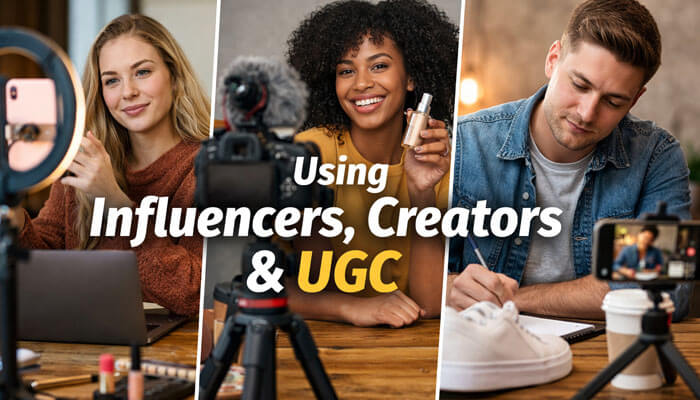
Many campaigns perform better when they include creator-led assets, customer proof, or UGC-style content. This format often feels more native and more believable than polished brand creative. It is also an effective part of how to create a social media campaign when your goal is to build trust and improve engagement.
Use creator or UGC content when you want
- Native-looking short-form video
- Product demonstrations
- Social proof
- Trust-building content
- Fresh creative variations
Creator workflow should include
- Creative brief
- Disclosure instructions
- Usage rights
- Revision process
- Platform posting plan
- Paid usage permissions
Accessibility and Mobile-First Execution
Most social content is consumed on mobile, often quickly and often with sound off.
Best practices
- Add captions to video
- Use readable text overlays
- Keep visuals uncluttered
- Make the first frame clear
- Use mobile-friendly formats
- Avoid tiny text
- Keep the CTA visible and simple
Clearer content is usually more effective content.
Use AI and Automation Carefully
AI can help campaign production, but it should support judgment, not replace it.
Use AI for
- Brainstorming angles
- Hook variations
- Caption drafts
- Test ideas
- Reporting summaries
- Repurposing rough versions of winners
Do not rely on AI for final strategy, unsupported claims, or generic copy at scale without review.
2026 Platform Notes That Matter
A few practical execution details are especially useful right now:
- TikTok’s transition away from Custom Identity means new campaigns should be prepared to run from a verified TikTok profile, so brand setup and permissions need to be handled before launch.
- LinkedIn Lead Gen Forms can reduce friction because they use pre-filled profile data, and LinkedIn’s own best practices suggest keeping form fields limited to improve completion rates.
- Meta branded content campaigns should be planned with proper disclosure tools and policy review built in from the start.
These are the kinds of details that make a 2026 campaign article feel current instead of generic.
Adapt Creative for Each Placement
A campaign concept should be adapted, not duplicated.
Adjust by placement
- Aspect ratio
- Safe text area
- Thumbnail
- Caption length
- Hook
- CTA placement
- Audio dependence
- On-screen text size
What works in Feed may need a different crop, shorter caption, and stronger opening frame for Reels, Stories, Shorts, or TikTok.
Creative Asset Checklist for Launch
Before publishing, prepare:
- Short-form videos
- Static image posts
- Carousel graphics
- Primary captions
- Alternate captions
- Ad copy variations
- Headlines
- CTA text
- Thumbnails
- Landing page copy
- UTM links
- Tracking setup
- Approval notes
- File naming system
This reduces last-minute production chaos.
Common Mistakes to Avoid
Many campaigns fail for preventable reasons. Understanding these mistakes is an important part of how to create a social media campaign, because avoiding common errors can improve both performance and efficiency.
Common mistakes
- No single objective
- No campaign brief
- Unclear ownership
- Choosing platforms based on hype
- Skipping competitor research
- Reusing one creative everywhere
- Ignoring placement adaptation
- Launching without UTM links
- Weak conversion tracking
- Sending traffic to a weak landing page
- Ignoring retargeting
- Measuring vanity metrics without business outcomes
- Skipping disclosure requirements
- Publishing content for algorithms instead of people
Example: A Simple Social Media Campaign Template
Here is a practical example for a small business launching a lead magnet. This example helps show how to create a social media campaign in a way that is simple, structured, and measurable.
Campaign goal
Generate 300 email subscribers in 30 days
Audience
Small business owners struggling with low engagement
Offer
Free downloadable social media campaign checklist
Platforms
Instagram, Facebook, LinkedIn
Content plan
- 3 short videos per week
- 2 carousel posts per week
- 1 testimonial post per week
- Retargeting ads to landing page visitors
- 2 reminder emails after signup
KPIs
- Reach
- CTR
- Cost per lead
- Email signup conversion rate
- Landing page conversion rate
Tracking setup
- UTM-tagged links for every post and ad
- Platform conversion setup
- Weekly reporting dashboard
This is simple, but it is structured. That is what makes it measurable.
Post-Campaign Reporting: What to Review
After the campaign, review:
- Goal versus actual results
- Best-performing creative
- Best-performing audience
- Best-performing platform
- Cost per result
- Lead or sale quality
- Landing page conversion rate
- Retargeting performance
- Comments and qualitative feedback
- Assets worth repurposing
Then decide:
- What becomes evergreen
- What needs a creative refresh
- What audience should be scaled
- What offer should be improved
- What to test next time
Every campaign should make the next campaign smarter.
Key Takeaways
- Start with one clear campaign goal
- Know your audience before making content
- Use a campaign brief to keep execution aligned
- Create platform-specific assets instead of copying the same post everywhere
- Track both platform performance and website-side results
- Use retargeting to improve efficiency
- Align the landing page with the social promise
- Review results so the next campaign performs better
Frequently Asked Questions FAQs
1. What is a social media campaign?
A social media campaign is a coordinated set of posts, ads, messages, and assets built around one goal, one audience, and one timeframe. Unlike random posting, it is planned, measured, and optimized toward a specific result.
2. How long should a social media campaign run?
Many campaigns run for 2 to 6 weeks. The right length depends on budget, audience size, offer, and whether the goal is awareness, leads, or sales.
3. What is the best platform for a social media campaign?
There is no single best platform. LinkedIn is often stronger for B2B lead generation, Instagram and Facebook are often effective for broad consumer reach, TikTok is useful for discovery and creative testing, and YouTube is strong for education and trust-building.
4. How do I measure a social media campaign?
Use platform analytics, website analytics, UTM-tagged links, conversion tracking, CRM attribution, and post-campaign reporting to connect traffic and conversions back to specific campaigns and creatives.
5. Can a social media campaign help SEO?
Indirectly, yes. Social campaigns can increase awareness, branded search, and traffic to useful pages. But the page itself still needs strong structure, relevance, and a satisfying user experience to rank well.
Conclusion
If you want to learn how to create a social media campaign in 2026, focus on structure over noise. Set one goal, define the audience, research the market, build a campaign brief, assign roles, choose the right platforms, create one strong message, promote a real offer, build platform-specific content, track performance clearly, use retargeting intelligently, and review the results after launch.
The best campaigns are not the busiest ones. They are the ones with the clearest strategy, the strongest audience fit, the best creative adaptation, and the discipline to learn from every result.
A successful social media campaign in 2026 is not built by posting more. It is built by aligning goal, audience, message, creative, tracking, and optimization into one measurable system.
