

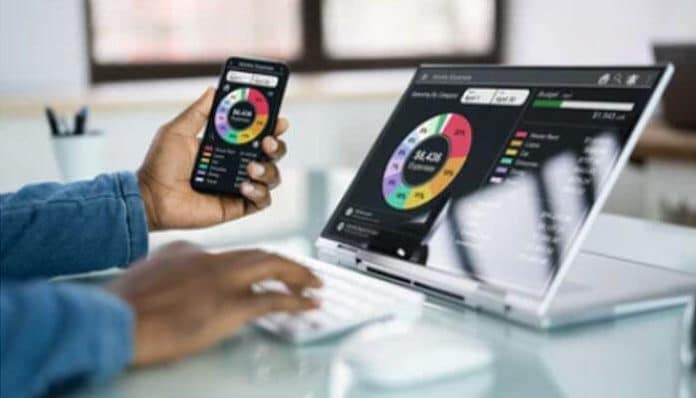

In an era defined by rising living costs, digital finance tools are indispensable for people who want to manage money wisely, avoid debt, and reach financial goals. The best budgeting apps not only help you track your spending, but also empower you to save more, plan smarter, and create sustainable financial habits.
This guide breaks down the top budgeting apps, what features to look for, pros and cons, how to choose the right one, and tips to maximize your financial control.
1. What Are Budgeting Apps & Why They Matter
Budgeting apps are digital financial tools designed to help you track expenses, monitor income, plan savings, and set spending limits. Unlike spreadsheets or paper ledgers, these apps provide real-time insights into your financial data by linking to your bank accounts, credit cards, and investment accounts. They categorize transactions, track bills, alert you when you overspend, and offer goal-setting features.
In 2026, budgeting apps have grown more sophisticated — integrating AI suggestions, automatic categorization, investment tracking, and more — making them essential tools for better money management.
2. How We Chose the Best Budgeting Apps
To determine the best budgeting apps for 2026, we evaluated many options using criteria similar to finance experts like Forbes Advisor. Key aspects included:
- Ease of Use – A user-friendly interface with an intuitive design and a seamless setup process, making it easy for anyone to get started.
- Budget Tracking – Accurate tracking of spending with detailed and customizable categories to give a clear picture of your finances.
- Account Integration – The ability to effortlessly sync with your bank accounts, credit cards, loans, and other financial institutions for comprehensive tracking.
- Security – Robust data protection measures, including encryption and secure login protocols, ensuring the safety of your personal and financial information.
- Reports & Insights – Providing clear, actionable financial summaries and insights that help users make informed decisions about their money.
- Cost vs. Value – Evaluating the effectiveness of both free plans and paid subscriptions, balancing the features offered against the cost to determine the best value.
These factors help users pick tools that best suit their financial needs — from basic expense tracking to comprehensive wealth management.
3. Best Budgeting Apps in 2026 – Comparison Table
| App Name | Best For | Free Version | Starting Price | Key Features | Platform |
|---|---|---|---|---|---|
| YNAB (You Need A Budget) | Zero-based budgeting & goal planning | No (Trial Only) | $14.99/month | Goal tracking, debt payoff planning, real-time syncing | iOS, Android, Web |
| EveryDollar | Simple monthly budgeting | Yes | $17.99/month | Zero-based budgeting, bank sync (premium) | iOS, Android, Web |
| Rocket Money | Subscription tracking | Yes | $4–$12/month | Subscription cancellation, bill negotiation | iOS, Android, Web |
| Monarch Money | Complete financial overview | No (Trial Only) | $14.99/month | Net worth tracking, investment sync, financial planning | iOS, Android, Web |
| PocketGuard | Overspending control | Yes | $7.99/month | “In My Pocket” feature, bill tracking | iOS, Android, Web |
| Quicken Simplifi | Detailed reporting | No (Trial Only) | $5.99/month | Spending plan, projected cash flow | iOS, Android, Web |
| Empower | Free investment + budgeting | Yes (Free) | Free | Net worth tracking, retirement tools | iOS, Android, Web |
| Goodbudget | Envelope budgeting | Yes | $8/month | Digital envelope system | iOS, Android, Web |
| Copilot | AI budgeting (Apple users) | No | $13/month | Smart categorization, Apple-focused | iOS, Mac |
| Fudget | Manual budgeting | Yes | $3.99 (one-time) | Simple expense lists | iOS, Android |
4. Top Best Budgeting Apps of 2026
Below are the leading budgeting apps ranked for 2026, with their key strengths and ideal user types.
• EveryDollar — Best for Zero-Based Budgeting
EveryDollar follows the popular zero-based budgeting method, where every dollar you earn is assigned a purpose before the month begins. It’s simple, checklist-style interface makes it ideal for beginners.
Key Features:
- Monthly budgeting templates
- Expense tracking
- Syncs with bank accounts (premium)
Best For: People who want a disciplined budgeting discipline with clear spending categories.
Cons: Most advanced features require a paid subscription.
• Wallet by BudgetBakers — Best All-Around Budgeting App
Wallet stands out for versatile financial planning. It offers both basic and advanced tools that cater to novice and experienced budgeters.
Features:
- Real-time syncing
- Financial summaries and forecasts
- Custom budgeting categories
Pros: Great balance of features, clean interface, multi-platform support.
Cons: Some premium features are behind a paywall.
• Lunch Money — Best for Custom Expense Tracking

Lunch Money combines budgeting with financial planning. You can organize your money using customized categories and tags — perfect for people with complex cash flows.
Key Features:
- Automatic bank and credit card syncing
- Manual transaction entry option
- Custom categories and advanced tagging system
- Multi-tag support for detailed tracking
- Monthly and annual budgeting tools
- Cash flow overview dashboard
- Recurring transaction tracking
- Net worth tracking (assets and liabilities)
- Multi-currency support
Pros: Excellent personalization, clear dashboards.
Cons: Newer app with smaller user base.
• Rocket Money — Best for Subscription Tracking

If you’re paying for subscriptions you forgot about, Rocket Money helps find and cancel unused services — a major way to cut expenses.
Key Features:
- Automatic subscription detection
- One-tap subscription cancellation
- Bill negotiation service
- Budget categories with alerts
- Spending insights
- Net cash flow overview
Pros: Subscription management, savings recommendations.
Cons: Strongest benefits require premium version.
• Monarch Money — Best for Holistic Financial View

Monarch integrates budgeting, investment tracking, net worth visualization, and financial planning in one place.
Key Features:
- Budget tracking + investment tracking
- Net worth visualization
- Spending and savings goals
- Cash flow forecasting
- Account aggregation (bank, credit, investments)
- Custom categories
- Secure bank syncing
Pros: Great for long-term financial planning.
Cons: Might be overwhelming for absolute beginners.
• Albert — Best for Smart Savings Tools

Albert combines budgeting with savings suggestions and automated savings features — ideal for people who want guidance.
Key Features:
- Budget tracking and spending categorization
- Automatic savings transfers based on income patterns
- Bill tracking and payment reminders
- Real-time cash flow monitoring
- Savings goal setting and progress tracking
- Round-up savings feature
- Instant cash advance option (eligibility-based)
- Overdraft protection alerts
- Bank account and credit card syncing
Pros: Automated savings, fee-free insights.
Cons: Automated programs may recommend premium plans.
• Spendee — Best for Visual Budget Insight

Spendee offers vivid charts, spending trends, and shared wallets — helpful for families and couples managing finances together.
Key Features:
- Colorful visual spending charts
- Shared wallets for family budgeting
- Manual and automatic transaction entry
- Custom spending categories
- Multi-currency support
- Bill reminders
• Quicken Simplifi — Best for Detailed Expense Analysis

Quicken Simplifi provides deep analytic tools for serious budgeters who want detailed reports and forecasting.
Key Features:
- Projected cash flow
- Spending plan personalized to goals
- Bill monitoring and reminders
- Net worth insights
- Budget setup and trend visualization
- Custom report generation
• PocketGuard — Best for Quick Overview
PocketGuard provides a simple “In My Pocket” view — showing what you can spend after bills and goals — making it extremely user-friendly.
Key Features:
- “In My Pocket” balance (money left after bills and goals)
- Automatic categorization
- Bill and income tracking
- Savings goals
- Subscription alerts
- Net cash flow snapshot
• YNAB (You Need A Budget) — Best for Goal-Oriented Budgeters

YNAB teaches strong budgeting discipline with rule-based planning and savings goals — widely recommended by personal finance experts for behavioral change.
Key Features:
- Zero-based budgeting (assign every dollar a job)
- Real-time bank syncing across devices
- Custom budget categories and subcategories
- Goal and target tracking (savings, debt payoff, emergency fund)
- Detailed spending reports and trend analysis
- Adjustable and flexible budgeting each month
- Debt management tools
- Personal finance education and workshops
• Empower — Best Free Comprehensive App

Empower offers budgeting plus retirement and net-worth tracking — all for free — connecting multiple accounts and giving a holistic financial dashboard.
Key Features:
- Budget tracking
- Net worth dashboard
- Retirement and investment monitoring
- Bill tracking
- Spending alerts
- No mandatory subscription fees
• Copilot — Best for AI-Assisted Budgeting

Copilot uses smart categorization and analytics and is especially effective for Apple ecosystem users.
Key Features:
- Smart transaction categorization using AI
- Spending insights
- Budget targets with predictive analytics
- Secure bank syncing
- Detailed trend and forecast charts
- Custom rule automation
• Fudget — Best Simple Minimalist Budget App

Fudget is perfect for users who prefer manual budgeting without automatic syncing. It’s like digital pen-and-paper finance.
Key Features:
- Manual income and expense entry
- List format budgeting (like digital pen & paper)
- No bank syncing required
- Simple category creation
- Lightweight and privacy-focused
- One-time purchase model
• Goodbudget — Best Envelope-Style Budgeting App

Goodbudget replicates the traditional envelope budgeting method digitally, helping users allocate funds manually into spending and saving buckets.
Key Features:
- Digital envelope system for allocating funds
- Manual transaction tracking
- Shared envelopes for families or couples
- Simple category setup
- Debt and savings planning
5. Features to Consider Before Choosing
Choosing the right budgeting app depends on your financial goals. Here are key features to evaluate:
Account Syncing: Automatic integration with bank accounts and cards saves time and keeps your budget updated.
Custom Categories: Ability to personalize spending categories (e.g., groceries, travel, subscriptions).
Goal Tracking: Set and monitor savings targets for vacations, emergencies, or debt payoff.
Reports & Insights: Visual dashboards and monthly reports help identify spending habits.
Security Features: Look for encryption, two-factor authentication (2FA), and strong privacy policies.
6. Free vs Paid Budgeting Apps
Many budgeting apps provide free versions that handle essential tasks. However:
- Paid plans usually offer more automation, advanced analytics, multi-device sync, and premium insights.
- A free app might suffice if you’re just starting budgeting or have simple finances; paid versions are best for deeper financial planning and coaching.
7. How Budgeting Apps Help You Save Money
Budgeting apps help you save by:
✔ Highlighting unnecessary expenses — like unused subscriptions
✔ Setting realistic savings goals
✔ Alerting overspending before it becomes a problem
✔ Giving insights into long-term patterns
✔ Encouraging financial awareness and accountability
8. Tips to Get the Most Out of Your Budgeting App
To maximize benefits:
- Review your budget weekly, not just monthly
- Categorize transactions correctly
- Set clear financial goals (emergency fund, vacation, debt paydown)
- Use alerts to curb impulsive spending
- Update your budget after each paycheck
9. Frequently Asked Questions (FAQs)
Q1. What’s the best budgeting app for beginners?
Apps like EveryDollar, PocketGuard, and Goodbudget are ideal for those new to budgeting because they are intuitive.
Q2. Are budgeting apps safe?
Most leading apps use bank-level encryption and security; always check privacy policies.
Q3. Do I have to link my bank accounts?
No — apps like Fudget and Goodbudget allow manual input if you prefer not to sync accounts.
10. Conclusion
In 2026, the best budgeting apps empower users with smart automation, personalized insights, and goal-focused financial planning. Whether you prefer a simple tracker like Fudget or a comprehensive tool like Monarch or Empower, there’s an app that fits your lifestyle.
Choosing the right budgeting app — and using it consistently — can be the difference between financial stress and financial freedom. Start today, find the app that fits your needs, and embark on a smarter path to managing money.
